Aws-sdk-ios: Trouble re-wiring Amplify CLI-generated REST API after following iOS SDK instructions
State your question
The following Amplify CLI issue is related to this one, in so far as I am trying to re-wire the Amplify-generated REST API with API Gateway / Lambda components after the CLI created an unwanted Cognito User Pool to interwork with this REST API. It was my intent to integrate with my existing Cognito User Pool.
I have made a number of changes to re-wire both front-end (awsconfiguration.json) and backend (my Cognito User Pool; API Gateway resource; IAM; Lambda function via CLI update) components that Amplify created and yet I still get the same 403 error, which seems clearly related to not authenticating correctly.
A full explication of my issue is here on stackoverflow with screenshots and code snippets. I have been stuck for 1 week. Boo hoo :(
Here is the error I get:
User successfully logged in.
username: Optional("178dc797-4e3d-5bc4-815f-a280536fcd3a")
Optional("{\"message\":\"Authorization header requires \'Credential\' parameter.
Authorization header requires \'Signature\' parameter. Authorization header requires
\'SignedHeaders\' parameter. Authorization=eyJraWQiOiJyR0Ni-REALLYLONGSTRING\"}\n")
403
Which AWS Services are you utilizing?
Cognito, API Gateway, IAM, Lambda, Cloudwatch.
(Everything Amplify needs to make REST API calls via API Gateway / Lambda from an iOS Swift app.)
Provide code snippets (if applicable)
Please see my stackoverflow post
Environment(please complete the following information):
- SDK Version: 2.8.4, I think. Just installed.
- Dependency Manager: Cocoapods
- Swift Version : 4.2
Device Information (please complete the following information):
- Device: Simulator (iPhone XR)
- iOS Version: iOS 12.1
- Specific to simulators:
 motivus
All 16 comments
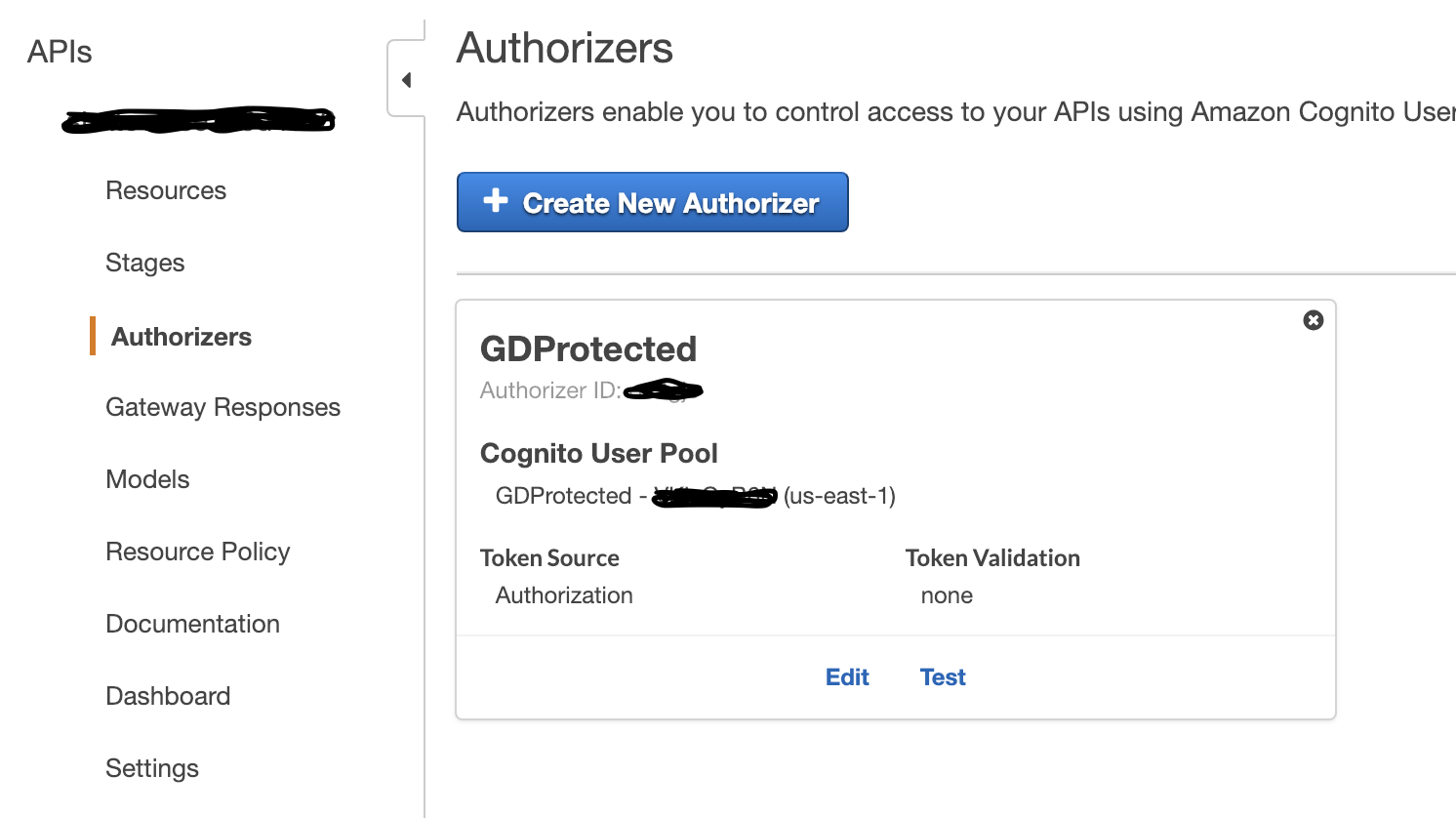
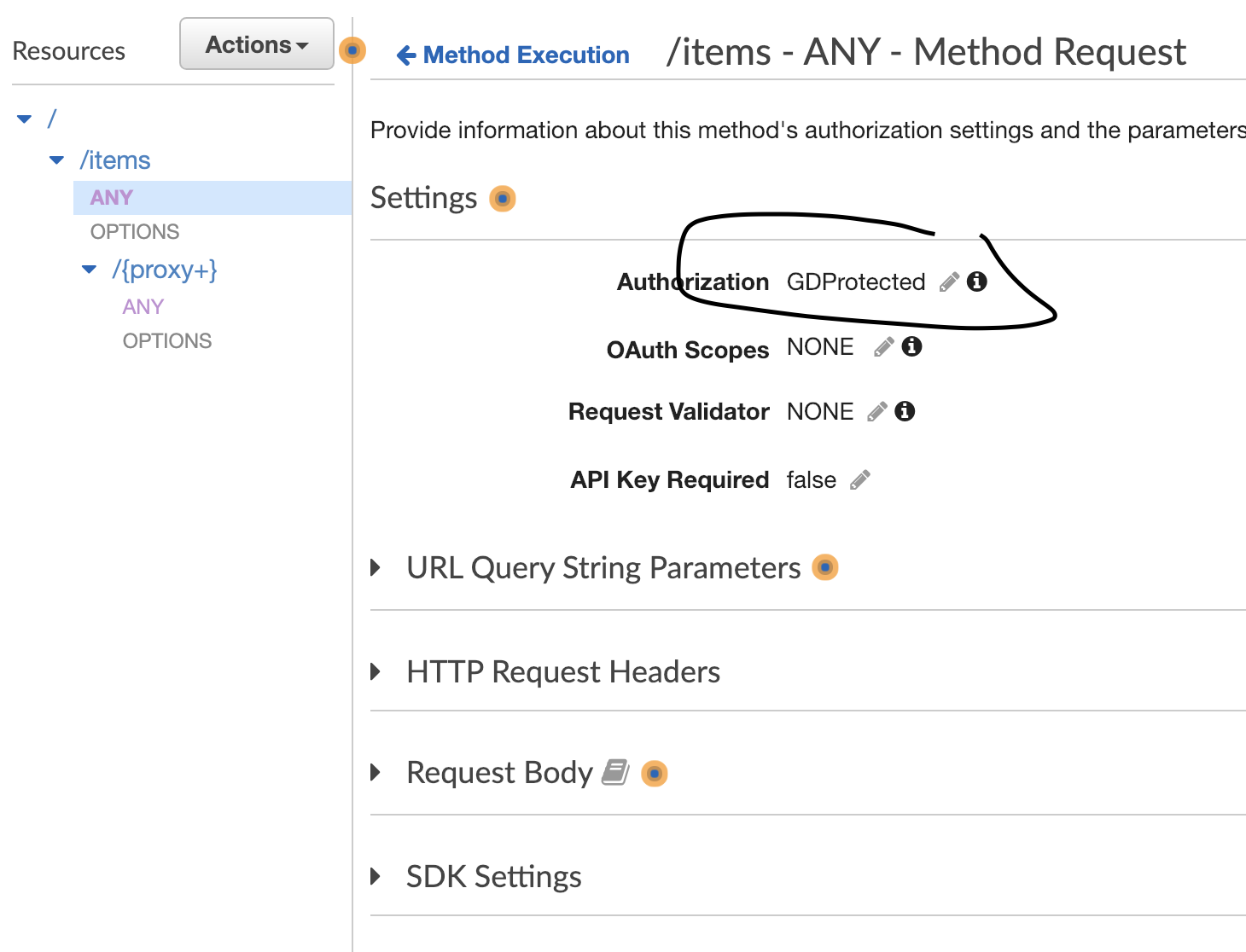
Two screenshots showing my API resource settings:
motivus
on 13 Feb 2019
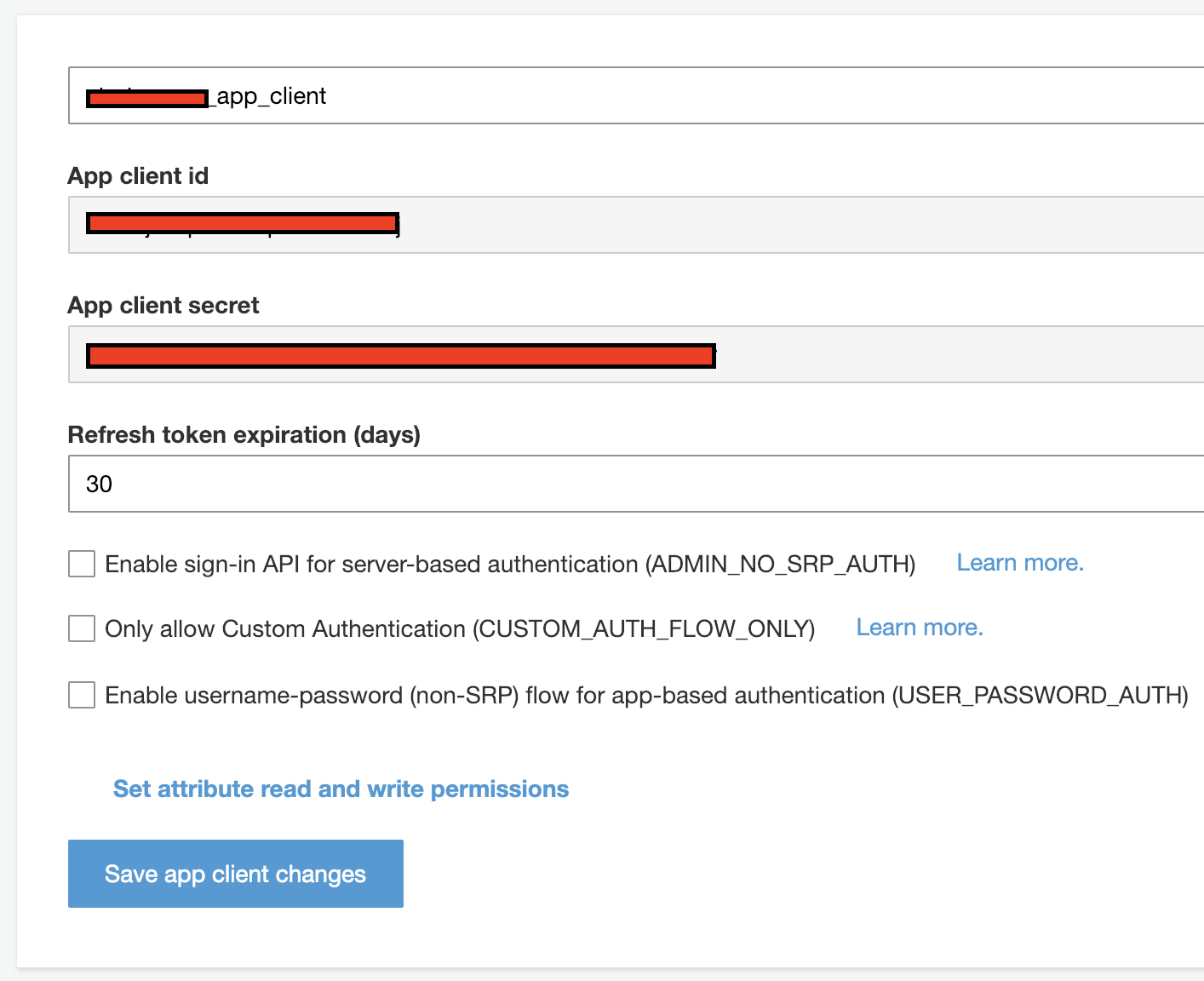
I created a new App Client for my pre-existing Cognito User Pool after noticing Amplify created two app clients when it created its User Pool. I definitely needed another one because the first one is for Web access. Here's a screenshot of the settings for the iOS / mobile app client:
motivus
on 13 Feb 2019
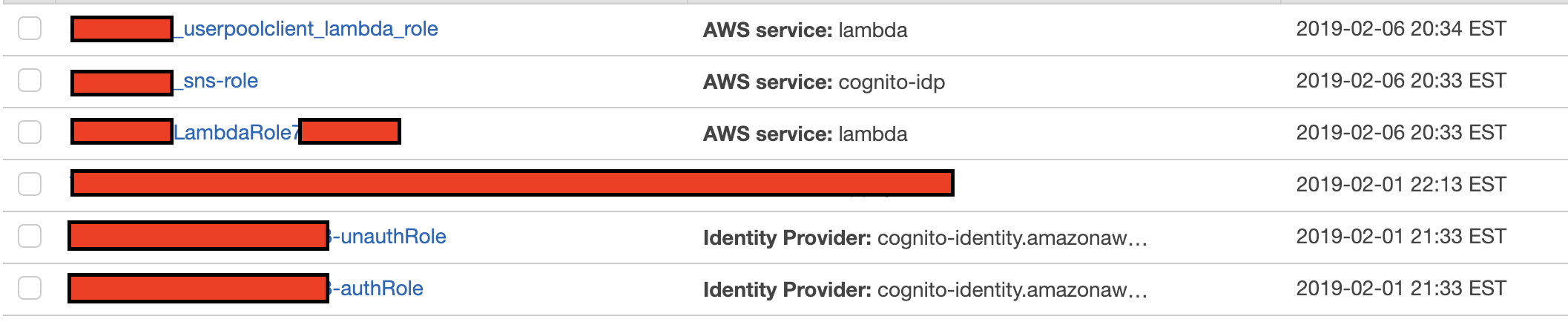
Here's how I re-wired the IAM roles Amplify created for the API.
First, here are the roles:
Next, here's how I changed my existing Cognito Auth role:
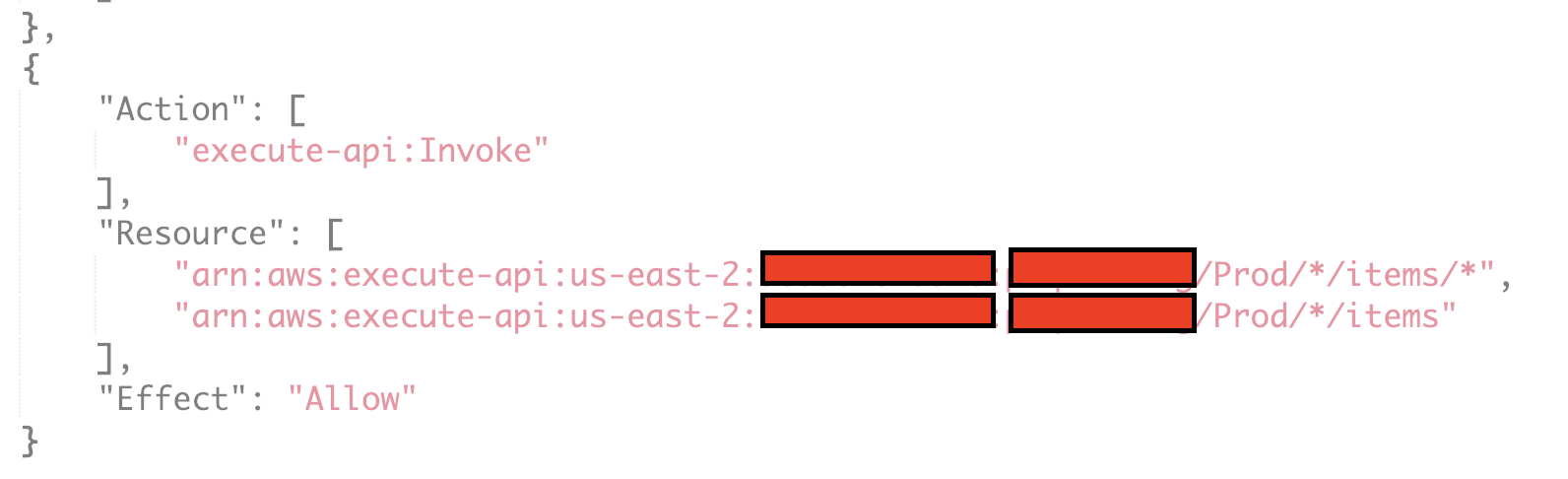
And I changed the DynamoDB table as well, because my CLI region was not set to the desired table region at the time that I created the REST API:
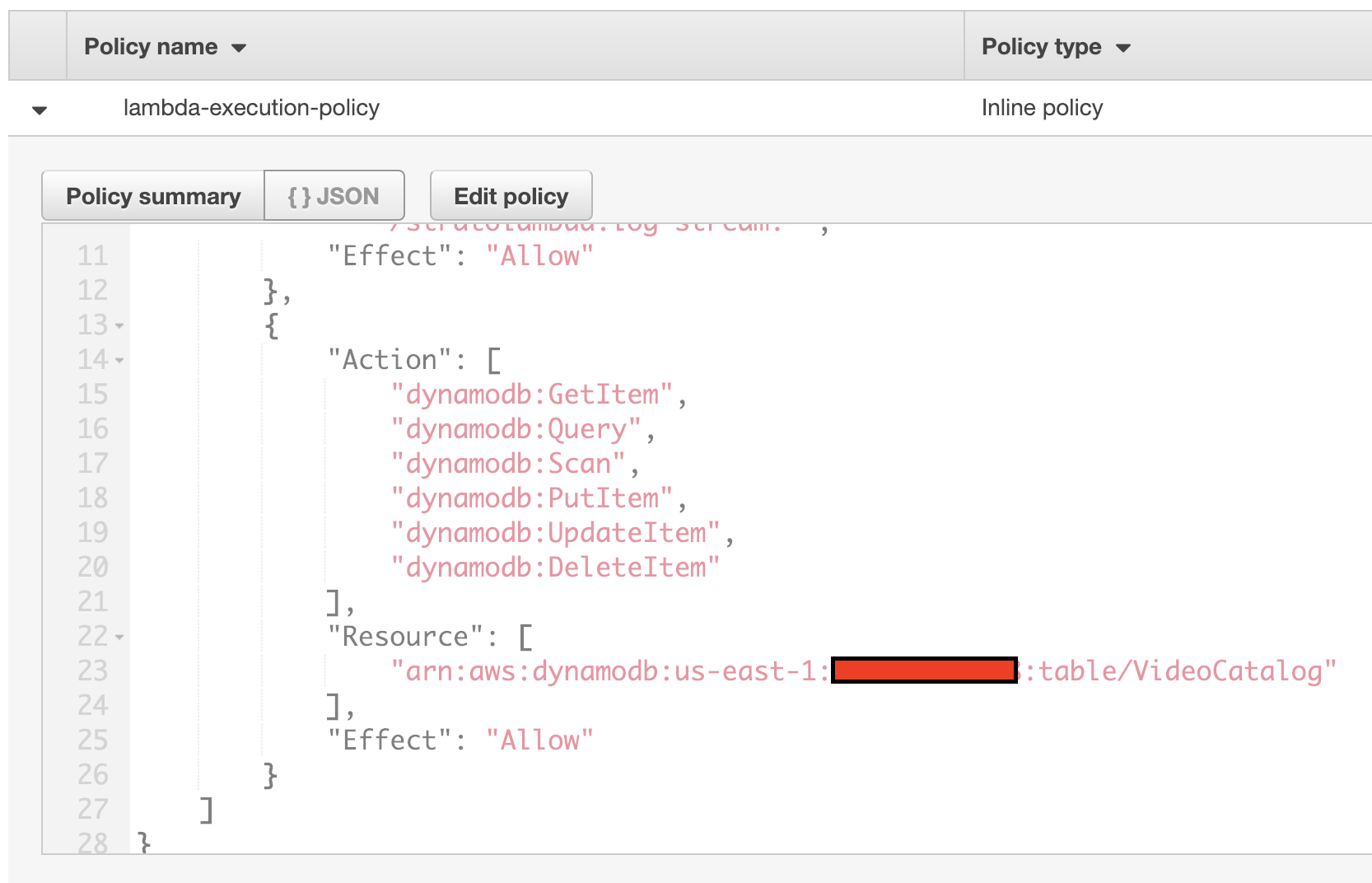
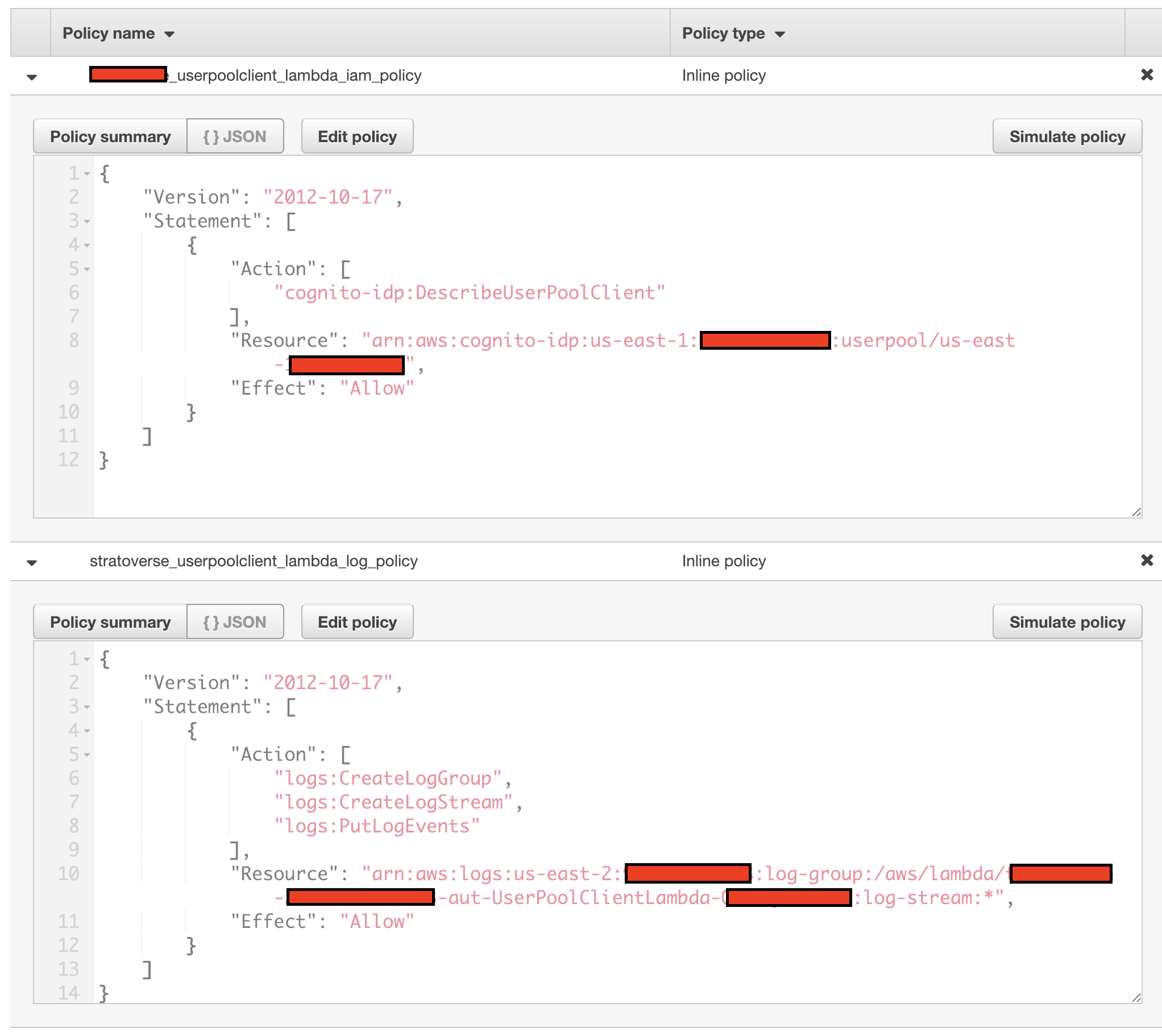
And here's what my *_userpoolclient_lambda_iam_policy looks like. I changed it so it referred to my pre-existing Cognito User Pool:
motivus
on 13 Feb 2019
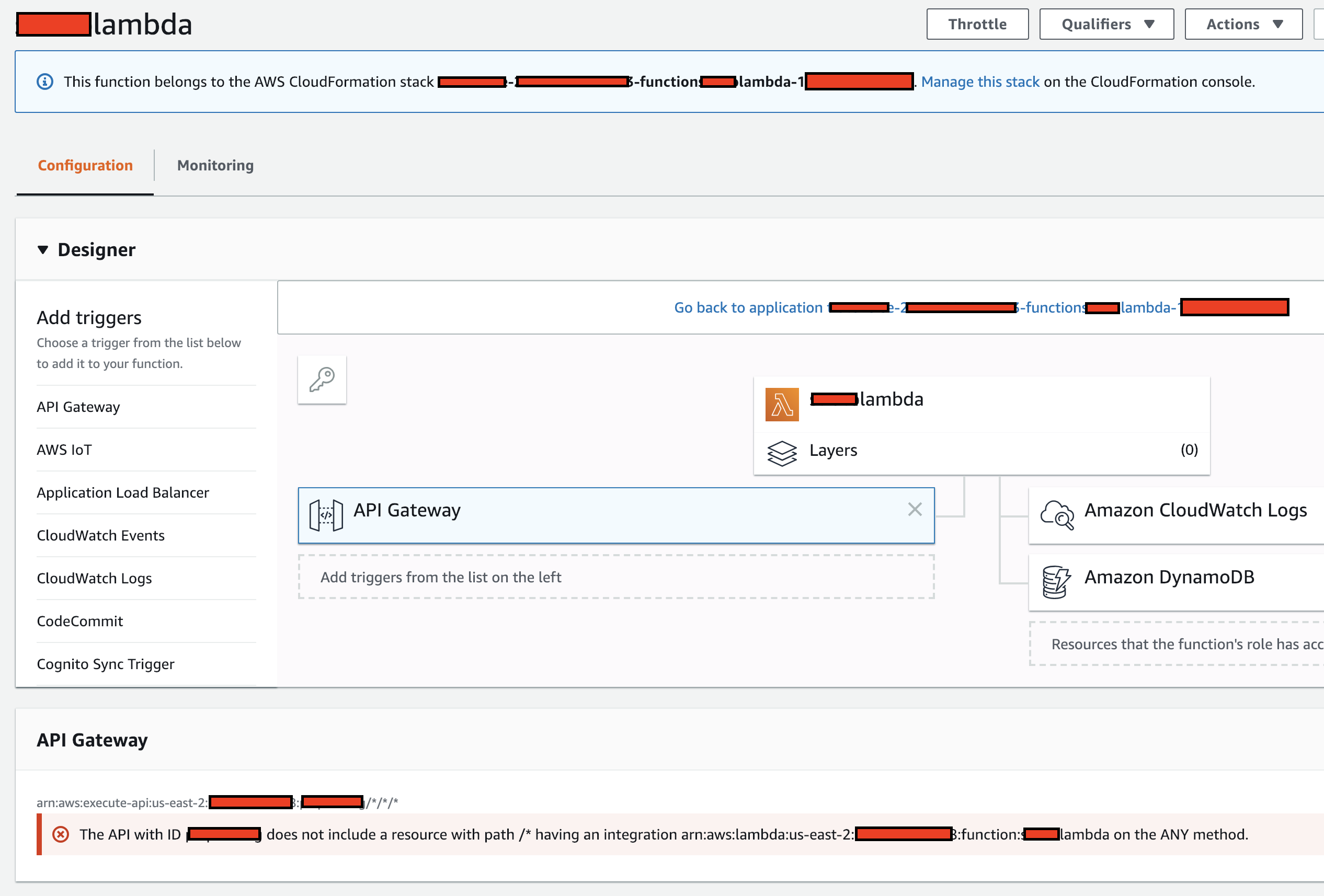
Here are the Lambda functions the Amplify REST API created:
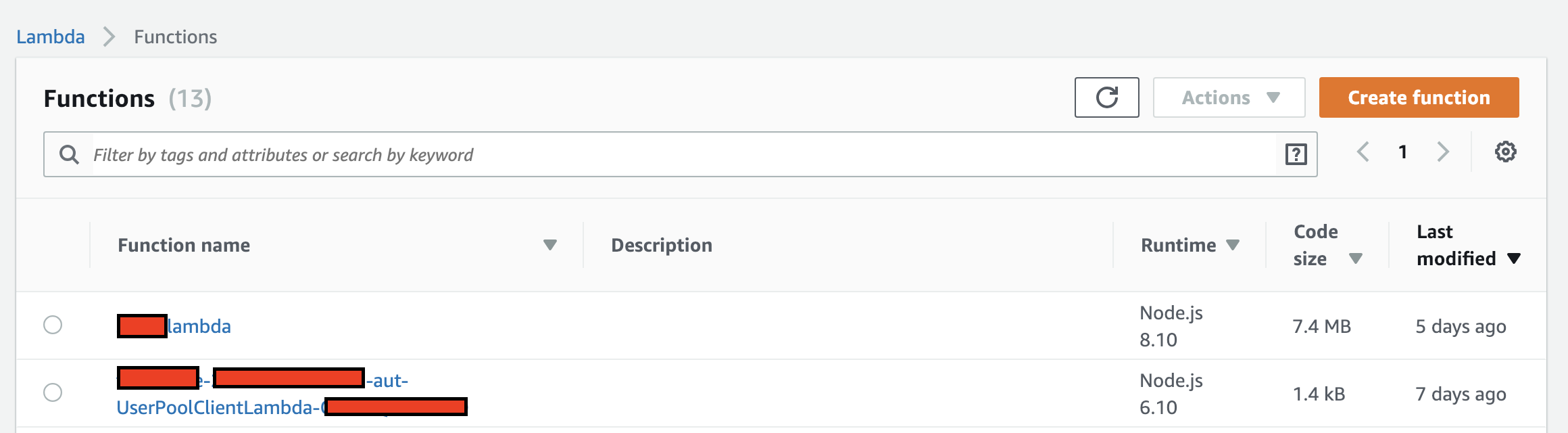
I don't know if this API Gateway message under the Lambda function screen is important or not. I've read somewhere that it can be ignored:
If you'd like to see more Lambda policy views, please let me know.
motivus
on 13 Feb 2019
@motivus Thank you for the detailed information in the issue. I am looking into it. I will have an update soon.
 kvasukib
on 14 Feb 2019
kvasukib
on 14 Feb 2019
@motivus Sorry for my delayed response in this issue. Thank you for your patience.
Is your intent to setup Cognito UserPools for authentication along with APIGateway?
If not, was there an issue you encountered while using amplify-cli which led you to setup Cognito UserPools while you only wanted APIGateway?
Can you describe your use-case in general of what you are trying to achieve with APIGateway? That would help me setup a project myself to see if the issue you are encountering is reproducible.
kvasukib
on 15 Feb 2019
@kvasukib No problem at all. I truly appreciate any assistance in understanding Amplify iOS SDK.
My project is very basic at this point. To begin, all I did was follow your Getting Started instructions to build an iOS app using the AWS Amplify CLI and the AWS SDK for iOS. So, I started as directed with that Build A Basic UI in iOS / Swift tutorial. Then I added a GraphQL API to my app as given by the instructions, and I was able to successfully add new "To Do" entries in the created ToDo DynamoDB table via the iOS app in the Simulator. Worked perfectly.
Next, I followed the Amplify instructions for adding Authentication--but I integrated with my _existing_ Cognito User Pool. That worked perfectly as well: now the user had to create an account and sign in prior to be able to add To Do entries via my simple iOS app.
Next, I _removed_ the UI elements that I created for interacting with the Amplify-created DynamoDB ToDo table via GraphQL. Then I followed the Amplify instructions for adding a REST API to access a DynamoDB table via the API Gateway. This is where I'm having trouble and this is what this issue describes as well as my Stackoverflow post.
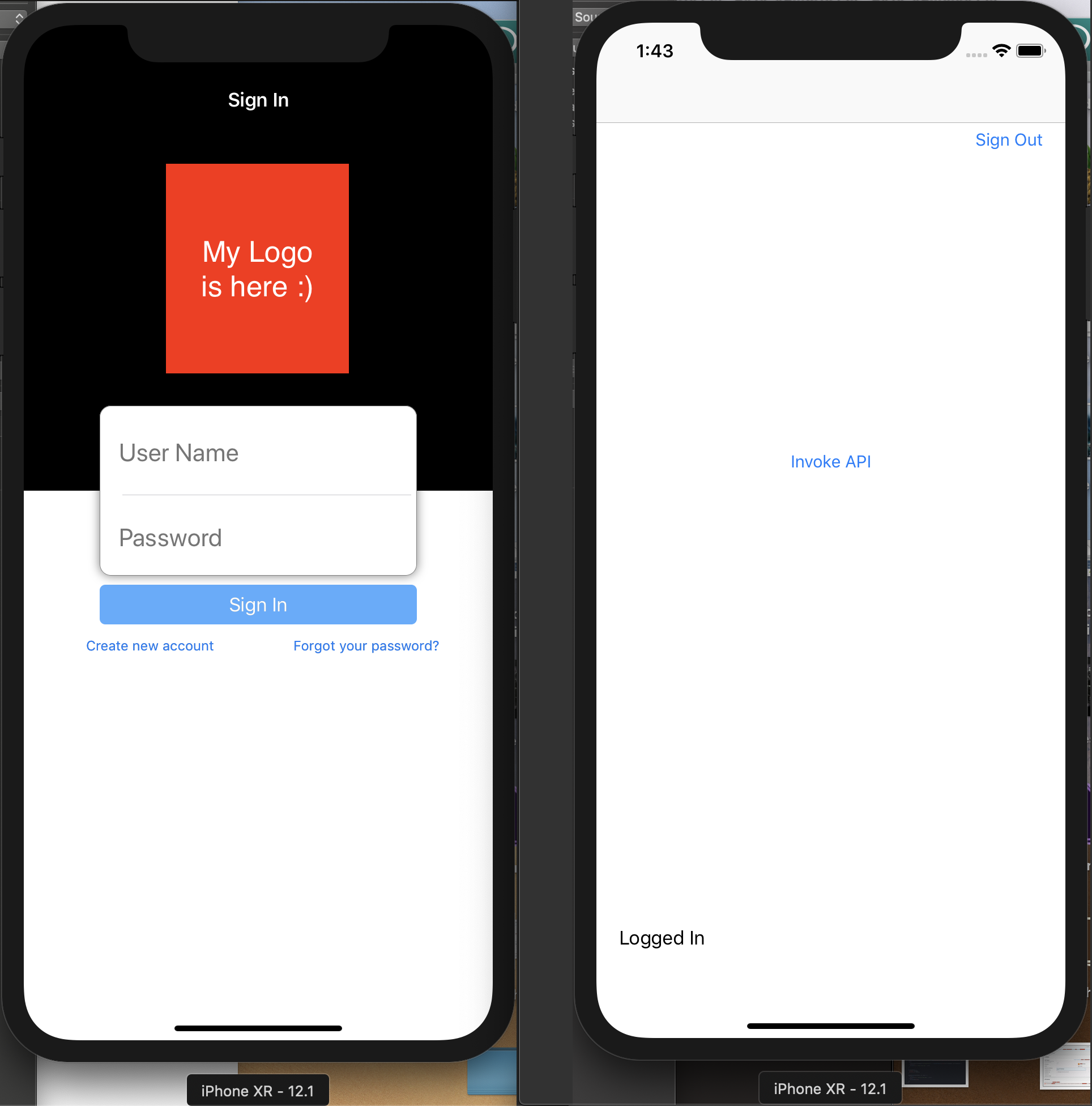
Here is what my UI looks like both before and after signing in:
Now, two unexpected things happened when I let Amplify CLI create the REST API:
- I was unable to select my desired DynamoDB table because the CLI was set to the wrong region. No biggie, I thought, I'll just re-wire what Amplify creates to point at the correct table.
- Quite unexpectedly, Amplify created a _new_ Cognito User Pool for this REST API even though it was my intention to use my existing User Pool which I had already integrated into this project. I suppose it did this because I had specified a CLI option during the API creation that I wanted authenticated access.
So, I thought--no biggie, I'll just have to re-wire the User Pool component as well. I've re-wired a number of things as described in this issue, the CLI issue, and my Stackoverflow post, but I'm unable to move past that authentication error.
Is that a good explanation of where I am?
motivus
on 15 Feb 2019
@motivus Can we have a call to resolve the issue further? You can email me at karthba at amazon dot com?
kvasukib
on 18 Feb 2019
@motivus Summarizing our discussion from the call.
The intention here is to create a API backed by AWS APIGateway using Cognito UserPools as the authentication mechanism. From the mobile app perspective, when a user is signed in using Amazon Cognito UserPools and a valid token is retrieved, the token will be sent to API Gateway and the lambda function configured in APIGateway authenticates the call by validating the token.
When using Amplify CLI, the expectation is that the CLI should create a REST API using APIGateway and configure Amazon Cognito UserPools as the authentication mechanism.
When using the SDK, the app should retrieve the token after the user is signed in and pass the token in the headers map that is passed in the request to APIGateway.
@motivus Do you have any updates on trying the flow from the beginning using the Amplify CLI?
kvasukib
on 21 Feb 2019
@kvasukib I would describe it this way:
The intention is to use AWS Amplify and the iOS SDK to create a REST API that uses API Gateway and a Lambda function to access a pre-existing DynamoDB table. Access to the REST API is only allowed for users authenticated via a pre-existing Cognito User Pool.
As described above, I followed the directions given in the AWS Amplify iOS SDK guide... but had to re-wire the REST API that Amplify created in order to use my Cognito User Pool and the correct DynamoDB table. Successfully authenticated users are not able to access the REST API.
You had indicated during our phone call that you thought Amplify should not have configured the environment to require the Cognito Identify Pool. Remember, I basically followed the configuration that Amplify had created with the new Cognito User Pool it also created. Unless I'm mistaken, you thought it shouldn't do that.
I have not tried the flow from the beginning, but I will. Give me a couple days!
motivus
on 22 Feb 2019
@kvasukib Okay, I started from the beginning: I setup a new dev environment on my MacBook Pro (above was on my iMac). I installed the AWS CLI. Then I installed the Amplify CLI. I made sure that I configured Amplify in the same region (us-east-1) as my target (and pre-existing) Cognito User Pool and DynamoDB table. Everything checked out with accessing my AWS resources.
Then I followed the Getting Started guide again and created a new iOS Swift project. [This time I did not bother adding the GraphQL API with the default "To Do" DynamoDB table and AppSync... because I only did that previously because I was following the Getting Started guide.]
Next, I _manually_ added authentication via my pre-existing Cognito User Pool. I'm able to successfully use the Drop-In UI for sign in and sign out and account creation.
Next, I tried to add the REST API. This time, Amplify did not present me with a list of available DynamoDB tables for me to choose from. Here are the option choices I made:
$amplify add api
? Please select from one of the below mentioned services REST
? Provide a friendly name for your resource to be used as a label for this category in the project: theListApi
? Provide a path (e.g., /items) /items
? Choose a Lambda source Create a new Lambda function
? Provide a friendly name for your resource to be used as a label for this category in the project: theListFunction
? Provide the AWS Lambda function name: theListFunction
? Choose the function template that you want to use: CRUD function for Amazon DynamoDB table (Integration with Amazon API Gateway and Amazon DynamoDB)
? Choose a DynamoDB data source option Use DynamoDB table configured in the current Amplify project
There are no DynamoDB resources configured in your project currently
I scoured the CLI / SDK documentation but nothing tells me how to configure my Amplify project for an existing DynamoDB table. Moreover, it's strange that it didn't provide me with my options for the CLI configured region like it did the first time around.
Can you tell me how to manually configure my Amplify project with DynamoDB resources so that the amplify add api interview will show me my Cloud-hosted options?
motivus
on 24 Feb 2019
@kvasukib I tried again and the same thing happened: Amplify is not recognizing my existing DynamoDB tables (as described in my last comment). I'm afraid I'm stuck again.
Since I'm not able to re-wire my first attempt and I can't create a REST API in the second, I'm not sure what to do next. It seems this latest problem should be simpler to solve, no?
motivus
on 1 Mar 2019
@motivus Sorry for the delayed response. I am looking into reproducing the issue on my machine. I will get back to you once I am able to get the setup on my machine.
kvasukib
on 4 Mar 2019
Wow, what happened to you guys? I've stopped using Amplify (to generate resources) because of the problems I've been experiencing (without easy solution), but am still interested in solving this one.
I feel that we should be able to easily re-wire an Amplify-generated solution... and have it work.
I also feel that this latest problem -- communicated right above (29 days ago now) -- should be really easy to solve. But I'm still stumped and all is quiet here.
In the meantime, I'm doing a deep-dive into API Gateway and trying to debug problems with the generated SDK for iOS Swift. Everything works fine in APIG... but the README.md says to "grab the defaultClient" but there is no defaultClient!
motivus
on 25 Mar 2019
You can just go ahead and close this issue. If I was able to delete the first part (about re-wiring) and leave the last part (from Feb 24) and then re-title this, I would.
motivus
on 5 Apr 2019
@motivus I would be pleased if you get in touch with me at gerrit at mikme dot com because I need to to exactly the same as my next step and came across this post on my information gathering.
So it would be very helpful to know someone who already did exactly that and may be able to help me at some point.
Thanks in advance.
 N1LaT
on 17 May 2019
N1LaT
on 17 May 2019
Related issues
 mohab2014
·
4Comments
mohab2014
·
4Comments
 aymericio
·
5Comments
aymericio
·
5Comments
 minhthuc251
·
4Comments
motivus
·
4Comments
minhthuc251
·
4Comments
motivus
·
4Comments
 anbarasu0504
·
3Comments
anbarasu0504
·
3Comments