Avideo: Help me with sendtorecored to save on 2nd drive
Hello everyone I have gotten a 2and SSD drive for freedomshare.net
I only want live streams to save on SSD
How do I do this?
I only have a 250gb drive for saving
Also after it has saved could I move my file back to the main drive?
Reason why I am doing this is when Live streaming everything works fine no lag no spinning circle etc
But when the Live sends to encoder when you play the video after encoded every 3 secs you get a spinning circle
As if the video is a buffing
I was told saving SSD drive would fix this
But my space is low on the SSD
If anyone could help me figure these thing out would be great
 freedomshare
All 23 comments
You want the Live-stream NGINX to be on the SSD , right ? To have better IOPS when live-streaming . If that is what you want , you need to :
1- Mount the SSD where ever you want ( default /mnt )
2- Once mounted , create a directory inside your new drive ( for hls and tmp recording ) . If your drive is mounted on /mnt under the name of mySSD , then you should ; mkdir /mnt/mySSD/HLS && mkdir /mnt/mySSD/HLS/live && mkdir /mnt/mySSD/tmp
3- Give permissions ; cd /mnt/mySSD && chmod 777 -R *
4- Change the hls_path on your nginx config from /HLS/live to /mnt/mySSD/HLS/live
5- Change your recording path on your nginx config , from /var/www/tmp to /mnt/mySSD/tmp
6- On the file getRecordedFile.php ( located on /usr/local/nginx/html ) , you should change the line from $record_path = "/var/www/tmp/"; to $record_path = "/mnt/mySSD/tmp/";
7- You're done .
 akhilleusuggo
on 23 Aug 2020
akhilleusuggo
on 23 Aug 2020
It more for when it when recording Live streams I will do this. But if the SSD drive is full can I move them to the other drive that is not ssd?
freedomshare
on 23 Aug 2020
The SSD drive should never get full . The recorded live-streams is they're sent to the encoder , they should be deleted from the SSD , and stored on your main AVideo site .
akhilleusuggo
on 23 Aug 2020
The SSD drive should never get full . The recorded live-streams is they're sent to the encoder , they should be deleted from the SSD , and stored on your main AVideo site .
Okay perfect I will give this a try. Thanks
freedomshare
on 23 Aug 2020
What is the command line to edit the config?
freedomshare
on 24 Aug 2020
I have done everything up to 6 but I do not see the getrecoredfile any where on sever
freedomshare
on 24 Aug 2020
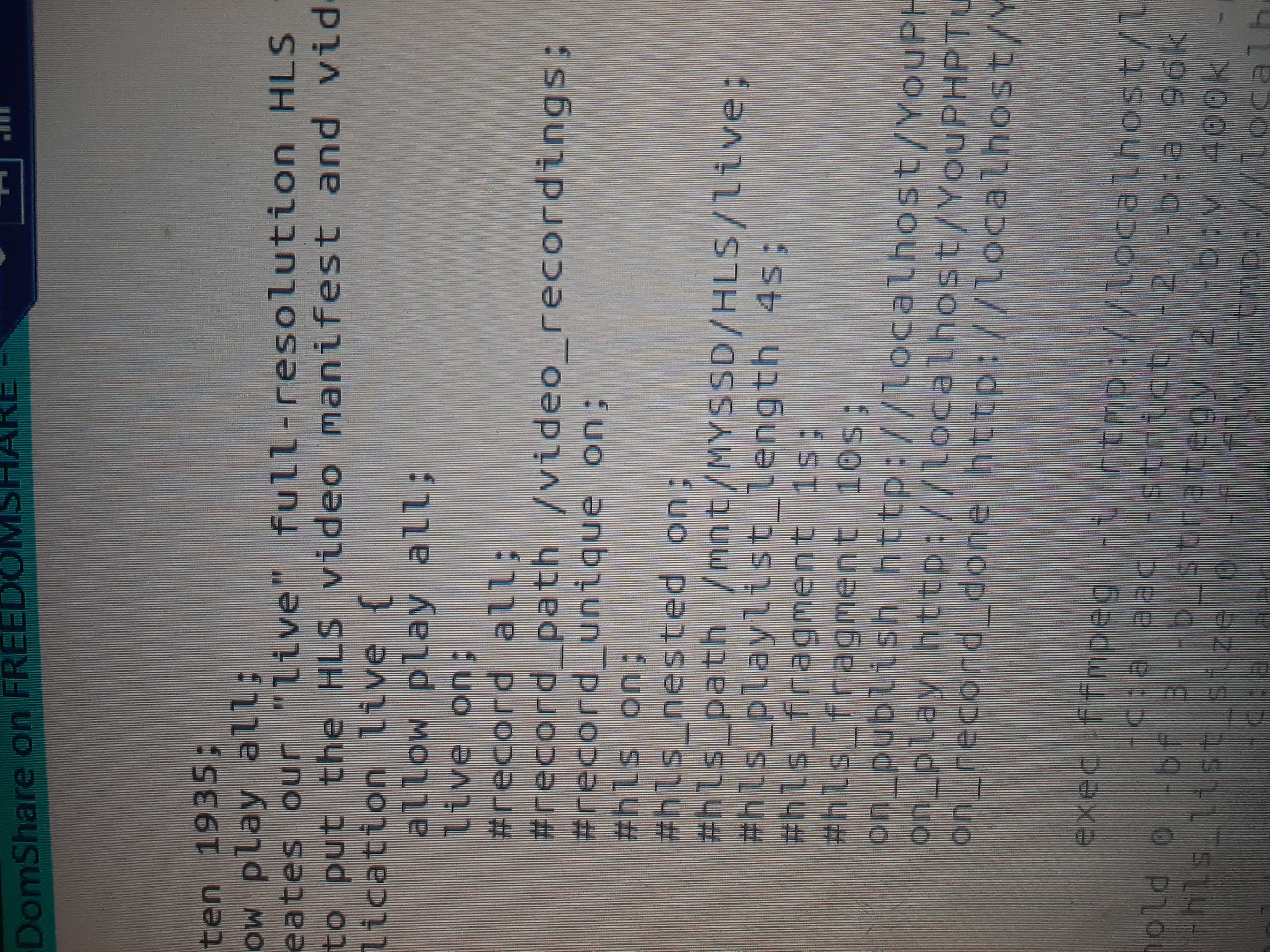
I have edit the thing and edited the Live plugin admin settings to the path but the stream do not go on SSD drive
freedomshare
on 24 Aug 2020
ARE you sure you have mounted the SSD ?
Then you made permanent mount on /mnt on /etc/fstab ? This is basic linux , can't help you with that . Check google
akhilleusuggo
on 24 Aug 2020
It is mounted on /mnt I have made the new new folders hls and Live and tmp
freedomshare
on 24 Aug 2020
The streams are still going to the other hard driver
freedomshare
on 24 Aug 2020
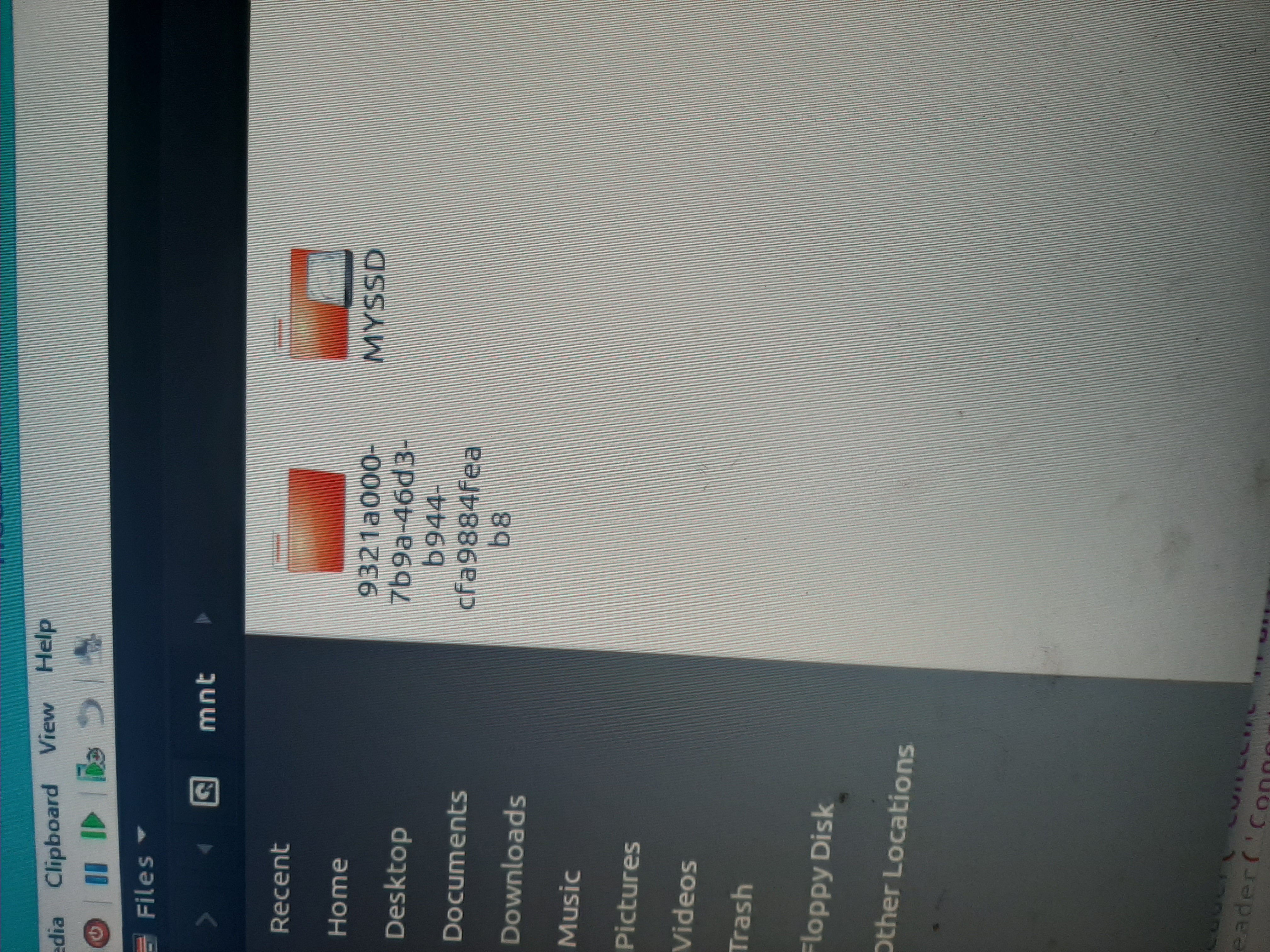
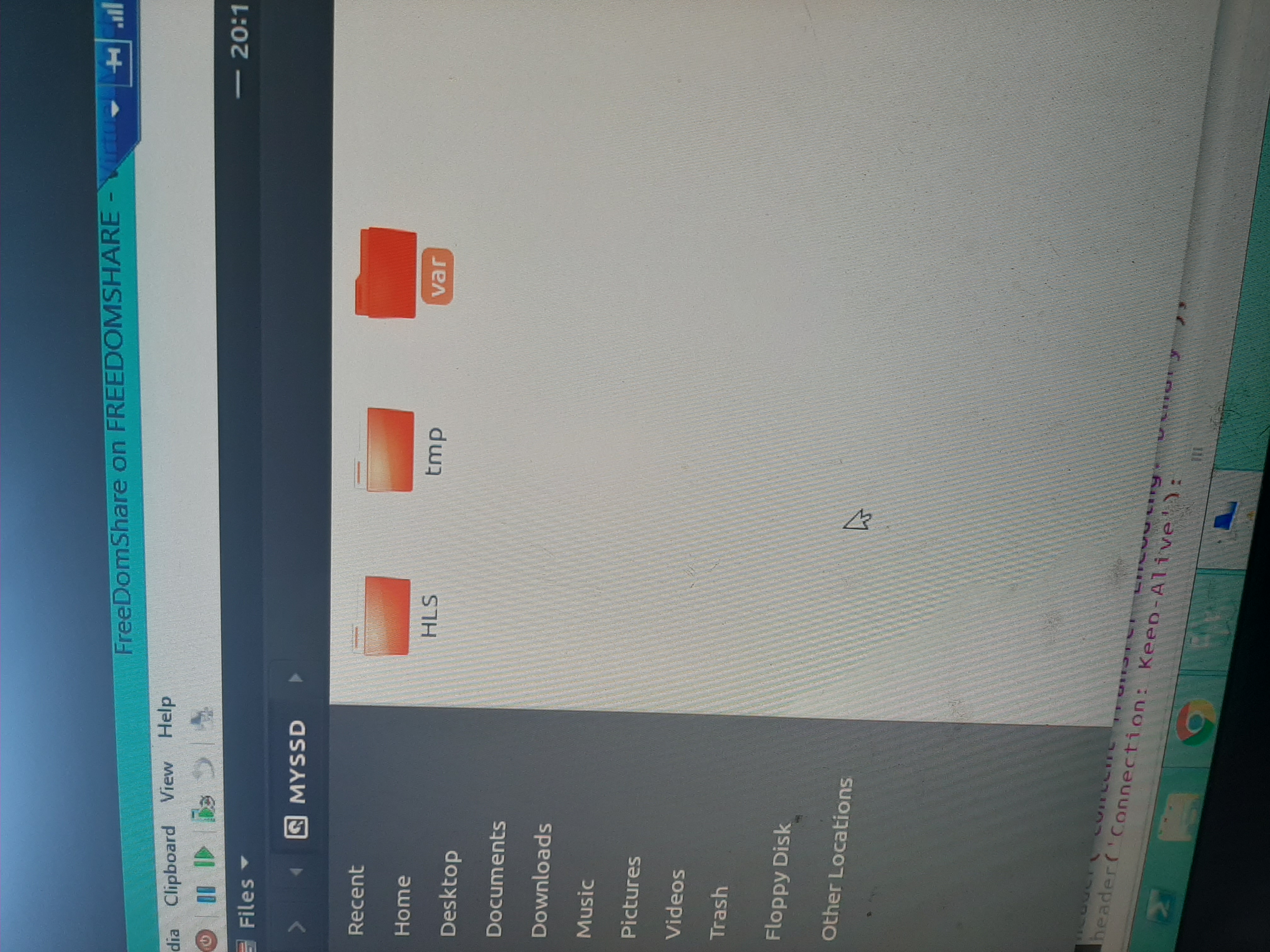
freedomshare
on 24 Aug 2020
Is there any more file to config even after making all changes listed above the Live go to the HLS folder that is on sata drive not the SSD drive , also set drive to 777
freedomshare
on 24 Aug 2020
run this command line , I need to see the output :
dh -h
Also fdisk -l
I don't understand what /var is doing there
akhilleusuggo
on 24 Aug 2020
I made /var by mistake
She command is not installed
freedomshare
on 24 Aug 2020
Anyone wanna want to earn a $ for one optimizing my server and two having hls on SSD drive???
freedomshare
on 24 Aug 2020
I can do it for free .
akhilleusuggo
on 24 Aug 2020
freedomshare
on 24 Aug 2020
@DanielnetoDotCom can you help with this we have changed all setting for SSD drive but stream will no longer play when we use HLS on the SSD Drive what could we be missing?
freedomshare
on 25 Aug 2020
@DanielnetoDotCom Only saving works , but the hls_path , can't not read it from the new location .
Permission issue . ( ts files are created )
akhilleusuggo
on 25 Aug 2020
ok , done . Issue I believe was related to alias and on script to located a different directory that is not /HLS/live;
}
                            types {
                                    application/vnd.apple.mpegurl m3u8;
                            }
                            alias /Your/Complete/New/Path;
ok , done . Issue I believe was related to alias and on script to located a different directory that is not /HLS/live;
}
                            types {
                                    application/vnd.apple.mpegurl m3u8;
                            }
                            alias /Your/Complete/New/Path;
Nice thank you for doing this 👍
freedomshare
on 25 Aug 2020
Thank you so much!
freedomshare
on 25 Aug 2020
This issue has been automatically marked as stale because it has not had recent activity. It will be closed if no further activity occurs. Thank you for your contributions.
![stale[bot] picture](https://avatars3.githubusercontent.com/in/1724?v=4&s=40) stale[bot]
on 24 Sep 2020
stale[bot]
on 24 Sep 2020
Related issues
 wetubeclub
·
3Comments
wetubeclub
·
3Comments
 Powerbock
·
3Comments
Powerbock
·
3Comments
 CorpCaleCloud
·
4Comments
CorpCaleCloud
·
4Comments
 matthall1998
·
4Comments
matthall1998
·
4Comments
 moses268
·
3Comments
moses268
·
3Comments
Most helpful comment
I can do it for free .