AVideo 'Programs' and 'Tags' - Intended Usage
Hi,
I have gotten a fully working streamer and encoder on my Mac Mini and all seems great so far.
As I load up my content I have seen a few features that could be useful for filtering/sorting and customizing content for different users/audiences and I was wondering how they are intended to work and/or where they are documented.
Categories
This is pretty clear. No questions here so far.Programs (Playlist) Plugin
I have enabled this and can add videos to different Programs however:
- Where does a user access the Program/Playlist?
- Is this a Paid Feature?
- VideoTags Plugin
I have enabled this and can add tags in the Admin/Plugin panel
- Where does a user access/user/sort videos using the tags?
- Is this a Paid Feature?
Thanks,
Gregg
 GreggShimokura
All 7 comments
All of them are free . The playlist does display on channels ( just check them down )
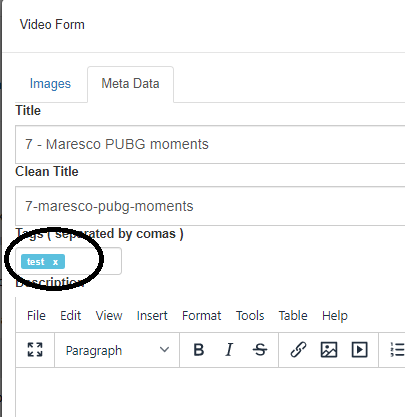
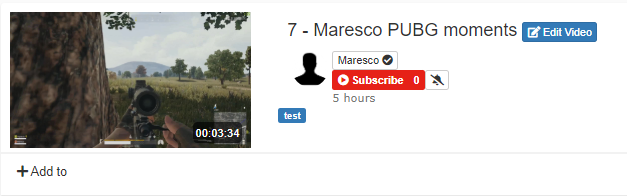
If you create a tag and watch a video , you can see the tags of the video under the video player . Click on 1 tag and you gonna see all the videos with the same tag
 akhilleusuggo
on 16 Jan 2020
akhilleusuggo
on 16 Jan 2020
Thanks for the answer.
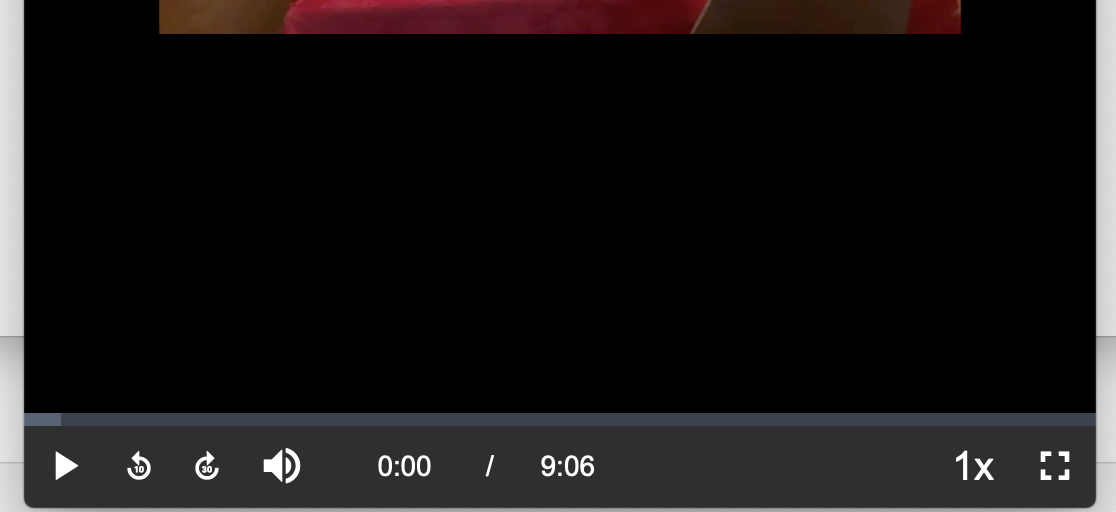
When you say 'under the video player' I am not seeing what you mean?
Is there a setting to enable to see the tags?
Attached is what I see when I click on play.
Also I don't get a list of Channels in the sidebar. When I click 'Browse Channels' all I get is a list of users.
Gregg
GreggShimokura
on 16 Jan 2020
Hi Again,
I have done some digging and have now been able to understand how the tags should work.
However, I had to manually enter an example tag into the MYSQL database directly.
Question
Where in AVideo are the actual tags defined? (I only see the Tags Type definition on the PlugIn page).
Playlists
I see now that the Playlists are listed on My Channel page. This was my problem as I was looking only at the Home page. No remaining issues on Playlists.
Channels
No remaining issues on Channels.
Thank you,
Gregg
GreggShimokura
on 16 Jan 2020
akhilleusuggo
on 16 Jan 2020
Thanks.
My question is to know how to get the 'test' tag defined to be chosen.
Right now if I enter text into that box, nothing happens. I might expect it to turn into the blue oval tag symbol you are showing.
Also I don't see a way to select from existing tags.. Is there a way to select from already existing tags? I don't think it is a good idea to have users create tags when not needed or making a small typo.. (ie typing text instead of test and creating new un-needed tags).
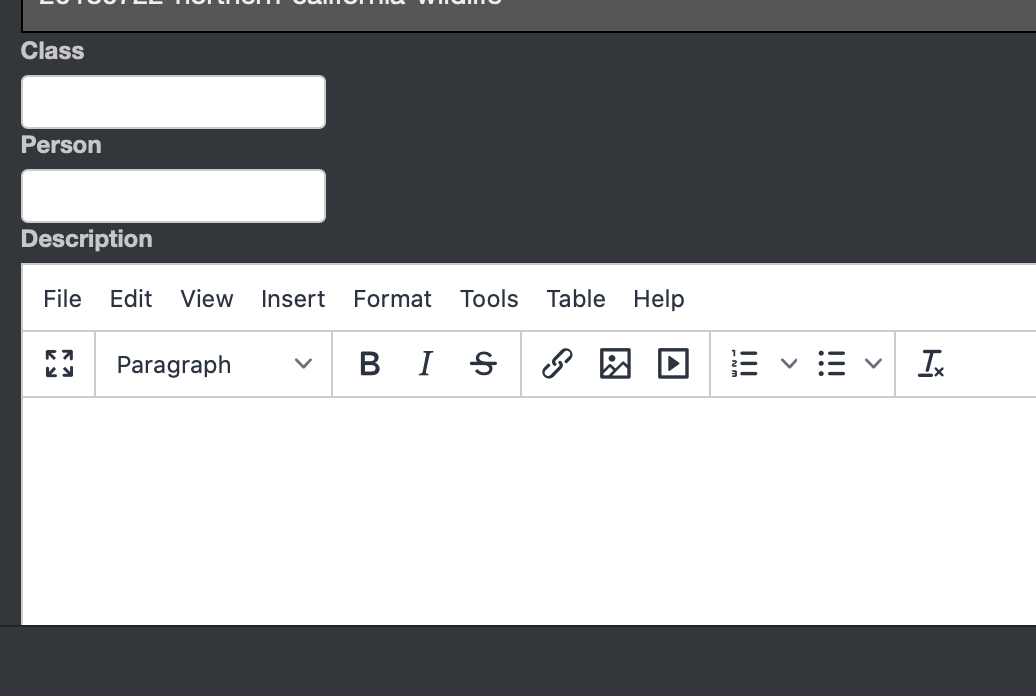
Attached is what I see. I have defined two types of tags and so, now I would like to know how to define the tags themselves.
In my example:
Class Tags are : Birds, Mammals, Insects etc
Person Tags are:
So I would like to know how to create/maintain the list of Class & Person tags over time.
GreggShimokura
on 16 Jan 2020
Hi,
In your sample just type in the your classfield:
Birds (press enter)
Mammals (press enter)
Insects (press enter)
All your tags become a blue background color and you have only to save your video.
All your created tags are known in all your videos. Edit another video and edit the Class-field and type the letter B and it shows the tag "Birds". If that doesn't work, close your browser and open it again and try once again. I noticed that new tags not found untill you restart your browser.
 TLCReuver
on 16 Jan 2020
TLCReuver
on 16 Jan 2020
Thanks.
Reopening the browser has solved seeing any new tags I have added manually to the MYSQL database. Typing the first letter for an existing tag brings up a popup list - this works nicely.
Gregg
GreggShimokura
on 16 Jan 2020
Related issues
 syldri
·
3Comments
syldri
·
3Comments
 matthall1998
·
4Comments
matthall1998
·
4Comments
 gujarraju
·
4Comments
akhilleusuggo
·
3Comments
gujarraju
·
4Comments
akhilleusuggo
·
3Comments
 moses268
·
3Comments
moses268
·
3Comments