Armory: Trait properties doesn't work anymore
Description
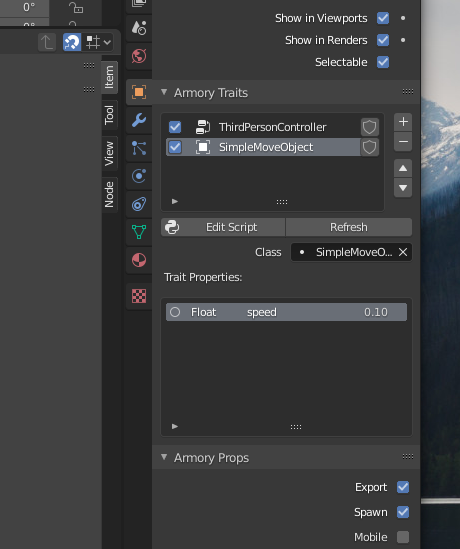
Trait properties doesn't show up in the Blender UI as explained here https://github.com/armory3d/armory/wiki/traits#trait-properties .
To Reproduce
Simply add a trait that should have a property to an object, like for example the bundled SimpleRotateObject.
Expected behavior
_Armory Traits_ Blender UI panel should show the _Trait Properties_ subpanel with the speed property, but it doesn't.
System
Blender: 2.82a and 2.83.3
Armory: Git version.
OS: Linux Mint 19.2 (linux 4.15.0-112-generic x86_64)
Graphics card: NVIDIA Quadro M2000M 4 GB
This may be related to https://github.com/armory3d/armory/issues/1731#issuecomment-671299262 .
 Sanva
Sanva
All 7 comments
My Git version is just before the two last commits:
 knowledgenude
on 15 Aug 2020
knowledgenude
on 15 Aug 2020
That's weird... mine was also some commits before this repository, with this problem, and it remains the same after updating :confused:
@knowledgenude is that a new project where you just added new traits? Because I do see properties in already created *.blend files, this just happens in new projects.
Sanva
on 15 Aug 2020
I've updated to the last git version and it is working fine here with a new .blend:
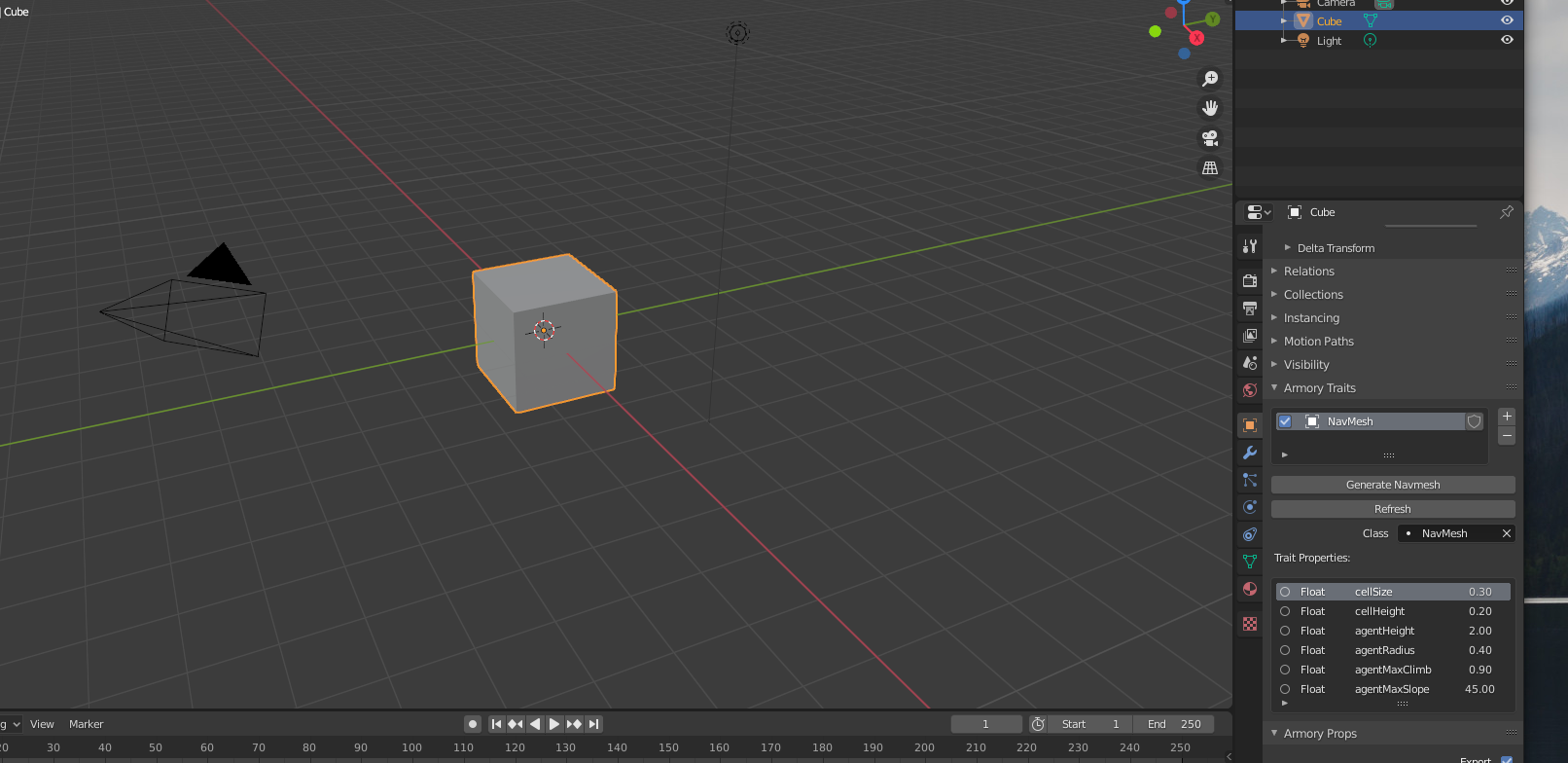
If you can, send me a .blend where it is not working
I am using Blender 2.83.4-linux
knowledgenude
on 15 Aug 2020
@knowledgenude here you have it:
SimpleRotateObjectTest.blend.zip
This is what I see in the Traits panel with that file:
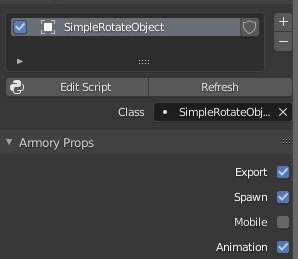
By the way, this is tested now in Blender 2.83.4 — and I've also tested removing Armory and installing it again.
Sanva
on 17 Aug 2020
When i had open your file, there is not the property tab too, but it appear as i had added another bundle:

If you are using Blender from a repository, i recommend you to download from the site instead, because i already have problems with enabling terminal and add-ons while using Blender from a repository. I think when you download it from a repository manager, the program goes to the system folder, where add-ons can't have full access to modify files, at least in solus is like that.
knowledgenude
on 17 Aug 2020
I'm also unable to reproduce this but I suspect that there is a problem with platform dependent paths in python.
@Sanva Can you try replacing line 503 in utils.py
with
            if t.type_prop == 'Bundled Script':
                file_path = os.path.join(get_sdk_path(), 'armory', 'Sources', 'armory', 'trait', t.name + '.hx')
                if os.path.exists(file_path):
If that works there is bad news for you: such code is all over Armory's files and there will probably be more errors like that^^
If not, could you add a print statement after line 504 to see if that path can be found?
Then the solution could be to change file in line 241
https://github.com/armory3d/armory/blob/e8cd02e610e15fa805fccccb2669788726ff3637/blender/arm/utils.py#L234-L242
to name. Can you print the content of name after line 24 and see if that looks right?
 MoritzBrueckner
on 18 Aug 2020
MoritzBrueckner
on 18 Aug 2020
@MoritzBrueckner thanks for you help — and sorry, I've found the bug this morning (evening here right now), but I work in the afternoon, so I've leaved it.
Just changing some rsplit('.') for rsplit('.', 1) solves the problems. I'll create a pull request tomorrow... or this week, depending of my free time.
By the way, the problem does occur when you have some dot in ArmorySDK path.
Sanva
on 18 Aug 2020
Related issues
 GrahamWilkins
·
3Comments
GrahamWilkins
·
3Comments
 luboslenco
·
3Comments
luboslenco
·
3Comments
 e1e5en-gd
·
3Comments
knowledgenude
·
3Comments
e1e5en-gd
·
3Comments
e1e5en-gd
·
3Comments
knowledgenude
·
3Comments
e1e5en-gd
·
3Comments