Armorpaint: ArmorPaint is not compiling on ubuntu 18.04lts (git version)
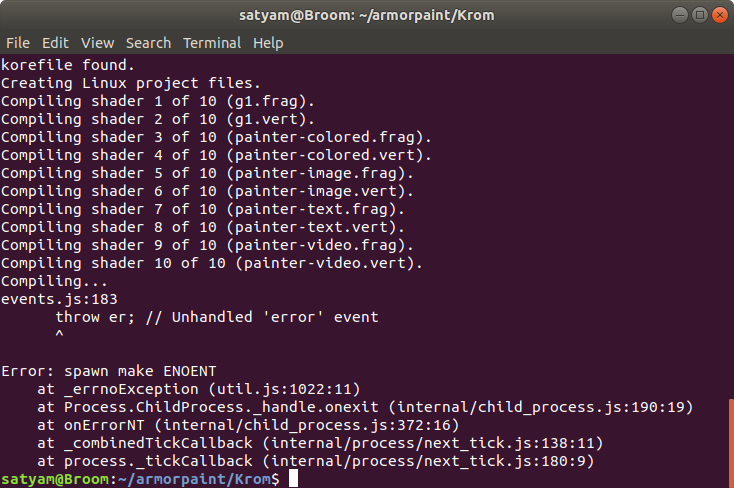
I was trying to install ArmorPaint in my ubuntu machine, but i was getting a error each time i was trying to intall it.
As mension in the readm file:
Me installed clang in my Pc, than node and lastly i installed git. i thought there is a problem in the version so i unpgraded all the programs i downloaded but i still am getting this error
 vijaygithub01
All 18 comments
I Have installed git version 2.17.1 installed on my machine, nodejs version v8.10.0
and clang version is 6.0.0-1ubuntu2

vijaygithub01
on 6 Jun 2019
Did you do a --recursive clone of the repo, and could you show the actual commandline you're trying to run?
Edit: also make sure you have make installed
 sh-dave
on 6 Jun 2019
sh-dave
on 6 Jun 2019
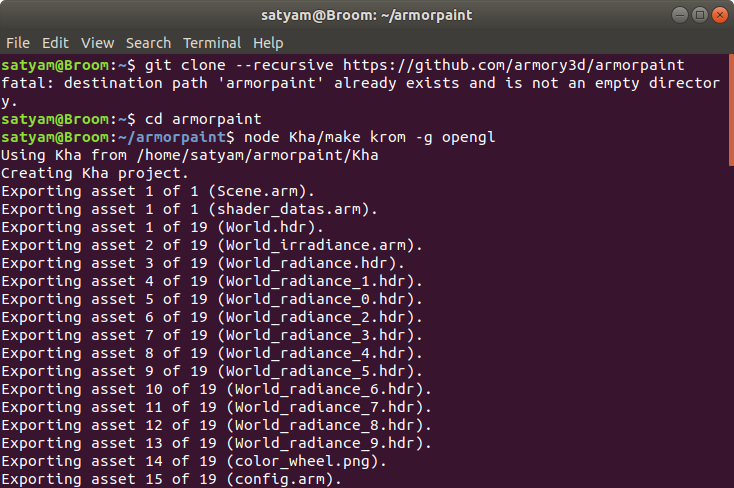
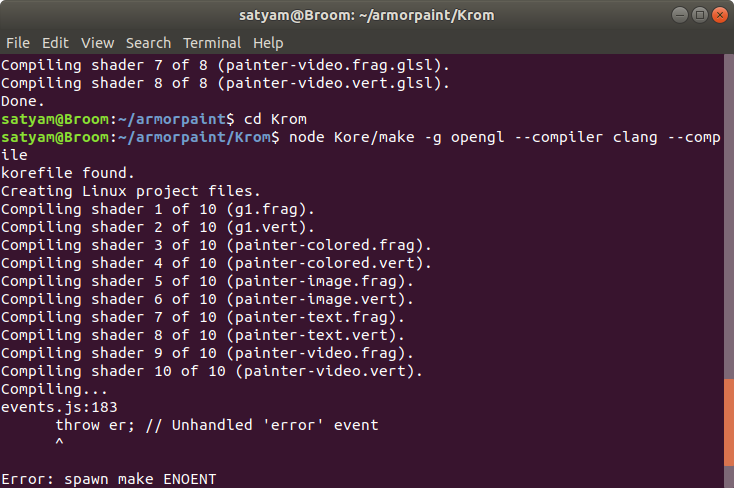
There are all the commands i have used:-

vijaygithub01
on 7 Jun 2019
What does make --version output? make will be the next thing that will be called to build for the linux target. And seeing a ENOENT (basically file not found) might suggest it's missing.
sh-dave
on 7 Jun 2019
Fingers crossed, thanks for help @sh-dave. Added make mention to the readme. https://github.com/armory3d/armorpaint/commit/d90b1a5ce203932e24101e6884231cdcee1597f4
 luboslenco
on 7 Jun 2019
luboslenco
on 7 Jun 2019
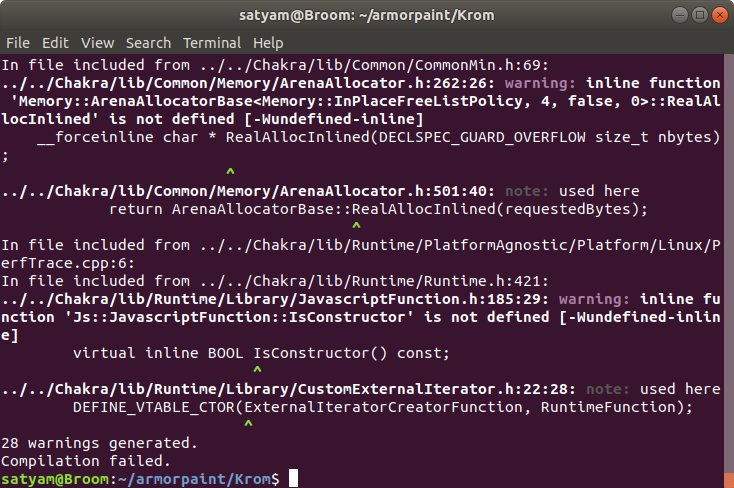
After installing the gnu make i deleted the armorpaint folder from my home directory, and again started with the command:-
git clone --recursive https://github.com/armory3d/armorpaint
after this i followed all the commands but after:-
node Kore/make -g opengl --compiler clang --compile
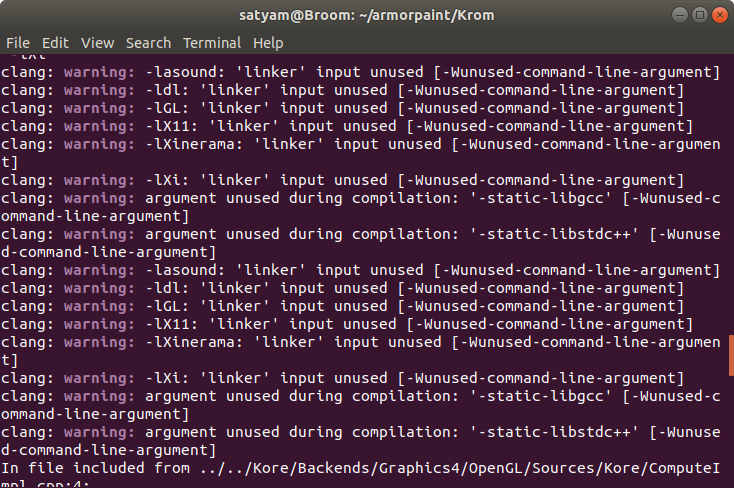
this command i got this result

vijaygithub01
on 7 Jun 2019
Ok at least it's starting to compile now. Can you attach the log for that as the short snippet only shows warning, no errors. It should be ok to just rerun node Kore/make -g opengl --compiler clang --compile.
Edit: better run node Kore/make -g opengl --compiler clang --compile > compile-log.txt to save the log into a file, so you don't need to post pngs but can attach the full log.
Edit2: this might be related: https://github.com/Kode/Krom/issues/129
sh-dave
on 7 Jun 2019
okay i m going to give it a try.
vijaygithub01
on 7 Jun 2019
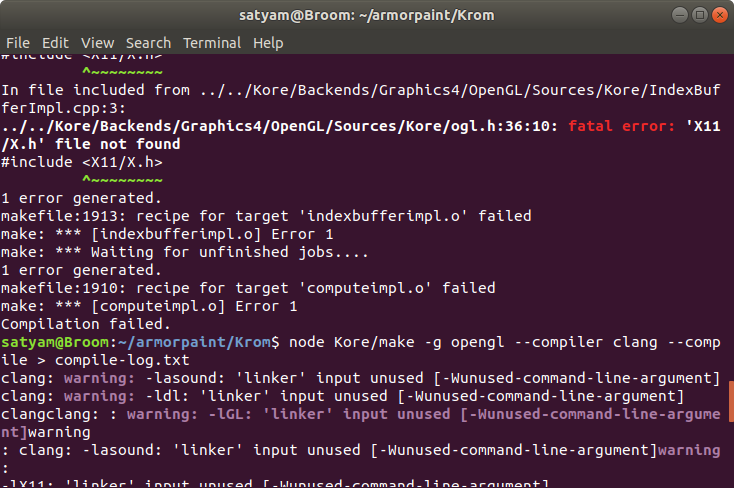
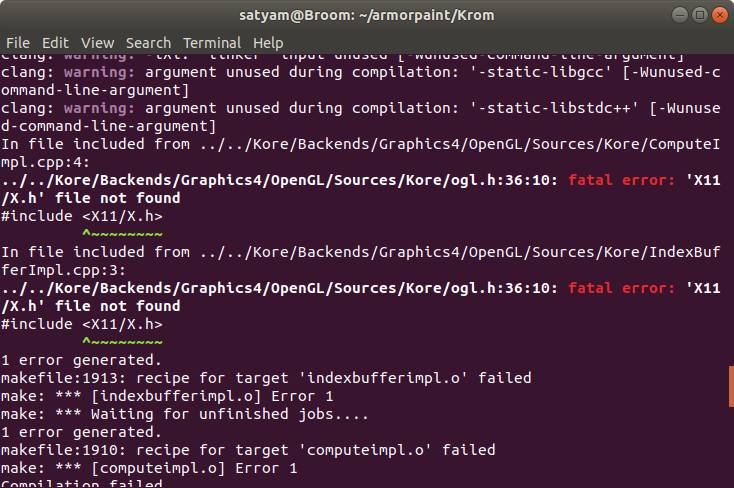
no i am still getting the same output it says compilation failed
and it says something about fetal error.
the warnings are related to clang will it be helpful if i will reinstall clang
vijaygithub01
on 7 Jun 2019
You're missing the x11 development libraries, try to install libx11-dev
sh-dave
on 7 Jun 2019
And as you're already missing the x11 ones, you're probably going to need these as well:
libasound2-devlibxi-devlibxinerama-devmesa-common-dev
sh-dave
on 7 Jun 2019
okay thanks a-lot. i m, installing libx11 and will install all these too.
vijaygithub01
on 7 Jun 2019
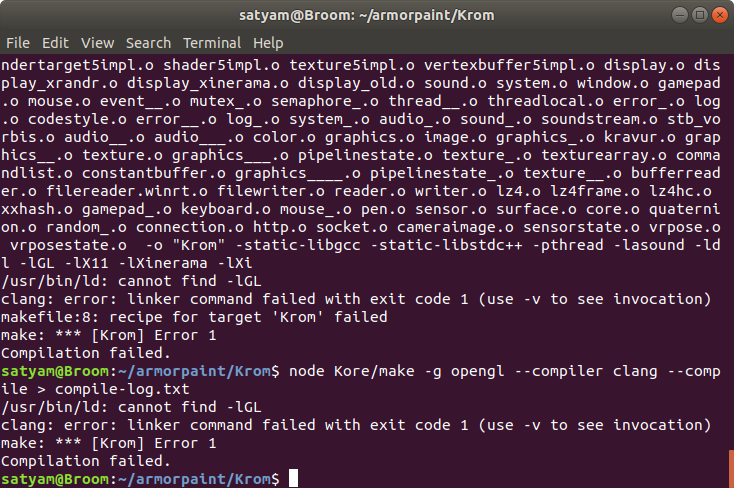
i am still facin g a Krom Error 1
vijaygithub01
on 7 Jun 2019
Oh, it compiled and it's trying to link now. Install libgl-dev as well.
sh-dave
on 7 Jun 2019
I have updated readme linking to this page now:
https://github.com/Kode/Kha/wiki/Linux
Once you have all the dependencies you will get the build process to succeed. 🙂
luboslenco
on 7 Jun 2019
when i m trying to run build/Krom for executable its not working is there any other command fro executing this file
vijaygithub01
on 7 Jun 2019
Does it log anything when you try to run it?
sh-dave
on 7 Jun 2019
i am still facin g a Krom Error 1
i solved my error same as your error by updating the clang version.
 edisan27
on 17 Apr 2020
edisan27
on 17 Apr 2020
Related issues
 Nhiqill
·
3Comments
luboslenco
·
4Comments
Nhiqill
·
3Comments
luboslenco
·
4Comments
 jcostello
·
3Comments
jcostello
·
3Comments
 MathemanFlo
·
3Comments
MathemanFlo
·
3Comments
 ArieLeo
·
3Comments
ArieLeo
·
3Comments