Argo-cd: ArgoCD LDAP Dex keeps redirecting to login page (with subtle HTTP 401)
Checklist:
- [ X ] I've searched in the docs and FAQ for my answer: https://bit.ly/argocd-faq.
- [ X ] I've included steps to reproduce the bug.
- [ X ] I've pasted the output of
argocd version.
Describe the bug
I'm trying to set up LDAP Auth over Active Directory on ArgoCD 1.5.7 deployed on Kubernetes. Followed the examples in documentation and in Dex LDAP Connector Doc but I just got stuck on an odd behavior.
I get the button to do AD login on top of login screen, but anytime I click it it tries to redirect me to https://fqdn/applications and then I get back to https://fqdn/login?return_url=fqdn-with-URL-encoding (%3A%2F%2 and all that stuff).
Please note that Active Directory uses an internal self signed CA which I put in the argocd-tls-certs-cm.
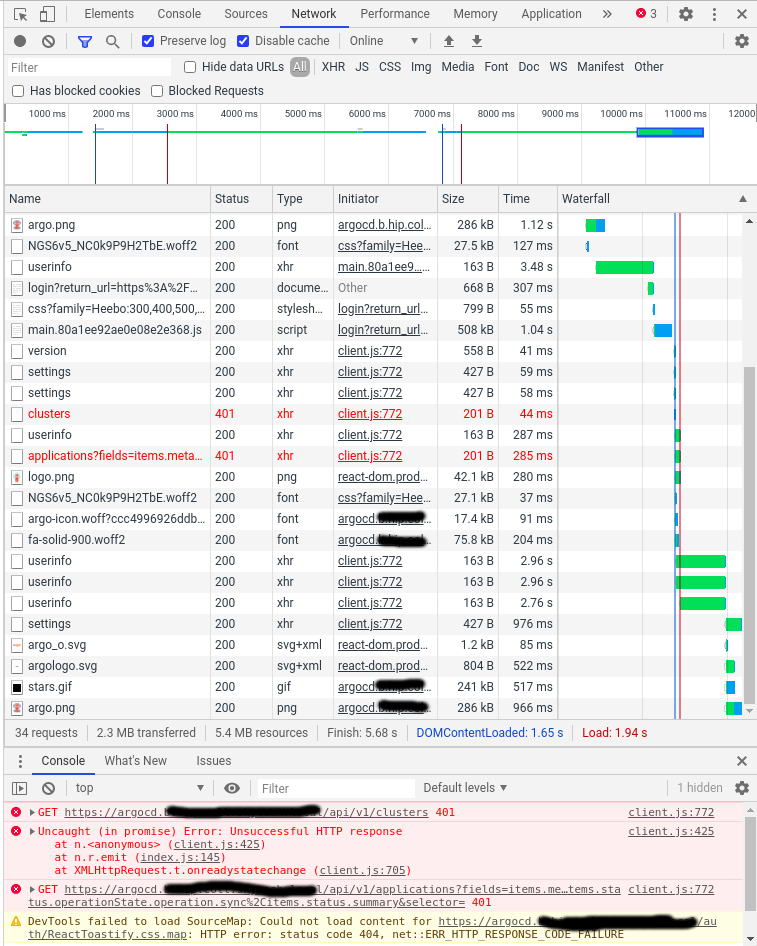
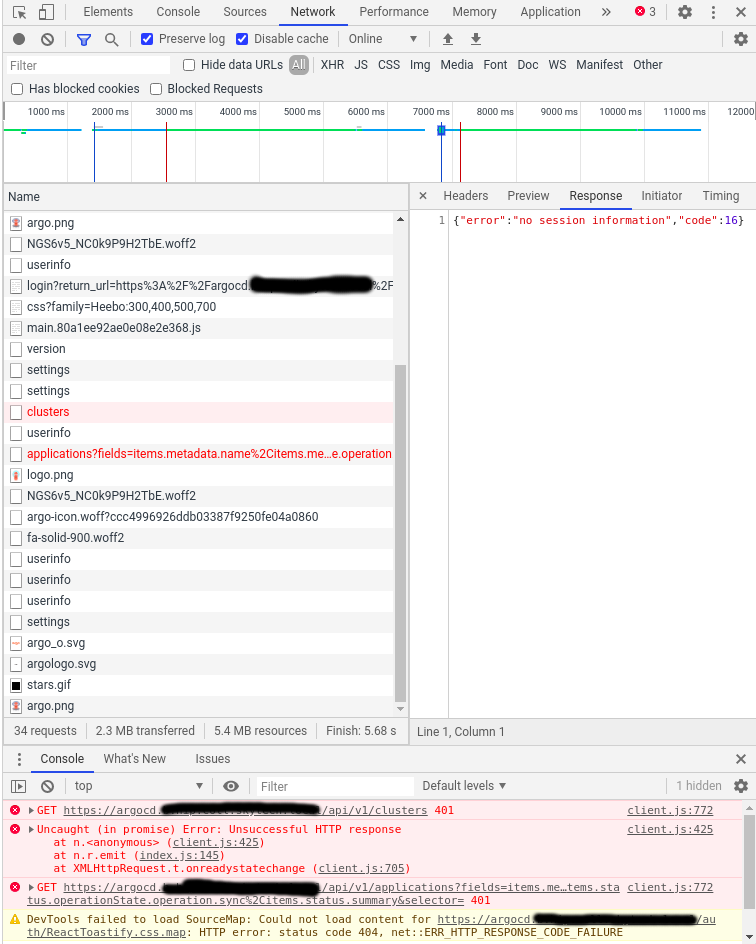
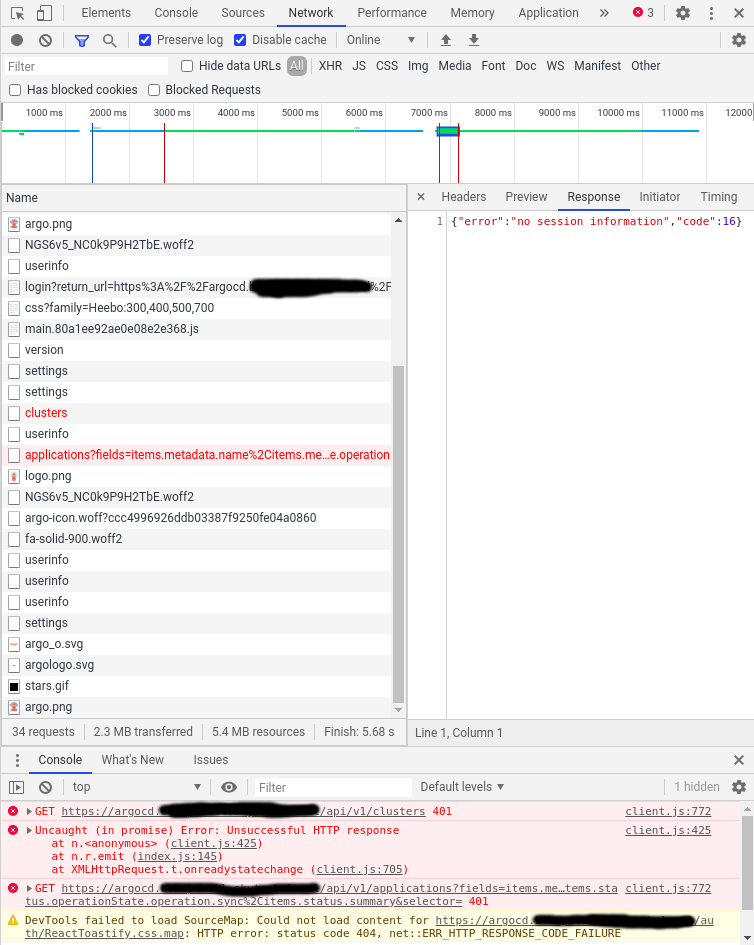
If I open the Chrome Developer tools I see a 401 on "cluster" page on the network tab. See attached screenshot.
Here's my argocd-cm:
dex.config: |
    connectors:
    - type: ldap
      name: Active Directory
      id: ad
      config:
        host: active-directory-host:636
        insecureNoSSL: false
        insecureSkipVerify: true
        bindDN: $bindDN
        bindPW: $bindPW
        usernamePrompt: Email Address
        userSearch:
          baseDN: "OU=Users,OU=IT,DC=******,DC=local"
          filter: "(objectClass=person)"
          username: sAMAccountName
          idAttr: DN
          emailAttr: mail
          nameAttr: sAMAccountName
        groupSearch:
          baseDN: "OU=Service,OU=Users,OU=IT,DC=******,DC=local"
          filter: "(objectClass=group)"
          userAttr: DN
          groupAttr: member
          nameAttr: name
The argocd-repo-server got the right env variables for bindDN and bindPW from a secret:
        env:
          - name: bindDN
            valueFrom:
              secretKeyRef:
                name: argocd-ldap-creds
                key: bindDN
          - name: bindPW
            valueFrom:
              secretKeyRef:
                name: argocd-ldap-creds
                key: bindPW
I've already done some "fancy" stuff like changing nameAttr, username, putting url on top of dex.config but nothing seems to be working.
To Reproduce
- Configure Dex connector as per documentation to authenticate against Active Directory.
- Adapt
username,nameattrparameters as per AD configuration - Insert custom CA into argocd-tls-certs-cm
- Rollout new versions of deployments
Expected behavior
A popup/login interface that asks for Active Directory credentials and lets in ArgoCD.
Screenshots
Login screen AD button:

Chrome Developer tools error:

Version
Deployment using argoproj/argocd:v1.5.7
Logs
Worst of all: dex-server pod doesn't log anything when I try to login nor the argocd-repo-server neither argocd-server. It seems it doesn't even try to query Active Directory.
 Fixmetal
All 8 comments
To debug further, could you display the full SSO login flow by preserving logs in your browser?

 jessesuen
on 18 Aug 2020
jessesuen
on 18 Aug 2020
Of course @jessesuen , thanks for the tip.
Here are the screenshots:
Fixmetal
on 19 Aug 2020
I'm running into this exact same issue with version 1.7.1
 LeoHexspoor
on 3 Sep 2020
LeoHexspoor
on 3 Sep 2020
Then we are 2 people :) I thought to be the only one facing this.
Any contributor who can investigate/give hints on this?
Fixmetal
on 8 Sep 2020
@LeoHexspoor : don't know about you but I re-read the whole documentation and found that I missed a chapter:
https://argoproj.github.io/argo-cd/operator-manual/user-management/#dex
Any values which start with '$' will look to a key in argocd-secret of the same name (minus the $), to obtain the actual value. This allows you to store the clientSecret as a kubernetes secret. Kubernetes secrets must be base64 encoded. To base64 encode your secret, you can run printf RAW_STRING | base64.
I put my credentials as $bindDN and $bindPW but in a dedicated argocd-ldap-secrets. Put them in argocd-secret secret and boom:
apiVersion: v1
data:
  admin.password: dont
  admin.passwordMtime: pleasedont
  server.secretkey: neverever
  ldap.bindDN: myBindDN
  ldap.bindPW: myBindPw
kind: Secret
metadata:
  labels:
    app.kubernetes.io/name: argocd-secret
    app.kubernetes.io/part-of: argocd
  name: argocd-secret
type: Opaque
At least I get a reasonable error now on dex pod:
time="2020-09-08T12:57:27Z" level=error msg="Failed to login user: failed to connect: LDAP Result Code 200 \"Network Error\": read tcp DEX-POD-IP:55262->AD-DC:389: read: connection reset by peer"
time="2020-09-08T12:58:07Z" level=error msg="Failed to login user: failed to connect: LDAP Result Code 200 \"Network Error\": read tcp DEX-POD-IP:58092->AD-DC:389: read: connection reset by peer"
Which I need to investigate further. Hope this helps you out too.
VERY IMPORTANT: don't forget to put .data.url into argocd-cm or it will just redirect to homepage when clicking the "Login via..." button
Closing since it's definitly not a bug.
Fixmetal
on 8 Sep 2020
@Fixmetal Do you mind sharing your solution with "network reset error" here, when found?
I've just started testing ldap with ArgoCD, got the same error even though dex config seems to be fine. I've tried to increase dex logs verbosity level to debug, doesn't produce any additional info though.
 aliusmiles
on 8 Sep 2020
aliusmiles
on 8 Sep 2020
looks like ldaps is not configured on my AD (AWS managed directory service).. got past network reset error by disabling tls insecureNoSSL: true
helpful commands (https://github.com/hashicorp/vault/issues/3884)
openssl s_client -connect AD_IP:636
ldapsearch  -D BIND_DN -w BIND_PW -b BASE_DN -H ldap:AD_IP:389
ldapsearch  -D BIND_DN -w BIND_PW -b BASE_DN -H ldaps:AD_IP:636
@Fixmetal Do you mind sharing your solution with "network reset error" here, when found?
I've just started testing ldap with ArgoCD, got the same error even though dex config seems to be fine. I've tried to increase dex logs verbosity level to debug, doesn't produce any additional info though.
Of course. The network errors were due to the Dex server not having the CA. It is Dex server that must have the CA. I put it in the argocd-tls-certs-cm but that way is injected in argocd-server and argocd-repo-server only.
So I had to patch argocd-dex-server like this:
      containers:
      - name: dex
        image: quay.io/dexidp/dex:v2.22.0
        volumeMounts:
          - name: <configmap CA name>
            mountPath: /etc/dex
            readOnly: true
      volumes:
        - name: <configmap CA name>
          configMap:
            name: <ca name>
Then I had to patch argocd-cm to obtain the CA (.data.dex.config.rootCA):
rootCA: /etc/dex/<ca name>
I once again remember you to correctly setup the .data.url into argocd-cm. Then it (finally!) worked.
I plus made a dumb error which caused me "LDAP 49 Invalid Credentials": I manually modified the k8s argocd-secret by copy/pasting the result of echo $BINDPWD | base64 which puts a \n character. You should use echo $BINDPWD | base64 -w0.
Hope this helps
Fixmetal
on 14 Sep 2020
Related issues
 duboisf
·
3Comments
duboisf
·
3Comments
 nouseforaname
·
3Comments
nouseforaname
·
3Comments
 rosscdh
·
3Comments
rosscdh
·
3Comments
 alexec
·
3Comments
alexec
·
3Comments
 ksaito1125
·
3Comments
ksaito1125
·
3Comments
Most helpful comment
@LeoHexspoor : don't know about you but I re-read the whole documentation and found that I missed a chapter:
https://argoproj.github.io/argo-cd/operator-manual/user-management/#dex
Any values which start with '$' will look to a key in argocd-secret of the same name (minus the $), to obtain the actual value. This allows you to store the clientSecret as a kubernetes secret. Kubernetes secrets must be base64 encoded. To base64 encode your secret, you can run printf RAW_STRING | base64.I put my credentials as $bindDN and $bindPW but in a dedicated
argocd-ldap-secrets. Put them inargocd-secretsecret and boom:At least I get a reasonable error now on dex pod:
Which I need to investigate further. Hope this helps you out too.
VERY IMPORTANT: don't forget to put .data.url into argocd-cm or it will just redirect to homepage when clicking the "Login via..." button
Closing since it's definitly not a bug.