Issue Documentation is http://handbook.arctosdb.org/how_to/How-to-Use-Issues-in-Arctos.html
Describe the bug
A clear and concise description of what the bug is.
I attempted to clone this record:
https://arctos.database.museum/guid/KNWR:Ento:10306
into the bulkloader with the relationship as 'self' and into collection UAM:Ento
Upon clicking 'create clone' a window popped up that said 'ERROR' with no other information.
The orignal page has the 'creating clone(s) - hold tight..." indicator with the spinning wheel, doing nothing
To Reproduce
Steps to reproduce the behavior:
- Go to '...'
- Click on '....'
- Scroll down to '....'
- See error
Expected behavior
A clear and concise description of what you expected to happen.
Clone should appear in bulkloader as a UAM:Ento record
Screenshots
If applicable, add screenshots to help explain your problem.
* Data*
If this involves external data, attach the __actual__ data that caused the problem. Do not attach a transformation or subset. You may ZIP most formats to attach, or request a Box email address for very large files.
Desktop (please complete the following information):
- OS: [e.g. iOS]
- Browser [e.g. chrome, safari]
- Version [e.g. 22]
Additional context
Add any other context about the problem here.
Priority
Please assign a priority-label.
high
 DerekSikes
All 3 comments
I can do this, and any variation of it, successfully in test and production, and I can't find your error in the logs. Can you try again and report back with the error ID?
 dustymc
on 13 Nov 2020
dustymc
on 13 Nov 2020
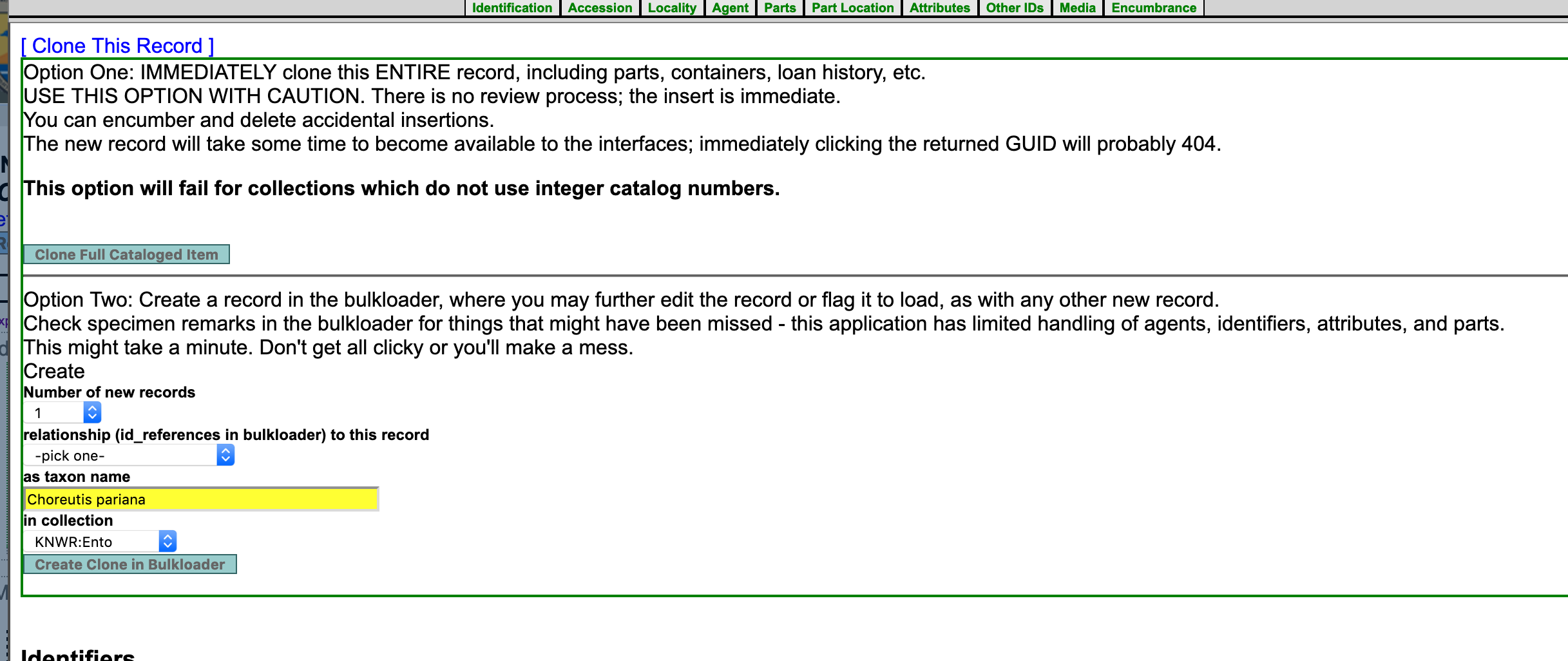
I think this error resulted from there being 2 buttons to create a clone in the bulkloader - one under the options to select # of records, collection etc. and the other as a text hotlink in the text above that says 'click here' - I suspect I clicked this text hotlink thinking it would behave the same as the other button. This is a clear user interface fail. There should be only 1 button to do any action and if two buttons do different things that appear confusingly similar those should be clearly described so users know which one to use.
DerekSikes
on 13 Nov 2020
Fair enough. Next release will look like this:
dustymc
on 13 Nov 2020
Related issues
dustymc
·
3Comments
 Jegelewicz
·
5Comments
Jegelewicz
·
5Comments
 acoconis
·
9Comments
acoconis
·
9Comments
 mgoliver
·
7Comments
mgoliver
·
7Comments
 mkoo
·
3Comments
mkoo
·
3Comments