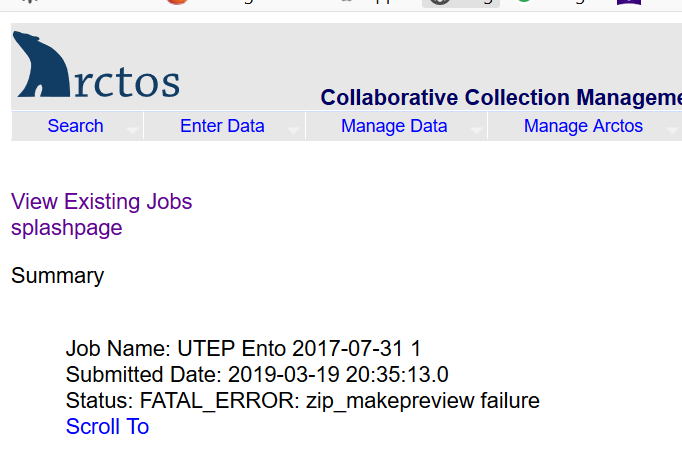
I am using the media upload batch tool and I uploaded several batches a week ago, none of them have completed yet. When I view the splash page, one has this remark:
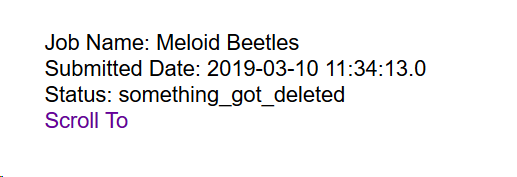
If I scroll down to the details for it, almost all of the stuff has loaded, but about a dozen or so records are still in the "previewed" status.
I think this may have caused the upload tool to stick and I'm not sure the best way to proceed or what caused the problem (maybe trying to load too many images?). Let me know how to proceed.
 Jegelewicz
All 30 comments
Can you send me the zip? I can see that something isn't happy, but I'm not sure what.
 dustymc
on 18 Mar 2019
dustymc
on 18 Mar 2019
Elevating priority and shutting this down for now - the errors are plugging up everything.
dustymc
on 18 Mar 2019
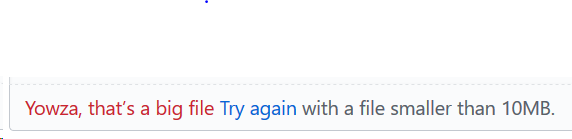
That's probably it. I can split the images into two files and try again whenever it's back up...
Jegelewicz
on 18 Mar 2019
I should have it back up today. Letting me load one of your ZIPs would still be useful. You can email it to data.[email protected] and let me know when it's there. If there are size limitations I can at least try to be explicit about them.
The SCP pathway exists as well, and has no size limits that you're likely to encounter.
dustymc
on 18 Mar 2019
Ok, will email as they are all too big for GitHub
Jegelewicz
on 18 Mar 2019
I think it's all back up. It will take it a while to error out everything that didn't work. If you want to try again with smaller files you can. I'd prefer to wait for a test box to try your huge files, but I'm OK with doing that at prod too. Let me know....
dustymc
on 18 Mar 2019
I'll wait until tomorrow, split stuff up and try again.
Jegelewicz
on 18 Mar 2019
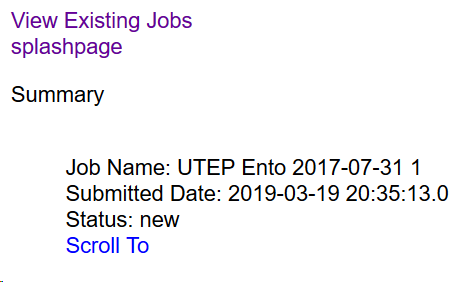
I uploaded one batch and it seems to be just sitting there.
Jegelewicz
on 21 Mar 2019
Woops! Should be doing something now.
dustymc
on 21 Mar 2019
Still seems stuck
Jegelewicz
on 25 Mar 2019
Is this still a problem? I still do not have problematic data.
dustymc
on 2 Apr 2019
Nothing has loaded from the one file I uploaded several weeks ago...see above.
Jegelewicz
on 3 Apr 2019
Please send me your ZIP.
dustymc
on 3 Apr 2019
Emailing it.
Jegelewicz
on 3 Apr 2019
I think the job is happy again, although I had to throttle it heavily so it's going to be slower in the future.
Here's the CSV.
dustymc
on 4 Apr 2019
Was it the size of the zip file? should I limit the size? and if so, what is max recommended?
Jegelewicz
on 4 Apr 2019
This is still not working.
What do we need to figure it out?
Jegelewicz
on 25 Apr 2019
Yes the pre-April jobs are not going to complete. I can delete them if there's nothing you need.
dustymc
on 25 Apr 2019
go ahead and delete them and I'll try again. Thanks!
Jegelewicz
on 26 Apr 2019
done
dustymc
on 26 Apr 2019
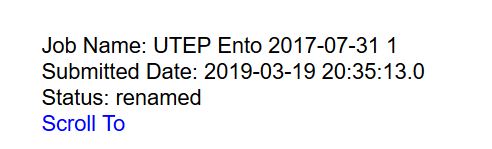
This is still not functioning - been as "renamed" for days.http://arctos.database.museum/tools/uploadMedia.cfm?action=preview
Jegelewicz
on 2 May 2019
Send me your ZIP - I may have it throttled enough that it's deleting stuff before it can unroll it....
dustymc
on 2 May 2019
will email
Jegelewicz
on 2 May 2019
It's taking ~30s to create a single preview from the 1M files. I've throttled to accommodate that and will continue monitoring. I think that's going to work, at least for this particular batch, but it's going to slow the process further.
I think we're at another chokepoint in https://github.com/ArctosDB/arctos/issues/1446. We have a good "media server" but now we're bouncing off the limits of using the webserver to process media. We should probably start looking for a way to avoid that (can TACC automate more in the SCP pathway?) or offload it to a server running more appropriate software (whatever that is...).
dustymc
on 2 May 2019
The process completed without intervention, so hopefully it'll limp along a while longer.
Here's your bulkloader file.
media_bulk_zip195317079.csv.zip
Leaving this open - a second not-quite-web-server for some alternate to CFIMAGE, potentially running scheduled tasks, etc. would be very useful; how do we do that?
dustymc
on 3 May 2019
a second not-quite-web-server for some alternate to CFIMAGE, potentially running scheduled tasks, etc. would be very useful; how do we do that?
Rhetorical question? Does this just involve funds or something else?
Jegelewicz
on 3 May 2019
Yea sorta - more "note to self" but probably requires funds IF we go that way. The only thing I'm really sure of is that I don't currently have the most efficient tools to manipulate images. Ideally it would start with someone who knows a lot more about image manipulation than I do.
dustymc
on 3 May 2019
don't currently have the most efficient tools to manipulate images
I reduced the preview quality; things are (sometimes?!) running again, but it's still very inefficient.
dustymc
on 5 Jun 2019
I've been trying to bulkload the metadata from above and keep getting the error "missing comma". Can you tell me what's causing that?
Jegelewicz
on 6 Jun 2019
missing comma
dustymc
on 16 Jun 2019
Related issues
Jegelewicz
·
5Comments
dustymc
·
7Comments
 ebraker
·
8Comments
ebraker
·
8Comments
 sharpphyl
·
7Comments
dustymc
·
6Comments
sharpphyl
·
7Comments
dustymc
·
6Comments