Ar.js: Vertical Squeez on all examples using Google Pixel
I investigated a bit, but could not find a solution for this.
The video-feed got a squared format 480 x 480.
Looks well using landscape, but everything is squeezed using portrait mode.
 Samsy
Samsy
All 21 comments
Landscape behave nicely, portrait squeezes the whole thing.
I had a look but could not find where this thing happen
@jeromeetienne any ideas?


Samsy
on 15 May 2017
It is a known issue. Not specific to the pixel.
It is an bug in the aspects ratio handling.
The current "fix" is to load and use your apps in landscape... This is what
I do until I got time to fix this 😄
On May 15, 2017 1:45 PM, "Honigstein Samuel" notifications@github.com
wrote:
Landscape behave nicely, portrait squeezes the whole thing.
I had a look but could not find where this thing happen
@jeromeetienne https://github.com/jeromeetienne any ideas?
[image: GitHub Logo]
https://camo.githubusercontent.com/dbfc8bb6383e96401c230ed4f828e44d689be7dc/687474703a2f2f692e696d6775722e636f6d2f633959555573422e6a7067
[image: GitHub Logo]
https://camo.githubusercontent.com/02a1fe84484d2d8f7aff69ff03f874193dca9179/687474703a2f2f692e696d6775722e636f6d2f664a33577a6938722e6a7067
—
You are receiving this because you were mentioned.
Reply to this email directly, view it on GitHub
https://github.com/jeromeetienne/AR.js/issues/60#issuecomment-301463929,
or mute the thread
https://github.com/notifications/unsubscribe-auth/AAPcIg5MxGl2AUP51s-jPAOa-XwlWcvGks5r6Ej4gaJpZM4NVhXt
.
 jeromeetienne
on 15 May 2017
jeromeetienne
on 15 May 2017
Oh alright ! Can you point me where it is handled so I can have a proper look ? Is it in the artoolkitsource ?
Samsy
on 16 May 2017
sure, here it is https://github.com/jeromeetienne/AR.js/blob/master/three.js/threex-artoolkitsource.js#L201
note that it is an ugly mess :) because i dunno how to actually resize, so i keep the original aspect and trick the css.
I would love if you could fix the portrait/landscape issue and still to remain compatible with the jsartoolkit :)
jeromeetienne
on 16 May 2017
A real quick "fix", is to force the webRTC constrains to approach the ratio of the camera.dat file.
You can add :
minAspectRatio: 1.333
to the webrtc mandatory constrains to make sure the video feed will never be squared ratio.
Samsy
on 17 May 2017
Any update on this issue?
Not sure where I should apply the proposed fix...
 pikilipita
on 4 Jul 2017
pikilipita
on 4 Jul 2017
Just chiming in to register my interest in a fix to this as well. I have a particular application where it'd be very useful to have the vertical space to move objects around that are superimposed over the AR marker. Right now landscape mode limits your vertical mobility and that's necessary in my particular use case about half the time.
 patricknelson
on 20 Jul 2017
patricknelson
on 20 Jul 2017
@Samsy which camera.dat file are you talking about for the fix. If you are referencing the camera_param.dat its a binary file. where would i add the minAspectRatio?
 sonalranjit
on 8 Sep 2017
sonalranjit
on 8 Sep 2017
I had the same issue using threex & three.
I tried the @Samsy fix but unfortunately it didn't work for me.
One fix can be to update the camera projection matrix at each orientationchange event and invert the aspect ratio of the camera when the device is in landscape mode
window.addEventListener('orientationchange', () => {

   // On non-orientable device, isLandscape is set to true
  const isLandscape = window.orientation !== undefined
    ? (window.orientation === -90 || window.orientation === 90)
    : true

  // Store the current artoolkit projection matrix
  let matrix = artoolkitContext.getProjectionMatrix()

  // If the device is in landscape mode, we scale the matrix to invert the aspect ratio.
  // I use 4 / 3 because my artoolkitSource is set to 640 x 480.
  if (isLandscape) {
    mat = mat.clone()
    const ratio = 4 / 3
    matrix.elements[0] *= ratio
    matrix.elements[5] *= 1 / ratio
  }

  // Update the projection matrix of the camera
  camera.projectionMatrix.copy(matrix)

})
 pqml
on 14 Sep 2017
pqml
on 14 Sep 2017
pqml, have you been able tu succesfully use your fix? I could not get it to work...
pikilipita
on 26 Sep 2017
I got a fix!
I was able to solve the aspect ratio issue and the wrong model rotation on portrait mode.
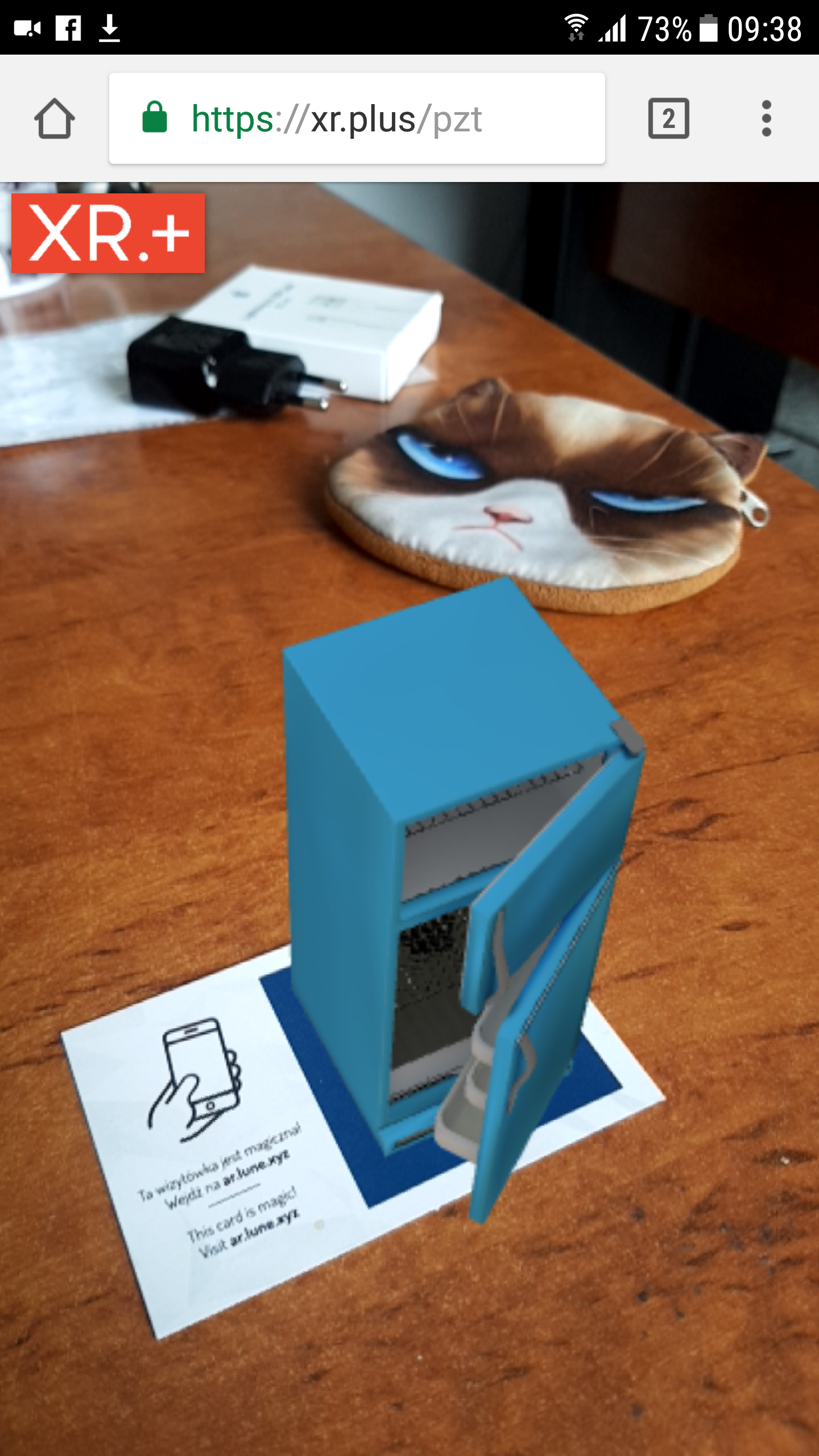
Can you check this: url https://xr.plus/pzt ?
Is it ok on your phone?
If so, I will propose a commit.
This is the marker for this example:
http://xr.plus/m-xrdotplus.png
pikilipita
on 4 Oct 2017
Yeah I figure out later that model rotation bug...
Your fix seems to work perfectly!
pqml
on 4 Oct 2017
@pikilipita Tested a bit more:
- Safari on iOS11: Works
- Chrome on 61 on Android 7.0: Works
- Firefox 56 on Android 7.0: Pattern detected, no model appears
I use Firefox because I see better performance and fewer crashes than with Chrome for AR.js. However, most likely not related to your rotation fix.
Would love to see a PR for this asap, as I need portrait mode to work :)
Is this the fix?
ARjs.Source.prototype.copyElementSizeTo = function(otherElement){
  trace("copyElementSizeTo " + this.domElement.style.width + "x" + this.domElement.style.height);

//  console.log(otherElement );


  if (window.innerWidth > window.innerHeight)
  {
    //_log.html(window.innerWidth + "_" +window.innerHeight + " L " + this.domElement.style.width + "x" + this.domElement.style.height);
    //landscape
    otherElement.style.width = this.domElement.style.width
    otherElement.style.height = this.domElement.style.height
    otherElement.style.marginLeft = this.domElement.style.marginLeft
    otherElement.style.marginTop = this.domElement.style.marginTop
  }
  else {
    //_log.html(window.innerWidth + "_" +window.innerHeight + " P " + this.domElement.style.width + "x" + this.domElement.style.height);
    //portrait
    otherElement.style.height = this.domElement.style.height
    otherElement.style.width = (parseInt(otherElement.style.height) * 4/3)+"px";

    var ml = ((window.innerWidth- parseInt(otherElement.style.width))/2)+"px";//this.domElement.style.marginLeft
    otherElement.style.marginLeft = ml;
    otherElement.style.marginTop = 0;

  //  _log.html("W " + window.innerWidth + " x " +window.innerHeight + " O " + otherElement.style.width + "x" + otherElement.style.height + " ml " + ml + " V " + this.domElement.style.width + "x" + this.domElement.style.height);
  }

  ////c.arToolkitContext.arController.canvas.width = c.arToolkitContext.arController.canvas.height * 4 / 3;
}
 RSpace
on 4 Oct 2017
RSpace
on 4 Oct 2017
yes, but that's only part of it
pikilipita
on 4 Oct 2017
I've submitted a pull request from my fork, let's see if it get accepted
pikilipita
on 4 Oct 2017
Fantastic. Already merged it into my own fork, works great. Thanks!
RSpace
on 4 Oct 2017
@pikilipita thanks for this fix, it was pretty much a deal breaker for me, does your fork includes the custom markers fix too by any chance?
see https://github.com/jeromeetienne/AR.js/pull/168
 Noko-Noko
on 11 Oct 2017
Noko-Noko
on 11 Oct 2017
I am using custom markers, but they have the usual black frame around.
I never had issue with markers, did not made changes on the code about markers
pikilipita
on 11 Oct 2017
@pikilipita Nope, tried with your fork and getting the same issue with custom markers, but I see you are not using the
Thanks
Noko-Noko
on 12 Oct 2017
I had the same problem but then it turned out I was using 1.5.0 for some reason. In the current build it seems to be fixed.
 rremigius
on 10 Oct 2018
rremigius
on 10 Oct 2018
Hi folks!
I use the last version of three.min.js and ar.min.js in my code but I still experience the vertical squeeze problem.
I don't know whether it make sense or not but, I compared @pikilipita Oct 4th 2017 commit with my ar.js code,
I find the three.js/src/threex/threex-artoolkitsource.js fix in ar.js
But I don't find the three.js/vendor/jsartoolkit5/js/artoolkit.api.js one
(c.f. https://github.com/jeromeetienne/AR.js/commits?author=pikilipita&since=2017-10-01&until=2017-11-01 )
Did I miss something?
[EDIT]
Actually, the problem at my side is a bit more complex. It happens only while switch from portrait to landscape, not the other way around:
Use case 1: Launch page in portrait (no issue) -> Switch to landscape: Vertical squeeze issue!
Use case 2: Launch page in landscape (no issue)-> Switch to portrait (no issue) -> Switch to landscape: Vertical squeeze issue!
Am I the only one to experience it? I will check the code to see what's going on...
[EDIT2]
I don't experience my problem with https://xr.plus/pzt ...
Something my be wrong with my code (?)
 yannklein
on 15 Nov 2018
yannklein
on 15 Nov 2018
Related issues
 mariovde
·
27Comments
mariovde
·
27Comments
 Angelo8828
·
66Comments
sonalranjit
·
48Comments
Angelo8828
·
66Comments
sonalranjit
·
48Comments
 markleeyw
·
37Comments
markleeyw
·
37Comments
 MirkoAlo
·
37Comments
MirkoAlo
·
37Comments
Most helpful comment
I got a fix!

I was able to solve the aspect ratio issue and the wrong model rotation on portrait mode.
Can you check this: url https://xr.plus/pzt ?
Is it ok on your phone?
If so, I will propose a commit.
This is the marker for this example:
http://xr.plus/m-xrdotplus.png