Appcenter: Distribute to App Store or TestFlight build no longer appearing
What App Center service does this affect?
Buildserver
Describe the bug
I had my react native app (iOS) always build on commits on a release-branch, and then I could go to the last built job and press "Distribute->Store->Production (App Store) or TestFlight" and it would automatically appear in TestFlight or under available build when drafting a new release in AppStoreConnect. However since yesterday the builds no longer appear. The new draft version appears but no build gets uploaded.
To Reproduce
Steps to reproduce the behavior:
- Bump version in Info.plist
- Commit to release branch and push
- Wait for build to successfully finish
- Distribute->Store->Production
- Observe notification "Build 22 distributed." - no error message
Expected behavior
The build should appear under "Build" or TestFlight in AppStoreConnect
Screenshots
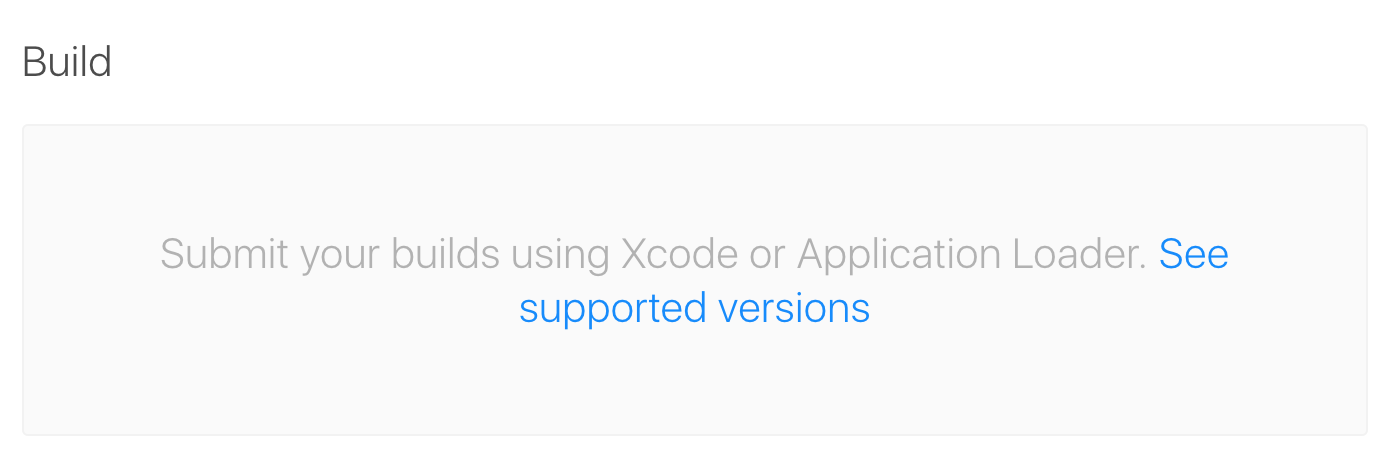

Desktop (please complete the following information):
- OS: Mac
- Browser Chrome
- Version 75.0.3770.100
Additional question:
Is it possible to see somewhere some debug log output of the "Distribute" operation?
 mifi
mifi
All 6 comments
I have found the cause of the issue. When trying to upload the generated IPA with Application Loader I'm getting "Invalid App Store Icon, can't be transparent nor contain an alpha channel" error from Apple. Turns out I had RGBA PNGs. After resolving this it works also when publishing from AppCenter.
It would however be extremely helpful if appcenter reported this error instead of just showing that the Build was distributed successfully.
mifi
on 9 Jul 2019
Hi @mifi, thanks for reporting the error. I will work with the team to implement the error message, instead of returning a success.
 Oddj0b
on 10 Jul 2019
Oddj0b
on 10 Jul 2019
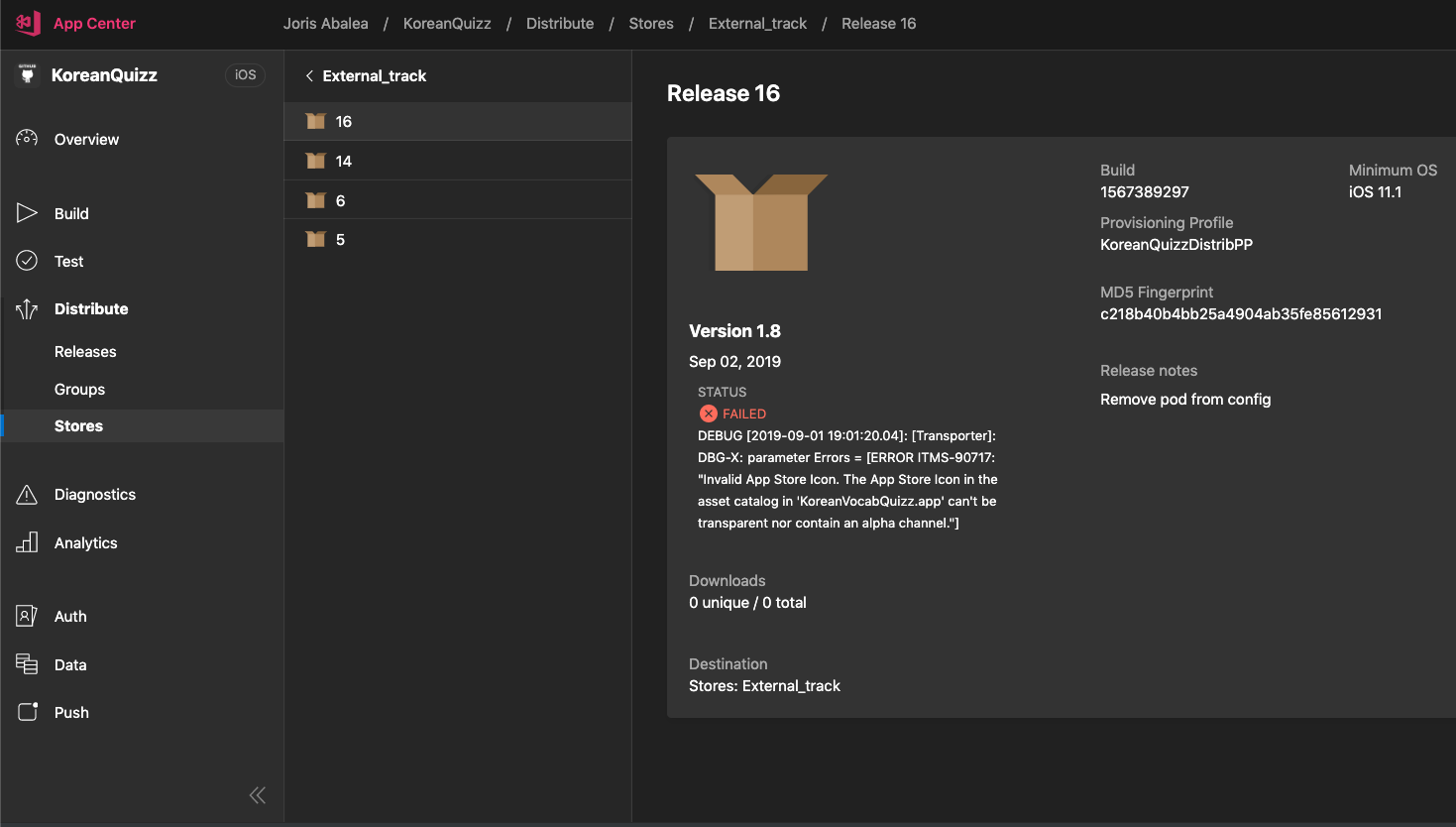
@mifi Did you check under _Distribute > Stores > Production_ your release details.
We do report publishing errors from Apple there.
_Build 22 distributed_ message does not guarantee success.
Here is an example of what you should see in the release details information page:
 avocaddo
on 2 Sep 2019
avocaddo
on 2 Sep 2019
Thanks @joabalea !
 Lucas-Geitner
on 2 Sep 2019
Lucas-Geitner
on 2 Sep 2019
Gotcha! Thanks. I found the error there. It would be extremely helpful for new users if the the simple "Build 22 distributed" message would link to this page, or at least say "Build 22 distributed - go to distribute menu to see the status"
mifi
on 2 Sep 2019
Also this should be part of the build pipeline - if the distribution fails, the build should fail and the build log should contain the error message. Other mobile app CI solutions do it this way too.
 Buthrakaur
on 16 Sep 2020
Buthrakaur
on 16 Sep 2020
Related issues
 invariant
·
3Comments
invariant
·
3Comments
 egorikftp
·
3Comments
egorikftp
·
3Comments
 thabemmz
·
3Comments
thabemmz
·
3Comments
 master-lincoln
·
3Comments
master-lincoln
·
3Comments
 sindresorhus
·
3Comments
sindresorhus
·
3Comments
Most helpful comment
@mifi Did you check under _Distribute > Stores > Production_ your release details.

We do report publishing errors from Apple there.
_Build 22 distributed_ message does not guarantee success.
Here is an example of what you should see in the release details information page: