I have a Mac Book Pro with BigSur 11.3.1
I updated the Dex on Version 2.4.0 with a snapshot.
After the Restart, the App is freezing on the loading screen and no more works...
What can i do?

 BastianReed
All 11 comments
@BastianReed: Thanks for opening an issue, it is currently awaiting triage.
The triage/accepted label can be added by foundation members by writing /triage accepted in a comment.
Details
I am a bot created to help the DeFiCh developers manage community feedback and contributions. You can check out my manifest file to understand my behavior and what I can do. If you want to use this for your project, you can check out the DeFiCh/oss-governance-bot repository.
 defichain-bot
on 28 May 2021
defichain-bot
on 28 May 2021
I have a Mac Book Pro with BigSur 11.3.1
I updated the Dex on Version 2.4.0 with a snapshot.
After the Restart, the App is freezing on the loading screen and no more works...What can i do?
same issues.
 kxkxkx111
on 28 May 2021
kxkxkx111
on 28 May 2021
@BastianReed: Thanks for opening an issue, it is currently awaiting triage.
The triage/accepted label can be added by foundation members by writing /triage accepted in a comment.
In the meantime, you can:
- Checkout DeFiChain’s Github issue page to see if your issue has already been reported
- Submit any logs if you have them, this will greatly expedite the process for us.
- You can also join our Telegram or Reddit community channels.
Details
I am a bot created to help the DeFiCh developers manage community feedback and contributions. You can check out my manifest file to understand my behavior and what I can do. If you want to use this for your project, you can check out the DeFiCh/oss-governance-bot repository.
defichain-bot
on 29 May 2021
Hi @BastianReed @kxkxkx111 , can you save your logs and send it here so that we can look into the issue further? Thank you.
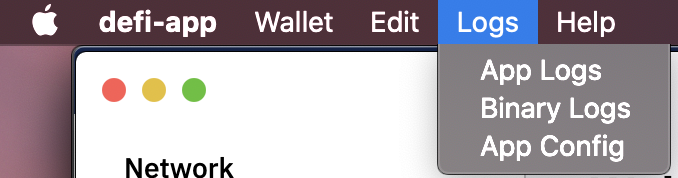
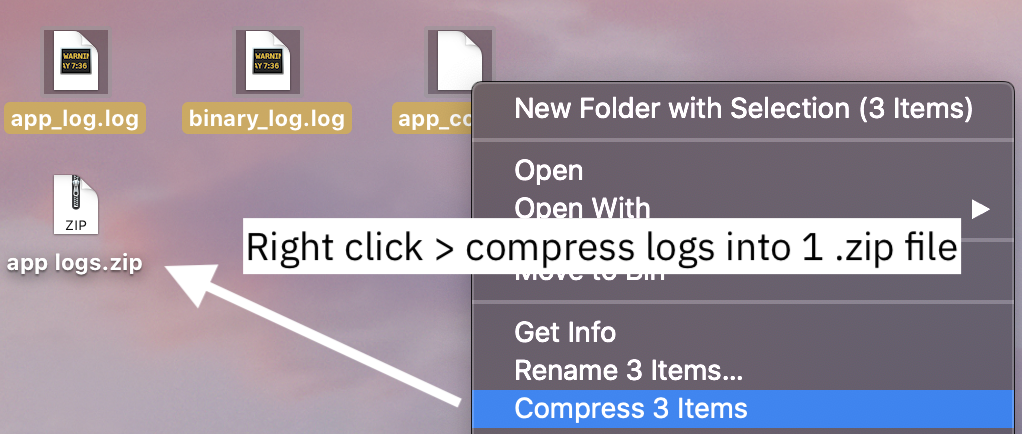
 izzycsy
on 29 May 2021
izzycsy
on 29 May 2021
I have the same issue/error message with Linux AppImage 2.4.0:
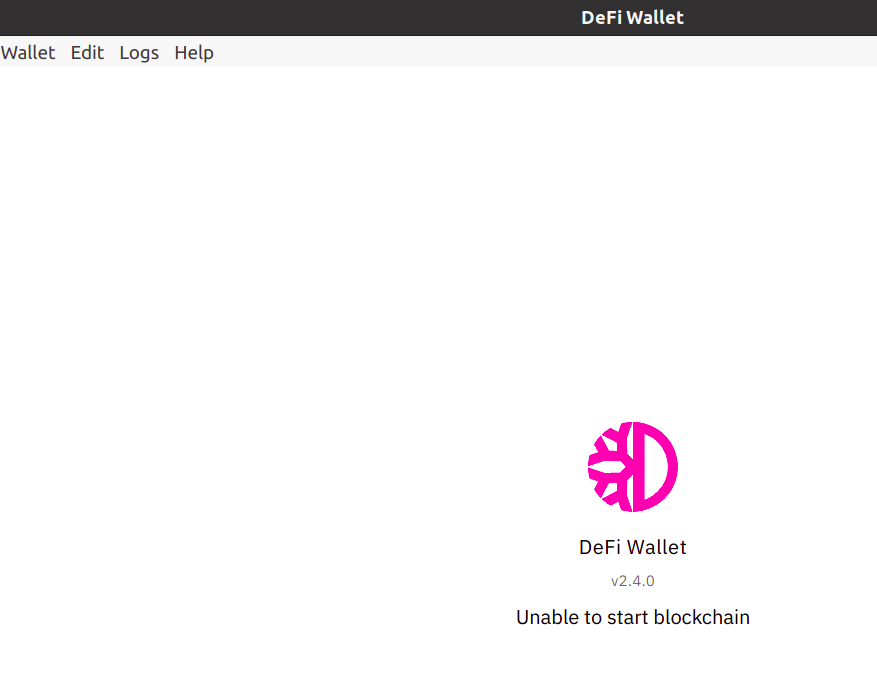
The Wallet app did start the very first time after upgrade, but after shutting down since then, the error above appears.
See app.log from [2021-05-29 16:32:41.398]
Logs:
logs.zip
 Okto8on
on 29 May 2021
Okto8on
on 29 May 2021
Hi @Okto8on , thanks for your logs. It could be because you were on a much older version and the app is having trouble updating. May I suggest a reinstallation.
Can you first save your wallet.dat then reinstall DeFi Wallet again.
- If you did not specify where you stored your
wallet.dat, proceed to backup the entire wallets folder, in the wallets folder you'll likely seewallet-bak-123456789as well, this are additional backups.
For Mac it's located here:
Go To Folder
/Users/<username>/Library/Application Support/Defi/wallets/


- After you've safely made a copy, proceed to delete the following folders:
App Installation
/Users/<username>/Applications/DeFi Wallet.app
Blockchain folder
/Users/<username>/Library/Application Support/Defi/
DeFi Wallet folder
/Users/<username>/Library/Application Support/defi-wallet
- Download v2.4.0
For Windows, select DeFi-Wallet-Setup-2.4.0.dmg
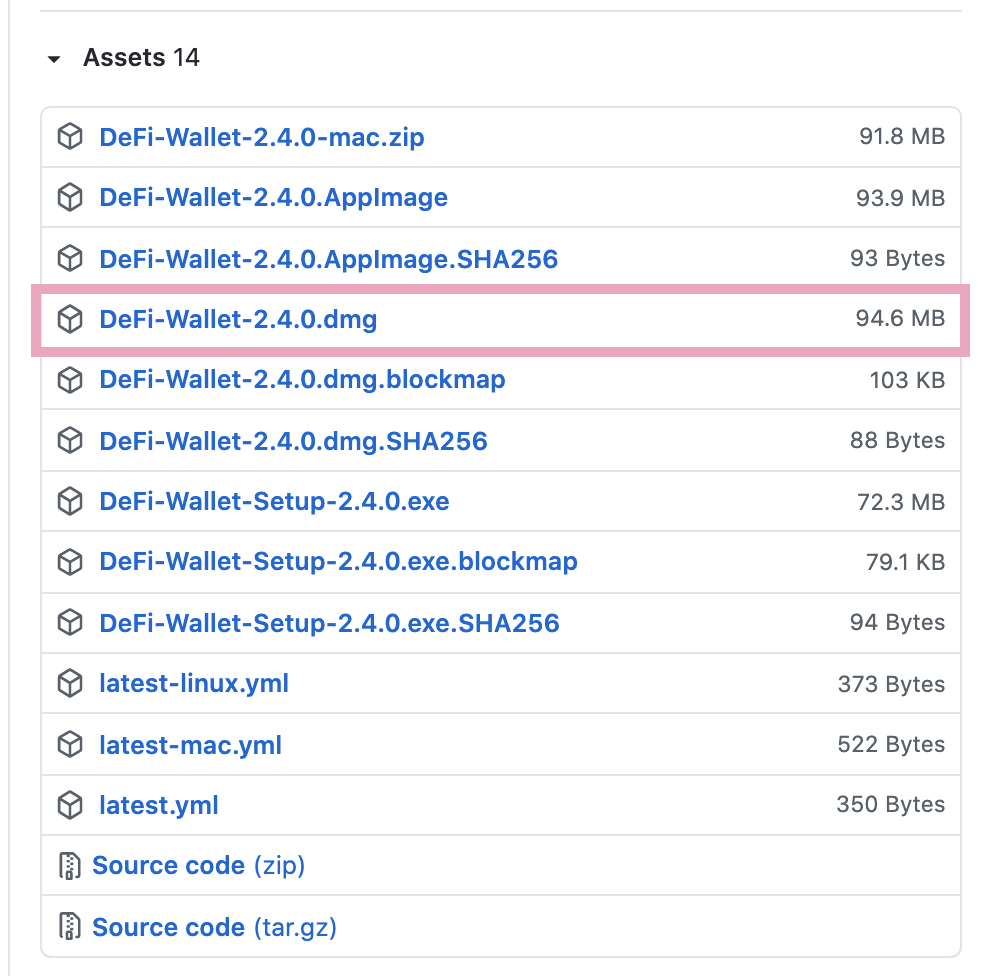
- After installing v2.4.0 and syncing to 100%,
Restore wallet via backup(wallet.dat), use the wallet.dat that you've previously backed up (step 1)
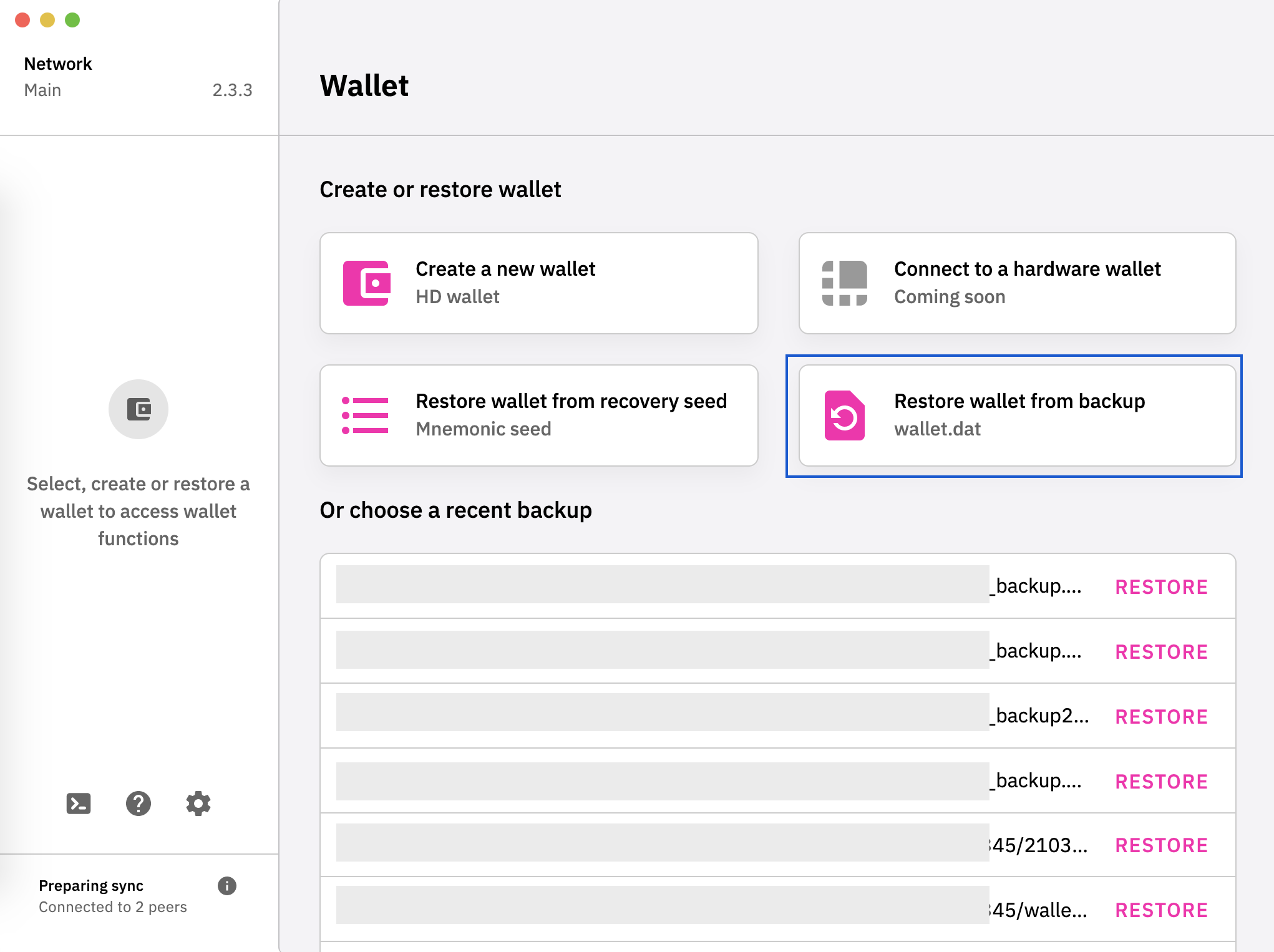
Your wallet balance should reflect as per the wallet.dat you selected, if it's incorrect, select another wallet.dat from the wallets folder (step 1) and try again.
izzycsy
on 29 May 2021
Problem has been solved. You need to update your macbooks on the latest firmware
kxkxkx111
on 29 May 2021
@izzycsy I have made a full de-installation and full new installation and restored a backup, as you suggested. It took very long to fully sync (more than 12h) but it works now. Thank you.
Okto8on
on 30 May 2021
Hi @BastianReed @kxkxkx111 , can you save your logs and send it here so that we can look into the issue further? Thank you.
now it works after some resyncs and two reinstallations.
BastianReed
on 31 May 2021
Hi @Okto8on @BastianReed @kxkxkx111 , v2.4.2 is out, this is a mandatory update. Please read through the release notes before updating. _This comment is to notify you about the update._
izzycsy
on 2 Jun 2021
Hi @Okto8on @BastianReed @kxkxkx111 @tweedleDumb-69 , should you face the same issue regarding Unable to start blockchain, we can further discuss on the issue there respectively. The team is investigating. Thank you.
Mac: 2.4.4 unable to start blockchain #921
Windows: 2.4.4 Sync stalled #922
Please refer to DeFiChain Announcements (EN) for the latest updates.
izzycsy
on 4 Jun 2021
Related issues
 elxlee
·
6Comments
elxlee
·
6Comments
 adrian-schnell
·
3Comments
adrian-schnell
·
3Comments
 gabriello79
·
4Comments
gabriello79
·
4Comments
 John-Gee
·
5Comments
John-Gee
·
5Comments
 RobinTorque
·
7Comments
RobinTorque
·
7Comments