App: Unable to start blockchain error on v2.1.15 and v2.1.17
Hi, I was using v.2.1.15 app few days ago. After updating the app to v.2.1.17, there was a data base re-index issue. I closed the app and restarted the app. When DeFi App v.2.1.17 was relaunched, it stopped at the splash screen with error message "Unable to start blockchain".
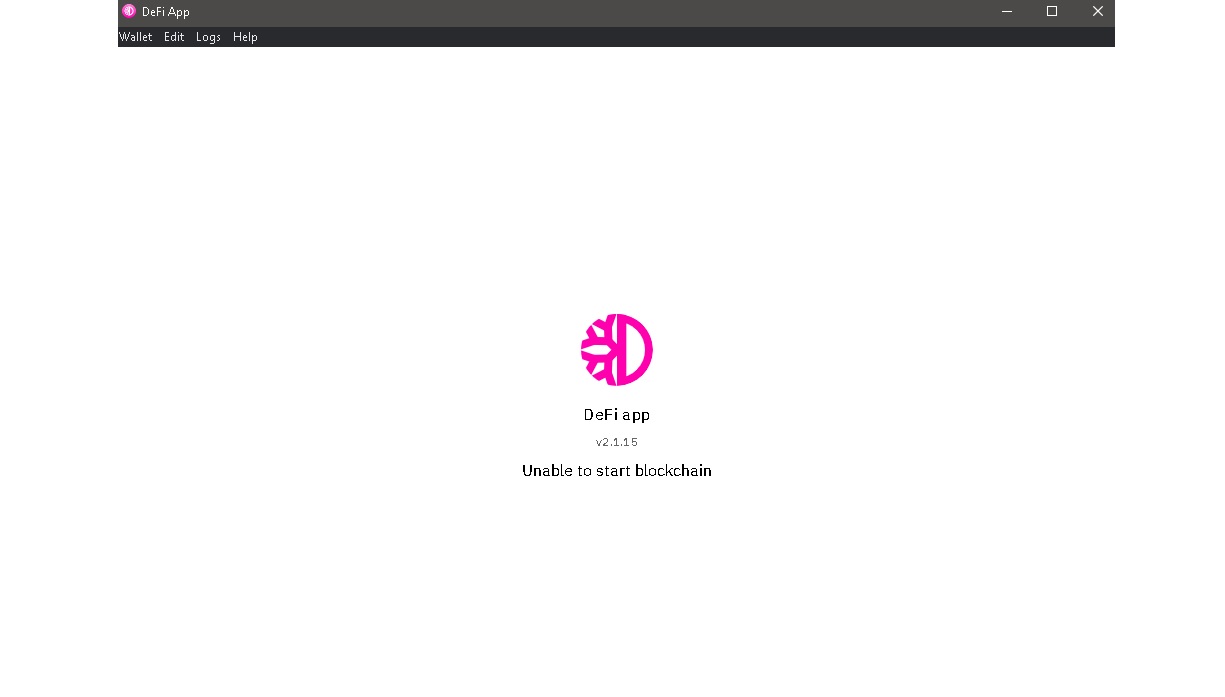
I decided to reinstall v.2.1.15 app. When I launch the app, the same error now applies to v.2.1.15 with "Unable to start blockchain". See screenshot.
My system is a Windows 10 on a Windows book 2 laptop, and 50 GB of harddisk space available.
I am not sure what to do next and would appreciate some guidance. App's log file attached.
 elxlee
All 6 comments
Hi @elxlee,
from the logs I would assume that you have a blockchain init issue. Can you put everything in C:\Users%username%\AppData\Roaming\DeFi Blockchain to an archive directory and check if start is working now for you?
If not you can check out https://62.75.139.29/ if the blockchain snapshots helps you.
 Darkwinde
on 13 Feb 2021
Darkwinde
on 13 Feb 2021
This solution works!
put everything in C:\Users%username%\AppData\Roaming\DeFi Blockchain to an archive directory and restart the app. It works. Currently syncing, waiting to see if i am able to restore the wallets
elxlee
on 13 Feb 2021
Happy to help you out of the stuck situation
Darkwinde
on 14 Feb 2021
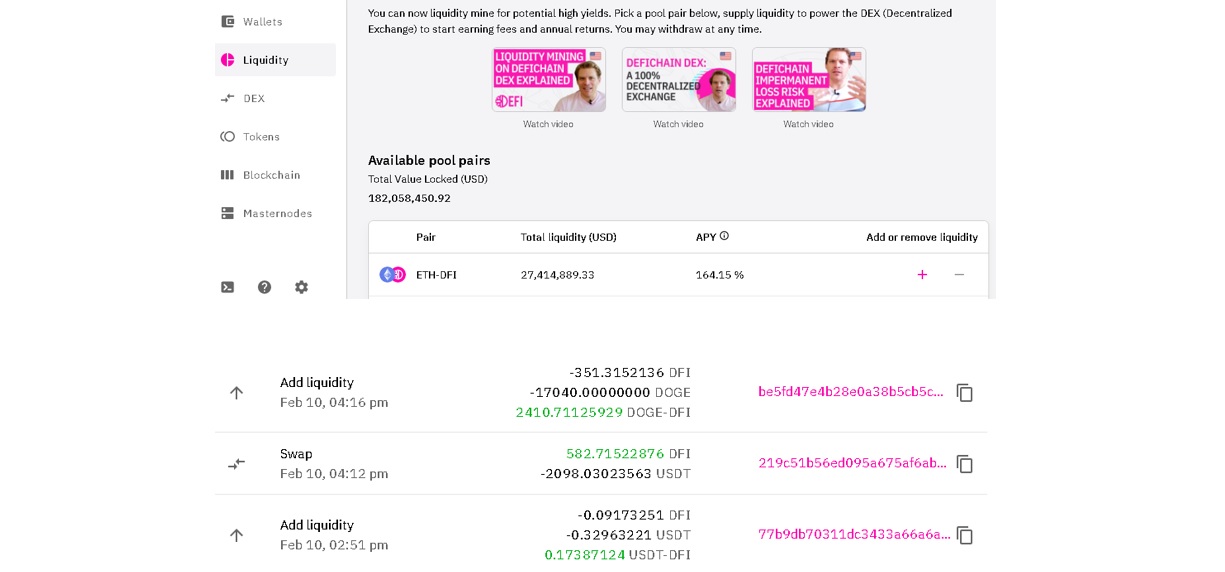
@Darkwinde While this method works in allowing me to restart the app, after I recreated by wallet from mnemonics keywords, the app does not show the investment that I made from the wallet. When I click on liquidity pool, there no records that I can recall the funds from. How do I reconnect with the investments made from my wallet to the liquidity pool?
elxlee
on 14 Feb 2021
Hi @elxlee,
good question was not in that situation hmmmm, first I would try:
- Closing app
- Going to
C:\Users\%username%\AppData\Roaming\DeFi Blockchainand save the directorywalletsto a new Archive directory. - Put the wallets directory from the previous archive, e.g.
C:\Users\%username%\AppData\Roaming\DeFi Blockchain\_Archive\walletsas a copy back to the blockchain directory:
C:\Users\%username%\AppData\Roaming\DeFi Blockchain
Just only work with copies so that you do not loose anything from the original state. - Start App again and checking for the results
Darkwinde
on 14 Feb 2021
Hi @elxlee , regarding the issue Unable to start blockchain, we can further discuss on the problem there. We would like to keep same issues in one thread. Thank you.
Hi @Darkwinde , much appreciated for the help!
 izzycsy
on 15 Feb 2021
izzycsy
on 15 Feb 2021
Related issues
 RobinTorque
·
7Comments
RobinTorque
·
7Comments
 adrian-schnell
·
3Comments
adrian-schnell
·
3Comments
 John-Gee
·
5Comments
John-Gee
·
5Comments
 tame81
·
9Comments
tame81
·
9Comments
 Rocky-81
·
8Comments
Rocky-81
·
8Comments
Most helpful comment
Hi @elxlee,
from the logs I would assume that you have a blockchain init issue. Can you put everything in C:\Users%username%\AppData\Roaming\DeFi Blockchain to an archive directory and check if start is working now for you?
If not you can check out https://62.75.139.29/ if the blockchain snapshots helps you.