App: Mac 2.3.2: Stuck at 0% synchronization
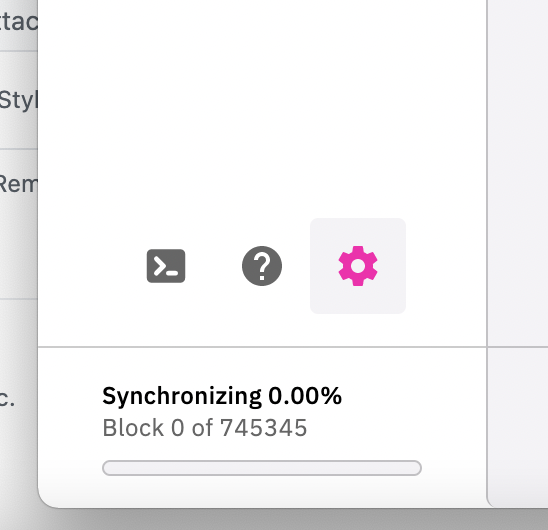
What happened: Installed Mac v 2.3.2 and stuck at 0% synchronization. I also went to "Reindex after saving" and tried that as well.
What you expected to happen:
How to reproduce it (as minimally and precisely as possible):
What are your environment parameters?
- DeFi Wallet Version: app version 2.3.2 for mac
- Operating System (OS): macos 11.2.3
Anything else we need to know?: using macbook pro m1
 saurin13
All 17 comments
@saurin13: Thanks for opening an issue, it is currently awaiting triage.
The triage/accepted label can be added by foundation members by writing /triage accepted in a comment.
In the meantime, you can:
- Checkout DeFiChain’s Github issue page to see if your issue has already been reported
- Submit any logs if you have them, this will greatly expedite the process for us.
- You can also join our Telegram or Reddit community channels.
Details
I am a bot created to help the DeFiCh developers manage community feedback and contributions. You can check out my manifest file to understand my behavior and what I can do. If you want to use this for your project, you can check out the DeFiCh/oss-governance-bot repository.
 defichain-bot
on 30 Mar 2021
defichain-bot
on 30 Mar 2021
Hi @saurin13 , did you check the option delete peers and blocks when you selected Reindex after saving? /
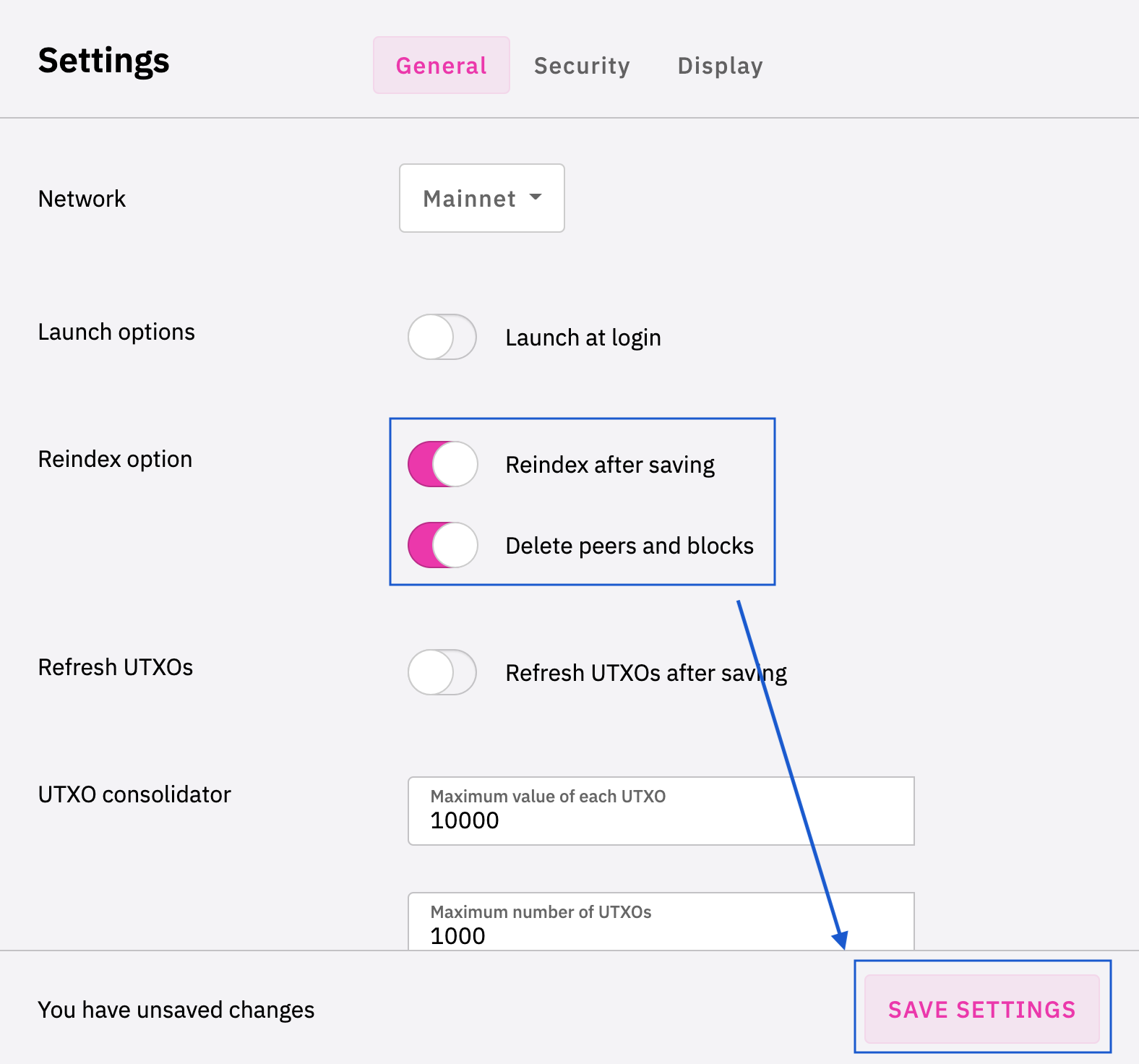
You might want to try using the Snapshot download, just a heads up the file is quite large, the team is working on a faster sync process coming in future releases. In the mean time, you can try the following option if you’re more technical:
_Reminder: Keep a copy of wallet.dat & passphrase safe before proceeding_
Snapshot (sync from 90%+)
1. Download the snapshot
2. In app, Reindex via Settings
3. Wait for 1%, close the app
4. Go to Defi (Mac) / DeFi Blockchain (Windows) folder
Mac — Go to Folder:
/Users/<username>/Library/Application Support/Defi
Windows — C:
C:\Users\<username>\AppData\Roaming\DeFi Blockchain
- Unzip the downloaded Snapshot, replace the individual files in the Defi (Mac) / DeFi Blockchain (Windows) folder
- Open your app, and it should start syncing from 90%+
 izzycsy
on 31 Mar 2021
izzycsy
on 31 Mar 2021
I did try the setting changes you suggested, and it did not work. I tried the download on my PC and it works - though I would prefer to use my mac. I will give the snapshot a try. Thanks
saurin13
on 31 Mar 2021
Using the snapshot seems to have helped. will keep you posted after I give it a try
saurin13
on 31 Mar 2021
Its been stuck here for the last two hours:
Synchronizing 98.74%
Block 738701 of 748097
app_log.log
saurin13
on 31 Mar 2021
unfortunately now my PC is stuck too, it will not synchronize either
saurin13
on 1 Apr 2021
Same here.
Mac OSX 11.2.3, Wallet 2.3.2
Did a Redindex and selected delete blocks and peers.
Waited now for 12h and it still on 98% - 733569.
Tried this the 3rd time.
I using Defi since the beginning of December. But this upgrade everytime re-sync the whole Blockchain and then have trouble, this sucks.
app_log.log
On Windows, the wallet works.
 dell1503
on 1 Apr 2021
dell1503
on 1 Apr 2021
Hi @saurin13 , you've already passed the blockHeight 733594 where users who updated after the Dakota Crescent Upgrade were stuck at, I think you just have to ensure good internet connection and wait for it to reach 100%. Alternatively, wait for the auto-snapshot fix to be ready. The team is currently working on it.
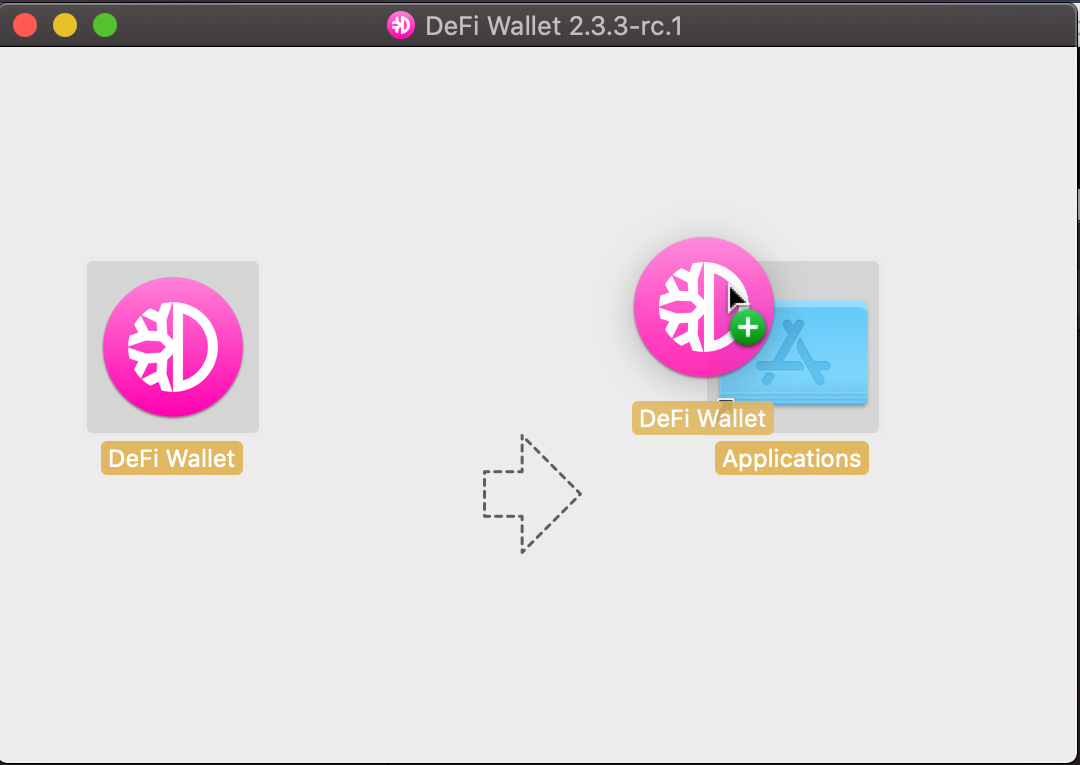
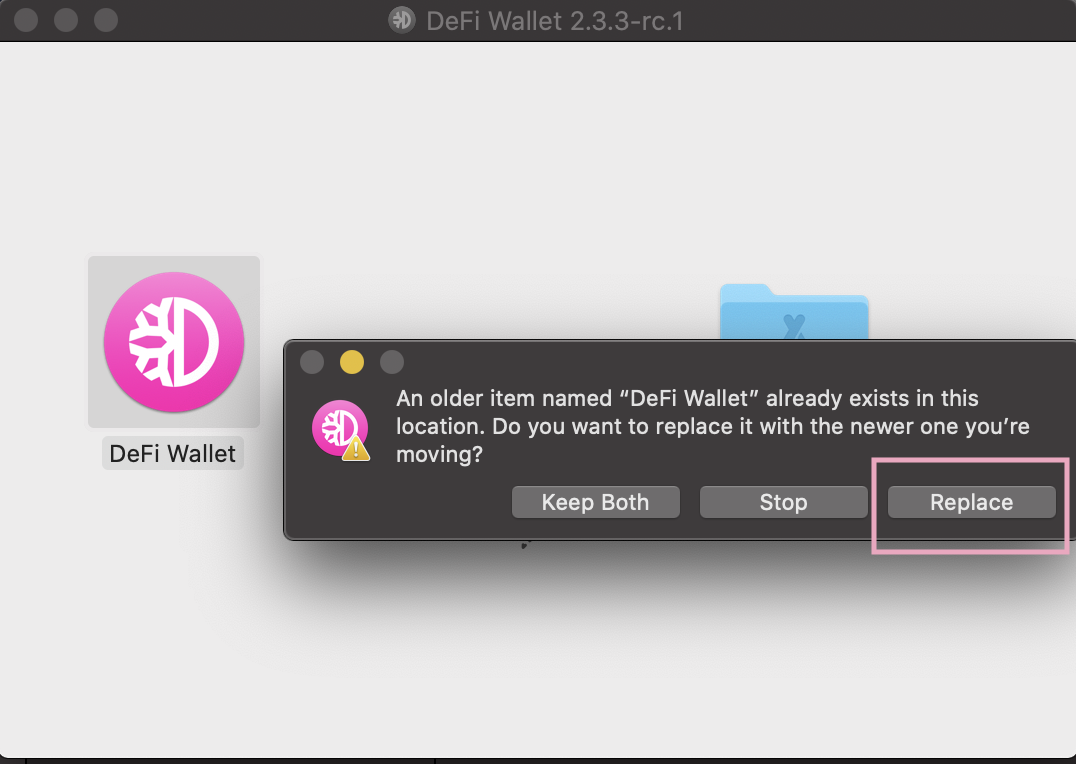
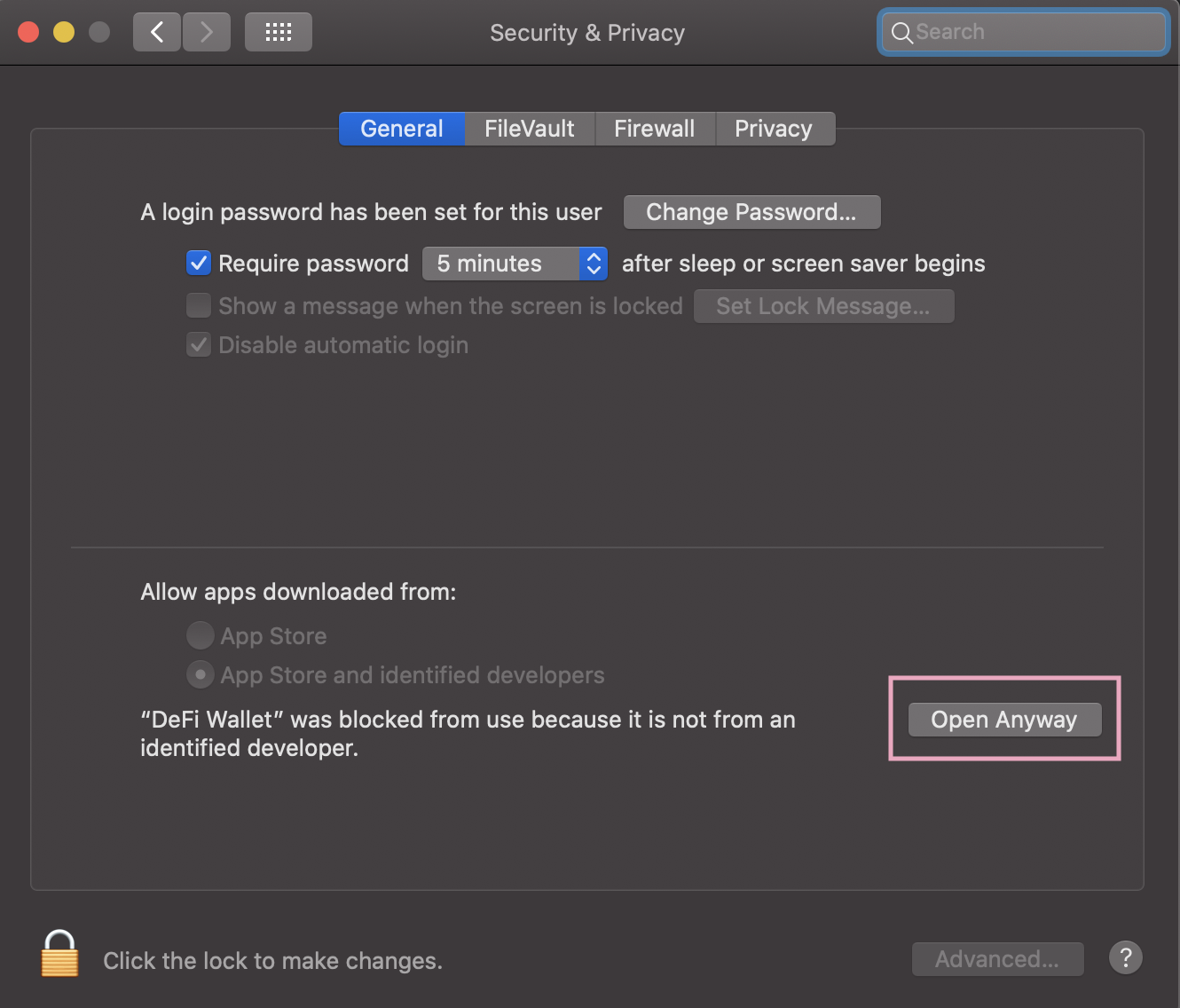
Hi @dell1503 , did you update manually?
- Download update v2.3.2
- Open
DeFi-Wallet-2.3.2.dmgfile - Prompt: “DeFi Wallet” can’t be opened because Apple cannot check it for malicious software. > OK
- Open System Preferences > Security & Privacy > Open Anyway
izzycsy
on 1 Apr 2021
Yes did the update as described.
Sync hangs still on 733594 von 749737 as before. Yes, I did a ReIndex with delete blocks and peers already twice.
dell1503
on 1 Apr 2021
I have a wired/ethernet gigabit connection. I do not think my internet connection is the issue.
My mac is stuck at 239044 of 749748. (31.88%)
saurin13
on 1 Apr 2021
I used the snapshot on my PC and it is also stuck at 738701 out of 749814 (98.52%) - the mac was stuck at the same block when I used the snapshot.
I cannot seem to move on from this.
saurin13
on 1 Apr 2021
I have the same that it is stuck at Block 733594 out of 753961 (97.30%) on my Mac. Is there any new solution?
 sash2007
on 3 Apr 2021
sash2007
on 3 Apr 2021
Hi @dell1503 @saurin13 @sash2007 , can you check that you Mac have sufficient storage? There's not other methods apart from
- Reindex via Settings (Sync from 0%)
- Snapshot download (Sync from 90%)
The snapshot is rather big — approx 27GB. I would suggest staying on the latest version and wait for a fix. Our team is working on an automatic snapshot where you do not have to step 4–5 manually. Thank you for your patience. Kindly refer to the official channels for announcement updates:
DeFiChain Telegram (EN)
DeFiChain Announcements (EN)
izzycsy
on 4 Apr 2021
I updated now the app to 2.3.3, did a other time re-sync, and it works for me. Re-sync with the Snapshot.
dell1503
on 6 Apr 2021
Hi @saurin13 @sash2007 , v2.3.3 is out. Please read through the release notes before updating. If you have not sync to 100%, there was a node issue on 05/04/2021 that may have cause the network error, everything is back online now, you may try the following:
Option 1 — Reset & Reindex (sync from 0%)
- Settings >
Reset & Reindex

Option 2 — Snapshot (sync from 90%+)
- Settings >
Reset & Reindex - Wait for app to start syncing
- Ensure you’ve at least 27GB of extra space
-
Click on
ilocated at bottom-left corner of app screen - Download Snapshot

Let me know your results, thank you for your patience.
izzycsy
on 7 Apr 2021
Thanks for your help. Its working again.
Regards
sash2007
on 9 Apr 2021
Hi @saurin13 , perhaps adding node might help you get unstuck. Reach out to the community on DeFiChain Telegram (EN), there will definately be people to help you! With that I'll be closing this issue.
izzycsy
on 6 May 2021
Related issues
 elxlee
·
6Comments
elxlee
·
6Comments
 Rocky-81
·
8Comments
Rocky-81
·
8Comments
 Sim-Cyber
·
7Comments
Sim-Cyber
·
7Comments
 SKapi1985
·
5Comments
SKapi1985
·
5Comments
 RobinTorque
·
7Comments
RobinTorque
·
7Comments