App: Mac: sync stops at 99%+ > increases memory usage
Preflight Checklist
- [x] I have searched DeFiChain’s Github Issue Page and none matches my issue
- [x] I have read through How To Submit Issues for DeFi App
Issue Details
- DeFi App Version:
- 2.1.11
- Previous DeFi App Version:
- 2.1.4
- Operating System:
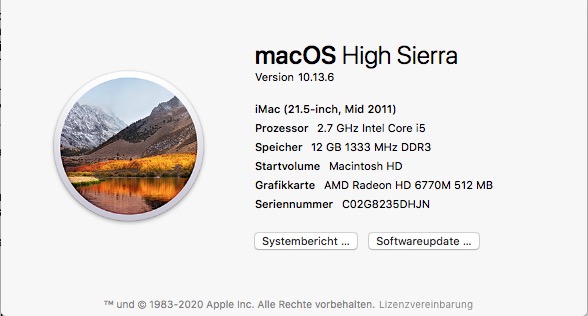
- (Mac OS 10.13.6) (see Picture), with 360 GB free Disk-Space
Screenshot(s) / screen recording(s) of issue


Actual Behavior
Please provide steps on how to reproduce the issue:
I remove the 2.1.4 App out the Aplication Folder.
I Copy 2.1.11 to the Aplication Folder
I Start the App.
immediately started loading the blockchain, quickly and everything seemed ok.
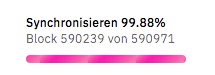
At 99.88% it stopped (see Picture) and it no longer continued to load the Blockchain. My Mac became very slow at this Moment. I could hardly change windows or type anything. When i typed, the signs came as if in time. Always the spinning ball. The download monitor showed no download (see Pictures), but sometimes a lot of uploads.
I left the Mac running for 2 hours without success.
However, the wallets were displayed with the data already loaded from the BlockChain. After clicking around in the program, white screen. Then I shot down the program. Mac still slow but a little less bad. It seems that the Mac is still weighing something even though the app is no longer running. after about one to two hours, the mac is almost back to normal. But it goes faster if I do a restart.I already had this problem with 2.1.4. Sometimes it worked, and sometimes that's exactly what happened. Sometimes it was suddenly 100% synced after all, and then the Mac ran normally again.
i have uploaded the Log Files
Expected Behavior
I've struggled with different versions of this app for many hours now. Version 2.1.4 worked best for me, but also with many Bugs. But I am sure that at some point you will get the app perfect and I would like to thank you very much for your work!
App log / binary log / app config
 Capswiss
All 29 comments
I have similar issue with this version on windows 8. did not have that problem on previous version.
Slow down and lag around 99.7%.
Sucking a lot of memory.
I included a screenshot of memory consumption in the logs.
walletlogs.zip
 arnaudom
on 23 Jan 2021
arnaudom
on 23 Jan 2021
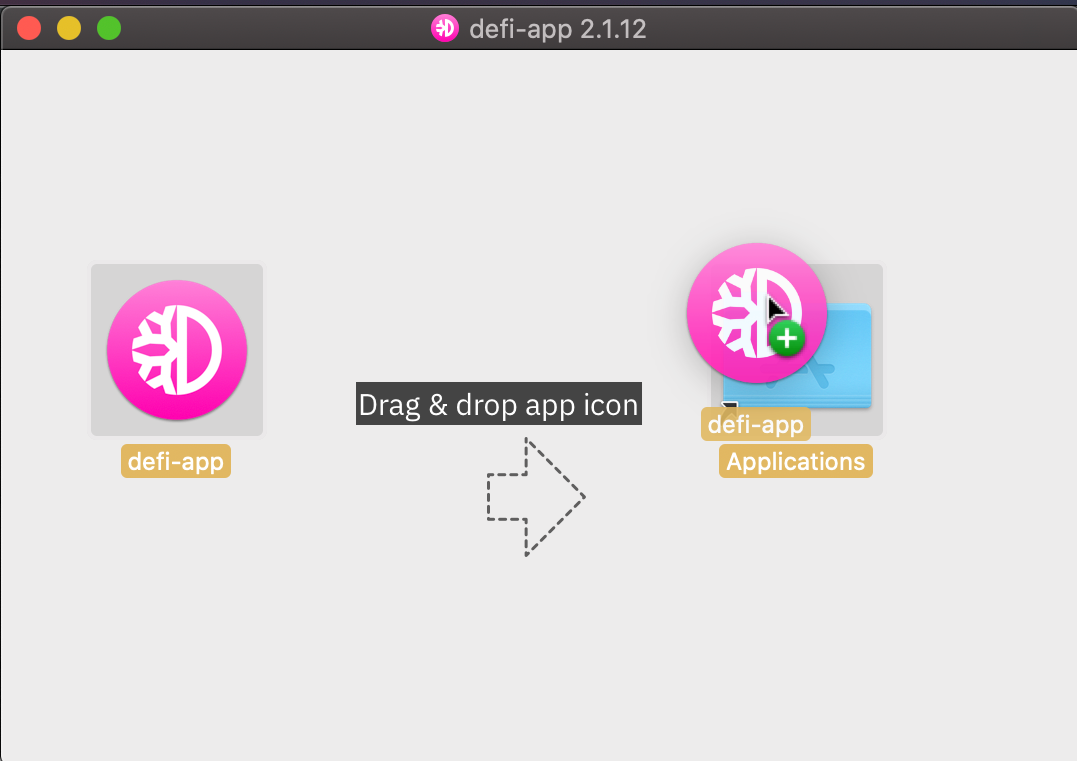
Hi @Capswiss , thanks for the feedback. In the future, when updating the app, you can do in internally in the app or download from https://defichain.com/downloads/. and replace your current app. Your app syncs till 99%+ then it get stuck and there's no error shown on the app screen? Logs well received, please give us time to investigate.
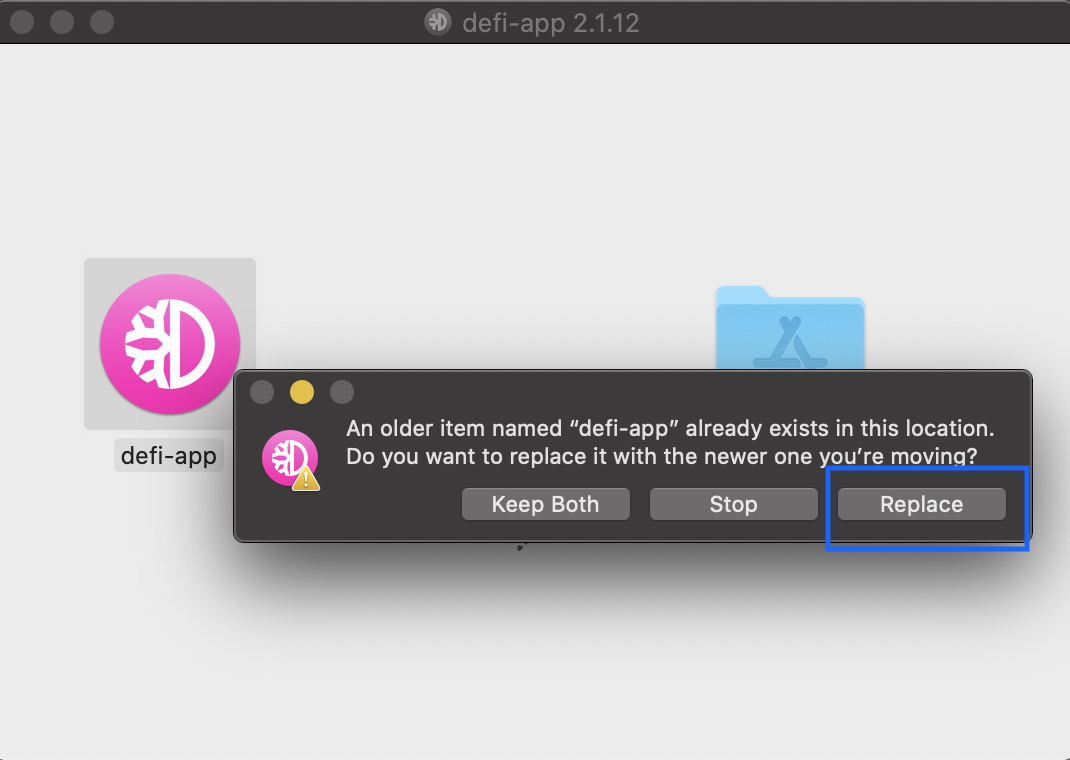
Hi @arnaudom , thanks for the feedback, is there any error shown on the app screen?Logs well received, please give us time to investigate.
 izzycsy
on 23 Jan 2021
izzycsy
on 23 Jan 2021
No, there is no error message displayed.
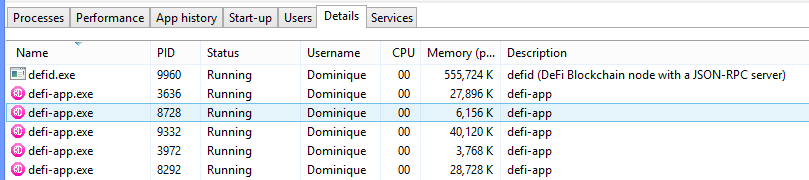
I noticed it hanged for quite some time (maybe 30mn or more) on block 590687 with memory surge and once it passed that it continued to sync up to 100% at normal rate.
arnaudom
on 23 Jan 2021
@izzycsy Thank you for your hint. I usually do the update the way you show it. However, since there were often more new problems with the updates, I wanted to keep the old version, so I removed it from the program folder first. The old version 2.1.4 worked for me at least partially.
And no, there is no error message displayed. In any case, I didn't see any. Many thanks for your Help and Work!
Capswiss
on 24 Jan 2021
Hi, since today i get the same issue, sync stops at 99,95% @ version 2.1.12
Logs:
[2021-01-25 17:27:13.939] [IPC-MAIN-info] [Starting Electron App] OS Windows 10 - 10.0.19042
[2021-01-25 17:27:13.945] [IPC-MAIN-info] Checking for update
[2021-01-25 17:27:14.475] [IPC-RENDERER-info] [Starting App] App is running with version 2.1.12
[2021-01-25 17:27:14.504] [IPC-RENDERER-info] Node start initiated
[2021-01-25 17:27:14.828] [IPC-RENDERER-info] Update for version 2.1.12 is not available (latest version: 2.1.12, downgrade is disallowed).
[2021-01-25 17:27:14.829] [IPC-RENDERER-debug] checkForUpdatesAndNotify called, downloadPromise is null
[2021-01-25 17:27:16.607] [IPC-RENDERER-info] Node started
[2021-01-25 17:27:18.620] [IPC-RENDERER-error] [isBlockchainStarted] Error: Request failed with status code 500
[2021-01-25 17:27:20.615] [IPC-RENDERER-error] [isBlockchainStarted] Error: Request failed with status code 500
[2021-01-25 17:27:22.767] [IPC-RENDERER-error] [object Object]
[2021-01-25 17:27:22.770] [IPC-RENDERER-error] Error: Invalid response from node, getpeerinfo: {"result":[],"error":null,"id":"4649574..."}
seems like there is a problem with the server --> Error: Request failed with status code 500
 cherryactiveo2
on 25 Jan 2021
cherryactiveo2
on 25 Jan 2021
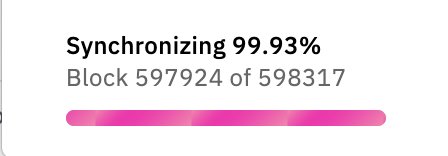
Same here on MacOS 10.15.7 running version 2.1.12
 oh-johnny
on 25 Jan 2021
oh-johnny
on 25 Jan 2021
Same here on MacOS 10.15.7 running version 2.1.12
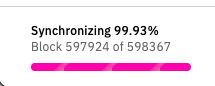
Today I have the same issue on Mcbook big sure!
log files cruuzar.zip
 cRuuZaR
on 25 Jan 2021
cRuuZaR
on 25 Jan 2021
What is wrong with DEFI APP? Mine will not sync either. Please help!
 Jacobsieler8888
on 26 Jan 2021
Jacobsieler8888
on 26 Jan 2021
Hi @Capswiss I understand, I do not recommend installing older version for your safety and security, our team is constantly working on improving the app and solving its issues. We regularly do releases, so if you are not in a big hurry I would suggest staying on the latest version and wait for a fix.
Hi @cherryactiveo2 @oh-johnny @cRuuZaR @Jacobsieler8888, thanks for your feedback, please give us time to investigate this.
izzycsy
on 26 Jan 2021
Hi @Capswiss @arnaudom @cherryactiveo2 @oh-johnny @cRuuZaR @Jacobsieler8888 , update v2.1.13 is out.
Do give a thumbs up to this comment if your issue has been resolved, otherwise, provide new information (include screenshots) and app logs. Thank you.
izzycsy
on 27 Jan 2021
If not already mentioned somewhere, the same issue also applies to the Win App (Win 10).
 dieterich-m
on 27 Jan 2021
dieterich-m
on 27 Jan 2021
Hi @Capswiss @arnaudom @cherryactiveo2 @oh-johnny @cRuuZaR @Jacobsieler8888 , update v2.1.13 is out.
Do give a thumbs up to this comment if your issue has been resolved, otherwise, provide new information (include screenshots) and app logs. Thank you.
I managed to sync 100% with latest version.
It still consumes a lot of memory and even more after full sync, up to 10kMb.
Then close the application and tried to reopen but it loops forever on splash screen. Have surge of memory use memory use (more than 11kMb); computer freeze a a certain point and have to shut down.
Can't use.
wallets1.zip
arnaudom
on 27 Jan 2021
All ok here with 2.1.13 👍🏽
arnaudom notifications@github.com schrieb am Mi. 27. Jän. 2021 um 14:22:
Hi @Capswiss https://github.com/Capswiss @arnaudom
https://github.com/arnaudom @cherryactiveo2
https://github.com/cherryactiveo2 @oh-johnny
https://github.com/oh-johnny @cRuuZaR https://github.com/cRuuZaR
@Jacobsieler8888 https://github.com/Jacobsieler8888 , update v2.1.13
https://defichain.com/downloads/ is out.
Do give a thumbs up to this comment if your issue has been resolved,
otherwise, provide new information (include screenshots) and app logs.
Thank you.I managed to sync 100% with latest version.
It still consumes a lot of memory and even more after full sync, up to
10kMb.
Then close the application and tried to reopen but it loops forever on
splash screen. Have surge of memory use memory use (more than 11kMb);
computer freeze a a certain point and have to shut down.
Can't use.
wallets1.zip https://github.com/DeFiCh/app/files/5880457/wallets1.zip—
You are receiving this because you were mentioned.
Reply to this email directly, view it on GitHub
https://github.com/DeFiCh/app/issues/352#issuecomment-768281243, or
unsubscribe
https://github.com/notifications/unsubscribe-auth/ASPLZWNFCEJPXAV3EUJQCZDS4AHP3ANCNFSM4WO3LDCA
.
cRuuZaR
on 27 Jan 2021
Do you update the app for Win as well: #325
dieterich-m
on 27 Jan 2021
Hi @Capswiss @arnaudom @cherryactiveo2 @oh-johnny @cRuuZaR @Jacobsieler8888 , update v2.1.13 is out.
Do give a thumbs up to this comment if your issue has been resolved, otherwise, provide new information (include screenshots) and app logs. Thank you.I managed to sync 100% with latest version.
It still consumes a lot of memory and even more after full sync, up to 10kMb.
Then close the application and tried to reopen but it loops forever on splash screen. Have surge of memory use memory use (more than 11kMb); computer freeze a a certain point and have to shut down.
Can't use.
wallets1.zip
Finally tried to downgrade to 2.1.12 then 2.1.11. I had same problem, Looping on splash screen with high memory use then end-up freezing my PC.
My next procedure, under v. 2.1.11: closed app, kill all app processes running in background, deleted all blockchain data folders.
The app opened and started sync again.
arnaudom
on 27 Jan 2021
Hi @INQB1 , could you send your app logs here please?
izzycsy
on 28 Jan 2021
It works for me now but for syncing I have to close all other apps and free memory (RAM and disk). Syncing
28JAN2021_applog_v2.1.13.log
seems to be done entirely in RAM memory.
Hence with the growing size of the blockchain it seems to need more and more every day. Yesterday, for me, it peaked at 18.5GB for a short moment at around 99.7%, and then completed with 10.5GB held in memory. I then need to close and restart the app to free that memory for it to come down to the operational level at about 450MB.
I believe soon, most computers won’t be able to handle it unless they’re loaded with extensive amounts of memory (greater than 32GB) or take ages with disk swapping.
 INQB1
on 28 Jan 2021
INQB1
on 28 Jan 2021
If the computer isn't equipped with enough memory, what some people do as a work around (until it's fixed) is to kill the app in between, say when it reaches 5GB of memory usage, and restart the app to resume with fresh memory. The app then continues to sync from where it was when it was stopped (process killed). Not beautiful, but it seems to work for now.
INQB1
on 28 Jan 2021
For me, the memory issues pertained to all versions: v2.1.11, v2.1.12, v2.1.13
I'm now on v2.1.13 and the memory part works fine. I now struggle with a different issue, but that's not for this thread (txn-mempool-conflict (code 18)).
INQB1
on 28 Jan 2021
If the computer isn't equipped with enough memory, what some people do as a work around (until it's fixed) is to kill the app in between, say when it reaches 5GB of memory usage, and restart the app to resume with fresh memory. The app then continues to sync from where it was when it was stopped (process killed). Not beautiful, but it seems to work for now.
Not always, it happened many times to me where is starts over from 0 after killing.
At least in my configuration windows 8 / 16Gb
arnaudom
on 28 Jan 2021
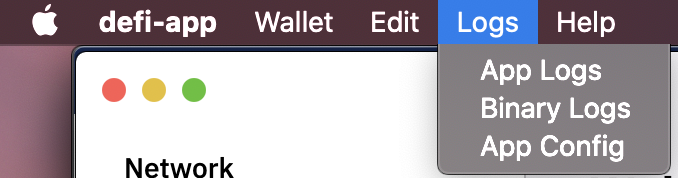
Hi @INQB1 , thanks for the feedback and app log. May I know what operating system you're using? if possible can you send your binary log & app config? It'll help provide more insight during investigation. Thank you.
izzycsy
on 28 Jan 2021
Hi @arnaudom , well noted, the team is looking into it.
izzycsy
on 28 Jan 2021
If the computer isn't equipped with enough memory, what some people do as a work around (until it's fixed) is to kill the app in between, say when it reaches 5GB of memory usage, and restart the app to resume with fresh memory. The app then continues to sync from where it was when it was stopped (process killed). Not beautiful, but it seems to work for now.
Not always, it happened many times to me where is starts over from 0 after killing.
At least in my configuration windows 8 / 16Gb
I don't think 8/16GB is enough. Deducting what the OS and system needs, there's not enough left and I wouldn't be surprised if the app sync runs into issues already at around 5GB mem usage.
INQB1
on 28 Jan 2021
This is another issue, 1GiB should be normal usage of the node.
 bvbfan
on 28 Jan 2021
bvbfan
on 28 Jan 2021
Hi @INQB1 , thanks for the feedback and app log. May I know what operating system you're using? if possible can you send your binary log & app config? It'll help provide more insight during investigation. Thank you.
My OS is MacOS Mojave, 10.14.6
INQB1
on 28 Jan 2021
Hi @INQB1 , the team reviewed your logs, it seems that the issue you're facing could be due to the block being stalled at block 597924 yesterday, which can cause the node to disconnect, hence not a ram issue. The solution to this is wait for the block to sync to 100% or try Reindex Option in Settings. If Reindex option does not work, you may reopen this issue, kindly send screenshots / app logs.
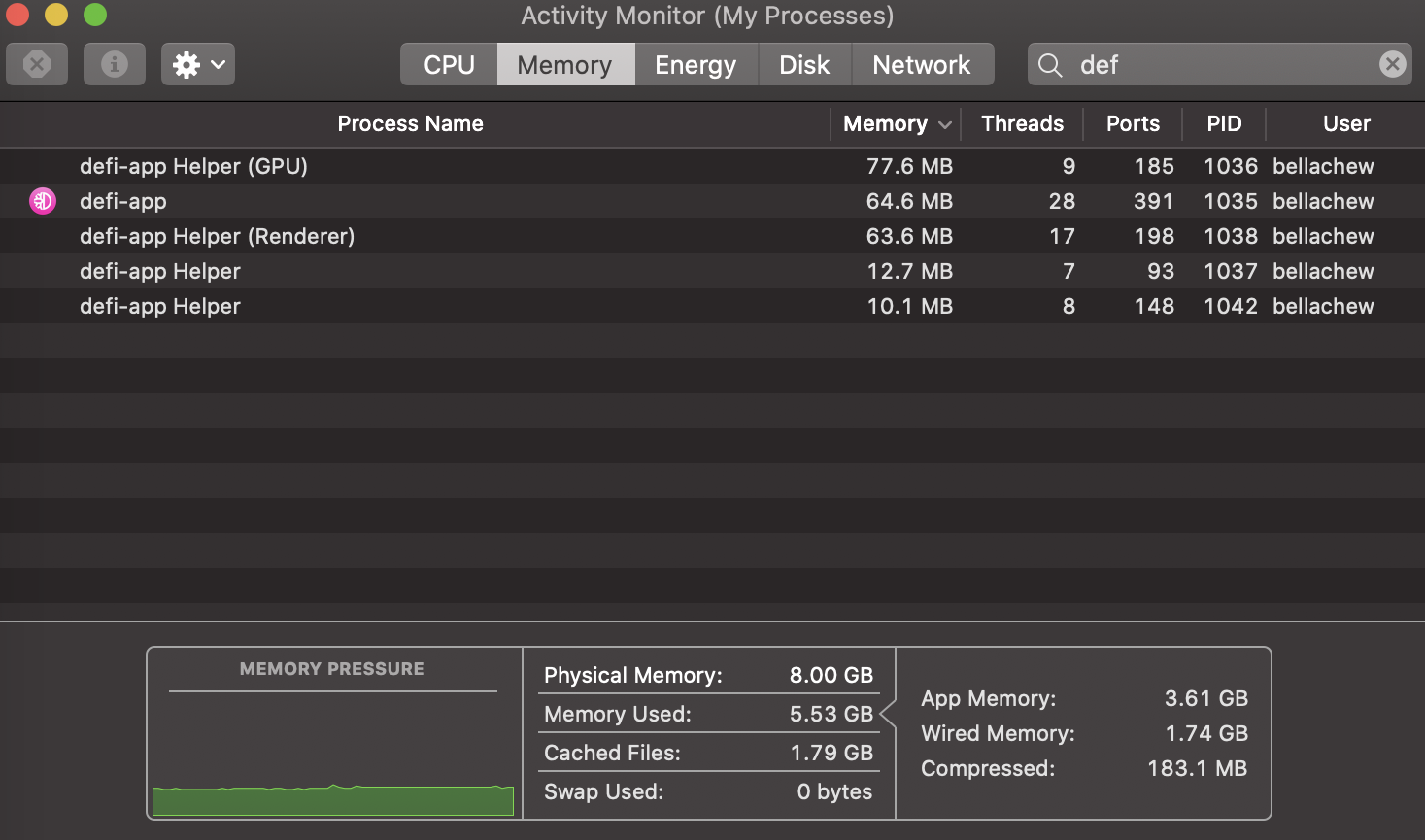
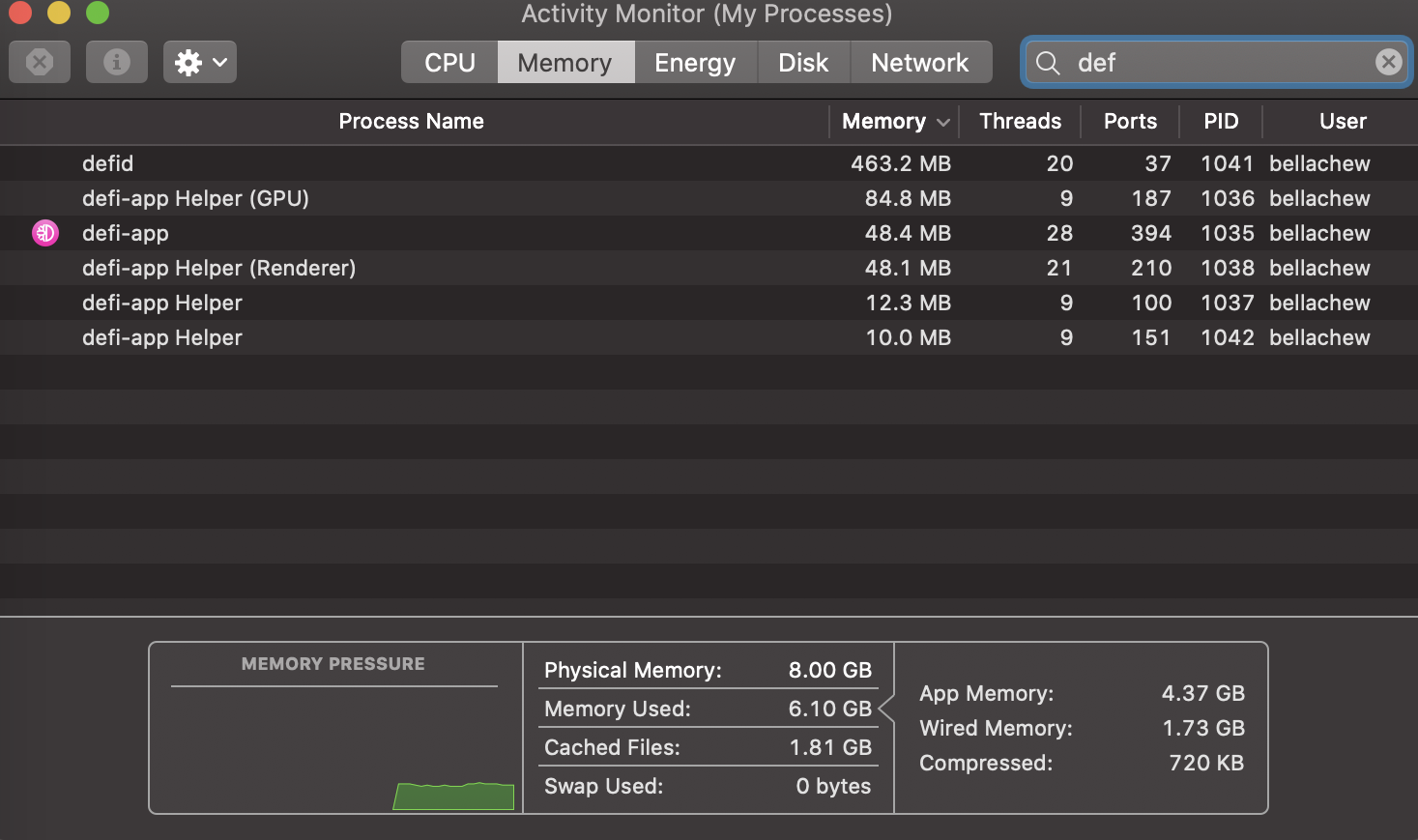
Hi @arnaudom , currently it seems that some windows-users are facing the issue Windows: sync stops at 99%+ > node is disconnected. Take a screenshot of your activity monitor and send it in that thread — attached is an example.
izzycsy
on 28 Jan 2021
Hi @Capswiss @arnaudom @cherryactiveo2 @oh-johnny @Jacobsieler8888 , the team reviewed your logs, it seems that the issue you're facing could be due to the block being stalled at block 597924 yesterday, which can cause the node to disconnect, hence not a ram issue. The solution to this is wait for the block to sync to 100% or try Reindex Option in Settings. If Reindex option does not work, you may reopen this issue, kindly send screenshots / app logs.
Hi @arnaudom , currently it seems that some windows-users are facing the issue Windows: sync stops at 99%+ > node is disconnected. Take a screenshot of your activity monitor and send it in that thread — attached is an example.
izzycsy
on 28 Jan 2021
Hi @arnaudom , currently it seems that some windows-users are facing the issue Windows: sync stops at 99%+ > node is disconnected. Take a screenshot of your activity monitor and send it in that thread — attached is an example.
Here it is, but right now I am back on v2.1.11 and everything runs fine after I downgraded and reset all data.
arnaudom
on 28 Jan 2021
Hi Bella
The root cause of the issue might be here: https://www.reddit.com/r/defiblockchain/comments/l765tb/fix_for_ram_bug_and_corrupt_blockchain/
Great troubleshoot from Kracht (Sp0nde on reddit).
Please share with developers.
Thx
Goran
On 28 Jan 2021, at 10:43, Bella notifications@github.com wrote:
Hi @INQB1 , the team reviewed your logs, it seems that the issue you're facing is due to the block being stalled at block 597924, which can cause the node to disconnect, hence not a ram issue. The solution to this is wait for the block to sync to 100% or try Reindex Option in Settings. If Reindex option does not work, send screenshots / app logs.
Hi @arnaudom , currently it seems that some windows-users are facing the issue Windows: sync stops at 99%+ > node is disconnected, so I'll redirect you there. Take a screenshot of your activity monitor — attached is an example.
—
You are receiving this because you were mentioned.
Reply to this email directly, view it on GitHub, or unsubscribe.
INQB1
on 29 Jan 2021
Related issues
 lraphael
·
10Comments
lraphael
·
10Comments
 Rocky-81
·
8Comments
Rocky-81
·
8Comments
 RobinTorque
·
7Comments
RobinTorque
·
7Comments
 jpressler
·
7Comments
jpressler
·
7Comments
 elxlee
·
6Comments
elxlee
·
6Comments