Apollo: How to send the accurate routing destination point , instead of selecting a point on the map?
I need my car to route to the same destination in every test circle, but currently, I have to manually select the destination point on the map and it's not accurate.
So, How to send the precise routing destination point such as (X0, Y0) or (longitude, latitude); instead of selecting a point on the map?
do we have some scripts or modify some code or the interface to send the precise routing destination point?
 WentaoWang-SH
All 8 comments
Apollo's dreamview website connects to its backend via a WebSocket.
And it is through this WebSocket that the destination is sent to the backend.
Below is something you could try:
- Connect to the WebSocket endpoint via your script, and mimic the request from Dreamview where you manually submit the destination.
- The routing module subscribes to the routing request message. You could create a custom Apollo CyberRT component, using either Python API or C++, to publish message to this routing request channel.
 ntutangyun
on 7 Sep 2020
ntutangyun
on 7 Sep 2020
@WentaoWang-SH, sending routing request with Python API is quite easy. You can see how to do it here. By the way, you can add more destination points, not only start and stop.
 alexiskovi
on 9 Sep 2020
alexiskovi
on 9 Sep 2020
you can also try to edit default_end_way_point.txt in modules/map/data/xxx then through Default Routing button in dreamview to send the destination point
 SeasoulChris
on 9 Sep 2020
SeasoulChris
on 9 Sep 2020
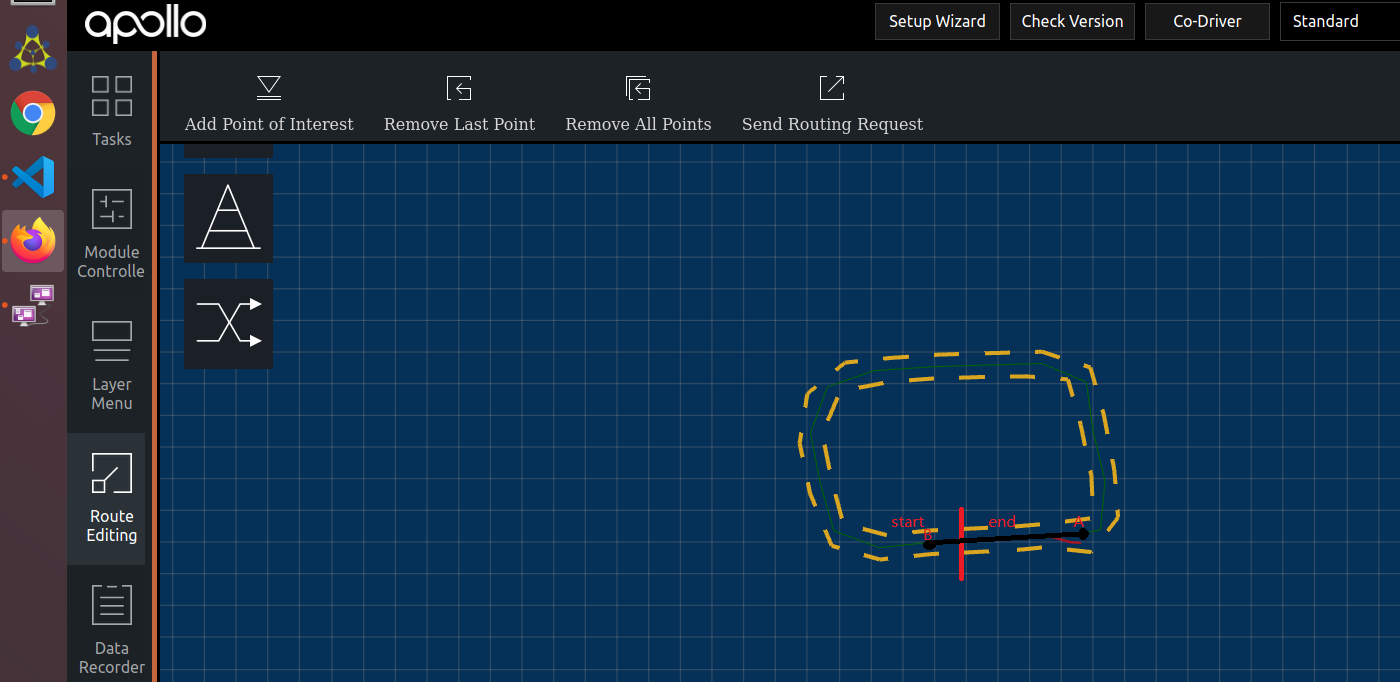
@WentaoWang-SH Hello, can I ask you a question, how do you achieve navigate " in every test circle"? I record a loop cricle map, but I can't navigate through the end point to the start point, for example, navigate from A to B...I really need your help, Thank you!!
 XinrRunChao
on 10 Sep 2020
XinrRunChao
on 10 Sep 2020
@WentaoWang-SH, sending routing request with Python API is quite easy. You can see how to do it here. By the way, you can add more destination points, not only start and stop.
Thank you very much!
WentaoWang-SH
on 10 Sep 2020
you can also try to edit default_end_way_point.txt in modules/map/data/xxx then through Default Routing button in dreamview to send the destination point
Thank you very much!
WentaoWang-SH
on 10 Sep 2020
I have made a package inside Apollo container, including the python script in here and a build file .
but when I run the script using: bazel run and it has to launch one of the modules, I'm getting the following error and it's not launching any module, can you please help me to solve this issue?
[cyber_launch_68689] ERROR Subprocess Popen exception: [Errno 2] No such file or directory: 'mainboard': 'mainboard'
[cyber_launch_68689] ERROR Start manager [localization] failed. Stop all!
 MaisJamal
on 15 Sep 2020
MaisJamal
on 15 Sep 2020
@WentaoWang-SH, sending routing request with Python API is quite easy. You can see how to do it here. By the way, you can add more destination points, not only start and stop.
Which version of Apollo are you running? I cannot find routing_pb2 in modules.routing.proto.routing_pb2

 ForresterLu
on 25 Nov 2020
ForresterLu
on 25 Nov 2020
Related issues
 zmsunnyday
·
3Comments
zmsunnyday
·
3Comments
 CCodie
·
3Comments
CCodie
·
3Comments
 maziqiqi
·
3Comments
maziqiqi
·
3Comments
 jamchen1025
·
3Comments
jamchen1025
·
3Comments
 JSnobody
·
3Comments
JSnobody
·
3Comments
Most helpful comment
@WentaoWang-SH, sending routing request with Python API is quite easy. You can see how to do it here. By the way, you can add more destination points, not only start and stop.