Apollo-ios: Upload file in iOS Apollo Client issue
mutation uploadFile($file:Upload!,$business_id:String!){
uploadFile(file: $file,business_id: $business_id)
}
how to upload single png image on GraphQl server using iOS Apollo Client
 salman-ikonami
All 23 comments
Hi Salman, please check out the upload documentation and let me know how that goes.
 designatednerd
on 24 Oct 2019
designatednerd
on 24 Oct 2019
I don't understand the documentation regarding file upload (the code which is given in documentation is not working)
My Cede
//1. this is my mutation which takes Upload type object
mutation uploadFile($file:Upload!,$business_id:String!){
uploadFile(file: $file,business_id: $business_id)
}
//2 but I can't get any Upload type object in my swift code instead I am getting string rather then Upload Object
   guard
        let fileURL = Bundle.main.url(forResource: "a",
                                      withExtension: "txt"),
        let file = GraphQLFile(fieldName: "file",
                               originalName: "a.txt",
                               mimeType: "text/plain", // <-defaults to "application/octet-stream"
            fileURL: fileURL) else {
                // Either the file URL couldn't be created or the file couldn't be created.
                return
    }
client.perform(mutation: UploadFileMutation(file:
salman-ikonami
on 25 Oct 2019

salman-ikonami
on 25 Oct 2019
file is taking string but I want file to be Data
salman-ikonami
on 25 Oct 2019
like in android we have to define this in build.gradel
customTypeMapping = [
"Upload": "com.apollographql.apollo.api.FileUpload"
]
salman-ikonami
on 25 Oct 2019
swift is not recognizing Upload type
salman-ikonami
on 25 Oct 2019
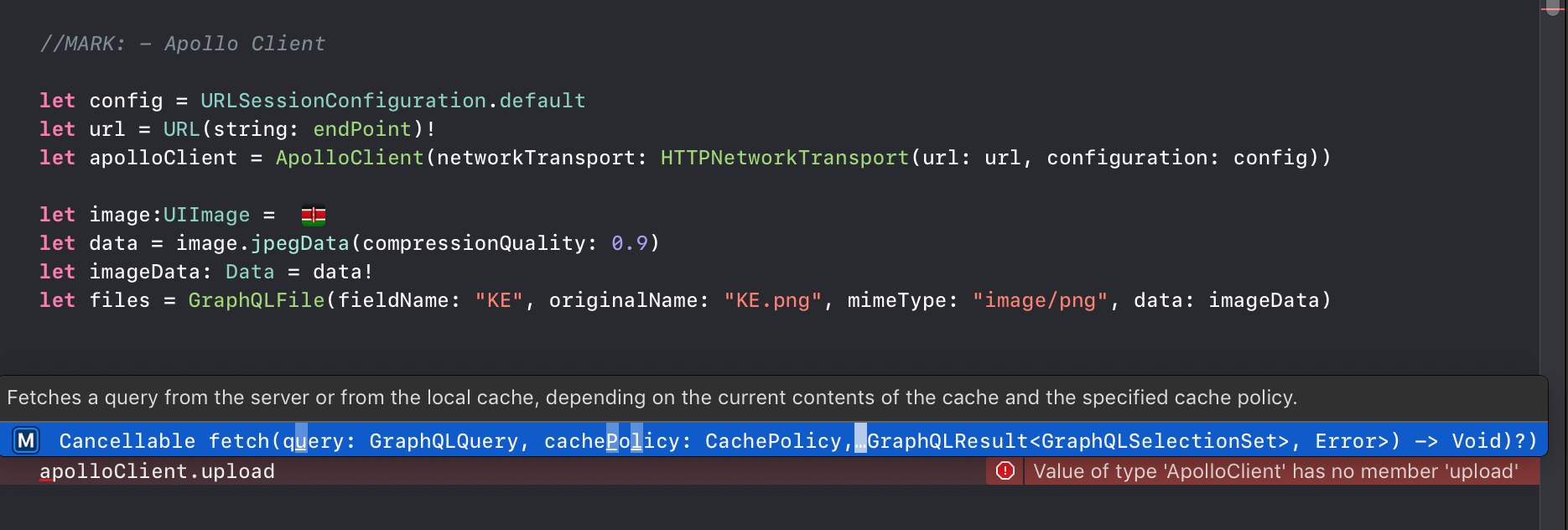
You need to use the upload method rather than the perform(mutation) method on ApolloClient. Under the hood, that replaces the String that's expected in the codegen'd initializer with the file data.
The iOS client doesn't support type mapping (yet), so it will not work the same as the Android client.
designatednerd
on 25 Oct 2019
salman-ikonami
on 26 Oct 2019
upload function is not available in my Apollo iOS Client, how can get this upload function
salman-ikonami
on 26 Oct 2019
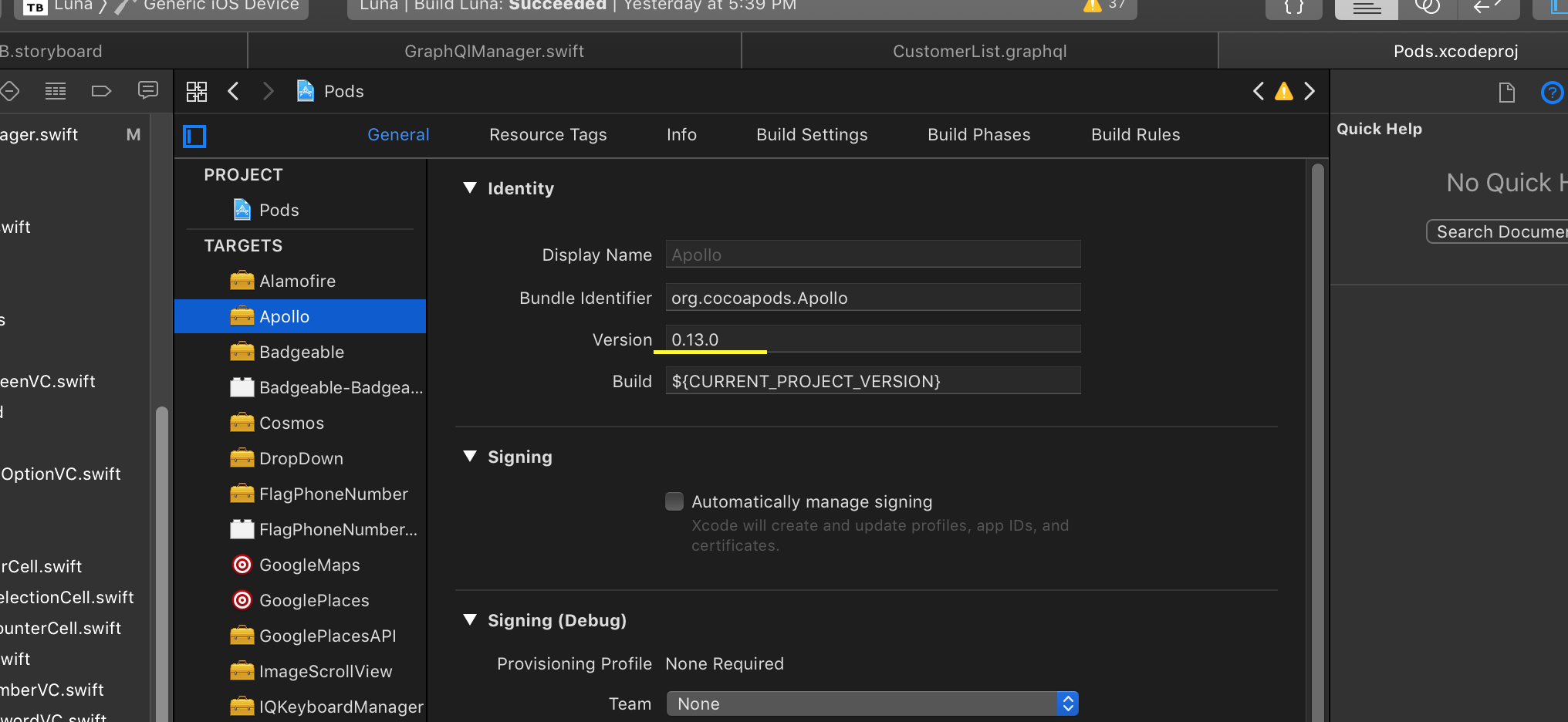
You will likely need to check what version of the client you are using and upgrade - the upload function was added in 0.13.0. The current version of the library is now 0.18.1.
designatednerd
on 26 Oct 2019
salman-ikonami
on 27 Oct 2019
my Apollo iOS Version is 0.13.0 but still I am not getting upload function in Apollo
salman-ikonami
on 27 Oct 2019
Apologies, the basic upload functionality was added in 0.13.0, but that method was not added to the main ApolloClient class until 0.15.0.
designatednerd
on 28 Oct 2019
can you provide some demo iOS application (github link) that uses Apollo iOS client for the guidance?
salman-ikonami
on 31 Oct 2019
Not at the moment, but I'm going to be working on an updated sample app over the next few weeks - I will try to work with our team to add something that showcases this.
designatednerd
on 1 Nov 2019
How to config Apollo Client to Upload file?
This is my Apollo Client which is working. How to modify this client to be able to upload file ?
static let apolo: ApolloClient = {
    let config = URLSessionConfiguration.default
    config.httpAdditionalHeaders = ["x-token": "\(GlobalData.token)"]
    let url = URL(string: endPoint)!
    return ApolloClient(networkTransport: HTTPNetworkTransport(url: url))
}()
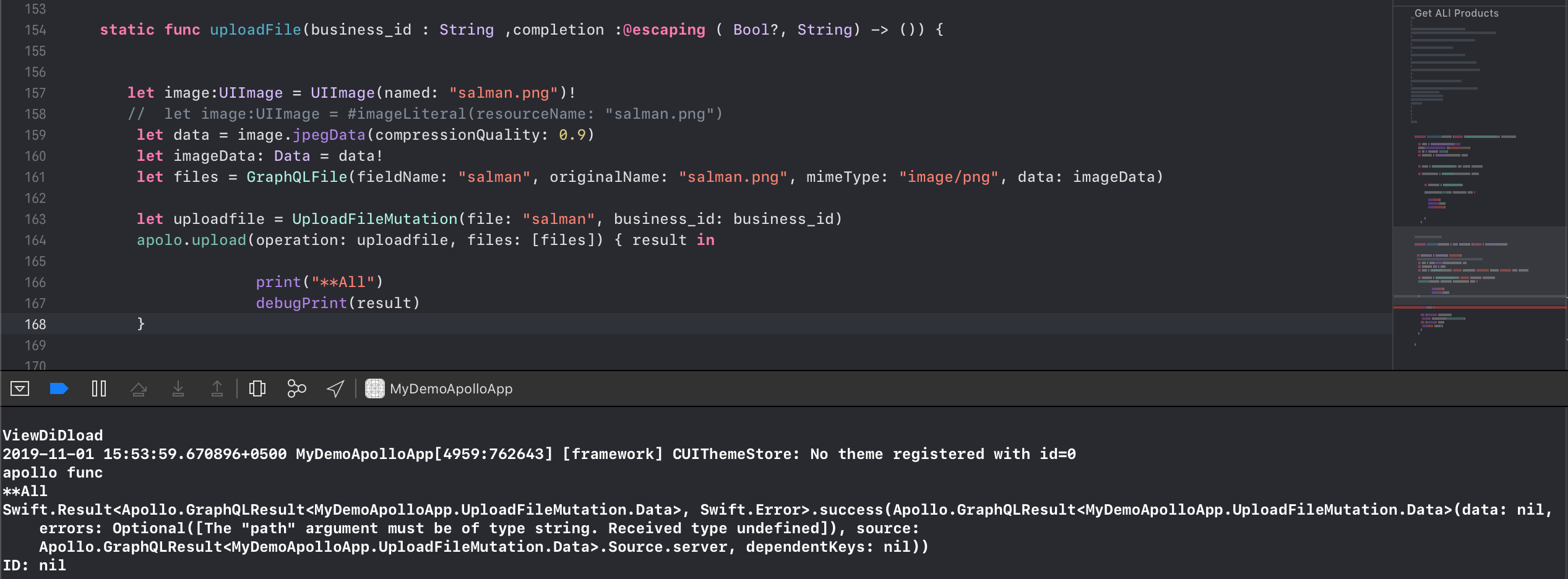
Error While Uploading File
salman-ikonami
on 1 Nov 2019
I would double check the name of the property that you're setting for the file - the fieldName in the GraphQLFile initializer should be what your field is called when it goes to the server. I think from looking at the generated code it should be "file" rather than "salman".
The error is definitely coming from your server, but it makes sense that if the file field doesn't have anything in it, that would be the error returned.
designatednerd
on 1 Nov 2019
This is my Apollo iOS Client V0.13 but in v 0.19 this code is not working, What is the alternative code for this in v0.19
let config = URLSessionConfiguration.default
//config.httpAdditionalHeaders = ["Authorization": "Bearer (BearerToken)"]
config.httpAdditionalHeaders = ["x-token": "(GlobalData.token)"]
let url = URL(string: endPoint)!
let apolloTokenClient = ApolloClient(networkTransport: HTTPNetworkTransport(url: url, configuration: config))
salman-ikonami
on 5 Nov 2019
The HTTPNetworkTransport takes a URLSession rather than a URLSessionConfiguration now. You will need to pass that config to a URLSession and then pass that session through to the HTTPNetworkTransport initializer:
let config = URLSessionConfiguration.default
config.httpAdditionalHeaders = ["x-token": "(GlobalData.token)"]
let url = URL(string: endPoint)!
let session = URLSession(configuration: config)
let apolloTokenClient = ApolloClient(networkTransport: HTTPNetworkTransport(url: url, session: session))
@salman-ikonami Did that help?
designatednerd
on 17 Nov 2019
@designatednerd
I am uploading image like this
if let imageData = userImgVew.image?.jpegData(compressionQuality: 0.8) {
let file = GraphQLFile(fieldName:"file", originalName:"file.png", mimeType: "image/png", data:imageData)
let uploadData = UpdateUserProfileMutation(userId:id, userImage:file.originalName, userDetail: userDict)
apollo.upload(operation:uploadData,files: [file])
But getting following error
createReadStream is not a function
 DeekshaApptunix
on 9 Dec 2019
DeekshaApptunix
on 9 Dec 2019
Hey @DeekshaApptunix, let's focus discussion on your issue at #938.
Since I haven't heard back from @salman-ikonami in several weeks, I'm going to close this issue out. Note that I'm going to be adding an uploading section to the new tutorial (hopefully before the end of the year), hopefully that'll help make some of this stuff clearer.
Salman, please feel free to reopen this issue if you're still having problems. Everyone else, please open a new issue. Thank you!
designatednerd
on 10 Dec 2019
Related issues
 ashiemke
·
5Comments
ashiemke
·
5Comments
 dchohfi
·
4Comments
dchohfi
·
4Comments
 AnthonyMDev
·
4Comments
AnthonyMDev
·
4Comments
 sfla
·
3Comments
sfla
·
3Comments
 wnagrodzki
·
4Comments
wnagrodzki
·
4Comments