Apollo-ios: Error initializing Apollo GraphQL project "Unnamed Project": Error: Error in "Loading schema for Unnamed Project": TypeError: Cannot read property 'reduce' of undefined
Now using node v8.15.0 (npm v6.4.1)
 ›   Warning: apollo update available from 2.16.3 to 2.17.4.
++ npx --no-install apollo codegen:generate --target=swift '--includes=./**/*.graphql' --localSchemaFile=schema.json API.swift
 ›   Warning: apollo update available from 2.16.3 to 2.17.4.
Loading Apollo Project [started]
{ Error: Error in "Loading schema for Unnamed Project": TypeError: Cannot read property 'reduce' of undefined
    at Object.error (/Users/m.fai/Desktop/Projects/dumyname/MobileApps/dumyname-ios/node_modules/@oclif/errors/lib/index.js:22:17)
    at Generate.error (/Users/m.fai/Desktop/Projects/dumyname/MobileApps/dumyname-ios/node_modules/@oclif/command/lib/command.js:57:23)
    at OclifLoadingHandler.showError (/Users/m.fai/Desktop/Projects/dumyname/MobileApps/dumyname-ios/node_modules/apollo/lib/OclifLoadingHandler.js:28:22)
    at OclifLoadingHandler.handle (/Users/m.fai/Desktop/Projects/dumyname/MobileApps/dumyname-ios/node_modules/apollo/lib/OclifLoadingHandler.js:13:18)
    at <anonymous> oclif: { exit: 2 }, code: undefined }
Loading Apollo Project [failed]
→ Error initializing Apollo GraphQL project "Unnamed Project": Error: Error in "Loading schema for Unnamed Project": TypeError: Cannot read property 'reduce' of undefined
 ›   Error: Error initializing Apollo GraphQL project "Unnamed Project": Error:
 ›   Error in "Loading schema for Unnamed Project": TypeError: Cannot read
 ›   property 'reduce' of undefined
Command /bin/sh failed with exit code 2
I am so much frustrated due to lack of documentation of Apollo ios. it has been more than a week I am trying to use graphQL in my ios app. I resolve all errors but now stuck in this one and don't know the solution.
one thing which I have noticed in this project is lack of compatibility with old and different version os required libs.
- To make it run you have to update from Xcode (swift 5).
- Than update cocoa pods gem because old cocoa pods will not download the new version of apollo pod. its weird.
- update Node because Apollo package needs it.
- etc and once you are done with all errors do pray for this library works.
 muhammadfaheem-pycom
All 26 comments
I wholeheartedly agree this procedure isn't great, and we're working on a project to replace it, and our tooling team is working on a project to make it possible to not need to rely on node for the CLI 🤞.
I would recommend on the CocoaPods front running pod outdated - this will force CocoaPods to fetch all updates to the main Spec repo (something it hasn't been doing on install for a while due to almost breaking GitHub). That should help you get the most recent version of the pod.
If none of that works, I would recommend validating the following:
- Your schema is valid JSON
- Your
.graphqlfiles all pass this linter - Your
.graphqlfiles are all in the same path as your.xcodeproj
At this point my other thought is reduce might be trying to hit [Swift's reduce] instead of your property, but I'm not positive. If none of this helps, if you could upload your schema.json and a zip of all your query files, I can fight with it for a bit to see what's happening.
 designatednerd
on 3 Sep 2019
designatednerd
on 3 Sep 2019
I'm having the same problem. I have verified the schema.json file is valid.
First I had to change line 3 of the Run Script Build Phase script for Xcode 11 / SPM here...
cd "../../SourcePackages/checkouts/apollo-ios/scripts"
to
cd "../../SourcePackages/checkouts/scripts"
(I'm using Xcode 11 beta 7 build 11M392r)
Finally, getting this far, I'm now having the same error as OP.
Now using node v10.16.0 (npm v6.9.0)
 ›   Warning: apollo update available from 2.17.4 to 2.18.0.
++ npx --no-install apollo codegen:generate --target=swift '--includes=./**/*.graphql' --localSchemaFile=schema.json API.swift
 ›   Warning: apollo update available from 2.17.4 to 2.18.0.
Loading Apollo Project [started]
{ Error: Error in "Loading schema for Unnamed Project": TypeError: Cannot read property 'reduce' of undefined
    at Object.error (/Users/jim/Desktop/Throwaways/ApolloThrowaway/node_modules/@oclif/errors/lib/index.js:22:17)
    at Generate.error (/Users/jim/Desktop/Throwaways/ApolloThrowaway/node_modules/@oclif/command/lib/command.js:57:23)
    at OclifLoadingHandler.showError (/Users/jim/Desktop/Throwaways/ApolloThrowaway/node_modules/apollo/lib/OclifLoadingHandler.js:28:22)
    at OclifLoadingHandler.handle (/Users/jim/Desktop/Throwaways/ApolloThrowaway/node_modules/apollo/lib/OclifLoadingHandler.js:13:18) oclif: { exit: 2 }, code: undefined }
Loading Apollo Project [failed]
→ Error initializing Apollo GraphQL project "Unnamed Project": Error: Error in "Loading schema for Unnamed Project": TypeError: Cannot read property 'reduce' of undefined
 ›   Error: Error initializing Apollo GraphQL project "Unnamed Project": Error:
 ›   Error in "Loading schema for Unnamed Project": TypeError: Cannot read
 ›   property 'reduce' of undefined
Command PhaseScriptExecution failed with a nonzero exit code
The Run Script build phase does a cd so I wasn't sure if it was unable to find schema.json as specified in the npx command line.
So I tried running the command line in the Terminal directly with a full path to schema.json:
➜  ApolloThrowaway git:(master) ✗ npx --no-install apollo codegen:generate --target=swift '--includes=./**/*.graphql' --localSchemaFile=/Users/jim/Desktop/Throwaways/ApolloThrowaway/ApolloThrowaway/schema.json API.swift
 ›   Warning: apollo update available from 2.17.4 to 2.18.0.
{ Error: Error in "Loading schema for Unnamed Project": TypeError: Cannot read property 'reduce' of undefined
    at Object.error (/Users/jim/Desktop/Throwaways/ApolloThrowaway/node_modules/@oclif/errors/lib/index.js:22:17)
    at Generate.error (/Users/jim/Desktop/Throwaways/ApolloThrowaway/node_modules/@oclif/command/lib/command.js:57:23)
    at OclifLoadingHandler.showError (/Users/jim/Desktop/Throwaways/ApolloThrowaway/node_modules/apollo/lib/OclifLoadingHandler.js:28:22)
    at OclifLoadingHandler.handle (/Users/jim/Desktop/Throwaways/ApolloThrowaway/node_modules/apollo/lib/OclifLoadingHandler.js:13:18)
    at <anonymous> oclif: { exit: 2 }, code: undefined }
  ✖ Loading Apollo Project
    → Error initializing Apollo GraphQL project "Unnamed Project": Error: Error in "Loading schema for Unnamed Project": TypeError: Cannot read property 'reduce' of
…
    Generating query files
 ›   Error: Error initializing Apollo GraphQL project "Unnamed Project": Error: Error in "Loading schema for Unnamed Project": TypeError: Cannot read property
 ›   'reduce' of undefined
Same issue.
 JimRoepcke
on 6 Sep 2019
JimRoepcke
on 6 Sep 2019
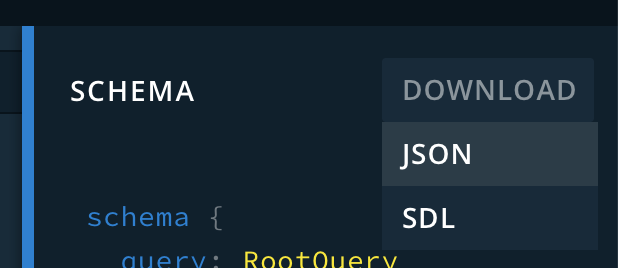
Update: I discovered the problem was my schema.json file. It was valid json. I downloaded it from GraphiQL, but it seems it wasn't in the right format. I tried a different schema.json file from another project and building succeeded.
JimRoepcke
on 6 Sep 2019
@JimRoepcke That's REAL odd that you had to change the path to the scripts folder, it should only be a file under apollo-ios, and I used the same b7 build (on Catalina) and the original path worked. Was this on Mojave that you had to use the alternate path?
Thank you for sharing your solution - @muhammadfaheem-pycom I got your email and was about to look at it, but did you also download from GraphiQL? That might point to the problem.
designatednerd
on 6 Sep 2019
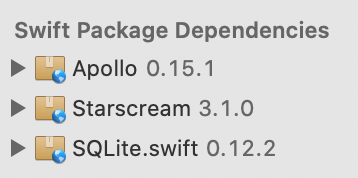
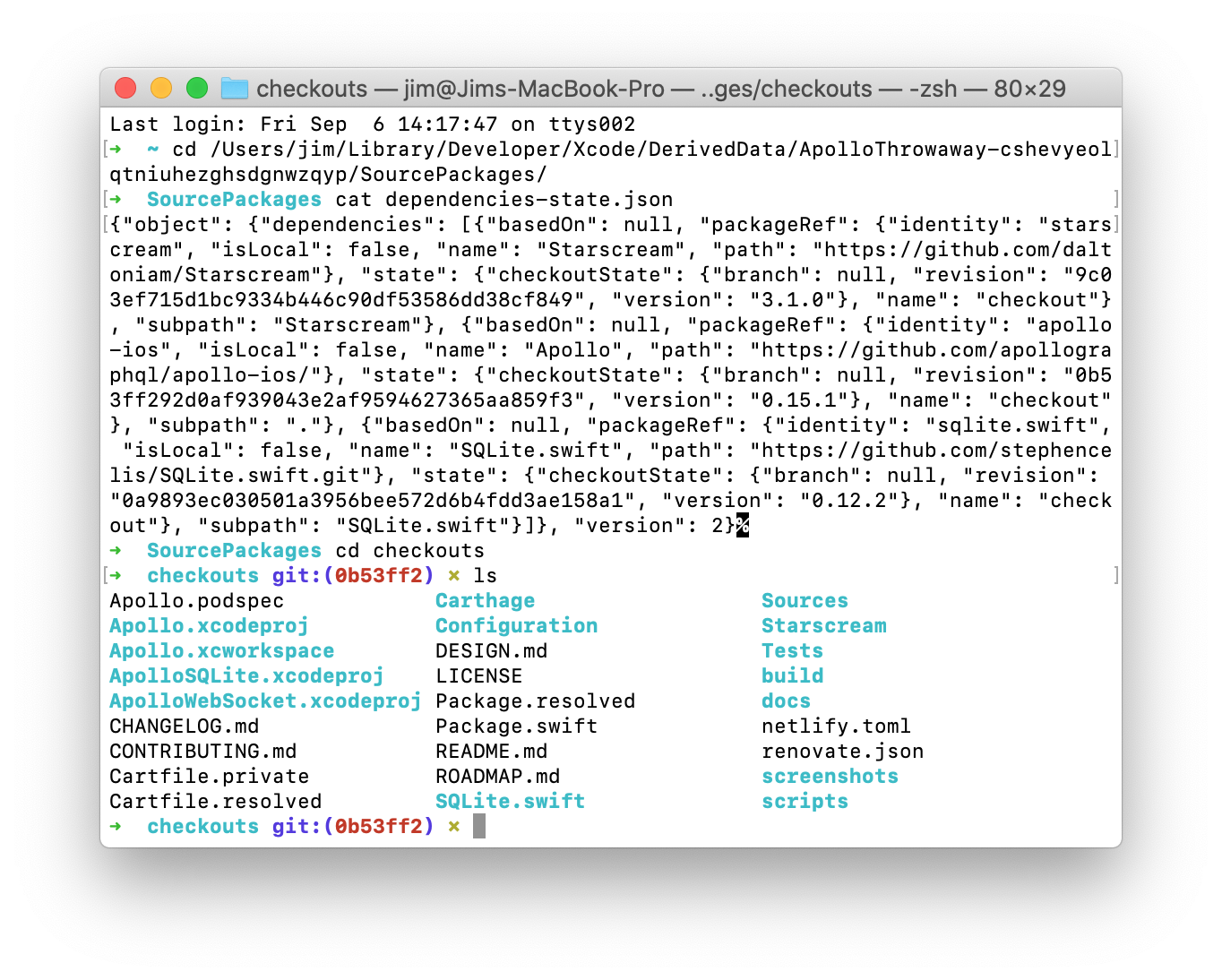
@designatednerd I'm running Catalina b7 as well. I was also surprised. When I imported Apollo as a package dependency I checked all three packages so I was very surprised that all three packages weren't in the checkouts directory, that the contents of the Apollo package were there instead!
This is a brand new vanilla project, just for experimentation. I haven't done any messing around with build settings or anything. Literally all I did was add the package dependencies and add the Run Script build phase with the script in the installation docs, then try to build.
JimRoepcke
on 6 Sep 2019
I wonder if this has something to do with it... continuing to investigate.
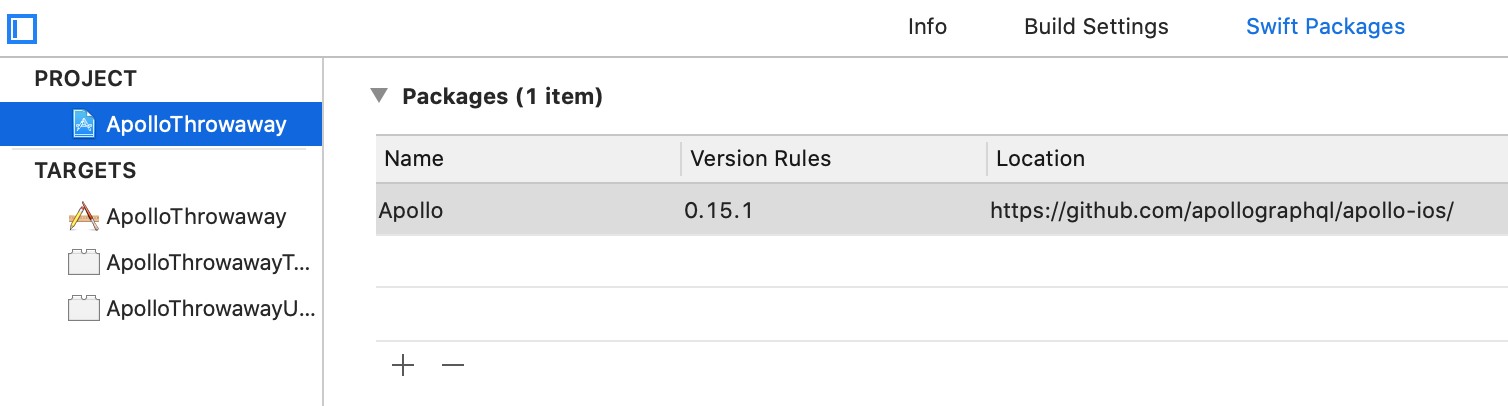
Even though I selected all three packages and they're all listed in the project, only one is appearing there.
JimRoepcke
on 6 Sep 2019
I deleted the checkouts directory and chose File > Swift Packages > Reset Package Caches. The resulting checkouts directory has the same layout as before... the Apollo package is directly inside the checkouts folder, and there are Starscream and SQLite.swift folders inside checkouts with the contents of those repos.
JimRoepcke
on 6 Sep 2019
weird as hell. I'll have to look into that next time I boot into Catalina
designatednerd
on 6 Sep 2019
@JimRoepcke @muhammadfaheem-pycom Are you all seeing this on the final version of Xcode 11?
designatednerd
on 24 Sep 2019
I'm using Xcode 11 GM Seed 2 (which is the same build as Xcode 11 final) and I'm still seeing the Apollo package being splayed into the checkouts directory instead of being in its own sub-folder of checkouts like the other packages, so I've still had to modify the script.
Also, I've found that when Xcode is building for SwiftUI Previews instead of a regular build, "cd ../../SourcePackages/checkouts" isn't right, and I have to do "cd ../../../../../SourcePackages/checkouts" instead.
The particular problem described in this issue, "Error in loading schema" was caused by using an invalid schema.json file from GraphiQL.
JimRoepcke
on 24 Sep 2019
That's really odd - I just added Apollo to a brand new project on the MAS version of Xcode 11 and here's the file structure I got:
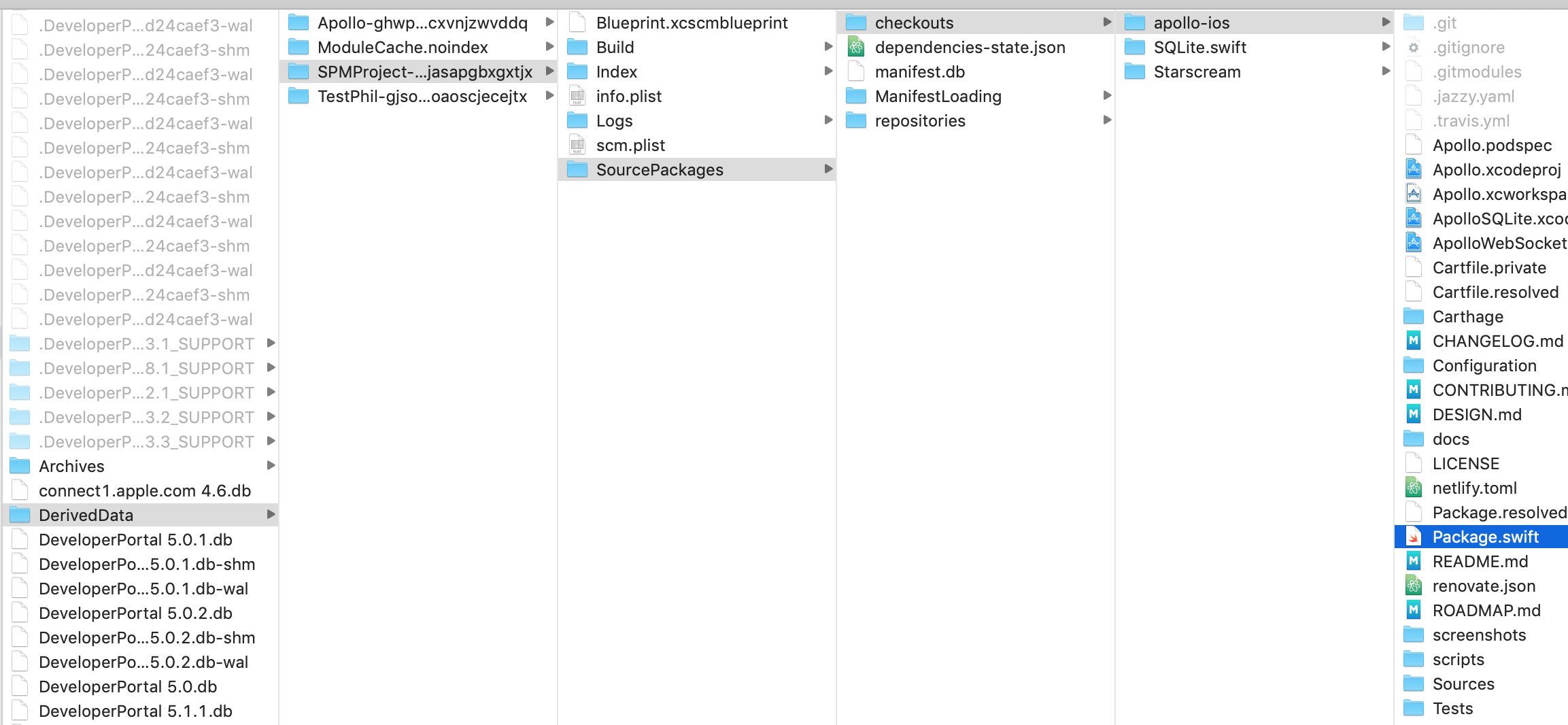
@JimRoepcke Can you open a new issue on the Swift UI thing please? I think there may be some other issues at play there but it'd be helpful to track it elsewhere.
designatednerd
on 24 Sep 2019
Same version of Xcode... I just created a new project SPMTest and added Apollo as a Swift package dependency. It chose version 0.15.3.
I get this build error:

JimRoepcke
on 24 Sep 2019
@JimRoepcke Try building from master - 0.16.0 hasn't been released yet but I did merge a fix for that issue with #784
designatednerd
on 24 Sep 2019
I made a new project again, SPMTest2, added Apollo from master, built, and looked at the SourcePackages folder...

I'm on macOS Catalina b7. What OS are you running on?
JimRoepcke
on 24 Sep 2019
Mojave current. It looks like yours is identical to mine though @JimRoepcke
designatednerd
on 24 Sep 2019
The contents of your checkouts folder is apollo-ios, SQLite.swift and Starscream.
My checkouts folder contains SQLite.swift and Starscream, but rather than having an apollo-ios folder, the contents the apollo-ios folder are splayed into the checkouts folder.
JimRoepcke
on 25 Sep 2019
How are you checking out Apollo?
designatednerd
on 25 Sep 2019
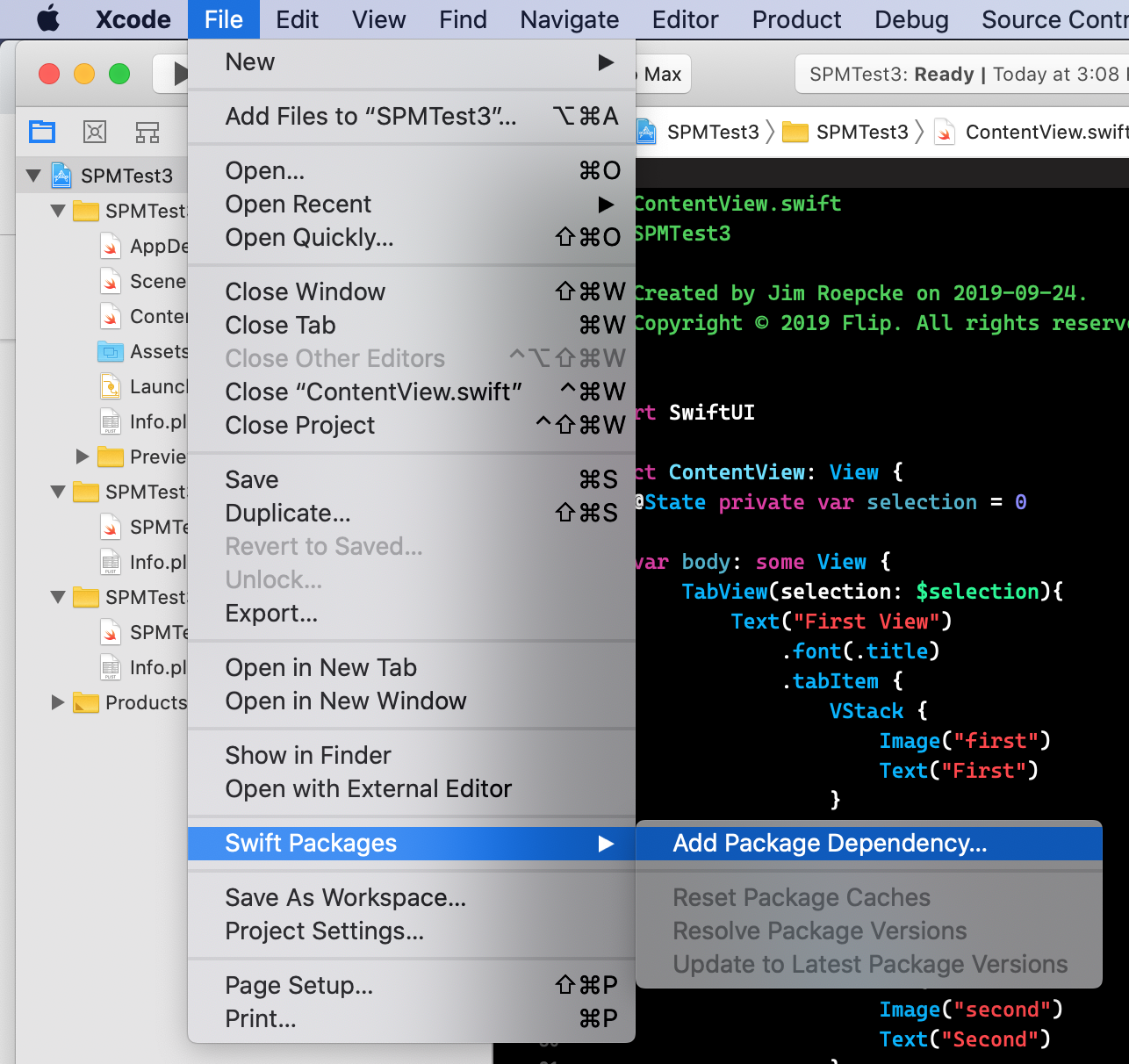
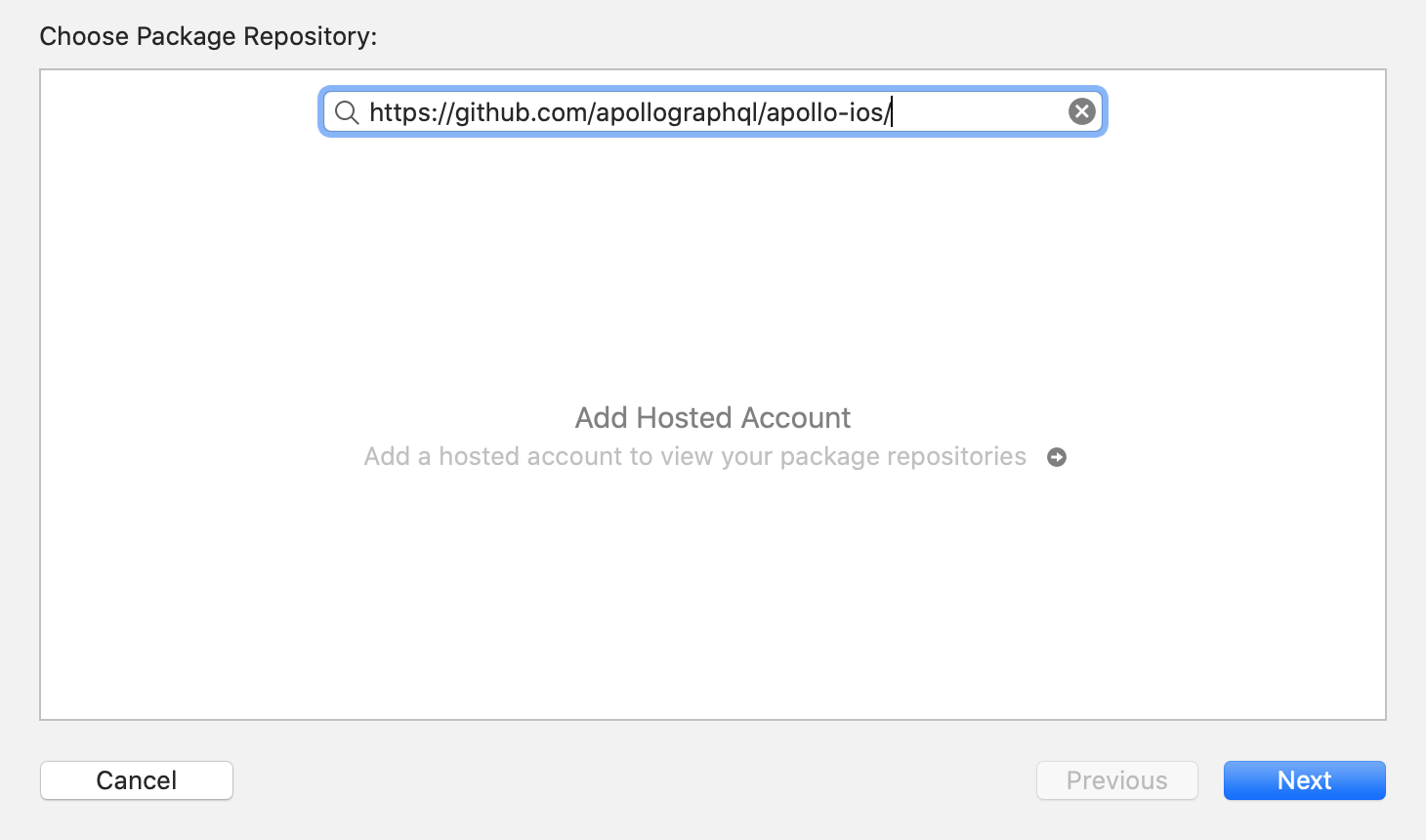
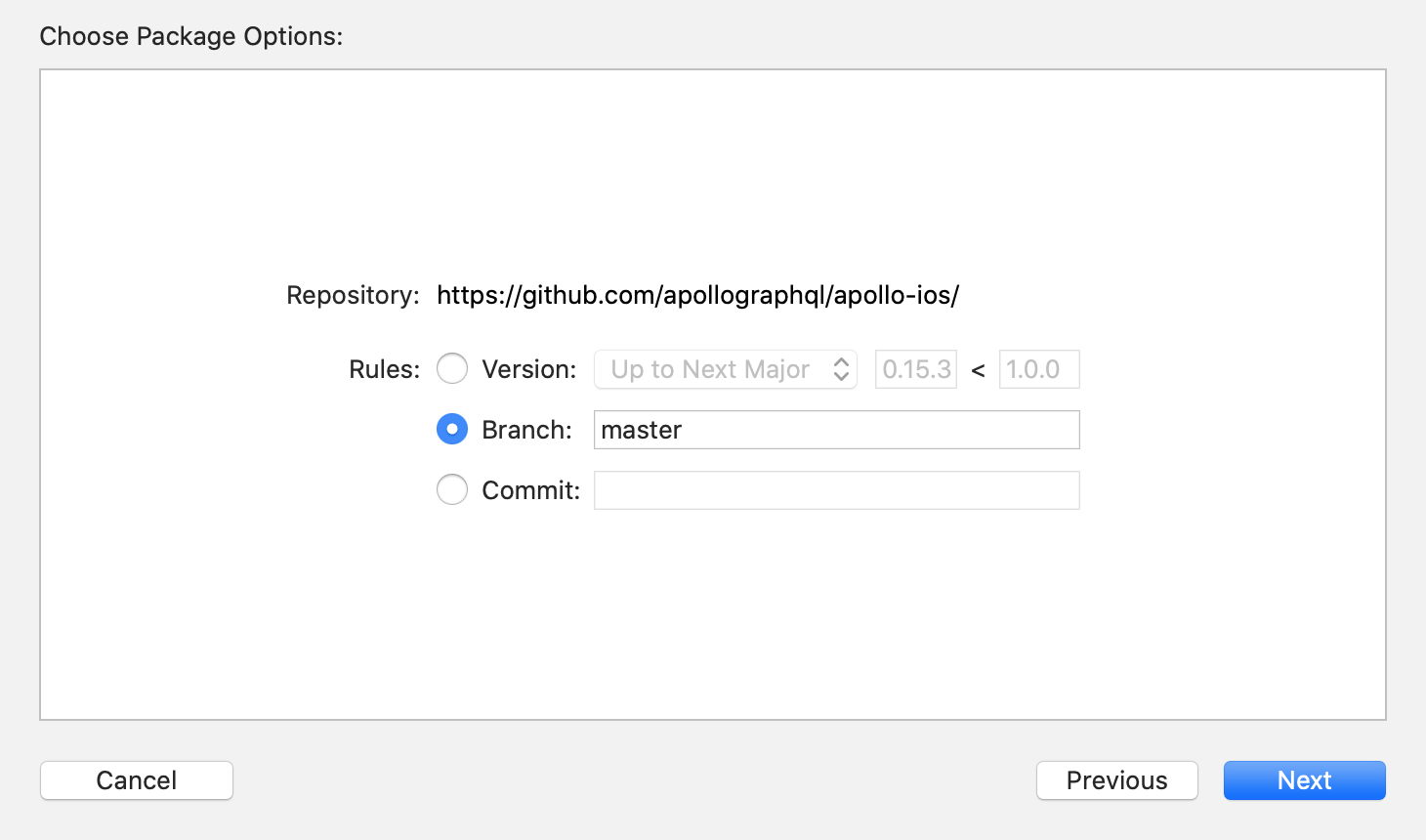
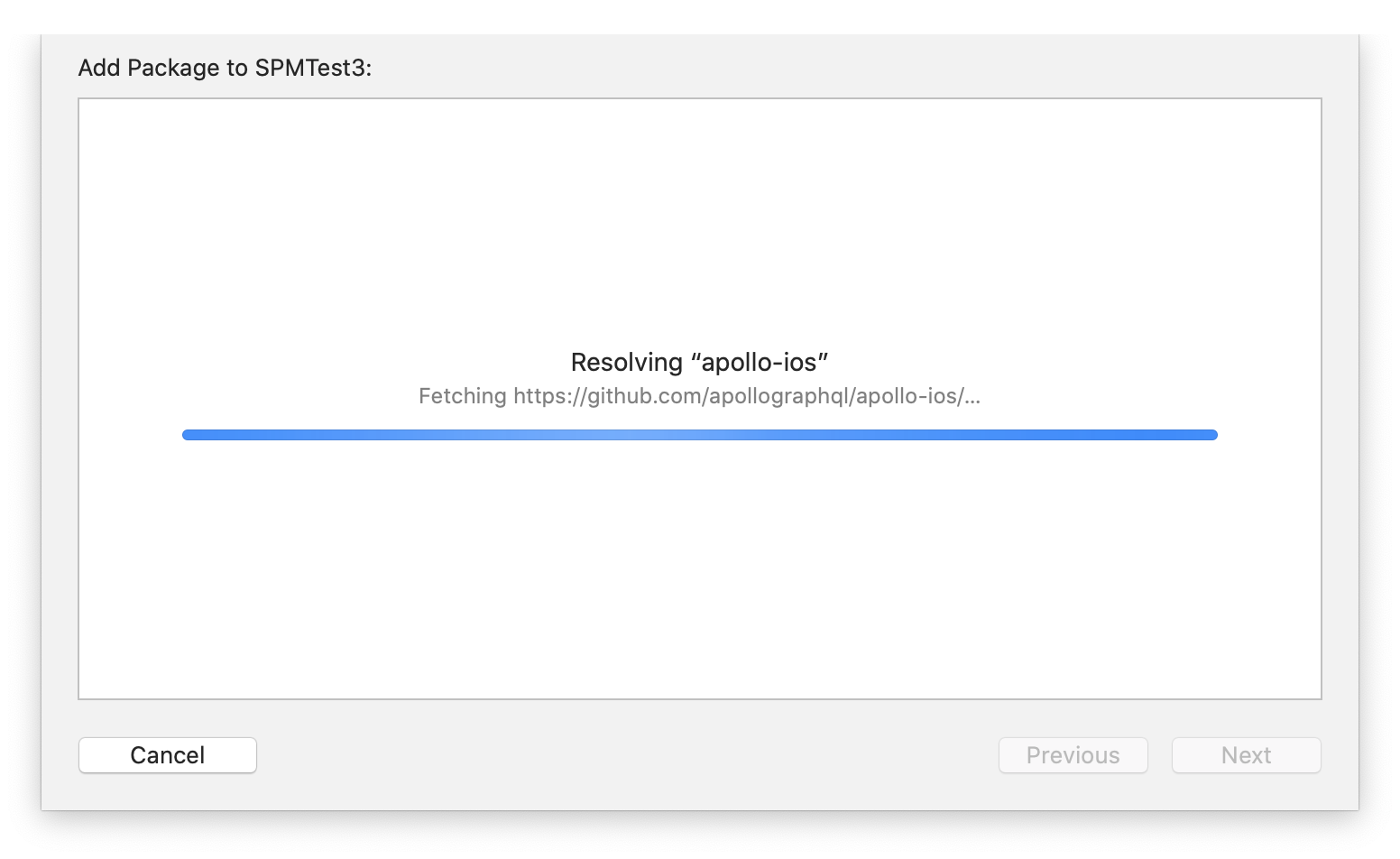
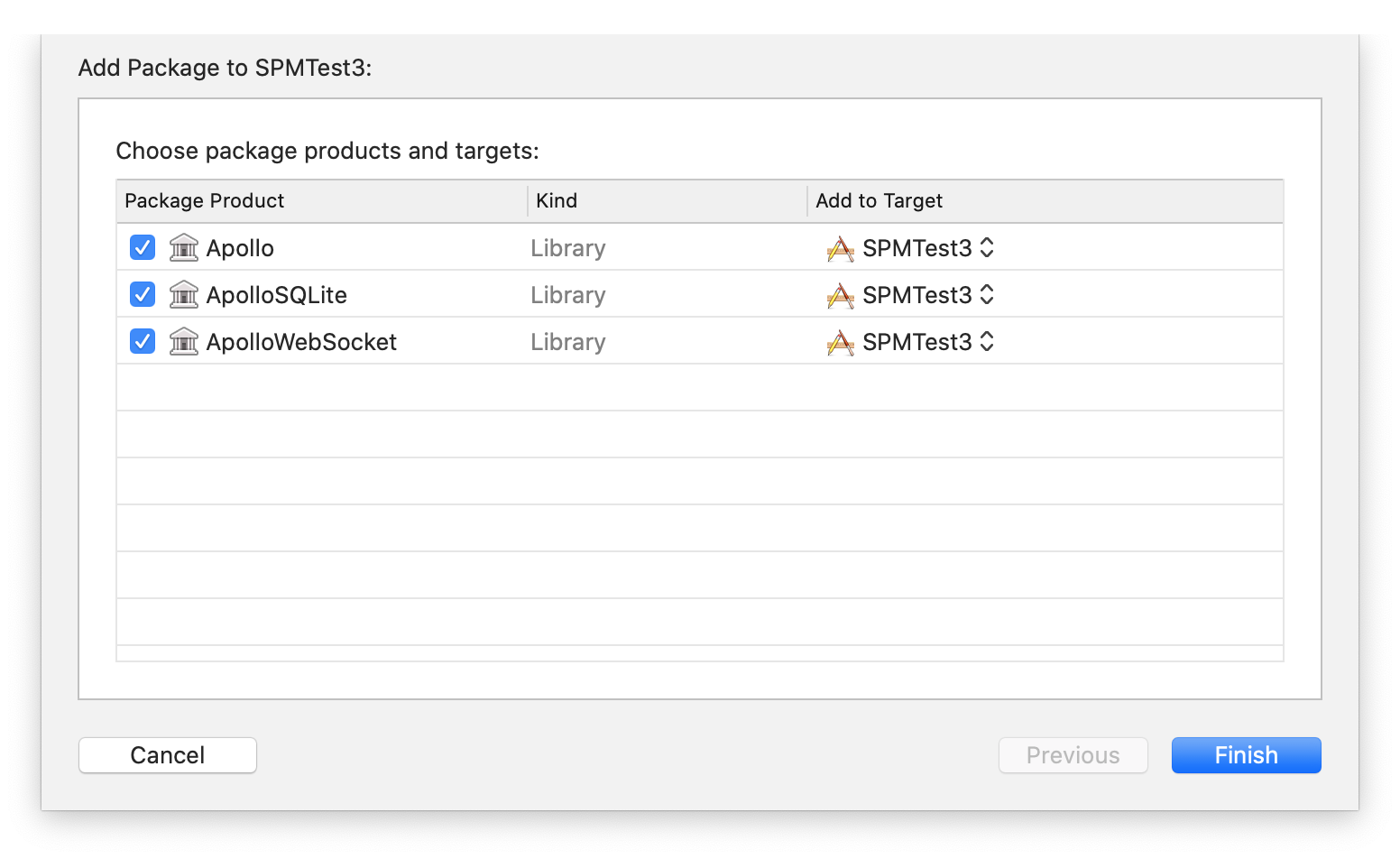

JimRoepcke
on 25 Sep 2019
So that's checking it out directly - you have to use https://github.com/apollographql/apollo-ios.git, otherwise it'll just check the repo out directly instead of referring to the Package.swift file.
designatednerd
on 25 Sep 2019

designatednerd
on 25 Sep 2019
Confirmed, that changes the layout of the checkouts directory for me. Thanks!
JimRoepcke
on 25 Sep 2019
I'm gonna close this issue out - I've added considerably more detail to the installation instructions for Swift Package Manager that should cover most of the issues discussed here.
If you're having problems, please open a new issue. Thank you!
designatednerd
on 8 Oct 2019
Hey guys, it can be you have wrong schema.json and .graph files, so you should try correct file here to test: https://www.raywenderlich.com/595-getting-started-with-graphql-apollo-on-ios
ZIP:
graph.zip
 kieuquangloc
on 2 Jun 2020
kieuquangloc
on 2 Jun 2020
ok, I found that the schema.json was generate from web doc is wrong, so I try to download the file by command line.
- Install apollo:
# npm install -g apollo@latest
- Check installing successfully:
# apollo -v
it should show: apollo/2.31.1 darwin-x64 node-v12.18.3 .... or something like that
- Download schema.json:
# apollo schema:download --endpoint=YOUR_SERVER_URL/graphql schema.json
- Then open folder to see schema.json file:
# open .
Then use schema.json somewhere you want, I hope these information can help someone else
kieuquangloc
on 2 Jun 2020
@kieuquangloc That's certainly helped me, thanks for sharing the info!
 andrewmawson
on 29 Oct 2020
andrewmawson
on 29 Oct 2020
@kieuquangloc Perfect, downloading the schema from GraphiQL was causing my issue.
 DarrellRichards
on 8 Nov 2020
DarrellRichards
on 8 Nov 2020
Related issues
 TarekSalama
·
4Comments
TarekSalama
·
4Comments
 wnagrodzki
·
4Comments
wnagrodzki
·
4Comments
 AnthonyMDev
·
4Comments
AnthonyMDev
·
4Comments
 hiteshborse12
·
4Comments
hiteshborse12
·
4Comments
 vishal-p
·
4Comments
vishal-p
·
4Comments
Most helpful comment
ok, I found that the schema.json was generate from web doc is wrong, so I try to download the file by command line.
it should show: apollo/2.31.1 darwin-x64 node-v12.18.3 .... or something like that
Then use schema.json somewhere you want, I hope these information can help someone else