Apexcharts.js: Missing option to hide tooltip title
Just found out that there's no way to hide tooltip title in options, only through css
.apexcharts-tooltip-title {
    display: none;
}
 pribilinskiy
All 9 comments
tooltip: {
x: {
show: false
}
}
 junedchhipa
on 20 Sep 2018
junedchhipa
on 20 Sep 2018
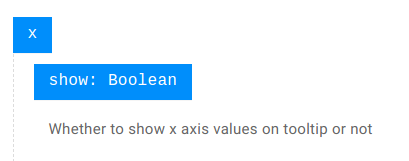
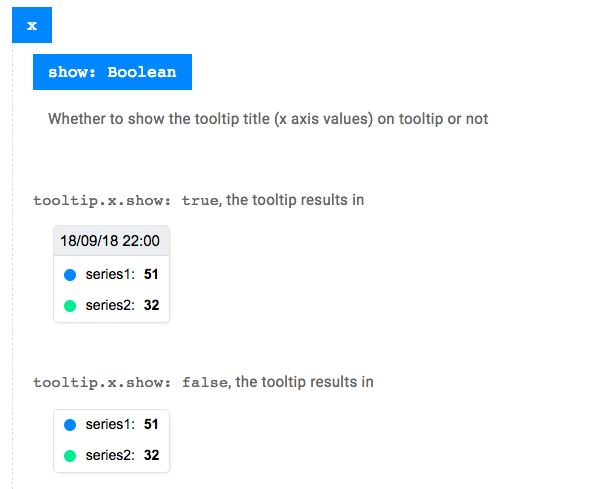
@junedchhipa probably it makes sense to update documentation for this option, as it's misleading for particular chart types, e.g. Line, Area, where only one value exist for x axis, thus it appears as Tooltip Title
pribilinskiy
on 20 Sep 2018
 junedchhipa
on 20 Sep 2018
junedchhipa
on 20 Sep 2018
@junedchhipa it cannot be better :+1:
pribilinskiy
on 21 Sep 2018
How disable only read tooltip?

 fakhamatia
on 15 May 2020
fakhamatia
on 15 May 2020
@fakhamatia if you want to disable green one https://stackoverflow.com/questions/55140786/removing-x-axis-tooltip-in-apex-charts
if you want to disable red one :
tooltip: {
      enabled :false
}
 acarmurat
on 12 Jun 2020
acarmurat
on 12 Jun 2020
As I use tooltip: { enabled :false } I'm also losing the ones on each axis (the one marked green on the picture in the comment above). I'm trying to set the settings like xaxis.tooltip.enabled: true, but no luck.
 k2042
on 8 Apr 2021
k2042
on 8 Apr 2021
As I use
tooltip: { enabled :false }I'm also losing the one on each axis (the one marked green on the picture in the comment above). I'm trying to set the settings likexaxis.tooltip.enabled: true, but no luck.
did you managed to find how to remove only one ? :) @k2042
 justineKlimato
on 19 Apr 2021
justineKlimato
on 19 Apr 2021
As I use
tooltip: { enabled :false }I'm also losing the one on each axis (the one marked green on the picture in the comment above). I'm trying to set the settings likexaxis.tooltip.enabled: true, but no luck.did you managed to find how to remove only one ? :) @k2042
Nope. Still don't know if it's even possible.
k2042
on 19 Apr 2021
Related issues
 CheyenneForbes
·
17Comments
CheyenneForbes
·
17Comments
 richardpolzer
·
24Comments
richardpolzer
·
24Comments
 LucaCorcella
·
14Comments
LucaCorcella
·
14Comments
 RyanMooreOPS
·
16Comments
RyanMooreOPS
·
16Comments
 jsinhSolanki
·
23Comments
jsinhSolanki
·
23Comments
Most helpful comment
@fakhamatia if you want to disable green one https://stackoverflow.com/questions/55140786/removing-x-axis-tooltip-in-apex-charts
if you want to disable red one :
tooltip: { enabled :false }