Anysoftkeyboard: Emojis not visible or usable
Steps to reproduce:
- Open any app that requires typing text
- Keep the emoji button pressed to open the emoji submenu
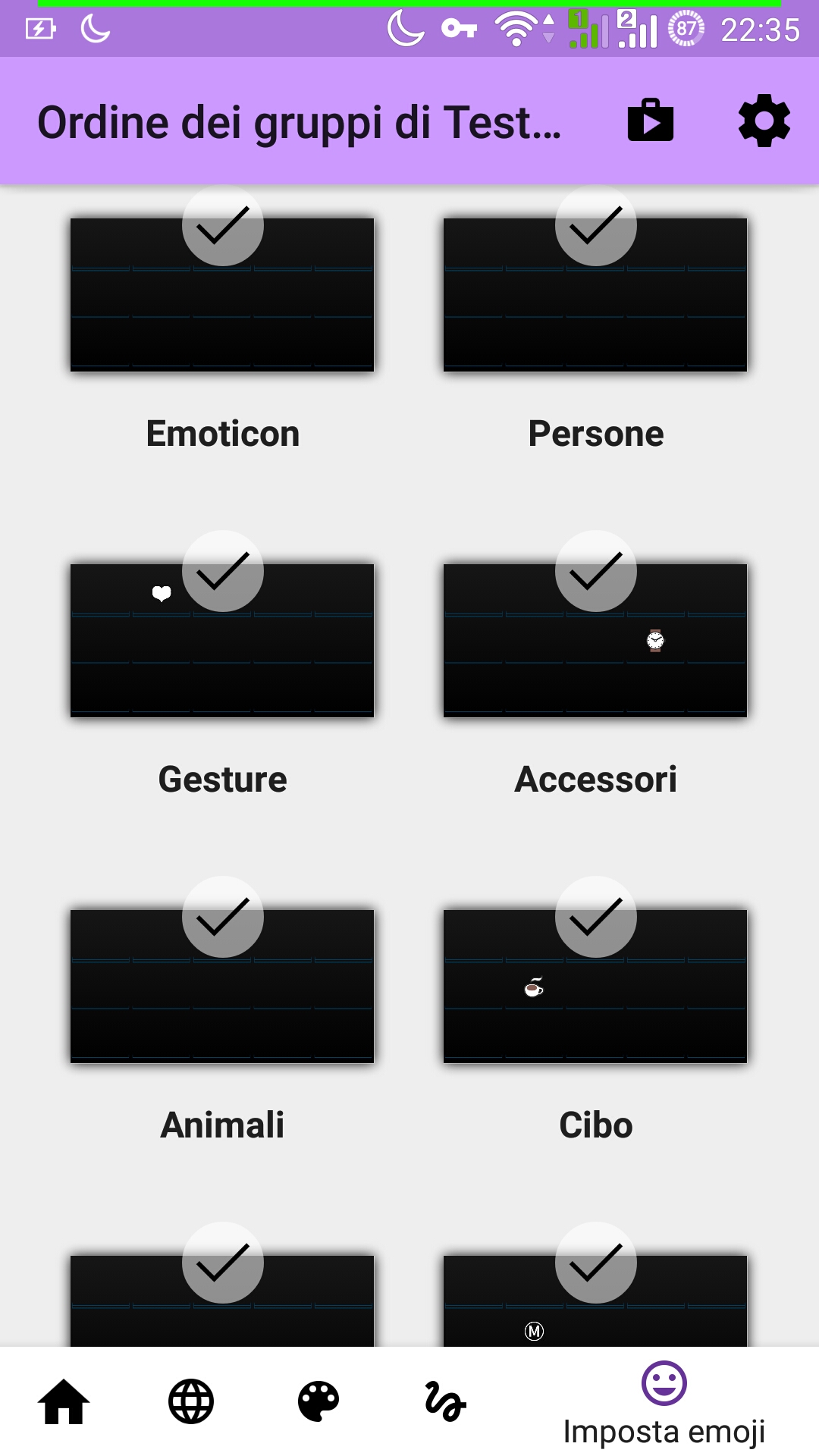
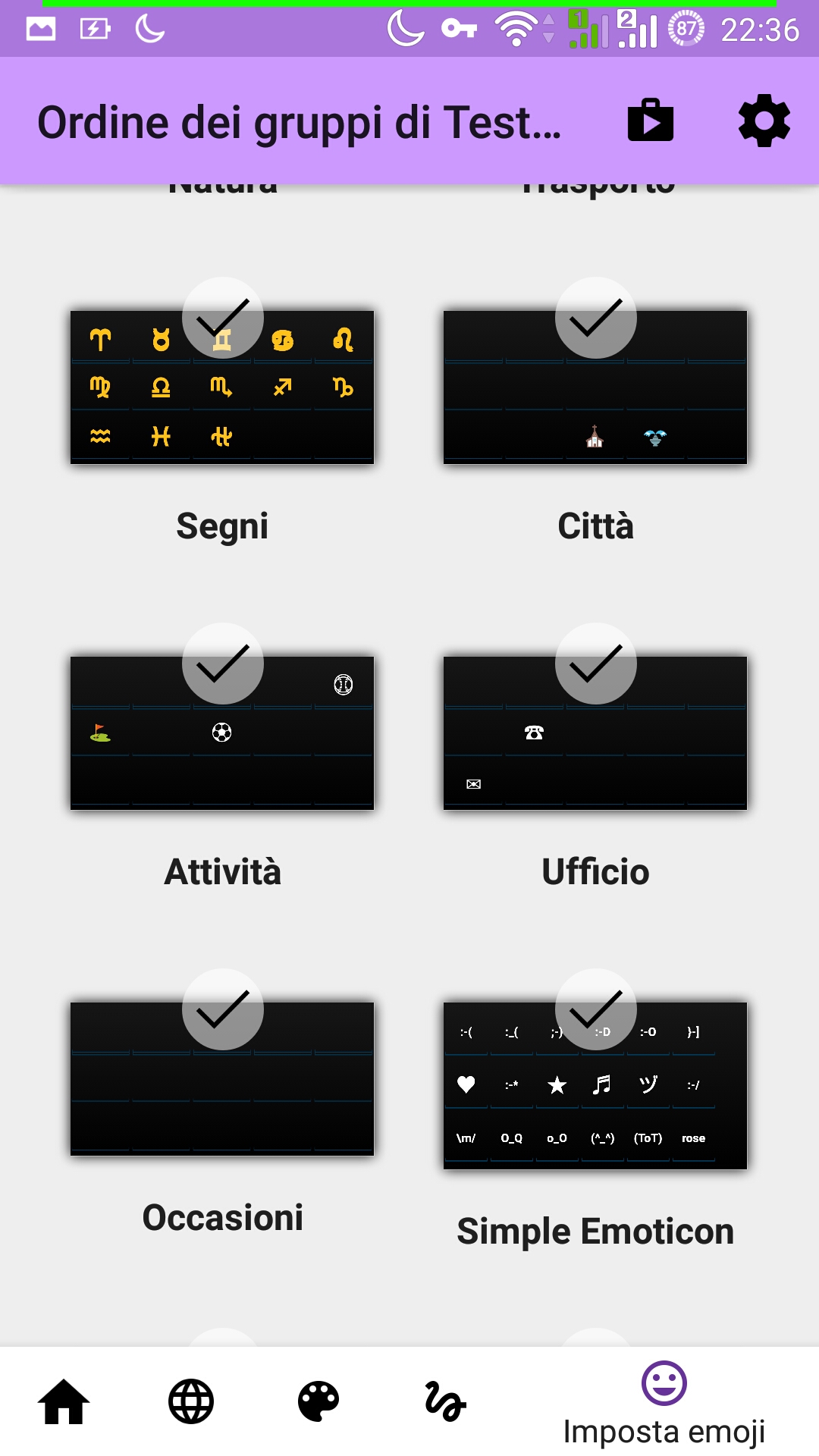
- No emojis are shown (besides some basic ones and the ones in the "most recently used" section)
Expected behaviour:
Most or all the emojis should show
Actual behaviour
Almost no emojis are shown
Android OS version:
Android 5.0
Device manufacturer and model: Asus Zenfone 2 (Z00AD)
List of installed add-ons (like languages, or themes):
Italian Extension
EDIT: I just found the issue template, so I'll update the comment to reflect it, sorry
Thanks for your work
 Penaz91
All 14 comments
I attach some screenshot, hopefully they help.

Penaz91
on 4 Apr 2019
I'm having the same issue. The emoji that do appear are the same ones shown in Penaz91's screenshots. The issue started on or before 2019-03-13.
Android OS version:
Android 4.4.2
Device manufacturer and model:
Samsung Galaxy S3
List of installed add-ons (like languages, or themes):
French
One-Handed Dvorak (from an apk I found on a forum somewhere)
 patrick-conley
on 7 Apr 2019
patrick-conley
on 7 Apr 2019
I am having the same issue.
OS: Android 5.0
Device: BQ Aquaris E5
 sk197876
on 8 Apr 2019
sk197876
on 8 Apr 2019
@all the users having this issue:
downgrade to 1.9.2629
it works as it should work, and on top of that, as it worked before the update to 1.10.364 .... (what a miracle)
@those-who-code
i am also on 4.4.2 and i hope you know what you have altered as 1.9.2629 works and 1.10.364 not!
@Penaz91
ty for the post here, who knows if one cares at all
@GoranGharib
1.9.2629 works
1.10.364 fails
now you...
 github-tomster
on 15 Apr 2019
github-tomster
on 15 Apr 2019
I can confirm that downgrading to ASK version 1.9.2629 fixes the issue.
I'm not an android developer, but I heard google changed their emojis recently and put up a utility to port them to older android versions (API 19+) called "EmojiCompat" or something, here's the link: https://developer.android.com/guide/topics/ui/look-and-feel/emoji-compat
Just putting it out there hoping to help.
Also thanks to @github-tomster for the suggestion to downgrade.
Penaz91
on 17 Apr 2019
1.10.606 also still fails...
github-tomster
on 3 Jun 2019
I have the exact same problem on Samsung galaxy s4, android 5.0.1. Version 1.10.606
After downgrade to 1.9.2629 emojis work again.
 moritzboth
on 16 Jul 2019
moritzboth
on 16 Jul 2019
@whoevercares
one could say, all versions after 1.9.2629 fail, hence these issues here.
so maybe, if it is not possible to fix that, a BUG label can be added here?
or create a known issues point?
github-tomster
on 17 Jul 2019
I have some free time next week. I'll take a stab at fixing it then.
patrick-conley
on 17 Jul 2019
I have the same issue: Asus Zenfone Max ZC550KL, Android 5.0.2, AnySoftKeyboard v1.10-r2
 azzamsa
on 16 Aug 2019
azzamsa
on 16 Aug 2019
The issue is aapt2. Until version 1.10 we used aapt version 1, but in order to support newer build-tools we moved to aapt2.
This is the commit that introduced aapt2: https://github.com/AnySoftKeyboard/AnySoftKeyboard/commit/e9774282b057bc8199a804c0f6eea6633d7079be#diff-503f218d646c10f484fdc9d6315bf2e3
 menny
on 16 Aug 2019
menny
on 16 Aug 2019
One option would be to go back to aapt v1 release something that is stable and then stop supporting any device before api 24.. or so.
Another, is to go back to ask google to fix aapt2.
menny
on 16 Aug 2019
hmmmm. I may have found the issue. And it's not aapt's fault. I think I didn't convert the emoji-lists for devices prior to API21 correctly...
Verifying.
menny
on 16 Sep 2019
I've verified on an emulator that this fix works.
A BETA release will be available later today.
menny
on 16 Sep 2019
Related issues
 fronki
·
5Comments
fronki
·
5Comments
 dbolton
·
6Comments
dbolton
·
6Comments
 ashirviskas
·
3Comments
ashirviskas
·
3Comments
 PopeRigby
·
4Comments
PopeRigby
·
4Comments
 ezzarghili
·
4Comments
ezzarghili
·
4Comments
Most helpful comment
I've verified on an emulator that this fix works.
A BETA release will be available later today.