Antennapod: Podcast title containing decimal codes for quotation marks display incorrectly
Checklist
- [x ] I have used the search function to see if someone else has already submitted the same bug report.
- [x ] I will describe the problem with as much detail as possible.
- [x ] If the bug only to occurs with a certain podcast, I will include the URL of that podcast.
System info
App version: 2.1.1
App source: F-Droid
Android version: 10
Device model: SM-G960F
Bug description
Steps to reproduce:
- Strangely, this is only a bug for one password protected RSS feed I subscribe to. There's a free version which doesn't have this problem. The protected one has a title containing “ and ” which should display quotes but instead just display these codes.
- The RSS feed contains
“YOUR WELCOME”
 GregoryHuff
All 7 comments
This usually happens if the creators of the feed encode the symbols twice. Try downloading the feed file and viewing it in a text editor. AntennaPod can handle “ but if the creators write “, they are explicitly telling AntennaPod to display the code. If that's the case, it would be good to contact them about that.
 ByteHamster
on 1 Jan 2021
ByteHamster
on 1 Jan 2021
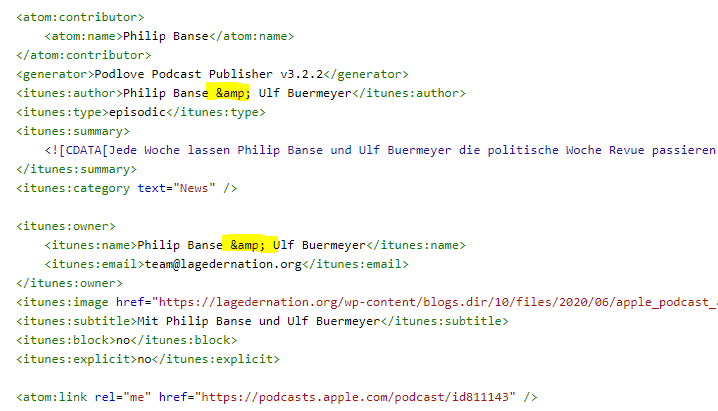
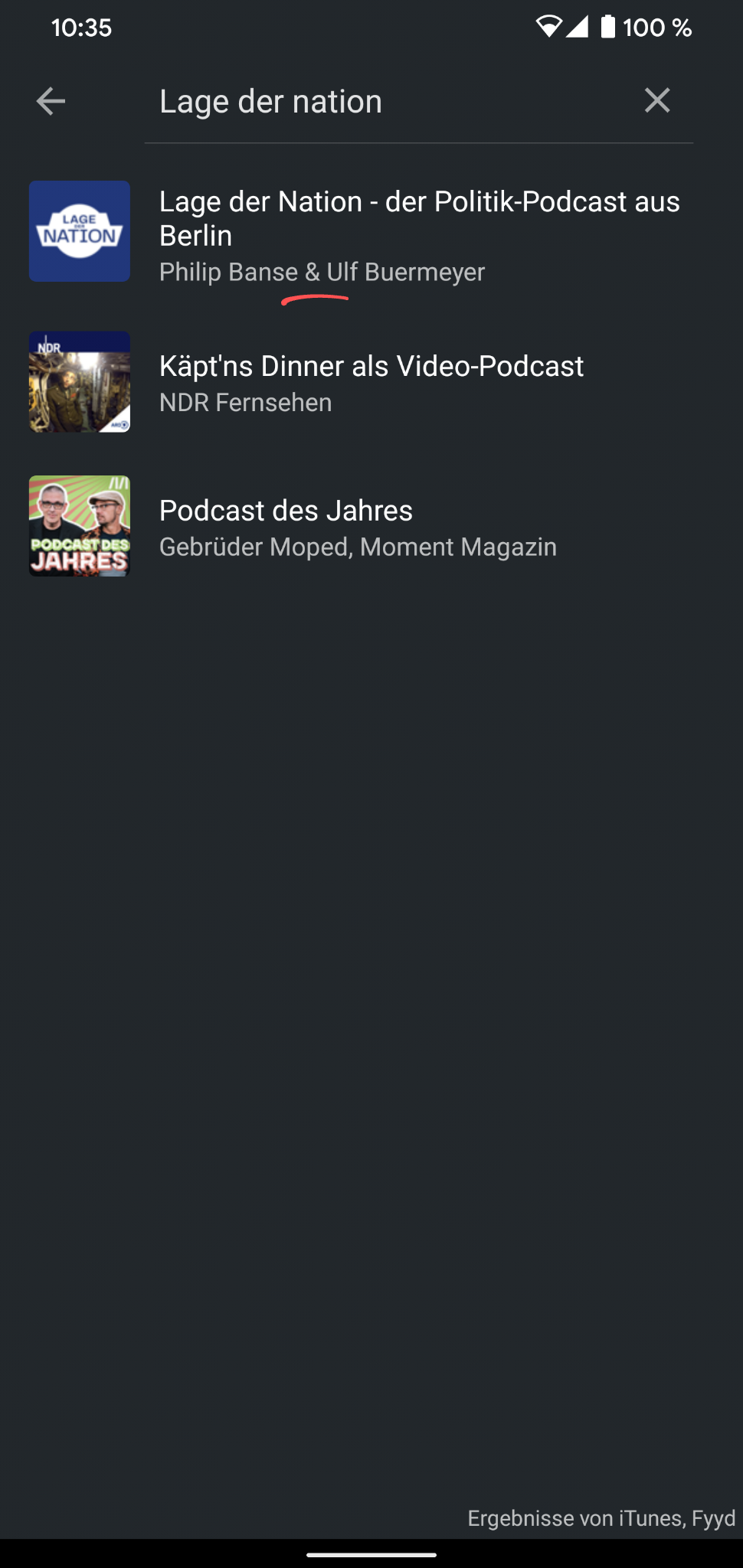
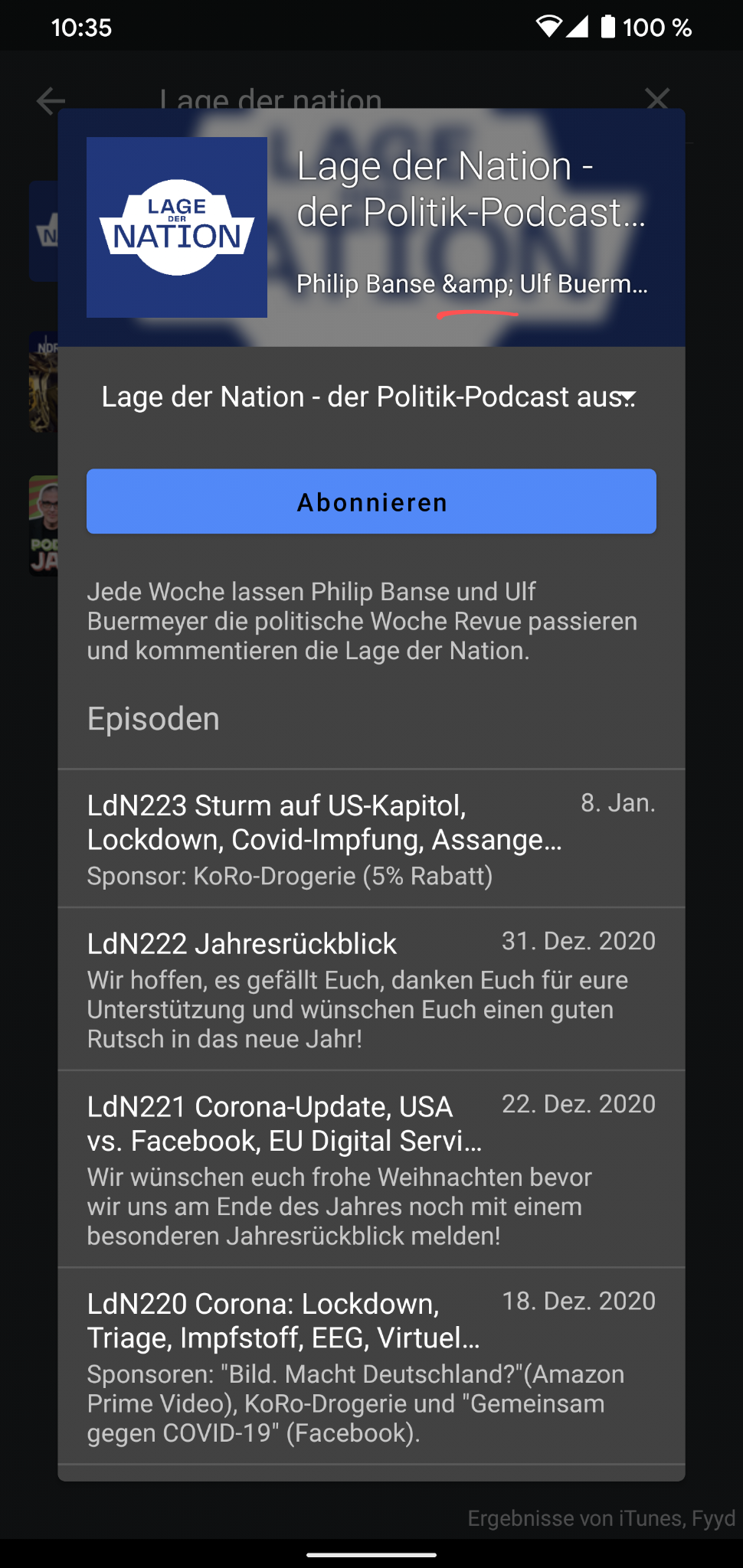
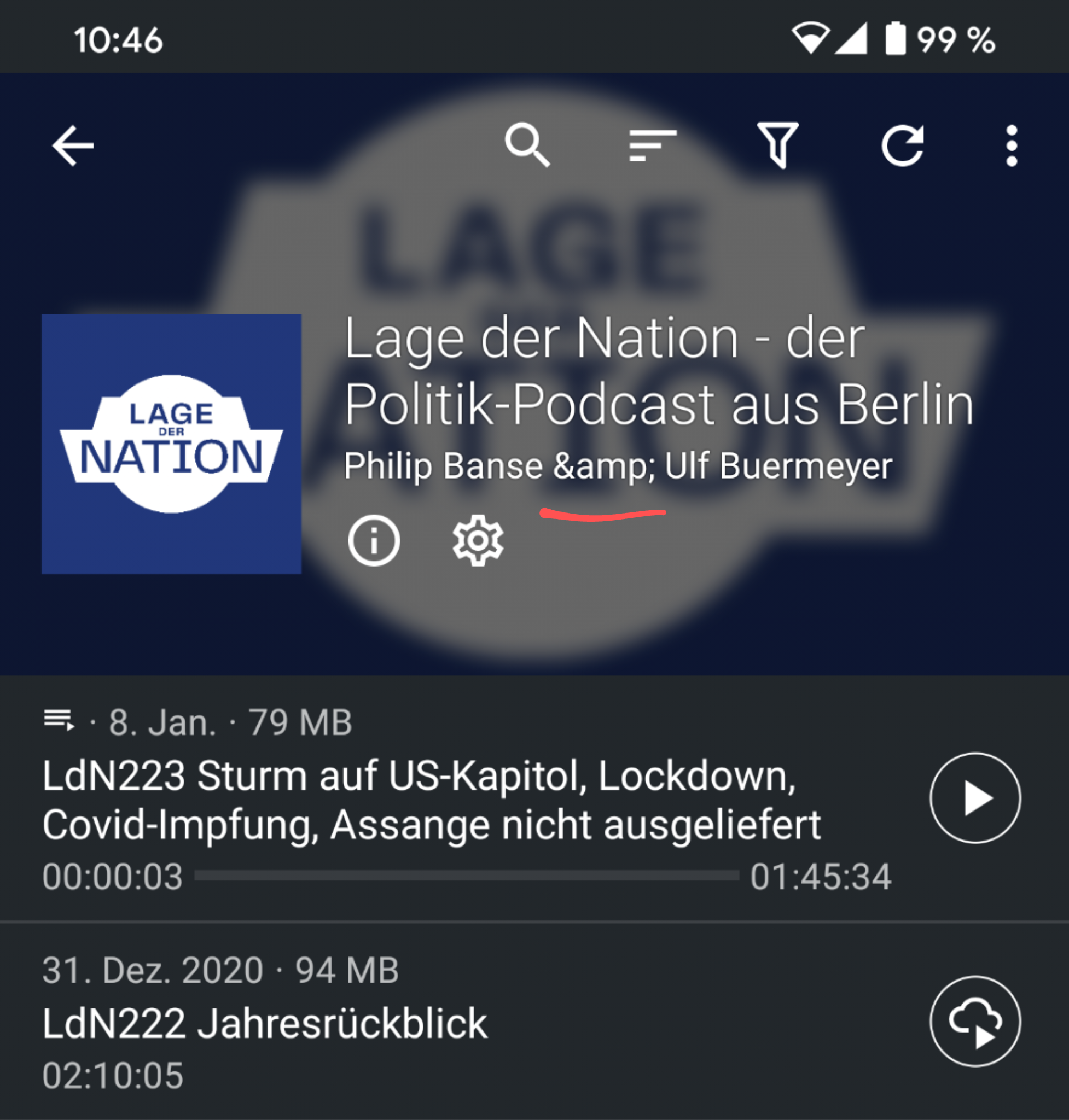
I have a similar behavior but it's for the & symbol. Screenshot & url of XML below (not sure which tag you parse). In podcast search results, it is displayed correctly, in the episode list and subscription screen, it is not and weirdly showing & as a string.
XML
URL: https://feeds.lagedernation.org/feeds/ldn-mp3.xml
Search results:
Subscription screen:
Episode list:
 nicolaus-hee
on 9 Jan 2021
nicolaus-hee
on 9 Jan 2021
@nicolaus-hee AntennaPod looks at itunes:author:
<itunes:author>Philip Banse &amp; Ulf Buermeyer</itunes:author>
@ByteHamster Oh, so are you seeing &amp; on your end? I only get &.
<itunes:name>Philip Banse & Ulf Buermeyer</itunes:name>
nicolaus-hee
on 9 Jan 2021
Try downloading the file. Browsers already parse one of the entities.
ByteHamster
on 9 Jan 2021
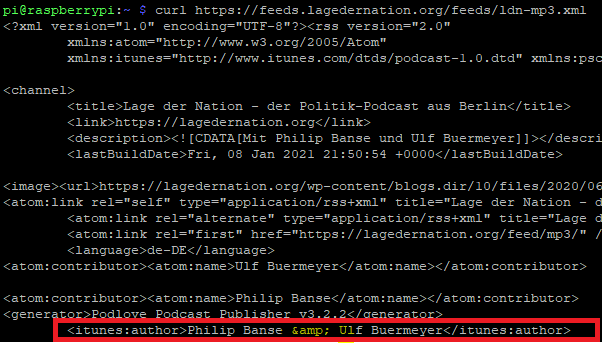
Yeah, noticed. I curled it and still only got one &:
nicolaus-hee
on 9 Jan 2021
Oh, I see. The broken one is the one inside an <item>. Because itunes:author is only specified for the whole channel and not for individual items, AntennaPod always uses the last itunes:author tag that it finds, regardless where it is.
ByteHamster
on 9 Jan 2021
Related issues
 reverse-unina
·
5Comments
reverse-unina
·
5Comments
 fabolhak
·
3Comments
fabolhak
·
3Comments
 AAM1119
·
3Comments
AAM1119
·
3Comments
 Matth7878
·
3Comments
Matth7878
·
3Comments
 gappleto97
·
3Comments
gappleto97
·
3Comments