Antennapod: Data wiped due to database corruption
App version: 1.6.4.1 (commit cef70063) (from Google Play)
Android version: 7.0
Current behaviour: Have been using AntennaPod for 1-2 months. I moved my data from Internal Storage to SD card ~1 week ago. Had subscription updates on (every 12hrs I think). It started automatically, I opened the app to check on it, it froze for 1-2 seconds and then most of my data was wiped (app has no subscriptions, playback history empty etc).
/Android/data/de.danoeh.antennapod/files/ contains the following:
cache/has 2 files of 2 subscriptions. I had 25 subscriptions.import/emptymedia/directories of 6 subscriptions. Still contains some pre-downloaded episodes.
First occured: 22.10.2017
Steps to reproduce: Not sure
I still have the old data (1 week old) on my Internal Storage. The cache/ folder there seems to at least contain all my old feeds. Any way I can recover something from there?
 oskarkook
All 222 comments
Is it possible that this is an external storage issue? It is not uncommon for SD cards to corrupt.
I don't see how updating the app could have removed some of the files while keeping others in place.
 mfietz
on 23 Oct 2017
mfietz
on 23 Oct 2017
Just had the same issue. I'm not using an external storage/SD card and all my podcast files are still in /Android/data/de.danoeh.antennapod/files/ but the app is showing no subscriptions, downloads, or download history. The data is still on my phone but the app isn't recognizing it.
Edit: Should have mentioned Android version. I'm using Android 6.0.1 on a Galaxy S5
 muethingjt
on 24 Oct 2017
muethingjt
on 24 Oct 2017
Same issue here: all my feeds gone. Using Android 6.0.1 on a Nexus 5.
 aaguilera
on 24 Oct 2017
aaguilera
on 24 Oct 2017
I'm on a Galaxy 5, Android 6.0.1
Went to download a few episodes of a podcast, it wouldn't load the list of episodes, then when I stopped it from looking and went to the queue there was nothing and all subscriptions gone. Just empty! Restarted phone, no change. 40-something hours of material gone.
 thelstew
on 30 Oct 2017
thelstew
on 30 Oct 2017
Same problem as thelstew. Went to download some new episodes and lost everything
 LordKawaii
on 31 Oct 2017
LordKawaii
on 31 Oct 2017
Oh. I am on a galaxy 5
LordKawaii
on 31 Oct 2017
This is an additional report of all data being wiped from the application. The phone is running LineageOS 14.1 (Android 7.1.2) on a Galaxy S4 with AntennaPod 1.6.4.1 from F-Droid.
The sequence of steps was the following:
1) Entered application, splash screen loaded, landed in Queue view. Expected data was loaded.
2) Refreshed subscriptions, completed
3) Scrolled through drawer to find a specific subscription. Clicked on it.
4) Cannot recall what I saw next, but the load appeared to fail or said there was no content.
5) When I returned to the Queue screen all downloaded podcasts were gone. In additional, all subscriptions were gone.
The following are the logs from that time. Unfortunately, nothing looks that out of place.
11-02 19:12:28.214 I/ActivityManager(  600): START u0 {act=android.intent.action.MAIN cat=[android.intent.category.HOME] flg=0x10200000 cmp=com.teslacoilsw.launcher/.NovaLauncher (has extras)} from uid 1000 on display 0
11-02 19:12:28.314 W/RenderThread( 2273): type=1400 audit(0.0:1431): avc: denied { read } for name="gpuclk" dev="sysfs" ino=11273 scontext=u:r:untrusted_app:s0:c512,c768 tcontext=u:object_r:sysfs:s0 tclass=file permissive=0
11-02 19:12:28.314 W/RenderThread( 2273): type=1300 audit(0.0:1431): arch=40000028 syscall=322 per=800008 success=no exit=-13 a0=ffffff9c a1=a761407a a2=20000 a3=0 items=1 ppid=256 auid=4294967295 uid=10082 gid=10082 euid=10082 suid=10082 fsuid=10082 egid=10082 sgid=10082 fsgid=10082 tty=(none) ses=4294967295 exe="/system/bin/app_process32" subj=u:r:untrusted_app:s0:c512,c768 key=(null)
11-02 19:12:28.314 W/auditd  (  218): type=1307 audit(0.0:1431): cwd="/"
11-02 19:12:28.314 W/auditd  (  218): type=1302 audit(0.0:1431): item=0 name="/sys/class/kgsl/kgsl-3d0/gpuclk" inode=11273 dev=00:0d mode=0100644 ouid=0 ogid=0 rdev=00:00 obj=u:object_r:sysfs:s0
11-02 19:12:28.314 W/auditd  (  218): type=1320 audit(0.0:1431):
11-02 19:12:28.318 I/Adreno-EGL( 2210): <qeglDrvAPI_eglInitialize:379>: QUALCOMM Build: 10/21/15, 369a2ea, I96aee987eb
11-02 19:12:28.319 I/OpenGLRenderer( 2210): Initialized EGL, version 1.4
11-02 19:12:28.319 D/OpenGLRenderer( 2210): Swap behavior 1
11-02 19:12:28.323 W/Adreno-ES20( 2210): <get_gpu_clk:229>: open failed: errno 13
11-02 19:12:28.565 I/Keyboard.Facilitator( 4398): onFinishInput()
11-02 19:12:29.140 W/art     (21669): Long monitor contention with owner GLThread 3715 (21700) at void android.opengl.GLSurfaceView$GLThread.guardedRun()(GLSurfaceView.java:1310) waiters=1 in void java.lang.Object.wait!() for 224ms
11-02 19:12:30.550 D/AudioService(  600): Stream muted, skip playback
11-02 19:12:30.556 I/ActivityManager(  600): START u0 {act=android.intent.action.MAIN cat=[android.intent.category.LAUNCHER] flg=0x10200000 cmp=de.danoeh.antennapod/.activity.SplashActivity bnds=[540,1044][810,1368] (has extras)} from uid 10082 on display 0
11-02 19:12:30.680 I/ActivityManager(  600): Start proc 25943:de.danoeh.antennapod/u0a68 for activity de.danoeh.antennapod/.activity.SplashActivity
11-02 19:12:30.862 D/ro      (12607): inflating media notification
11-02 19:12:30.982 I/art     (25943): Starting a blocking GC AddRemoveAppImageSpace
11-02 19:12:30.995 W/System  (25943): ClassLoader referenced unknown path: /mnt/expand/77ce1534-5a43-426c-af16-32c490dc01b9/app/de.danoeh.antennapod-2/lib/arm
11-02 19:12:31.696 I/ActivityManager(  600): START u0 {cmp=de.danoeh.antennapod/.activity.MainActivity} from uid 10068 on display 0
11-02 19:12:31.708 W/ActivityManager(  600): Duplicate finish request for ActivityRecord{b86d716 u0 de.danoeh.antennapod/.activity.SplashActivity t1443 f}
11-02 19:12:32.555 W/WindowManager(  600): Failed looking up window
11-02 19:12:32.555 W/WindowManager(  600): java.lang.IllegalArgumentException: Requested window android.view.ViewRootImpl$W@f65a61c does not exist
11-02 19:12:32.555 W/WindowManager(  600):  at com.android.server.wm.WindowManagerService.windowForClientLocked(WindowManagerService.java:9469)
11-02 19:12:32.555 W/WindowManager(  600):  at com.android.server.wm.WindowManagerService.windowForClientLocked(WindowManagerService.java:9460)
11-02 19:12:32.555 W/WindowManager(  600):  at com.android.server.wm.WindowManagerService.removeWindow(WindowManagerService.java:2401)
11-02 19:12:32.555 W/WindowManager(  600):  at com.android.server.wm.Session.remove(Session.java:202)
11-02 19:12:32.555 W/WindowManager(  600):  at android.view.ViewRootImpl.dispatchDetachedFromWindow(ViewRootImpl.java:3290)
11-02 19:12:32.555 W/WindowManager(  600):  at android.view.ViewRootImpl.doDie(ViewRootImpl.java:5923)
11-02 19:12:32.555 W/WindowManager(  600):  at android.view.ViewRootImpl$ViewRootHandler.handleMessage(ViewRootImpl.java:3629)
11-02 19:12:32.555 W/WindowManager(  600):  at android.os.Handler.dispatchMessage(Handler.java:102)
11-02 19:12:32.555 W/WindowManager(  600):  at android.os.Looper.loop(Looper.java:154)
11-02 19:12:32.555 W/WindowManager(  600):  at android.os.HandlerThread.run(HandlerThread.java:61)
11-02 19:12:32.555 W/WindowManager(  600):  at com.android.server.ServiceThread.run(ServiceThread.java:46)
11-02 19:12:33.045 I/ActivityManager(  600): Displayed de.danoeh.antennapod/.activity.MainActivity: +843ms (total +2s412ms)
11-02 19:12:33.052 I/Keyboard.Facilitator( 4398): onFinishInput()
11-02 19:12:33.260 D/NetworkSecurityConfig(25943): No Network Security Config specified, using platform default
11-02 19:12:33.291 E/wifi    (  600): wifi_get_supported_feature_set returned error = 0xffffffa1
11-02 19:12:33.292 E/BatteryStatsService(  600): no controller energy info supplied
11-02 19:12:33.292 E/BatteryStatsService(  600): no controller energy info supplied
11-02 19:12:33.313 E/BatteryStatsService(  600): modem info is invalid: ModemActivityInfo{ mTimestamp=0 mSleepTimeMs=0 mIdleTimeMs=0 mTxTimeMs[]=[0, 0, 0, 0, 0] mRxTimeMs=0 mEnergyUsed=0}
11-02 19:12:33.478 E/MediaPlayer-JNI(25943): JNIMediaPlayerFactory: bIsQCMediaPlayerPresent 0
11-02 19:12:33.478 E/MediaPlayer-JNI(25943): JNIMediaPlayerFactory: bIsQCMediaPlayerPresent 0
11-02 19:12:33.791 I/FFmpegExtractor(  264): android-source:0xb3314000
11-02 19:12:33.845 I/FFmpegExtractor(  264): android-source:0xb3317200
11-02 19:12:33.905 I/FFmpegExtractor(  264): android-source:0xb35ed400
11-02 19:12:33.998 I/FFMPEG  (  264): Last message repeated 1 times
11-02 19:12:33.998 I/FFMPEG  (  264): [mp3 @ 0xb5fb5200] Skipping 0 bytes of junk at 814743.
11-02 19:12:33.998 D/FFmpegExtractor(  264): supported codec (mp3) by official Stagefright
11-02 19:12:33.998 D/FFmpegExtractor(  264): ffmpeg detected media content as 'audio/mpeg' with confidence 0.08
11-02 19:12:34.055 I/FFMPEG  (  264): [mp3 @ 0xb5fb4c00] Skipping 0 bytes of junk at 814743.
11-02 19:12:34.055 D/FFmpegExtractor(  264): supported codec (mp3) by official Stagefright
11-02 19:12:34.056 D/FFmpegExtractor(  264): ffmpeg detected media content as 'audio/mpeg' with confidence 0.08
11-02 19:12:34.097 I/FFMPEG  (  264): [mp3 @ 0xb5fb5800] Skipping 0 bytes of junk at 814743.
11-02 19:12:34.097 D/FFmpegExtractor(  264): supported codec (mp3) by official Stagefright
11-02 19:12:34.097 D/FFmpegExtractor(  264): ffmpeg detected media content as 'audio/mpeg' with confidence 0.08
11-02 19:12:34.111 I/art     (25943): Background sticky concurrent mark sweep GC freed 1322(54KB) AllocSpace objects, 0(0B) LOS objects, 0% free, 11MB/11MB, paused 5.645ms total 17.974ms
11-02 19:12:34.131 D/AudioTrack(25943): Client defaulted notificationFrames to 4714 for frameCount 14144
11-02 19:12:34.138 I/MediaPlayerService(  265): MediaPlayerService::getOMX
11-02 19:12:34.139 I/OMXClient(25943): MuxOMX ctor
11-02 19:12:34.142 I/OMXMaster(  261): makeComponentInstance(OMX.google.mp3.decoder) in mediacodec process
11-02 19:12:34.162 D/AudioService(  600): Stream muted, skip playback
11-02 19:12:34.169 I/System.out(25943): TagHeader [version=̀, flags=0, id=ID3, size=814733]
11-02 19:12:34.169 I/System.out(25943): FrameHeader [flags=0, id=TCON, size=1001]
11-02 19:12:34.171 I/System.out(25943): FrameHeader [flags=0, id=TIT2, size=100111]
11-02 19:12:34.171 I/System.out(25943): FrameHeader [flags=0, id=TPE1, size=1101]
11-02 19:12:34.172 I/System.out(25943): FrameHeader [flags=0, id=TALB, size=1101]
11-02 19:12:34.172 I/System.out(25943): FrameHeader [flags=0, id=TXXX, size=1011]
11-02 19:12:34.172 I/System.out(25943): FrameHeader [flags=0, id=TSSE, size=1110]
11-02 19:12:34.174 I/System.out(25943): FrameHeader [flags=0, id=APIC, size=11000110110111100100]
11-02 19:12:34.175 I/System.out(25943): Reached end of tag
11-02 19:12:34.177 I/System.out(25943): No vorbis comment found
11-02 19:12:34.263 E/wifi    (  600): wifi_get_supported_feature_set returned error = 0xffffffa1
11-02 19:12:34.263 E/BatteryStatsService(  600): no controller energy info supplied
11-02 19:12:34.373 E/wifi    (  600): wifi_get_supported_feature_set returned error = 0xffffffa1
11-02 19:12:34.373 E/BatteryStatsService(  600): no controller energy info supplied
11-02 19:12:34.695 W/ConnectivityExtension(  600): ConnectivityExt jar file not present
11-02 19:12:34.941 W/ConnectivityExtension(  600): ConnectivityExt jar file not present
11-02 19:12:35.150 W/ConnectivityExtension(  600): ConnectivityExt jar file not present
11-02 19:12:35.395 W/ConnectivityExtension(  600): ConnectivityExt jar file not present
11-02 19:12:35.609 W/ConnectivityExtension(  600): ConnectivityExt jar file not present
11-02 19:12:35.902 I/art     (12607): Background partial concurrent mark sweep GC freed 183413(10MB) AllocSpace objects, 11(16MB) LOS objects, 40% free, 14MB/24MB, paused 762us total 120.910ms
11-02 19:12:35.908 I/art     (  600): Background partial concurrent mark sweep GC freed 74919(6MB) AllocSpace objects, 4(240KB) LOS objects, 33% free, 18MB/28MB, paused 2.532ms total 152.679ms
11-02 19:12:36.172 W/ConnectivityExtension(  600): ConnectivityExt jar file not present
11-02 19:12:36.369 W/ConnectivityExtension(  600): ConnectivityExt jar file not present
11-02 19:12:36.583 I/PowerManagerService(  600): Going to sleep due to power button (uid 1000)...
11-02 19:12:36.586 I/Keyboard.Facilitator( 4398): onFinishInput()
11-02 19:12:36.588 W/ConnectivityExtension(  600): ConnectivityExt jar file not present
11-02 19:12:36.596 W/FingerprintManager(12607): isFingerprintHardwareDetected(): Service not connected!
11-02 19:12:36.598 W/Adreno-EGL(  600): <qeglDrvAPI_eglQueryContext:4373>: EGL_BAD_ATTRIBUTE
11-02 19:12:36.857 W/ConnectivityExtension(  600): ConnectivityExt jar file not present
11-02 19:12:37.122 W/ConnectivityExtension(  600): ConnectivityExt jar file not present
11-02 19:12:37.199 I/VrManagerService(  600): VR mode is disallowed
11-02 19:12:37.203 E/Sensors (  600): Acc old sensor_state 129, new sensor_state : 128 en : 0
11-02 19:12:37.205 V/KeyguardServiceDelegate(  600): onScreenTurnedOff()
11-02 19:12:37.220 E/LightSensor(  600): Light old sensor_state 128, new sensor_state : 0 en : 0
11-02 19:12:37.223 I/DisplayManagerService(  600): Display device changed state: "Built-in Screen", OFF
11-02 19:12:37.224 D/SurfaceFlinger(  242): Set power mode=0, type=0 flinger=0xb68ab000
11-02 19:12:37.228 D/qdhwcomposer(  242): hwc_setPowerMode: Setting mode 0 on display: 0
11-02 19:12:37.518 D/qdhwcomposer(  242): hwc_setPowerMode: Done setting mode 0 on display 0
11-02 19:12:37.518 D/SurfaceControl(  600): Excessive delay in setPowerMode(): 295ms
11-02 19:12:37.543 I/QCOM PowerHAL(  600): Got set_interactive hint
11-02 19:12:37.544 I/PowerManagerService(  600): Sleeping (uid 1000)...
11-02 19:12:37.548 W/FingerprintManager(12607): isFingerprintHardwareDetected(): Service not connected!
11-02 19:12:37.551 D/audio_hw_primary(  257): adev_set_parameters: enter: screen_state=off
11-02 19:12:37.745 I/WindowManager(  600): OverscanTimeout run
11-02 19:12:42.045 I/ActivityManager(  600): Setting hasTopUi=true for pid=12607
11-02 19:12:42.079 D/CarrierText(12607): onSimStateChanged: Normal
11-02 19:12:42.130 D/PhoneStatusBar(12607): disable: < expand ICONS* alerts SYSTEM_INFO* back home recent clock search quick_settings >
11-02 19:12:42.151 W/FingerprintManager(12607): isFingerprintHardwareDetected(): Service not connected!
11-02 19:12:42.160 W/FingerprintManager(12607): isFingerprintHardwareDetected(): Service not connected!
11-02 19:12:42.209 W/View    (12607): requestLayout() improperly called by com.android.systemui.statusbar.ExpandableNotificationRow{2d363d1 VFE...C.. ......ID 0,0-1080,276} during layout: running second layout pass
11-02 19:12:42.215 W/FingerprintManager(12607): isFingerprintHardwareDetected(): Service not connected!
11-02 19:12:42.220 D/PhoneStatusBar(12607): disable: < expand ICONS alerts SYSTEM_INFO back HOME* RECENT* clock SEARCH* quick_settings >
 brarcher
on 3 Nov 2017
brarcher
on 3 Nov 2017
When it happened to me, I was watching it update in the Episodes view. As I was watching, one of the downloads stopped updating, and then all three episodes disappeared. I opened the drawer, and no subscriptions were visible, with the queue empty.
 gappleto97
on 20 Nov 2017
gappleto97
on 20 Nov 2017
There seem to be more and more users affected by this.
There are a few things that really bug me:
- Randomness: There doesn't seem to be a reliable way to reproduce this issue
- The database should only be ever wiped when sqlite detects that it is corrupted. There should not be any way that we can corrupt a database by using it. This should just not happen.
- I see a lot of Galaxy devices in this bug report...
mfietz
on 27 Nov 2017
I am also affected. I did also watch my subscriptions getting updated and suddenly AntennaPod is completely empty - no downloads, no subscriptions - everything gone.
App version: 1.6.4.1
Android version: 8.0.0
Device: Nexus 5x
I checked /Android/data/de.danoeh.antennapod/files/ and the files are still there.
Is there anything I can do to help debug this?
 basti2342
on 27 Nov 2017
basti2342
on 27 Nov 2017
Yeah, all my files are there. I don't wanna uninstall and loose them. But..
Yeah. This really blows.
On Nov 27, 2017 5:27 PM, "basti2342" notifications@github.com wrote:
I am also affected. I did also watch my subscriptions getting updated and
suddenly AntennaPod is completely empty - no downloads, no subscriptions -
everything gone.App version: 1.6.4.1
Android version: 8.0.0
Device: Nexus 5xI checked /Android/data/de.danoeh.antennapod/files/ and the files are
still there.Is there anything I can do to help debug this?
—
You are receiving this because you commented.
Reply to this email directly, view it on GitHub
https://github.com/AntennaPod/AntennaPod/issues/2463#issuecomment-347349878,
or mute the thread
https://github.com/notifications/unsubscribe-auth/AfrKawkpX6cQ7X0InTEUctMjlv3yxoT3ks5s6zdSgaJpZM4QC7Wz
.
thelstew
on 27 Nov 2017
To be clear @mfietz, I'm on a Nexus 6P with LineageOS.
A temporary solution would be to make an OPML export every time subscriptions change. At least that would allow us to restore that much.
gappleto97
on 28 Nov 2017
I've hit this a second time. Very soon after after hitting the refresh menu option to download updated podcast information the database was wiped. This time I captured a bug report right after the issue, and found the following in the logs around the time of the issue:
12-01 08:35:36.238 12021 19056 E SQLiteLog: (26) file is encrypted or is not a database
12-01 08:35:36.239 12021 19056 E DefaultDatabaseErrorHandler: Corruption reported by sqlite on database: /mnt/expand/77ce1534-5a43-426c-af16-32c490dc01b9/user/0/de.danoeh.antennapod/databases/Antennapod.db
12-01 08:35:36.240 12021 19056 E DefaultDatabaseErrorHandler: deleting the database file: /mnt/expand/77ce1534-5a43-426c-af16-32c490dc01b9/user/0/de.danoeh.antennapod/databases/Antennapod.db
So, it would appear that SQLite believed the database was corrupt and deleted it as a result. The app's storage was set to an external SD card, which is less than 1 year old. No other app is reporting issues with that storage, but it cannot be ruled out. In response, I've changed the apps storage to internal.
brarcher
on 1 Dec 2017
A quick note: in my case the potential database corruption happened on the internal storage of my Nexus 5x. I didn't notice any other storage/file system problems on my device.
basti2342
on 1 Dec 2017
I was also running on internal storage. I don't think storage corruption is the root cause here.
gappleto97
on 2 Dec 2017
moto g 2014 titan lineageos, happened here on external card
 msagebiel
on 10 Dec 2017
msagebiel
on 10 Dec 2017
The phone is running LineageOS 14.1
I'm on a Nexus 6P with LineageOS.
moto g 2014 titan lineageos
Just to be sure, has anyone hit this who is _not_ running LineageOS?
brarcher
on 11 Dec 2017
Yes, @brarcher. I had the issue on stock Android 6.0.1 on a Nexus 5.
aaguilera
on 11 Dec 2017
I'm also seeing this. It has happened twice.
LG v20, Android 7 stock
AntennaPod, Version 1.6.4.1
Commit: cef7006
From F-droid
Internal storage, although an SD card is plugged in.
 ejstacey
on 11 Dec 2017
ejstacey
on 11 Dec 2017
@ejstacey can you export your subscriptions to OPML and send me the file to martin.fietz 'at' gmail.com ?
mfietz
on 11 Dec 2017
I have emailed you an OPML file.
Here's some activity/other notes, if it helps:
I had it on on the way home (Bluetooth through car) when I got interrupted by a call. Antennapod stopped/started on its own fine. I always have Bluetooth going through the car, but I very very rarely receive a call, so that's out of the ordinary. I don't know if it's related, but I thought I'd mention it just in case it is.
I have Update Interval set to every 4 hours. I have Enqueue Downloaded enabled. I have 4 parallel downloads set up. I have Automatic Download enabled, and have it set to Download when not charging.
ejstacey
on 12 Dec 2017
I am also affected. CM13 / 6.0.1 OnePlus One, so internal storage only. Version 1.6.4.1
 gybaryan
on 21 Dec 2017
gybaryan
on 21 Dec 2017
Galaxy S6 running Android 7.0 - something happened while updating and all the subscriptions, history, queue, etc. vanished. I am guessing it just got corrupted and that I should make it a point to regularly export an OPML file with my subscriptions. I am looking through the above comments which are actually helpful since I don't mind resubscribing but will need to look for the saved data manually wherever it is stored and it will probably take me a month to figure out everything I was subscribed too - maybe there is some limit on how much data the app can track?
 sapolion
on 22 Dec 2017
sapolion
on 22 Dec 2017
I just hit the issue again, but I'm not sure there was a subscription update going on. I opened the app, and a podcast I had been listening to earlier only had a minute left when I had paused it. I have the 'delete if stopped with only a few minutes left' option turned on, fwiw. Anyway, I went to the queue and long pressed on a different episode and said 'remove from queue'. Nothing disappeared (lock on sqlite database between the autodeleter and my action? No idea!). I then long pressed on a different podcast (the one that only had a minute left) and said 'remove from queue'. Then everything disappeared (queue, subscriptions, etc).
ejstacey
on 23 Dec 2017
oh noes, same here:
App version 1.6.4.1 commit cef70063 on Samsung Galaxy S3 GT-I9300 with Android 6.0.1;
I dont think feeds wee updating when everything crashed and deleted feeds, watched-status and so on.
Files (on phone) are still there. Phone memory was somewhat close to full at the time but plenty for update operation.
 diemade
on 24 Dec 2017
diemade
on 24 Dec 2017
Just hit it again. I was partway through two podcasts. Podcast B I last listened to a couple hours ago when I paused it. Podcast A I last listened to a few days ago. I opened the app, which I think did a refresh operation. I hit podcast A while that was happening. It didn't play anything, just nothing. I hit podcast B. Nothing. I hit the hamburger icon to open the menu and everything disappeared. While it was in the broken/frozen state, I could scroll up+down through my queue.
ejstacey
on 5 Jan 2018
I'm also affected by this whole "everything vanished" thing. :(
Google Pixel, stock Android version 8.1.0
AntennaPod Version 1.6.4.4, commit 8b84b700
Opened a subscription to download further episodes, the list didn't load and suddenly everything was gone!
Was anyone of you guys able to restore their previous data? I welcome even the whackiest solution!
 cDawny
on 8 Jan 2018
cDawny
on 8 Jan 2018
The only restoring which I attempted was importing a previously exported OPLM file which backs up all the podcast subscriptions. Any previously downloaded podcasts might still be there, but they may not be usable by the app.
brarcher
on 9 Jan 2018
@brarcher Thanks for your reply. Unfortunately I didn't have an exported OPLM or HTML file...
Anyway, it would have been great if there was/is a way to restore the data, as I'm listening to some podcasts irregularly and it would been nice to know where I left off...
cDawny
on 9 Jan 2018
@cDawny Actually a database export/import function is under development: #2445
 keunes
on 9 Jan 2018
keunes
on 9 Jan 2018
Also happened to me; running Antennapod 1.6.4.1 (fdroid) on Moto g4, Motorola-flavoured Android 6, data on external SD
is there an easy way to create an OPML files from the files under /cache or /media?
Thanks for all your work!
 nehrwert
on 11 Jan 2018
nehrwert
on 11 Jan 2018
I'm also having this issue on a Samsung Galaxy S6 running Android 7.0 with the data stored on the internal memory. It's happened twice - when I disconnect Bluetooth before closing AntennaPod. Luckily, I exported my feeds for backup but still not ideal. Happy to answer follow up questions if that would help as this is a great app.
 doug-friedman
on 14 Jan 2018
doug-friedman
on 14 Jan 2018
I seem to have encountered this as well. Didn't see exactly when it happened. I opened the app, looked at the queue, then everything disappeared. Sorry this is such a vague report. Thanks for your contributions!
AntennaPod 1.6.4.4, commit 8b84b700
Moto G4
Android 7.0
SD card storage
 stuartsierra
on 16 Jan 2018
stuartsierra
on 16 Jan 2018
I am also affected, all listening data and stats are gone :sob:
AntennaPod 1.6.4.4, commit 8b84b700
Nexus 5X
Android 8.0.0 (Stock)
Internal storage
Sadly I don't have any backups that I could provide (OPML, etc)
I was in the "New Episodes" screen and clicked some episodes to download, then I switched to the "Downloads" tab/page to see which are finished. But everything was empty, no active and no previous downloads.
I don't know if it is relevant but I also had Bluetooth headphones connected as it happened.
Does anybody know a way to recover the database? Are there by chance any cached versions or backups somewhere that I could try to find? (Even if I have to root my device)
 hxseven
on 22 Jan 2018
hxseven
on 22 Jan 2018
And I'll add myself to the list of cases. Samsung Galaxy S2 running LineageOS 14.1 Android 7.1.2 with AntennaPod v1.6.4.1 from F-Droid. Have had the wipe occur three times in the last month, and also on an Alacatel phone with its supplied Android v6.
For those wanting to inspect the SQLite database, I gather that's not possible without rooting as the default storage is in a protected location (i.e. not where the other files are).
I will note that in both of my cases the phone has had an additional SD card fitted, even though the loss has occurred when it was not being used by AntennaPod.
Until we have a resolution, perhaps it's worth having some code added to replicate the internally stored SQLite database out to where the files are being managed. e.g. some code at is it possible backup and RESTORE a database file in android? non root devices might be applicable. Obviously that will require some staging to avoid overwriting with the newly empty one.
 geraldew
on 26 Jan 2018
geraldew
on 26 Jan 2018
+1 for a backup and restore option in AntennaPod, that would be really helpful!
@geraldew Thanks for the feedback regarding the SQLite database! If I find the time I will try to inspect the storage location.
hxseven
on 29 Jan 2018
My AntennaPod also wiped Subscriptions and does not find the downloaded data any more. It's on an external SD that has not been making any trouble so far. Android won't let me access the folders, I'll use an adapter those days to copy the episodes I want to keep from a windows or linux laptop.
My Phone is a LG G4 with stock Rom Android 6.0 Security patch level 2016-01-01 Kernel-Version 3.10.84
I have other apps on the SD aswell and they still have their data, no problem.
 dietmarf
on 2 Feb 2018
dietmarf
on 2 Feb 2018
@dietmarf
Which version of AntennaPod are you using? What's the commit ID in the about section of the app? We hoped that this bug is fixed in version 1.6.4.5
@hxseven
There is a backup/restore option in the latest version of AntennaPod.
 ByteHamster
on 2 Feb 2018
ByteHamster
on 2 Feb 2018
@ByteHamster
I just noticed that the data is in fact in the external memory. I was mislead by an empty folder structure existing on my SD. Anyway:
The MP 3 files are still there and can be seen using total commander.
I have version 1.6.4.4 Commit 8b84b700
I obtained AntennaPod via google play. There does not seem to be an update at the moment. Will the update make AntennaPod see all the downloaded episodes again or will I need to wipe the application's data anyway?
dietmarf
on 3 Feb 2018
I am not entirely sure but I think 1.6.4.5 was uploaded to the beta channel. You can enable beta testing from the details page in the Google Play app.
Will the update make AntennaPod see all the downloaded episodes again
No, the main database was deleted if you experienced the same bug that happened to others in this issue. The update should just prevent the deletion, but it will not try to re-link the files.
ByteHamster
on 3 Feb 2018
@ByteHamster
I just enabled beta testing and updated to the lastest version and the export function worked great. Will backup my database on a regular basis now and if the issue occurs again I will let you guys now and provide my database backup.
Thank you very much for implementing that feature so quickly. Great work!
hxseven
on 4 Feb 2018
I have joined the Beta testing two days ago to get around this issue which I experience twice in the 6 days since I switched to this different phone, a Samsung Galaxy J3. I've not yet had any wiping issues, so looks like this is indeed fixed?
Unfortunately after deleting a feed, AntennaPod now crashes and can't be started again (the quick glance I get to see shows an empty list, so kind of this wipe issue ;) ).
I've reported this as a new issue #2559.
 e2jk
on 6 Feb 2018
e2jk
on 6 Feb 2018
I have enabled beta testing and updated to the lastest version (1.6.4.5) - by uninstalling via F-Droid then installing from Play store. Reloaded the subscriptions from OPML files, got a few podcasts downloaded and use the export function.
Have since had the database wipe occur twice. The first I was on a train and impatient so didn't check how thorough the wipe was, just went to restore from the database backup. At that point I discovered that one of the two backups I'd done was a zero length file. I deferred action (as I was at my destination).
Later, I successfully restored from the earlier backup ok - but again didn't have time to check further and just re-downloaded a few episodes for the commute.
A few days later I've had the database wipe once again. I will now take my time to check things - presence of files - and when I restore the database try to see if it can play any of the ghost episodes (i.e. for which I know the files are there but the database doesn't) and will report here again.
So in short, the primary bug remains present.
geraldew
on 7 Feb 2018
Also having the same issue, on LineageOS 14.1 on Samsung Galaxy S5. I sync with gpodder (and occasionally backup the app) so I can restore some things, but I lose all of the downloaded episodes (well, except they seem to still be on my device taking up space but AntennaPod doesn't 'see' them apparently).
 emacsomancer
on 7 Feb 2018
emacsomancer
on 7 Feb 2018
And so.. following the last wipe event I thoroughly checked that:
- all podcast matters in the app were cleared - queue, subscriptions, download history
- settings otherwise were all retained
- audio files were actually still in place
I restored the database, and it listed all episodes as ready for download, even those for which I knew the files were still extant (yes I did read that this was to be expected)
I went to the one whose files I knew were still there, and added them to the empty queue. They played without actually re-downloading - even though in the subscription view they still showed as needing to download.
I played through several items of the queue by the time my commute ended.
That was hours ago - just now I've gone to the phone and launched the app - wiped clear yet again!
Now, something that's hard to be exact about, because it's my longstanding habit. When I finished using an app - if it still shows in the notification pane, then I will pull down the pane and swipe sideways to "close" the app. Sometimes that takes several attempts to remove the notification. I do have reasons for this habit, which if thought relevant I can describe.
Is it possible that this was always done before a wipe event? Possibly most, but I didn't do it the time it wiped while I was actually listening to a queue. Although I am now wondering whether I assumed that was a wipe event - perhaps the queue merely ended and I overreacted.
I do consider it necessary with audio apps to know for sure that they're not still running - e.g. on attending a recital.
geraldew
on 8 Feb 2018
It is interesting that I do NOT have this issue (thankfully). Not sure if it would help in debugging, here is my info:
Galaxy S7 (SM-G930A)
Stock OS (7.0)
AntennaPod beta from GooglePlay (v 1.6.4.5)
I am subscribed to 16 podcasts. A mix of audio and video.
I use the app every day. Several times per day.
I download my podcasts to the external SD card.
 yzerman19
on 8 Feb 2018
yzerman19
on 8 Feb 2018
I also experienced this on 2018-02-21. I have a Pixel XL running Android 8.1.0, AntennaPod 1.6.4.5 commit c79b003d. I've experience it at least once before with the same phone - the last time was on 2017-12-01.
After it happened, I foolishly rebooted my phone to see if that would clear up the issue, so I don't have any logs from ADB. However, I did do an adb bugreport, which had this interesting section:
 DATABASES
      pgsz     dbsz   Lookaside(b)          cache  Dbname
         4     2016             86     2499/76/14  /data/user/0/de.danoeh.antennapod/databases/Antennapod.db
         4     2016            109    1774/535/25  /data/user/0/de.danoeh.antennapod/databases/Antennapod.db (2)
         4     2016            103    2056/298/25  /data/user/0/de.danoeh.antennapod/databases/Antennapod.db (4)
         4     2016            109    1516/635/25  /data/user/0/de.danoeh.antennapod/databases/Antennapod.db (3)
I'm guessing that the new databases being made after the corrupted ones are the higher numbered entries.
 hoelzro
on 23 Feb 2018
hoelzro
on 23 Feb 2018
I had this issue too.
For what it's worth:
- I'm running whatever is the latest in the play store (1.6.4.5).
- I'm running a Samsung Galaxy S4 mini with Android 4.4.2
- It happened when I tried to 'Mark as played' an episode in the Episodes pane.
- My profile is on an external card.
I'm subscribed to about 20 podcasts.
 mpghf
on 22 Mar 2018
mpghf
on 22 Mar 2018
I just had this happen, as well. The crash report within the app doesn't show this particular crash (it is from last year and shows a different AntennaPod version).
- AntennaPod version 1.6.4.5
- Android version 7.0 on LG G5
 woggler
on 23 Mar 2018
woggler
on 23 Mar 2018
Also just had this happen
Running (1.6.4.5).
I'm also running a Samsung Galaxy S4 mini with Android 4.4.2
 nick-benoit14
on 5 Apr 2018
nick-benoit14
on 5 Apr 2018
To me this happened (repeatedly) on a Galaxy S5 running Cyanogenmod nightly.
My SD card is mounted in this "adopted storage" mode, the one where you can't remove the SD card without all hell breaking loose, if I understood correctly, it's equivalent to mounting a harddrive on linux for something crucial like /usr
 black-puppydog
on 5 Apr 2018
black-puppydog
on 5 Apr 2018
Happened to me today (4/16/18) on a OnePlus 3 on Oreo. Subscriptions went to update and then it cleared all my data :(
 casualsam
on 16 Apr 2018
casualsam
on 16 Apr 2018
@casualsam Which version of the app are you using (please verify in the about section of the settings screen)? We thought we fixed the issue last week.
ByteHamster
on 16 Apr 2018
@ByteHamster I am using version 1.6.5, I think it should be the most recent version of the app as it just updated a few days ago
casualsam
on 16 Apr 2018
@casualsam do you sync with gpodder?
mfietz
on 16 Apr 2018
@mfietz no I dont use it, or Flattr for that matter
casualsam
on 16 Apr 2018
@casualsam there might be a backup of your corrupted database file on the phone storage: Android/data/de.danoeh.antennapod/files/CorruptedDatabaseBackup.db. Does this file exist on your device (it should)? If it contains no personal information (feed passwords, secret subscriptions etc), I would be happy to have a look at that file. Honestly, I have no idea what to expect or if the file is of any use, but maybe it helps solving the problem :)
ByteHamster
on 16 Apr 2018
I am curious why you asked about gpodder? Do you suspect it may be a cause of the problem?
Or were you looking to see if he has a backup of his podcast history?
yzerman19
on 16 Apr 2018
I'm not sure if it exists on my device. In /emulated I don't actually have an antennapod folder, it's in /system/data but I actually get a permissions error when I try to access it with FX File Explorer. I can navigate to that folder but can't see what's inside it :(
casualsam
on 16 Apr 2018
It's not in /system/data or /data/data. Should be something like /sdcard/Android/data or /storage/emulated/0/Android/data. If you use an SD card, it might be there. On my device, it is the same folder that contains the downloads (have a look at the download location in AntennaPod's settings).
ByteHamster
on 16 Apr 2018
Gotcha, thanks!
<?xml version='1.0' encoding='UTF-8' standalone='no' ?>
<opml version="2.0">
  <head>
    <title>AntennaPod Subscriptions</title>
    <dateCreated>14 Mar 18 23:42:08 -0700</dateCreated>
  </head>
  <body>
    <outline text="Business Daily" title="Business Daily" type="rss" xmlUrl="https://podcasts.files.bbci.co.uk/p002vsxs.rss" htmlUrl="http://www.bbc.co.uk/programmes/p002vsxs" />
    <outline text="GeekWire" title="GeekWire" type="rss" xmlUrl="http://geekwirepodcast.bonneville.libsynpro.com/rss" htmlUrl="http://kiroradio.com/geekwire" />
    <outline text="Homecoming" title="Homecoming" type="rss" xmlUrl="http://feeds.gimletmedia.com/homecomingshow" htmlUrl="https://feeds.gimletmedia.com/show/homecoming" />
    <outline text="Nintendo Power Podcast" title="Nintendo Power Podcast" type="rss" xmlUrl="http://podcast.nintendopower.com/feed.xml" htmlUrl="https://www.nintendo.com/" />
    <outline text="NPR Politics Podcast" title="NPR Politics Podcast" type="rss" xmlUrl="https://www.npr.org/rss/podcast.php?id=510310" htmlUrl="http://www.npr.org/sections/politics/" />
    <outline text="NW NERD Podcast: Fandom-powered news" title="NW NERD Podcast: Fandom-powered news" type="rss" xmlUrl="http://feeds.soundcloud.com/users/soundcloud:users:247279574/sounds.rss" htmlUrl="http://www.nw-nerd.com" />
    <outline text="Revisionist History" title="Revisionist History" type="rss" xmlUrl="http://feeds.feedburner.com/RevisionistHistory" htmlUrl="http://revisionisthistory.com/" />
    <outline text="Science Vs" title="Science Vs" type="rss" xmlUrl="http://feeds.gimletmedia.com/sciencevs" htmlUrl="https://gimletmedia.com/science-vs/" />
    <outline text="Seattle Growth Podcast" title="Seattle Growth Podcast" type="rss" xmlUrl="http://feeds.soundcloud.com/users/soundcloud:users:240945534/sounds.rss" htmlUrl="http://www.seattlegrowthpodcast.com" />
    <outline text="Serial" title="Serial" type="rss" xmlUrl="http://feeds.serialpodcast.org/serialpodcast" htmlUrl="https://serialpodcast.org" />
    <outline text="Stuff You Should Know" title="Stuff You Should Know" type="rss" xmlUrl="https://www.howstuffworks.com/podcasts/stuff-you-should-know.rss" htmlUrl="https://www.howstuffworks.com/" />
    <outline text="The Overcast" title="The Overcast" type="rss" xmlUrl="http://feeds.soundcloud.com/users/soundcloud:users:254557943/sounds.rss" htmlUrl="http://soundcloud.com/seattletimesovercast" />
    <outline text="The Record" title="The Record" type="rss" xmlUrl="http://kuow.org/podcasts/18841/rss.xml" htmlUrl="http://kuow.org" />
    <outline text="The Sporkful" title="The Sporkful" type="rss" xmlUrl="https://rss.art19.com/the-sporkful" htmlUrl="http://www.sporkful.com/" />
    <outline text="Up First" title="Up First" type="rss" xmlUrl="https://www.npr.org/rss/podcast.php?id=510318" htmlUrl="http://www.npr.org/programs/morning-edition/" />
    <outline text="Vox's The Weeds" title="Vox's The Weeds" type="rss" xmlUrl="http://feeds.feedburner.com/voxtheweeds" htmlUrl="https://art19.com/shows/the-weeds" />
    <outline text="Week In Review" title="Week In Review" type="rss" xmlUrl="http://kuow.org/podcasts/19654/rss.xml" htmlUrl="http://kuow.org" />
    <outline text="What's Good Games: A Video Game Podcast" title="What's Good Games: A Video Game Podcast" type="rss" xmlUrl="http://feeds.backtracks.fm/feeds/whatsgoodgames/whats-good-games-a-video-game-podcast/feed.xml" htmlUrl="http://www.patreon.com/whatsgoodgames" />
  </body>
</opml>
Are you sure the file is called CorruptedDatabaseBackup.db? That content should never ever be written to that file (otherwise that's a totally different problem than the one I assumed). Could you upload the file somewhere (Google Drive, Dropbox, etc) and share the link with me? (info at bytehamster.com)
ByteHamster
on 16 Apr 2018
Yes, I just emailed you the .db file! On mobile so I couldn't create a share linn
casualsam
on 16 Apr 2018
I've had this happen more than once over the past year or so and it just happened again today. I have a copy of the CorruptedDatabaseBackup.db if needed also.
It seems like it happens when:
- it goes to check subscriptions
- finds a new podcast to download
- starts downloading but doesn't complete and fails because I have since dropped off wifi
I use it on my commute so it worked on the way in even with the failed download. I get to work, check my phone after awhile, see the (!) Download failed message, open the downloads queue, and nothing is there and subscription list is missing again but the files themselves are still there at "\Internal storage\Android\data\de.danoeh.antennapod\files\media"
I am running 1.6.5 on Android 5.1, no Flattr or gpodder
 molecularknife
on 24 Apr 2018
molecularknife
on 24 Apr 2018
@molecularknife
Can you please open your CorruptedDatabaseBackup.db with a text editor and see if it contains xml (something similar to the content of @casualsam)?
ByteHamster
on 24 Apr 2018
I can open it in Notepad++
There's 20707 lines of this in a 10.6MB file. I can upload it somewhere if you want.
Here is how it starts:
SQLit Ft 3 @ {
-h { -æ
Î §
L
ú
ª
´Íl¼Oû¤Gó“CÎ s;)indexSimpleChapters_feeditemSimpleChaptersCREATE INDEX SimpleChapters_feeditem ON SimpleChapters (feeditem)N)kindexQueue_feeditemQueueCREATE INDEX Queue_feeditem ON Queue (feeditem)^1 {indexFeedMedia_feeditemFeedMediaCREATE INDEX FeedMedia_feeditem ON FeedMedia (feeditem)R) kindexFeedItems_readFeedItemsCREATE INDEX FeedItems_read ON FeedItems (read)[
/ windexFeedItems_pubDateFeedItemsCREATE INDEX FeedItems_pubDate ON FeedItems (pubDate)U
+ oindexFeedItems_imageFeedItemsCREATE INDEX FeedItems_image ON FeedItems (image)R
) kindexFeedItems_feedFeedItems
CREATE INDEX FeedItems_feed ON FeedItems (feed)k
%tableFavoritesFavorites
CREATE TABLE Favorites(id INTEGER PRIMARY KEY,feeditem INTEGER,feed INTEGER)- ))‚tableSimpleChaptersSimpleChapters
CREATE TABLE SimpleChapters (id INTEGER PRIMARY KEY AUTOINCREMENT ,title TEXT,start INTEGER,feeditem INTEGER,link TEXT,type INTEGER)_
tableQueueQueue
CREATE TABLE Queue(id INTEGER PRIMARY KEY,feeditem INTEGER,feed INTEGER)d##ƒtableDownloadLogDownloadLog CREATE TABLE DownloadLog (id INTEGER PRIMARY KEY AUTOINCREMENT ,feedfile INTEGER,feedfile_type INTEGER,reason INTEGER,successful INTEGER,completion_date INTEGER,reason_detailed TEXT,title TEXT)‚R „stableFeedMediaFeedMediaCREATE TABLE FeedMedia (id INTEGER PRIMARY KEY AUTOINCREMENT ,duration INTEGER,file_url TEXT,download_url TEXT,downloaded INTEGER,position INTEGER,filesize INTEGER,mime_type TEXT,playback_completion_date INTEGER,feeditem INTEGER,played_duration INTEGER,has_embedded_picture INTEGER,last_played_time INTEGER)
!!‚tableFeedImagesFeedImagesCREATE TABLE FeedImages (id INTEGER PRIMARY KEY AUTOINCREMENT ,title TEXT,file_url TEXT,download_url TEXT,downloaded INTEGER)‚M „itableFeedItemsFeedItemsCREATE TABLE FeedItems (id INTEGER PRIMARY KEY AUTOINCREMENT ,title TEXT,content_encoded TEXT,pubDate INTEGER,read INTEGER,link TEXT,description TEXT,payment_link TEXT,media INTEGER,feed INTEGER,has_simple_chapters INTEGER,item_identifier TEXT,flattr_status INTEGER,image INTEGER,auto_download INTEGER)P++Ytablesqlite_sequencesqlite_sequenceCREATE TABLE sqlite_sequence(name,seq)„X‰tableFeedsFeedsCREATE TABLE Feeds (id INTEGER PRIMARY KEY AUTOINCREMENT ,title TEXT,custom_title TEXT,file_url TEXT,download_url TEXT,downloaded INTEGER,link TEXT,description TEXT,payment_link TEXT,last_update TEXT,language TEXT,author TEXT,image INTEGER,type TEXT,feed_identifier TEXT,auto_download INTEGER DEFAULT 1,flattr_status INTEGER,username TEXT,password TEXT,include_filter TEXT DEFAULT '',exclude_filter TEXT DEFAULT '',keep_updated INTEGER DEFAULT 1,is_paged INTEGER DEFAULT 0,next_page_link TEXT,hide TEXT,last_update_failed INTEGER DEFAULT 0,auto_delete_action INTEGER DEFAULT 0)W--ctableandroid_metadataandroid_metadataCREATE TABLE android_metadata (locale TEXT) ¨ ¨ ¨ ¨ ¨ ¨ ¨ ¨ ¨ ¨ ¨ ¨ ¨ ¨ ¨ ¨ ¨ ¨ ¨
¨ ¨ ¨ ¨ ¨ ¨ ¨ ¨ ¨ ¨ ¨ ¨ ¨ ¨ ¨ ¨ ¨ ¨ ¨ ¨ ¨ ¨ ¨ ¨ ¨ ¨ ¨ ¨ ¨ ¨ ¨ ¨ ¨ ¨ ¨ ¨ ¨ ¨ ¨ ¨ ¨ ¨ ¨ ¨ ¨ ¨ ¨ ¨ ¨ ¨ ¨ ¨ ¨ ¨ ¨ ¨ ¨ ¨ ¨ ¨ ¨ ¨ ¨ ¨ ¨ ¨ ¨ ¨ ¨ ¨ ¨ ¨ ¨ ¨ ¨ ¨ ¨ ¨ ¨ ¨ ¨ ¨ ¨ ¨ ¨ ¨ ¨ ¨ ¨ ¨ ¨ ¨ ¨ ¨ ¨ ¨ ¨ ¨ ¨ ¨ ¨ ¨ ¨ ¨ ¨ ¨ ¨ ¨ ¨ ¨ ¨ ¨ ¨ ¨ ¨ ¨ ¨ ¨ ¨ ¨ ¨ ¨ ¨ ¨ ¨ ¨ ¨ ¨ ¨ ¨ ¨ ¨ ¨ ¨ ¨ ¨ ¨ ¨ ¨ ¨ ¨ ¨ ¨ ¨ ¨ ¨ ¨ ¨ ¨ ¨ ¨ ¨ ¨ ¨ ¨ ¨ ¨ ¨ ¨ ¨ ¨ ¨ ¨ ¨ ¨ ¨ ¨ ¨ ¨ ¨ ¨ ¨ ¨ ¨ ¨ ¨ ¨ ¨ ¨ ¨ ¨ ¨ ¨ ¨ ¨ ¨ ¨ ¨ ¨ ¨ ¨ ¨ ¨ ¨ ¨ ¨ ¨ ¨ ¨ ¨ ¨ ¨ ¨ ¨ ¨ ¨ ¨ ¨ ¨ ¨ ¨ ¨ ¨ ¨ ¨ ¨ ¨ ¨ ¨ ¨ ¨ ¨ ¨ ¨ ¨ ¨ ¨ ¨ ¨ ¨ ¨ ¨ ¨ ¨ ¨ ¨ ¨ ¨ ¨ ¨ ¨ ¨ ¨ ¨ ¨ ¨ ¨ ¨ ¨ ¨ ¨ ¨ ¨ ¨ ¨ ¨ ¨ ¨ ¨ ¨ ¨ ¨ ¨ ¨ ¨ ¨ ¨ ¨ ¨ ¨ ¨ ¨ ¨ ¨ ¨ ¨ ¨ ¨ ¨ ¨ ¨ ¨ ¨ ¨ ¨ ¨ ¨ ¨ ¨ ¨ ¨ ¨ ¨ ¨ ¨ ¨ ¨ ¨ ¨ ¨ ¨ ¨ ¨ ¨ ¨ ¨ ¨ ¨ ¨ ¨ ¨ ¨ ¨ ¨ ¨ ¨ ¨ ¨ ¨ ¨ ¨ ¨ ¨ ¨ ¨ ¨ ¨ ¨ ¨ ¨ ¨ ¨ ¨ ¨ ¨ ¨ ¨ ¨ ¨ ¨ ¨ ¨ ¨ ¨ ¨ ¨ ¨ ¨ ¨ ¨ ¨ ¨ ¨ ¨ ¨ ¨ ¨ ¨ ¨ ¨ ¨ ¨ ¨ ¨ ¨ ¨ ¨ ¨ ¨ ¨ ¨ ¨ ¨ ¨ ¨ ¨ ¨ ¨ ¨ ¨ ¨ ¨ ¨ ¨ ¨ ¨ ¨ ¨ ¨ ¨ ¨ ¨ ¨ ¨ ¨ ¨ ¨ ¨ ¨ ¨ ¨ ¨ ¨ ¨ ¨ ¨ ¨ ¨ ¨ ¨ ¨ ¨ ¨ ¨ ¨ ¨ ¨ ¨ ¨ ¨ ¨ ¨ ¨ ¨ ¨ ¨ ¨ ¨ ¨ ¨ © ©
© © © © © © © © © © © © © © © © © © © © © © © © © © © © © © © © © © © © © © © © © © © © © © © © © © © © © © © © © © © © © © © © © © © © © © © © © © © © © © © © © © © © © © © © © © © © © © © © © © © © © © © © © © © © © © © © © © © © © © © © © © © © © © © © © © © © © © © © © © © © © © © © © © © © © © © © © © © © © © © © © © © © © © © © © © © © © © © © © © © © © © © © © © © © © © © © © © © © © © © ©
÷ ÷ en_US
È L a
ºâÈ
• !7 = IU Kˆa G+
‡€ = IU Kˆa +
The Anytown, USA Podcast/storage/emulated/0/Android/data/de.danoeh.antennapod/files/cache/feed-The Anytown USA Podcasthttp://tybannerman.podbean.com/feed/https://tybannerman.podbean.com<p>Each episode, we choose a random county from an atlas of the continental USA and try to find the most interesting history, folklore and s¼O = IU Kˆa +
The Anytown, USA Pod ™ = IU Kˆa +
The Anytown, USA Podcast/storage/emulated/0/Android/data/de.danoeh.antennapod/files/cache/feed-The Anytown USA Podcasthttp://tybannerman.podbean.com/feed/https://tybannerman.podbean.com<p>Each episode, we choose a random county from an atlas of the continental USA and try to find the most interesting history, folklore and stories about it. On our v†
= IU Kˆa +
The Anytown, USA Podcast/storage/emulated/0/Android/data/de.danoeh.antennapod/files/cache/feed-The Anytown USA Podcasthttp://tybannerman.podbean.com/feed/https://tybannerman.podbean.com<p>Each episode, we choose a random county from an atlas of the continental USA and try to find the most interesting history, folklore and stories about it. On our very first episode, the pen falls on Anderson, Indiana and leads us to delve into the Great Indiana Gas Boom of the late 19th century. When a massive reservoir of natural gas was found below eastern Indiana, a bonanza of industry and profit followed. Unfortunately, so did waste and wild excess. Join us as we tell the story of Indiana's brief tenure as natural gas capital of the world</p>enCourtney and Ty9¡rss‚|
? K} ?S G!
Giant Bombcast Aftermath!/storage/emulated/0/Android/data/de.danoeh.antennapod/files/cache/feed-Giant Bombcast Aftermathhttps://www.giantbomb.com/podcast-xml/bombcast-aftermathhttps://www.giantbomb.comJoin Jeff Gerstmann and Ben Pack as they take YOUR calls on the Xbox One X, SNES Classic, and more!Tue, 24 Apr 2018 11:32:48 GMTen-usGiant BombÓrss‚V
3 Am ?- G!
The Giant Beastcast/storage/emulated/0/Android/data/de.danoeh.antennapod/files/cache/feed-The Giant Beastcasthttps://www.giantbomb.com/podcast-xml/beastcast/https://www.giantbomb.comWe're getting ready to spin up The Giant Beastcast tires this Friday 05/22/2015!Tue, 24 Apr 2018 11:32:48 GMTen-usGiant Bomb@rssƒX 3 A ?ƒ G!
Same issue here. Android 6.0.1 on Galaxy S5.
I located the Android/data/de.danoeh.antennapod/files/CorruptedDatabaseBackup.db file
63MB, looks like data are there as I have been doing a lot of listening for 2.5 years.
I tried to open it with a SQLlite manager (Chrome SQLite Viewer) but got the message "Error: file is encrypted or is not a database"
I have uploaded the file at:
https://www.dropbox.com/s/r0683y00bgrr6a0/CorruptedDatabaseBackup.db?dl=0
 ericjacolin
on 24 Apr 2018
ericjacolin
on 24 Apr 2018
Thanks for your files. Those look like what I would expect a corrupted database to look like.
I did some experiments (did not manage to recover the database)
- Open file in hex editor and replace
SQLit��� ��Ft 3withSQLite format 3 sqlite3 CorruptedDatabaseBackup.sqlite ".dump" > recovery.sqlite- Delete
.BEGIN TRANSACTION;in the front and.ROLLBACK;in the back cat recovery.sqlite | sqlite3 recovery.dbrecovery.dbcan be opened in SQLite Viewer but not in AntennaPod :(
By the way, I don't think more files will help. Those 3 are enough (I expected to learn more from those files). So if this bug happens again, you don't have to post your database.
ByteHamster
on 24 Apr 2018
FWIW, this happened to me again - I looked at CorruptedDatabaseBackup.sqlite, and had the exact same header corruption (first line in a hexdump was 00000000: 5351 4c69 7415 0303 0002 0246 7420 3300 SQLit......Ft 3.) - once I replaced the corrupted header as advised in https://github.com/AntennaPod/AntennaPod/issues/2463#issuecomment-384088306, I was able to dump the database contents. Really odd that it's the header getting corrupted!
hoelzro
on 25 Apr 2018
I seem to have had the same problem last night. I have all the files and a CorruptedDatabaseBackup.db. I am in no sense a developer but would like documentation on how to recover. I have a relatively recent OPML export and the names of my subscribe podcast correspond with folders in my media folder. A set of instructions would be nice as would an option to periodically back up the subscription list so that the OPML export always contains the latest, this might even be the case already, I just don't know if the file is there because I try to export one regularly or the application just does it on its own. The only thing I really lose when this happens is the time to import my OPML and check and mark almost everything as played. Ideally, eventually we could find a way to rebuild the database automatically, but sadly that is beyond me.
sapolion
on 28 Apr 2018
I did the recovery procedure as per ByteHamster.
Could recover about half of the feed item data (FeedItems table), the rest was lost to db corruption
ericjacolin
on 29 Apr 2018
I've had the same problem while looking for updates on a podcast. Database wiped out (Samsung Galaxy S6 with Android 7 and AntennaPod v1.6.5).
However, I've managed to recover almost everything. I don't know if related with the main bug, but the corrupted database had the "custom_title" field from the "Feeds" table in a different place (that's why you'll see I don't select * later).
Anyway, this is what I did to recover the corrupted database (backup the whole /Android/data/de.danoeh.antennapod just in case, YMMV). You'll need sqlite3:
Take into account that the original database is corrupted, so you'll probably get errors using AntennaPod after you restore it. Use this to write down any values you want to keep. Then, maybe the best solution is to clean AntennaPod data and start from scratch.
- Your AntennaPod now will have an empty database. Go to settings and export it to "AntennaPodBackup.db". Copy it to your computer.
- Extract CorruptedDatabaseBackup.db too and replace
SQLit��� ��Ft 3withSQLite format 3as ByteHamster said. - Now, we are going to copy the corrupted data to the empty database with sqlite:
sqlite3 AntennaPodBackup.db
   attach "CorruptedDatabaseBackup.db" as old;
   insert into main.DownloadLog select * from old.DownloadLog;
   insert into main.Favorites select * from old.Favorites;
   insert into main.FeedImages select * from old.FeedImages;
   insert into main.FeedItems select * from old.FeedItems;
   insert into main.FeedMedia select * from old.FeedMedia;
   insert into main.Feeds select id, title, custom_title, file_url, download_url, downloaded, link, description, payment_link, last_update, language, author, image, type, feed_identifier, auto_download, flattr_status, username, password, is_paged, next_page_link, hide, last_update_failed, auto_delete_action, include_filter, exclude_filter, keep_updated from old.Feeds;
   insert into main.Queue select * from old.Queue;
   insert into main.SimpleChapters select * from old.SimpleChapters;
   insert into main.sqlite_sequence select * from old.sqlite_sequence;
   .quit
- Take AntennaPodBackup.db back to your phone and then import it into AntennaPod.
Everything works again, except the images from the podcasts and their info button. ByteHamster, maybe you can help with that? Thanks!
 solopa
on 30 Apr 2018
solopa
on 30 Apr 2018
Everything works again, except the images from the podcasts
Maybe refreshing a feed directly from the feed details page (list of episodes) can help with the images because the caching behavior is different with that button.
and their info button
What happens when pressing the info button?
ByteHamster
on 30 Apr 2018
Maybe refreshing a feed directly
Edit: Forget the pictures issue. I had the "update on data mobile" (or similar, I don't use AP in english) option disabled. Once I've enabled it the pictures refreshed. The info button, however, doesn't work yet.
I've tried that. It just shows a gray square. I guess I may have more problems because if I try to add a new podcast it doesn't show its picture, neither.
Trying to recover the database I had a problem. At first, I just select * the Feeds table. Since custom_title was the last column, the contents of the Feeds table were all mangled. This made AntennaPod unable to start (crashing on start). I had to clean data to start fresh but I had a backup of /Android/data/de.danoeh.antennapod, so I copied it again. After that I've imported the fixed AntennaPodBackup. I guess this has something to do with me not being able to see the pictures. I'll do a test without recovering the de.danoeh.antennapod folder.
What happens when pressing the info button?
Sometimes just nothing (the button animates as if it's being pressed, but nothing happens) and sometimes it looks like the info screen starts to show (it slides from right to left) but then it inmediately hides again going to the right. It does that in a fraction of a second.
solopa
on 30 Apr 2018
I guess we will receive bug reports because of partially restored database files soon... :/
sometimes it looks like the info screen starts to show (it slides from right to left) but then it inmediately hides again
That means that something went wrong when parsing the feed's row. That activity just closes if it detects an error
ByteHamster
on 30 Apr 2018
Are you using taskmanagers with some kind of auto kill service?
ByteHamster
on 30 Apr 2018
Are you using taskmanagers with some kind of auto kill service?
No, and the phone is not rooted.
That means that something went wrong when parsing the feed's row. That activity just closes when if it detects an error
You were right. I've updated the Fields table with this query:
update Feeds set include_filter='', exclude_filter='', keep_updated=1, next_page_link='', last_update_failed=0;
And now the info screen works again (I've used those columns because I've added another podcast and compared its Feeds values to the existing not-working podcasts). It's a little bit tedious for me right now to extract the database, edit it and take it back to the phone but, if needed I can try to pin-point exactly which field was the culprit.
I'm going to put a warning in the steps I put before (so there won't be false bug reports). If you want I can delete the whole post.
solopa
on 30 Apr 2018
If you want I can delete the whole post.
Keep it, the warning should be enough :)
I can try to pin-point exactly which field was the culprit.
Thanks for the offer, but I don't think it will help solving the overall issue.
ByteHamster
on 30 Apr 2018
I just had this problem and signed up to GitHub to be able to make this post. I'm using the 1.6.5 version of the app, "Commit: 9b20aeae" (whatever this means), Android 5.0 and had just signed up to and downloaded a podcast that only has six episodes so far. I checked to download them all but for whatever reason the app only downloaded four of them, I pressed to download each of the other two separately and when I checked only that podcast was visible. I had a paused episode of another podcast that I was able to finish but after it finished it didn't move on to the next, as if there was no next (visible on the list there isn't, but there should be). I think I currently had thirteen subscriptions and had just subscribed and downloaded a fourteenth podcast. I'm pretty sure it has nothing to do with the card and I don't have a Samsung Galaxy, I have an LG G3. I don't use gpodder or Flattr. Not sure if there's anything I can do to help myself now or any more information I can provide that could help in fixing the problem in the future. I'm considering to install another podcatcher mostly because of this problem. Might have to try a proprietary one, though I was trying to avoid that...
 Australopiteco1988
on 1 May 2018
Australopiteco1988
on 1 May 2018
Since this happened to me some months ago on 1.6.4.*, I did a fresh install of 1.6.2.3 (the previous version I was running) and that has been fine. F-Droid have it if you enable the archive. I'm not updating now until I'm assured that this is resolved.
 jsteel44
on 1 May 2018
jsteel44
on 1 May 2018
I'm affected too (LOS 13, ks01lte, AntennaPod 1.6.5). While I would in theory be able to (try to) fix the DB manually I'm lazy and we also need a solution that works for all users.
When the problem is understood an update of AntennaPod could look for CorruptedDatabaseBackup.db and fix it, right? Should we tell the users that the data is lost and they should just start from scratch or should we advise to wait for a new version that will restore the data?
Also: Please add the "bug" label to this issue so it shows up when people use the "Known issues" link in the app. Maybe mention it in the readme or on the website? It's actually the worst kind of bug that can happen and how it's communicated to the user is important here.
Let us know if you need help and thank you so much for your effort and for AntennaPod. ♥
 hex-m
on 2 May 2018
hex-m
on 2 May 2018
In my case the recovered DB was half incomplete, data were lost. So waiting until recovery is probably not an option. Still the partially recovery was useful to speed up the reconfiguration from scratch.
I will regularly export my data, although I haven't tested the import functionality (too afraid to lose everything again)
ericjacolin
on 2 May 2018
When the problem is understood an update of AntennaPod could look for CorruptedDatabaseBackup.db and fix it, right?
No, that's not what we plan to do. We try to fix the corruption itself. The corrupted backup file likely can not be fully repaired.
ByteHamster
on 2 May 2018
So it finally hit me too. Here's a debug log: logcat.txt
Commit: Changed some UI stuff for onboarding, but basically develop on 930330f
System: OnePlus 3T, OmniROM, Android 8.1
ByteHamster
on 6 May 2018
This has also happened to me. Running Oxygen OS on my Oneplus3, so internal storage only. People mention the downloaded files remaining on their device. I can't find anything under /data. Where else can I look?
 padraic7a
on 14 May 2018
padraic7a
on 14 May 2018
@padraic7a
You can look at /sdcard/Android/data or /storage/emulated/0/Android/data
ByteHamster
on 14 May 2018
First time for me
1.6.5
Nexus 6p 8.1.0
I don't know when I updated. It may have been recently as I turn off auto updates.
I have just added 2 podcasts via RSS. One a few days ago and one yesterday.
Corrupted db today at 6:40. But I used app up to about 9:30
6:40 was exactly when my alarm is set...
Updates are set for 7:00
 philcolbourn
on 1 Jun 2018
philcolbourn
on 1 Jun 2018
Guys, this is just ridiculous. It happens to me every 3rd week on both of my Android phones for the half a year. It is just a plain pain to recover 50+ podcast feeds and manually mark (un-)played episodes among them, considering there's no built-in way to auto-backup a database. How is this not the first priority issue?
I even tried for a couple of times to manually recover bytes in the SQLite header offset from the earlier backed up dump: it recognizes sqlite db, but never recovers correctly (see attachment: corrupted → recovery attempt → old working backup]. Logs never reveal anything unusual.
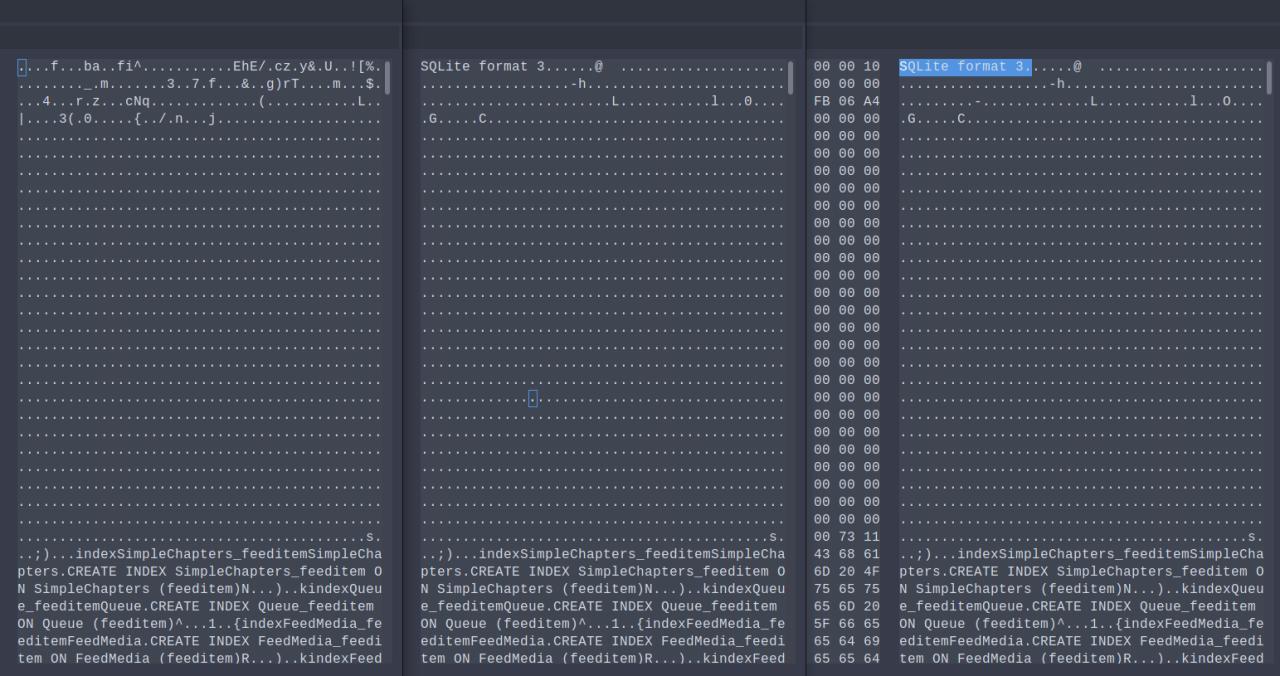
I think I'll move to another app.
Devices:
1) LG Nexus 5: LineageOS 14.1-20180531-nightly-hammerhead (and earlier versions); AntennaPod version 1.6.5.
2) LG Nexus 5X: LineageOS 15.1-20180528-nightly-bullhead (and earlier versions); AntennaPod version 1.6.5.
 nirfse
on 3 Jun 2018
nirfse
on 3 Jun 2018
It is suggested the corruption is likely to occur feeds refresh. If so, it might be due to some concurrent writes to database (or db + sdcard), and there might be a workaround by making refresh workflow write to database / sdcard serially:
- Make media download in serial: change "Parallel Downloads" to 1 in Preference.
- Make media download in serial: merge PR #2689 , which ensures automatic media download occurs after all feeds have been refreshed, instead of doing it concurrently
- Make feeds refresh in serial: I am unclear if it requires code changes, or setting "Parallel Downloads" to 1 will apply to feeds refresh.
 orionlee
on 5 Jun 2018
orionlee
on 5 Jun 2018
A data point for feeds refresh hypothesis: I have not experienced database corruption, despite fairly frequent feeds refresh recently.
Environment:
- Android 7.1.1 (Motorola Moto E4)
- AntennaPod custom build based on 1.6.5 (including PR#2689 above)
- database file in internal storage
/data/data - media files in external SD card
- about 35 feeds per refresh. The feeds are refreshed every 15 minutes.
- Parallel Downloads: 3
FeedImagestable grew to 500k+ rows (#2725)
orionlee
on 5 Jun 2018
FWIW, this just happened to me but I was able to recover almost all of my subscriptions (but not playback states) though I do not know why. Here is a chronology of what happened in case it provides any insight:
0-I previously believe I had added subscriptions via gpodder but did NOT have gpodder account (possibly relevant later)
1-SD card was full, figured this out because I couldn't add an additional feed (can't remember the error, which was confusing, but I also saw all my auto downloads failed)
2-Went to the "Downloads" part of Antennapod and deleted dozens of listened podcasts, ~ 3 gig freed.
3-Added the new podcast (via searching iTunes) but did NOT actually download any, continued deleting listened podcasts.
4-The next day, I go to my subscriptions and see this latest podcast is the only subscription.
5-Add one of the podcasts that was missing and see that I can bulk mark "listened".
6-Find this thread and decide to make a gpodder account.
7-Add a few podcasts via gpodder's web interface.
8-Sync gpodder on the phone and then all, except one, of my subscriptions are back, with the ones I re-added via gpodder existing twice.
9-The one subscription that was missing used to have one feed url, had updated it and apparently just deprecated the old one which now is a catch-all redirect to the website.
So now I have all my feeds but none of the playback states. Additionally, antennapod does not recognize the existing downloaded eps.
Everything is stock, nothing custom
Android 7.0
Moto G4+
AntennaPod 1.6.5
64gb sd card
 patcorwin
on 10 Jun 2018
patcorwin
on 10 Jun 2018
I had never had any major issues with antennapod. Four days ago I lost all my podcasts/queue. I had to rebuild everything from memory.
One day after that I lost everything again. This time I had a recent backup from my recent reconfiguration.
If antennapod keeps having this issue and doesn't get an auto backup feature then I guess I'll have to move to some other app, at least for the next few months.
This is a major issue. Major.
Major issues, major workarounds.
But thanks for sharing your app with us for free.
Cheers
Android 6.0 stock rom
Huawei P8 Lite 2015
Rooted with Magisk
AntennaPod 1.6.5
8GB SanDisk sdcard
 john3voltas
on 12 Jun 2018
john3voltas
on 12 Jun 2018
It's almost funny : I wanted to contribute to another bug report (podcast episode that ends suddenly) and I went into Settings / about to check AntennaPod version.
When I left About screen, database was wiped. 102 hours of carefully chosen podcasts vanished.
Edit : I followed hints previously explained in the thread : I did replace "SQLit��� ��Ft 3" by "SQLite format 3" in CorruptedDatabaseBackup.db (with Hex editor) then used AntennaPod Import function to import the db. All is restored.
 Saroumane
on 13 Jun 2018
Saroumane
on 13 Jun 2018
just experienced this behavior for the second time this year. it correlates with internal storage running out of free space during a feed refresh. is it possible to implement a shadow database for updates, so that we always have a good copy?
 pille
on 30 Jun 2018
pille
on 30 Jun 2018
Just happened to me as well. I had plenty of storage and wasn't updating the feed. I just switched back to the application, and everything was gone. I have the broken settings directory backed up, and might do some poking around.
Edit: I also replaced SQLit......Ft 3 by SQLite format 3, which solved the issue.
 JockeTF
on 12 Jul 2018
JockeTF
on 12 Jul 2018
Experienced the issue on Huawei P9 running stock.
AntennaPod v 1.6.5
Unable to diagnose cause.
Thanks to @ByteHamster and @solopa! This comment saved me from having to reconstruct my sizable podcast queue/subscriptions for maybe the 6th of 7th time! Wish I'd found this earlier.
...[Update]
It just happened again. Resuming playback but also running android studio in background. If it happens again will post the error. So far app doesn't crash, just silently drops all data. If it happens again I will also build from source and install to see if I can't get an exact file name and line number next time.
 Gaffen
on 18 Jul 2018
Gaffen
on 18 Jul 2018
Hello same happened to me this afternoon. Running on a OnePlus 2 running the stock Android of it.
I did nothing special. Just heard podcast and paused it via lock screen controls. After opening the app everything vanished only the podcast I just heard was still there. After playing and pausing it again from inside AntennaPod it vanished too.
Currently i'am not able to check the
CorruptedDatabaseBackup.db but if you want I can do this.
Probably a file with a stacktrace should be created when a CorruptedDatabaseBackup.db is created to tackle this problem. I assume it is something what is stored in the DB which causes the corruption. So it could be a special character used in episode description of any podcast. This would at least explain why it happens repeatedly for some users.
Edited the database as explained in the above comments an reimported it. Great this saved hours of organizing my queue. What is strange it does not show the current state of hearing. AntennaPod is somewhere in the middle of the episode I heard before everything vanished. Here is the episode url probably it helps something https://cdnapisec.kaltura.com/p/2238431/sp/0/playManifest/entryId/1_4o3mpzja/format/url/protocol/https/flavorParamId/1608871/c-t-uplink-23-2-Mobile-Payment-ultrabreite-Arbeitsmonitore-und-Fahrrad-Gadgets.mp3
Oh and what I want to say. Open source rocks. AntennaPod is the best and we will fix this ridiculous bug!
 fritzmark
on 21 Jul 2018
fritzmark
on 21 Jul 2018
I had this happen, for the first time, a few days ago with AntennaPod v.1.6.5 (commit 9b20aeae).
In trying to recover whatever might be recoverable (per @solopa's instructions, I
- replaced
SQLit��� ��Ft 3withSQLite format 3 - ran
sqlite3 AntennaPodBackup.dbwith no obvious problems - ran
attach "CorruptedDatabaseBackup.db" as old;
and consistently got:
Error: database disk image is malformed
along with the new files AntennaPodBackup.db-shm & AntennaPodBackup.db-wal
I tried generating the AntennaPodBackup.db several times. For the first attempt I started with just a blank backup, the second attempt I started with a single, new subscription, and the third attempt was with a new subscription, a downloaded podcast, and a queue'd but not downloaded podcast. The git repo only shows my attempt with the last attempt, but I got the same results with the previous two attempts.
Here's a git repo with the files and steps I went through:
https://github.com/metasean/AntennaPod-Troubleshooting/commits/master
Hopefully the corrupted file can provide some insight. (Of course, if one of you AntennaPod and/or sqllite gurus, e.g. @solopa, @ByteHamster 😉, happens to get it working and want to send it back my direction, well I'd be most appreciative! 😉)
And for anyone else trying to do effect a repair, here are a few tools I used in my failed attempt:
- to move the files between my phone and mcbook - https://www.android.com/filetransfer/
- to edit the hex files - https://ridiculousfish.com/hexfiend/
- sqllite itself - https://sqlite.org/download.html
AntennaPod has been a great app for a long time. Unfortunately, I've had a particularly crappy week (I had to put down my beloved 15 year old dog and came back to work to yet another round of layoffs which really impacted our team). This simultaneously puts AntennaPod's failure in context, and yet, I would benefit much more from being able to actually listen to my podcasts than having to troubleshoot my previously tried and true podcast app only to fail to revive the relevant data.
 metasean
on 26 Jul 2018
metasean
on 26 Jul 2018
implementing #2668 would really be helpful until this is tracked down and fixed, as i never had a CorruptedDatabaseBackup.db.
pille
on 30 Jul 2018
Just had the same issue, CorruptedDatabaseBackup.db is so corrupted that I cannot even modify the header to make it readable with sqlite3... There are some strings that look like sql tables that's all...
 bjonnh
on 31 Jul 2018
bjonnh
on 31 Jul 2018
Same here. Happened while I was refreshing feeds and simultaneously added a feed from iTunes.
 callis
on 2 Aug 2018
callis
on 2 Aug 2018
AntennaPod 1.6.5 from F-droid
OS: Android 8.1, standard Samsung Experience (9.0)
Device: Samsung Galaxy S8+ (SM-G955F)
This also happened to me, but as I wasn't expecting it to happen I didn't have a backup to restore from, only my initial import. (I know, I should know better than not to backup by now but... still.)
I was listening to a podcast when it happened, and I was in the Queue view. At first I thought I fat-fingered and cleared the queue, which would have been bad but not horrible. Then I noticed that all of my subscriptions were gone. On the plus side, I had about a 60-hour backlog of podcasts before, and now I don't.
Please let me know if there's anything else to be provided.
 jimsug
on 12 Aug 2018
jimsug
on 12 Aug 2018
FWIW, my Antennapod v. 1.6.5 just corrupted it's DB on my ASUS ZenPad P01MA wit Android 5.0 (what ASUS was generous enough to give me). This happened while I listened to an episode of "The Daily" where Trump was once again the topic, so I understand why Antennapod threw up so violently...
At least, I have backups of the podcasts (along with the corrupted SQLite DB) and an three months old OPML file, so I'll wipe the installation and start with a clean plate. Maybe I find a way to find a way to recover the history of what I already listened, but I also need to do that for two PodBird installations too.
GG
 gonter
on 14 Aug 2018
gonter
on 14 Aug 2018
Just a follow-up on my message from earlier today: App Manager thinks that AntennaPod is at v. 1.6.5 while Google Play thinks it is at v. "4.6.*".
gonter
on 14 Aug 2018
Happened to me also:
Device: Samsung Galaxy S5
OS: Lineage OS 14.1
I followed the steps outlined above, which got me reasonably far, although it wasn't able to resurrect my queue. I was getting the Error: database disk image is malformed mentioned above when running certain of the insert from select lines.
I then did the same steps expect I ran the following first:
DB_NAME="CorruptedDatabaseBackup.db";
echo '.dump'|sqlite3 $DB_NAME|sqlite3 repaired_$DB_NAME
I then attached repaired_CorruptedDatabaseBackup.db instead, and ran the same insert queries. This restored me to a state I was in when this corruption happened which is great.
However, I know have a different problem. Clicking the refresh feeds on either the queue or episodes pane has no effect. I see no notification. I can refresh a given podcast feed by going to the individual podcast and clicking refresh and this works just fine.
I've looked on logcat for the antennapod pid and I don't see any helpful output at the time I click the refresh.
Update:
The update of the Feeds table suggested in https://github.com/AntennaPod/AntennaPod/issues/2463#issuecomment-385354995 fixed the refreshing feed issue for me.
I am now fully back to normal as far as I can see.
 Newky
on 22 Aug 2018
Newky
on 22 Aug 2018
kind of glad to see I'm not the only one :-)
Device: Honor 7x (BND-L21)
OS: Stock MIUI 8.0 (Android 8.0)
Kernel: 4.4.23
I've been able to restore the DB (along with podcast images) thanks to @solopa 's instructions. Much appreciated!
 malockin
on 28 Aug 2018
malockin
on 28 Aug 2018
After months of reading this thread, this finally happened to me earlier this week.
It is a real pain configuring all my 30+ podcasts, mark things played, re-download episodes, etc.
Needless to say I will be clicking that "backup database" button more often in the future!
Galaxy S7 - AT&T stock build
yzerman19
on 7 Sep 2018
Needless to say I will be clicking that "backup database" button more often in the future!
Kinda makes you wonder why the code developer hasn't made that feature automatic and we still have to go down the menu and do it manually.
In all honesty, I can't thank enough the devs of this app because it is one of the main usage apps on my phone, but it is very unfortunate that we don't see any advances on them working on this issue when it would kind of almost suffice to create the auto backup feature in the first place...
john3voltas
on 7 Sep 2018
We are trying to fix the corruption instead of spending our time to provide better workarounds ;) By the way, version 1.6.6-RC1 on Google Play contains a revamped settings menu that allows faster access to the backup function. Additionally, it contains some improvements to make the database more stable
ByteHamster
on 7 Sep 2018
I should have mentioned I am on that version:
AntennaPod, Version 1.6.6-RC1
Commit: e1b0da97
On Fri, Sep 7, 2018, 5:12 PM H. Lehmann notifications@github.com wrote:
We are trying to fix the corruption instead of spending our time to
provide better workarounds ;) By the way, version 1.6.6-RC1 on Google Play
contains a revamped settings menu that allows faster access to the backup
function. Additionally, it contains some improvements to make the database
more stable—
You are receiving this because you commented.
Reply to this email directly, view it on GitHub
https://github.com/AntennaPod/AntennaPod/issues/2463#issuecomment-419567094,
or mute the thread
https://github.com/notifications/unsubscribe-auth/APPfFlbOBepE2LRTRb7xDYatIh7-V2icks5uYuE4gaJpZM4QC7Wz
.
yzerman19
on 7 Sep 2018
@ByteHamster: while we appreciate you fixing the real bugs and their root cause, this workaround would actually help people in the meantime and is probably not that hard to implement, so not wasting lots of resources.
pille
on 8 Sep 2018
Got the same error on LineageOS 14.1 over FDroid
I recognized that if I tried to install an old Version of the app, i got an signature warning. The Signature of the APK has changed and I would have to reinstall the "wrong" app. How could that happen?
 StarPicard
on 11 Sep 2018
StarPicard
on 11 Sep 2018
The first time I experienced this bug, solopa's instructions worked to recover. The second time, they did not.
I reinstalled AntennaPod (1.6.5), then followed those instructions again. That time, recovery worked, but I have noticed three differences:
The info button now works. (The first time, it button stopped working, as solopa said it would.)
Each of the podcasts now displays the "Filtered" banner, although no filters are applied.
Statistics are not updating. Marking an episode as played does not change the value for that podcast in "Sum up all podcasts marked as played" mode.
I wonder which of these differences are due to additional database corruption from this second round (if such a thing is even possible) and which are due to the reinstallation. In any case, I figured I would share this information, in case it is useful to anyone trying to fix this bug.
App version: 1.6.5 (from F-Droid)
Android version: 5.1.1
Device model: Nexus 4
 kylesorkness
on 7 Oct 2018
kylesorkness
on 7 Oct 2018
Not a developer, but I wanted to add what I could. I first had this happen a few months ago and it happened three times around that time but hadn't happened for a while.
Yesterday I was downloading an episode, something I haven't done for a while. When I looked at the download status, I saw I had a couple old downloads. I tried to delete one, went back to the main page and everything was gone. Also, I think I was using Bluetooth earbuds at the time.
As a side note, in my frustration of losing a few dozen podcasts, I downloaded three highly rated ads-supported podcast programs to try out, and all were embarrassingly inferior. I'm sure it's heresy to say, but I'd rather you guys put adds to pay for your time to figure this out. Great product otherwise.
Huawei Mate SE
Model BND-L34
Android Version 8.0.0
I do not save on SD, have 36 gig of 64 gig of phone storage space left
AntennaPod, Version 1.6.5
Commit: 9b20aeae
 lantsk
on 13 Oct 2018
lantsk
on 13 Oct 2018
After following this thread for a long time, I was now also exposed to this bug. It happened after switching my system language to one I hadn't used before. And the weird thing is: I'm on 1.7.0, so I'm afraid the prolem still persists.
(luckily I had a back-up of my database)
App version: 1.7.0 (Google Play alpha channel) commit 4ba36b82
OS version: Fairphone OS 18.04.1 (Android 6.0.1)
Devide model: Fairphone 2
keunes
on 21 Oct 2018
App version: 1.7.0
Android version: 8.0.0
Device model: Huawei Nova 2
Expected behaviour: Keep working with all my suscription
Current behaviour: All data is lost, no suscription, no episodes
First occured: unknown version nearly a year ago, now again 2 days ago
Steps to reproduce: hit me twice, can happen, hit thrice my fault, will switch to another podcast client
Would love to use the app again, but with this bug it is unreliable and will get the 1 star review on playstore. Used it for 3 years now :(
 universalamateur
on 30 Oct 2018
universalamateur
on 30 Oct 2018
Just happened to me this morning. Around a hundred subscriptions (I was using it as my RSS reader and YouTube subscriptions too which might have overloaded it, not sure).
Had been working without too many issues for around a year.
App version: 1.7.0
Commit: 4ba36b82
OS version: Lineage OS 15.1 (klte)
Device model: Samsung Galaxy S5 (kltecan)
Using internal storage, not an SD card. The CorruptedDatabase.db is 0 bytes, which might be because I rebooted my phone hoping it would fix it 😅
Android's app info says AntennaPod has 1.4GB of data stored, and a cache of 90MB.
I'm not able to access the crash logs... the email attachment is empty or is not being attached to an email.
Interestingly, it happened when I was searching and adding a new podcast. I clicked subscribe, then open podcast, and downloaded an episode. I went to my queue and saw it was cleared. Then noticed everything else was gone.
It's still a great app. Used it for years, keep up the great works guys! Thank you so much for all your development into this project ❤️
I'd be happy to send some bitcoin for a bug bounty program (or similar) to encourage work on this issue. Seems to be hitting a lot of people.
 heyheyhello
on 30 Oct 2018
heyheyhello
on 30 Oct 2018
I just faced the same issue/behavior as @heyheyhello (the third time within a few weeks, ... Unfortunately, there isn't any good alternative to antennapod)
 chrtz
on 4 Nov 2018
chrtz
on 4 Nov 2018
Just had something similar happen this week on Android 6, majority of Downloads suddenly disappeared, but files are still present in media/
Tried to export db but found it was a zero size file.
Anyone know a good mp3/podcast player that I can point at AntennaPods media directory, and preferably delete after playback?
 ciarancourtney
on 5 Nov 2018
ciarancourtney
on 5 Nov 2018
I just installed podcast addict, there I was able to add the 'media/' directory as virtual podcast.
I really prefer AntennaPod but these constant wiped data drives me crazy.
chrtz
on 5 Nov 2018
Please don't discuss alternatives in an issue tracker.
 pintman
on 5 Nov 2018
pintman
on 5 Nov 2018
Just had something similar happen this week on Android 6, majority of Downloads suddenly disappeared, but files are still present in
media/Tried to export db but found it was a zero size file.
Anyone know a good mp3/podcast player that I can point at AntennaPods media directory, and preferably delete after playback?
Actually I'm incorrect, the Downloads are actually missing from media/
ciarancourtney
on 5 Nov 2018
FWIW, I just created a bounty for this, starting at $15.
This is a relatively long-standing and not very sexy problem to solve, and I personally have no know-how to solve it, but I'd really like to go back to antennapod for my podcasting needs.
I know it's not a lot, and that the devs here are not in it for the money, but in any case, that's my proverbial coffee for your efforts. Maybe others want to chip in, too, to provide adequate caffeination. :)
/cc @heyheyhello
black-puppydog
on 5 Nov 2018
I'm sure I commented here to say I switched back to version 1.6.2.3 many months ago after being stung by this, and have not had this issue since, but it seems my comment has been deleted maybe? While not the best solution it is one way to continue using AntennaPod without fear of data loss.
jsteel44
on 5 Nov 2018
Someone could try doing a git-bisect from 1.6.2.3 to 1.6.4.1. A semi-reproducible method would be helpful for that, if anyone has one.
It does seem the bug was added in somewhere in the 1.6.x.x builds, as it is a major bug and someone surely would have reported it earlier if it had happened in earlier builds.
oskarkook
on 6 Nov 2018
Please don't discuss alternatives in an issue tracker.
Why not? The developer doesn't seem to be much bothered with it and neither with implementing a very basic workaround such as an automatic backup so that it keeps happening but people stop suffering.
I say it's time to look for alternatives as with today's this has been the fifth time this has happened to me in a completely unrecoverable fashion.
This looks as dumb as if a guy had invented the easy/quick spaceship to travel to Mars but the damned thing wouldn't work just because he couldn't fasten a stupid Philips-head screw to the spaceship.
This is simply outrageous! This is a Major issue. I mean, it is as major as it gets before the app doesn't even play or download, and we don't see enough interest on his part to fix this or at least trying to ease our pain.
And I am truly very thankful to him, for his work and for sharing it with us but this stops right here. For me, this was the last time. There has to be an option and I will find it. And I will post it here.
Cheers
john3voltas
on 11 Nov 2018
@john3voltas which app version are/were you using?
While it might not look like we are doing much, this is probably the most discussed issue between @mfietz and me. The problem is that it's not as easy to solve as walking to the workbench and using a screwdriver ;) The problem is that neither me or @mfietz are affected by this issue. There is no way to debug if we can not reproduce this on our devices.
If the task is that easy for you, your help would be greatly appreciated.
ByteHamster
on 11 Nov 2018
I get the anger, but it really is exaggerated for something that comes completely for free.
I would have fixed this issue a long time ago if I knew what causes this issue. If you read the other comments, you'll see that there isn't a good way to reproduce this issue. This issue happened to me once, but I cannot say what caused it.
This isn't a simple bug in the app (no "drop whole database"), there is something wrong in Android (the sqlite implementation it comes with, in particular). Nothing AP does should be able to corrupt the database!
I pushed a new version that hopefully fixes this issue to beta this morning. Let's hope it does...
mfietz
on 11 Nov 2018
@ByteHamster
As said before, I am truly very thankful to both of you for creating Antennapod and sharing it with us.
But to me this has gone to a place where I no longer can rely on it. In 6 months it has happened to me 7 or 8 times, and 5 among them it was simply and completely unrecoverable.
I understand that you both have your own priorities, you probably don't have much time to go on the hunt for months until you find it. But you can definitely make something as simple as fastening a screw: come up with a backup automation inside the app. That simple.
You can even make a screen for people turning on the restore procedure to automatically send you the logs through email or something similar. Just a thought.
My phone is currently on AOSPA "Paranoid Android" 7.3.1 which is based on Android 7.1.2 but I have used other ROM's and it has happened with those too. Namely Huawei's stock rom.
AntennaPod was updated just a few days ago to 1.7.0 from F-Droid. Since then it still hasn't happened again, but with 1.6.x it has been a complete nightmare. Last time I had it fail on me was 3 weeks ago.
@mfietz
Please don't read it wrong. It's not anger, it's a made-up-mind that I won't let it happen to me ever again.
And I gave you kudos several times for sharing it with us. Didn't mention it was for free but kudoed you guys. ;-)
Cheers
john3voltas
on 11 Nov 2018
technical part
@mfietz:
I would have fixed this issue a long time ago if I knew what causes this issue. If you read the other comments, you'll see that there isn't a good way to reproduce this issue. This issue happened to me once, but I cannot say what caused it.
i'm not sure if there are multiple root causes for this issue, that makes it that hard to track.
but for me it seemed to be an out-of-disk-space issue, as i commented in https://github.com/AntennaPod/AntennaPod/issues/2616#issuecomment-425878986
i never ran into this issue again, since i made sure there is always plenty (size of DB) of space on the partition that holds the DB. so my hypothesis is that it gets corrupted, when there's not enough space available. this would explain, why the AP code looks good, since android messes things up (as you suspected).
I pushed a new version that hopefully fixes this issue to beta this morning. Let's hope it does...
what's your hypothesis? how did you try to fix it?
social part
i guess people just get frustrated, since you claimed you fixed it, but it didn't get any better.
(which is understandable, if you have no way of reproducing it.)
my frustration came from the statement, that you're not interested in providing a workaround, which would ease the pain if we had automatic DB backups. i still do one manual about every other day.
this was pointed out in https://github.com/AntennaPod/AntennaPod/issues/2463#issuecomment-360708468
this issue is really long (both in terms of age and comments) by now and when i reread it today, i wasn't sure this was clearly communicated. maybe this idea just got lost somewhere but in my opinion you should really pick it up as users may benefit regardless of this issue.
pille
on 11 Nov 2018
@pille My best guess is that this is either connected to write ahead logging (disabled in 006204c3df3ef8c7e533efe438dd1300fb668a0b) or an issue with closing the database (disabled in 2578d33206b69929042a7e20f993a69488f9e84a).
WAL improves performance a bit, but we don't write that often. I haven't seen any performance degradation since I disabled it myself. This will also take pressure from devices with low memory.
We did not close the database until early 2016 and probably later (references where not counted correctly for some time). There are comments from google engineers that closing the db is not required and Android will do the right thing.
mfietz
on 11 Nov 2018
my frustration came from the statement, that you're not interested in providing a workaround, which would ease the pain if we had automatic DB backups. i still do one manual about every other day.
this was pointed out in #2463 (comment)And that is exactly why I completely lost faith in AP.
All it was needed in all these long months was to come up with an automatic DB backup option. One that was optional and that would only be available if you would share logs in order to help catch the issue.
Talk about the difficulty in fastening a screw with a pair of hands and a screw driver...
john3voltas
on 12 Nov 2018
This used to happen to me regularly, but since I turned on syncing with gpodder it has nearly stopped completely. When it does happen, it's easy to restore by running a gpodder sync. I no longer have to re-add each subscription, they are all restored by the gpodder sync.
 portfola
on 13 Nov 2018
portfola
on 13 Nov 2018
Possible Workaround
setting: HTC M8, LinageOS 14.1, Antennapod 1.6.5 from FDroid, will now update to 1.7.1
got hit by this the second time now... first time I had an OPML backup, which I lost unfortunately... :(
Just to let you my work-around to not completely loose your feeds (I had almost 100 in my list and it would have been a nightmare remembering and adding them again)...
I transferred the CorruptedDatabaseBackup.db file to my PC and opened it with sqlite-browser https://sqlitebrowser.org/
From there I exported the content of the "Feeds" table as csv. Next, I am looking for an option to convert it into a OPML file. But even if I don't succeed with that I still have a readable backup of all podcast / feed names and urls.
 robna
on 19 Dec 2018
robna
on 19 Dec 2018
Possible Workaround Part 2
My subscriptions are back! From the CSV I created above I copied the column 'download_url' and pasted them into an online opml generator https://opml-gen.ovh/
the resulting xml file can be read by the opml import function of AP
robna
on 19 Dec 2018
@robna , can you imagine that you're going through all that pain because a 5 stars app like AntennaPod doesn't provide us with a means to automatically backup the feeds database??
The truth is, there isn't a true alternative to AP, at least not an OpenSource one. But there are plenty of "free" (notice the quote marks) android apps out there that either don't randomly wipe out the database or at least have an automated mechanism to backup your database.
I will now unfollow this discussion because it still hurts having said goodbye to AP only a few weeks ago.
john3voltas
on 27 Dec 2018
Just to be clear, some still face the database corruption issue, even after the fixes introduced in v1.7.1 on Nov 12?
orionlee
on 28 Dec 2018
Haven't heard of a single corrupt database since 1.7.1
mfietz
on 3 Jan 2019
That sounds great! So I'll use AntennaPod again. Not ideal that it seems we don't really know what went wrong but anyway:
Thanks to everyone involved! <3
hex-m
on 4 Jan 2019
I have to report this to have happened for me again, on 1.7.1 just now
It happened while I was listening to a podcast with screen locked. A notification indicated that AP finished a podcast update with two subscriptions failed. In clicked on it to view the log which appeared empty. Then I switched to the main menu and saw all subscriptions, downloads and episode where gone. In the antenna pod directory I found the corrupted database file again. While I was checking this the playback of the episode continued but stopped after maybe 2min and the phone suddenly rebooted (don't know if that's related)...
Phone: HTC one M8 single sim
OS: LineageOS 16.0
AntennaPod: 1.7.1 from F-Droid
robna
on 15 Jan 2019
I have to report that it just happened to me a second time on AP 1.7.1
All versions and settings are still the same as in my last post.
Am I the only one still getting this error after 1.7.1 update?
robna
on 19 Feb 2019
@robna can you please check your partitions for free space and report the approx size of a database dump?
pille
on 19 Feb 2019
sorry, I hadn't have time in the past week to follow up on this, but in the meantime the same problem occurred twice again...
I am not sure if I fully understand what you mean, but I can tell that a database export is 28 mb in size (made by AP Settings > storage > Database import/export). The CorruptedDatabase file that occurs in the app directory when the error happens is also about this size.
The storage capacities and free space can be seen from the screenshot.
Is that what you were asking me for?
The SD card is class10 and set up as internal / adapted storage, not as an ext. SD card
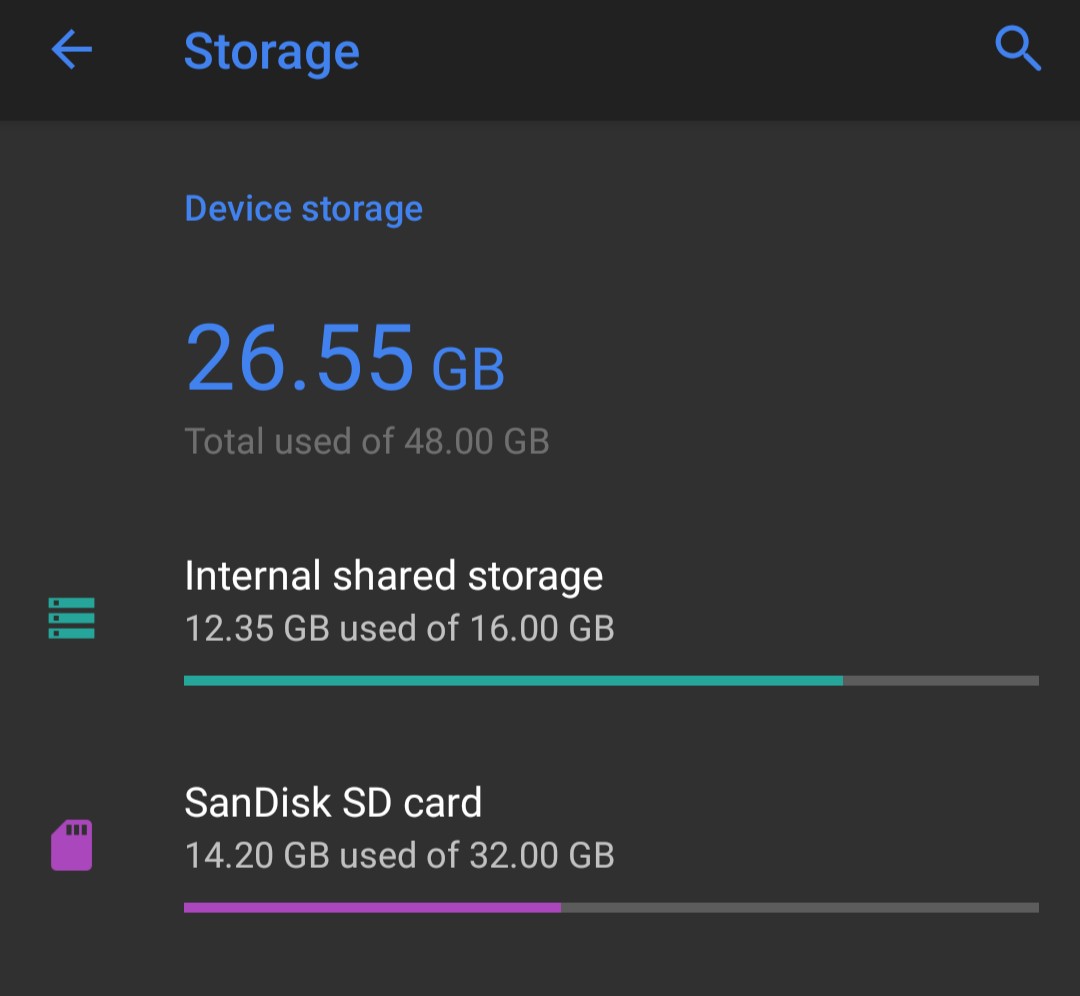
robna
on 26 Feb 2019
I like AntennaPod too much to stop using it because of this. I put a calendar entry to do a DB export every two weeks. Will report if I see it again too, had more problems with my previous phone (slow SD card). Current phone has only internal storage, have not had the problem yet.
 karloluiten
on 27 Feb 2019
karloluiten
on 27 Feb 2019
@robna thanks, that was the info i needed. unfortunately it doesn't fit my theory, so you seem to have experienced a different bug, than me.
pille
on 27 Feb 2019
I don't know any reason what might have changed but after having the problem only once every few weeks, I now had it 3 times in the past two days.
If I can assist with any specific logs or similar, please let me know what or how.
robna
on 28 Feb 2019
@robna have you checked your sd card for corruption?
mfietz
on 28 Feb 2019
@robna My experience with external SD card is that it might be a tad less dependable (even when there is no corruption). Given you use SD card as adopted storage, I wonder if there is some way to make AntennaPod stores its internal data (database) in the real device internal storage, rather than SD card.
Evidence of external SD card reliability.
I use an SD card as an external storage storing the actual podcasts. From time to time, AntennaPod would report a strange download error, complaining podcast directory is invalid, while the directory is valid (and has been for a long time). See screenshot at the bottom.
I don't know the actual reason, but I suspect the SD card momentarily returns error (the card is not corrupted) - for my case, the error is recoverable (it rights itself), but it could be fatal if some low-level SD card error happens during database operations.
Screenshot (the path reported is the valid podcast directory on my device):
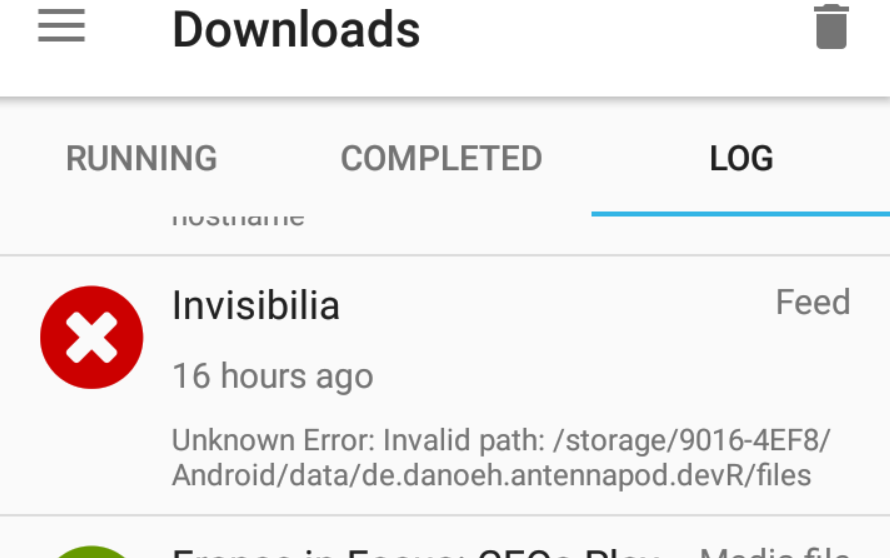
orionlee
on 1 Mar 2019
For what its worth, when this issue happened to me I was using internal storage, my phone has no ext storage, so obviously there is a bug in AntennaPod that the maintainers cannot recreate.
ciarancourtney
on 1 Mar 2019
@ciarancourtney what version of AntennaPod were you using when the issue happened? Some fixes were checked-in in v1.7.1 .
- If it happened with older version, then it might have been addressed in v1.7.1 .
- If it happened with v1.7.1, then we know for sure there is still some issue unrelated to external SD card.
orionlee
on 1 Mar 2019
@ciarancourtney what version of AntennaPod were you using when the issue happened? Some fixes were checked-in in v1.7.1 .
- If it happened with older version, then it might have been addressed in v1.7.1 .
- If it happened with v1.7.1, then we know for sure there is still some issue unrelated to external SD card.
It would have been 1.7.0 I was using
ciarancourtney
on 2 Mar 2019
@mfietz (it is probably a non-issue but just in case) regrading disabling WAL: I just noticed PodDBAdapter still uses db.beginTransactionNonExclusive() calls that implies WAL.
I don't think db.beginTransactionNonExclusive() calls would implicitly re-enable WAL again, but I am not 100% sure.
Edit: Given the eplicit disabling WAL was made after v1.7.1 - I should amend the above statements is applicable to develop .
For v1.7.1 on Android 9+ devices: WAL is not disabled (due to the lack of explicit disabling, that has been fixed in develop ).
orionlee
on 13 Mar 2019
Haven't seen this issue for a while. I consider it fixed.
mfietz
on 6 Apr 2019
Haven't seen this issue for a while. I consider it fixed.
I don't think it should be considered fixed, at least for Android 9 devices. However, since it last happend for me I reinstalled AP (I always did that when the crash occurred). But this time I just kept the default settings instead of changing to my preferences. I am running now several weeks without having experienced the db crash again.
In particular I used to change the theme to dark (unlikely that this might be related), plus I had auto delete switched on in storage settings.
So now I am keeping auto deletion off and the error didn't happen since. Could that be a hint?
robna
on 7 Apr 2019
Since I upgraded to 1.7.1 (d26d2126) I haven't seen the issue.
I'm running it on an archaic Android 7.0 phone; I suspect most people are probably running Android 9.x.
re: robna's settings:
- I've had mine set to use a dark theme, before, during, and since I had problems.
- I've _never_ had mine set to auto delete.
metasean
on 7 Apr 2019
Statistics time:
- Android 9: 21%
- Android 8.1: 11%
- Android 8: 29%
- Android 7.1: 7%
- Android 7: 12%
- Android 6: 11%
mfietz
on 7 Apr 2019
...speaking of the devil: just a day after I wrote that I had no problems in weeks I got a corrupted DB again. And in short succession 2 more times since then. The latter two I took logcat dumps shortly after the crash and filtered them for "antennapod". I can send them to you @mfietz if they could help to find out what's going on.
I had a couple of observations what might be involved in causing it but it's just speculations:
- At the first crash f-droid (from where antennapod was installed) was just running app updates in the background (however not on AP itself and it also was not the case for the two other crashes).
- Number of podcast subscriptions: when I did not have the crash for several weeks my subscriptions list had around 70 feeds. When it started happening again there were closer to 80 items on the list.
- Feed download errors (unsupported filetype): the second crash happened when I clicked the reload icon in the download logs of AP of a feed that usually downloaded fine but was listed as canceled due to unknown filetype. The third crash (ca. 2 days later) happened a couple of minutes after a feed update which ended also with ca. 4 feeds listed as download error (other podcasts than after crash no.2, and this time I did not clock on their reload button). Also I noticed that the feed URL of some of those that had download errors was not the original one, but replaced by one direct episode URL of those feeds.
I also kept the corruptedDB file of one of the crashes if that can be of any use.
robna
on 13 Apr 2019
The logcat I received contained a DeadSystemException. The docs (https://developer.android.com/reference/android/os/DeadSystemException.html) say about it
The core Android system has died and is going through a runtime restart. All running apps will be promptly killed.
I guess this needs an Android OS update to be fixed.
mfietz
on 13 Apr 2019
App version: 1.7.1
Android version: 9.0 (LineageOS 16)
Device: Samsung Galaxy S5 (klte)
@mfietz I still experience this issue about once a week (all data "lost" and old data does not get wiped untill I do that android-side via the settings).
I see this weekly since I upgraded to LineageOS 16 in March 2019. Before, I had LineageOS 15.1 and it happened to me just one or two times in ~3 months. My device is a Samsung Galaxy S5 (klte).
I've seen the issue with and without an external sd card attached (For the latter: Using the mode which extends the internal storage. The SD card is a not-so-cheap and relatively new Samsung 64GB and I tested it physically with badblocks.)
All I'm asking for is to reopen this issue to track when the issue actually is fixed via Android OS update or otherwise. So that affected users can report back. And maybe post a link to some other bug tracker.
For your latest comment: Should AntennaPod not be robust against a DeadSystemException? If the core Android system kills a running app, shouldn't the app's persisted data survive? Does AntennaPod reuse Android OS infrastructure (like some database) or does it come shipped with e.g. a database to provide persistence?
 thomaszbz
on 21 Apr 2019
thomaszbz
on 21 Apr 2019
The logcat I received contained a
DeadSystemException.
@mfietz what do you mean by "logacat I received"?
A logcat from your device, or from another user? I didn't send mine yet.
And also plus one vote from me: I'd be happy if the issue would remain open until we found a solution
robna
on 22 Apr 2019
I think this bug just happened to me. AntennaPod spent all night displaying a notification about "Processing download data". In the morning I rebooted my phone and then when it came back up all my podcast data was wiped.
Unfortunately, reinstalling the app and restoring the database from bacup did not seem to help. It seems that Google has backed up the version of the database from last night, after it was already corrupted/wiped.
 hugomg
on 3 Nov 2019
hugomg
on 3 Nov 2019
@hugomg at v1.7.1, I had this bug every week or so (until ~mid-2019), but for me it is gone for some months.
Currently, I'm using v1.7.3b and AntennaPod was running rock solid for several months. I assume this particular bug (#2463) definitely got fixed.
Please post the version you were running when you experienced the data loss. Maybe it turns out you had an ancient version which was affected by this bug (e.g. 1.7.1). In that case, updating should do the trick.
Or maybe this got fixed via Android update. Actually, I'm not sure what fixed it. That said, maybe an Android update does the trick.
If you already were on a recent version when you experienced the data loss, then maybe you hit a new bug. Consequently, you might want to consider to file a new issue for the new bug.
thomaszbz
on 3 Nov 2019
I reinstalled antennapod today so I'm not 100% sure what version I was using last night. But it probably was 1.73c, since I've been installing all the updates from fdroid.
For the record, I have since checked that my antennapod was storing its files in the SD card, which seems to be the more problem-prone configuration
hugomg
on 3 Nov 2019
I think this bug just happened to me. AntennaPod spent all night displaying a notification about "Processing download data".
The persistent "Processing download data" notification is unlikely related to podcast data wipe. I believe the issue has been addressed; the fix will be included in the next release.
For the record, I have since checked that my antennapod was storing its files in the SD card, which seems to be the more problem-prone configuration
For that, do you mean:
- you specify Antennapod to store the downloaded episodes in the SD card? Or,
- you specify that the entire Antennapod app itself is stored in SD card?
In case 1, the actual database is still in internal memory, while in case 2, the database is in SD card.
Unfortunately, reinstalling the app and restoring the database from bacup did not seem to help. It seems that Google has backed up the version of the database from last night, after it was already corrupted/wiped.
By restoring the database from backup, do you mean you used Database import function in Settings > Storage > Database import?
If so,
- AntennaPod does not make Google backup the database. Users can do their own backup with database export from Settings.
- If you don't mind, you could post the database backup file. Someone could possibly take a look to understand what happen.
orionlee
on 4 Nov 2019
AntennaPod does not make Google backup the database
Oh, I suppose that explains it. I assumed that it did backup the database because AntennaPod was listed in my phone's "Backup App Data" page.
The persistent "Processing download data" notification is unlikely related to podcast data wipe. I believe the issue has been addressed; the fix will be included in the next release.
Oh well. Unfortunately I think that in the process of manually reconfiguring my podcasts I erased any old copy of the database that I might still have had around.
hugomg
on 4 Nov 2019
@hugomg was the AntennaPod app itself installed on the sdcard? Or was it just the podcast episodes downloaded to the sdcard?
orionlee
on 5 Nov 2019
It was installed to the internal memory, and saved podcasts on the sd card.
hugomg
on 6 Nov 2019
Just happened to me again (for the second time ever). Version 1.7.3c. Data stored on SD card. Listened to a podcast earlier today, everything was working fine. Just now I picked up my phone, switched back to the AntennaPod app, and the database is completely empty. There have been no errors of any kind displayed on the phone, and everything else on the phone seems to be working correctly.
Luckily for me, I use TitaniumBackup nightly, so I can restore the database--otherwise I would lose tens of subscriptions and hundreds of episodes in queue and marked as favorite. :(
Since this issue is clearly not fixed, and since it happens to so many users, I think this bug should be reopened, and AntennaPod should have an automatic, scheduled database export option, which should keep a configurable number of days' worth of backups.
 alphapapa
on 1 Dec 2019
alphapapa
on 1 Dec 2019
@alphapapa Which android version and which device are you using? Has your device been up-to-date in respect to Android-Updates when this problem happened to you?
thomaszbz
on 1 Dec 2019
This happened to me on an old Galaxy S4 using Android 4.4. (Yes, it's relatively old, but it works fine for listening to podcasts. And, no, there are no more updates available for it, but other apps on it don't randomly lose all their data like this.)
alphapapa
on 1 Dec 2019
Just out of curiosity, how big is your AntennaPod database? You can view the size by using the database export functionality.
Edit: do you use a Taskmanager with auto-killing?
ByteHamster
on 1 Dec 2019
I'm sure I posted this before but I don't see my comment. I thought it was worth saying that after I got stung by this, I went back to 1.6.2.3 a year or so ago, use it daily and have not had the issue. This could be useful for those wanting a stable version, and also for the developers to review changes since that version to track down this bug.
jsteel44
on 1 Dec 2019
Just out of curiosity, how big is your AntennaPod database? You can view the size by using the database export functionality.
Since restoring from TitaniumBackup and using the app yesterday and today without any problems, the current export is 15.7 MB (16,474,112 bytes).
Edit: do you use a Taskmanager with auto-killing?
No, nothing like that. That was why it seemed so strange when it happened this time: I was using the phone normally and everything else seemed fine. Earlier in the day I had been listening to a podcast. When it finished, I put down the device, and later when I picked it back up and switched back to the AntennaPod app, the database was empty--no errors or other problems of any kind on the device.
Thanks for your attention on this. I know this kind of problem is very difficult to debug, and there's only so much you can do from your end.
alphapapa
on 1 Dec 2019
You kids will never learn, will you?
It doesn't affect them, as such, they couldn't care less about it.
Just forget about Antennapod team support over this issue already!
They don't give a * about it. If they did, they would have done something a long loooong time ago.
We have two choices:
a) ditch Antennapod, find another podcast player that suites our basic needs, one which doesn't bork and LOOSE ALL our subscriptions every couple of months.
b) live with the issue and shut the * up, because keep crying for help will only make it humiliating.
I found alternatives which work for my use case. EscapePod doesn't have any options. But it works and it has never lost my subscriptions.
I fully understand that finding and squashing this bug must be a hell of a quest for a small team of non-paid developers. They have my sympathy when it comes to that point.
But one thing is fixing it and another thing is working around it! All they had to do was develop a small routine that would backup the subscriptions to a file in the sd card everyday.
Heck! They already have the backup code all written! It would have been a simple matter of scheduling it. But no, not these guys.
So, suck it up boys and gals. Find an alternative or keep using AP but stop crying and humiliating yourselves.
john3voltas
on 4 Jan 2020
Me too:
AntennaPod 1.8.1
Pixel 3a
Android 10
I'm not exactly sure when it happened, so I can't correlate with an upgrade, etc. (interestingly it happened around the 22nd-23rd of the month which seems like a crazy correlation but worth noting #2270)
 yearski
on 27 Mar 2020
yearski
on 27 Mar 2020
Reason Why SQ_lite Data Get Corrupted
File Overwriting Operations: Overwriting of SQLite files is possible as these files are ordinary disk files, not anyway is there to defend the database from such actions.
File Locking Issues: For coordinating concurrent processes, SQLite uses locking database facility and the reason behind it is avoiding changes done by two different processes for a single database that explores data corruption.
Database Syncing Failure: If sync command of SQLite Server playing the role of I/O barrier instead of a true sync, then any failure may come across to you that further rollback actions, you can say it a violation of ACID property. In this case, the database will be in resistant mode.
Flash And Disk Drive Failures: The changes in the content of hard drives and disk drives may be quite annoying for SQLite users.
Wrapping It Up
There are various reasons behind the Android using SQLite. However, it can be damaged anytime. Therefore, in the above blog, we have learned a method to repair Android SQLlite Database after it gets corrupted. Many professionals have successfully used this method and recovered their data.
 AhmadAyyaz1993
on 2 Jun 2020
AhmadAyyaz1993
on 2 Jun 2020
Actual source for the comment:
http://www.teckrr.com/android-sqlite-database-got-corrupted-fix-it-here/
 joso9001
on 2 Jun 2020
joso9001
on 2 Jun 2020
Just happened again. Was listening to a podcast a few hours ago, then paused it and set down the phone. When I picked up the phone and turned on the screen, the episode that had been playing is shown in the bottom bar as the currently playing episode, but the database is completely empty: no subscriptions, no episodes, no queue. Good thing TitaniumBackup backed up my database last night, or I'd have lost everything again.
Also: This time, I had to do more than usual to get the app and its database restored. Usually, I would just use TitaniumBackup to restore the latest database backup. This time, it went like this:
- Restore the database that was backed up last night.
- Run the app.
- DB is still empty.
- Restore the database that was backed up two days ago.
- Run the app.
- DB is still empty.
- Reboot phone, repeat steps 1-6. DB is still empty.
- Manually uninstall the app.
- Restore the app and the database that was backed up last night.
- App settings are missing (e.g. the theme is the default rather than dark mode), and only one subscribed podcast is listed.
- Restore the app and database that was backed up two days ago.
- Finally, the app settings and database are restored.
I have no explanation for this bizarre behavior. I don't seem to have this kind of problem with other apps on my phone, with an app's data disappearing after I turn off the screen for a few hours.
alphapapa
on 28 Jun 2020
App version: 1.8.1 (F-Droid)
Android version: 9 (stock Motorola)
Firstly thanks for the great app, many hours of joy but just been hit by this for first time. The app was using internal storage. I have a file 'CorruptedDatabaseBackup.db' whose size is 19MB.
It seemed to happen on first load after an update from f-droid. There is a crash-report.log (below).
What is the best way to recover from this, I read up but couldn't see any clear consensus. Import an old copy of the database if available? Otherwise presumably the methods from the FAQ for transferring data between phones would help - but not much use after a complete loss. Could the FAQ not address this situation directly as it's potentially catastrophic?
Looks like I have a fair amount of files still in 'cache' and 'media' dirs but seems like every important setting was stored in the db? Has anyone succeeded in recovering a corrupted db (comments above from AhmadAyyaz1993 and joso9001)? Thanks for any help.
[ Crash info ]
Time: 02-07-2020 08:06:06
AntennaPod version: 1.8.1

[ StackTrace ]
android.database.sqlite.SQLiteDatabaseCorruptException: database disk image is malformed (code 11 SQLITE_CORRUPT)
    at android.database.sqlite.SQLiteConnection.nativeExecuteForCursorWindow(Native Method)
    at android.database.sqlite.SQLiteConnection.executeForCursorWindow(SQLiteConnection.java:859)
    at android.database.sqlite.SQLiteSession.executeForCursorWindow(SQLiteSession.java:836)
    at android.database.sqlite.SQLiteQuery.fillWindow(SQLiteQuery.java:62)
    at android.database.sqlite.SQLiteCursor.fillWindow(SQLiteCursor.java:149)
    at android.database.sqlite.SQLiteCursor.getCount(SQLiteCursor.java:137)
    at android.database.MergeCursor.getCount(MergeCursor.java:61)
    at android.database.AbstractCursor.moveToPosition(AbstractCursor.java:220)
    at android.database.AbstractCursor.moveToFirst(AbstractCursor.java:259)
    at de.danoeh.antennapod.core.storage.PodDBAdapter.getFeedMediaCursor(SourceFile:1107)
    at de.danoeh.antennapod.core.storage.DBReader.getFeedMedia(SourceFile:233)
    at de.danoeh.antennapod.core.storage.DBReader.extractItemlistFromCursor(SourceFile:214)
    at de.danoeh.antennapod.core.storage.DBReader.getFeedItemList(SourceFile:178)
    at de.danoeh.antennapod.core.storage.DBReader.getFeed(SourceFile:605)
    at de.danoeh.antennapod.core.storage.DBTasks.searchFeedByIdentifyingValueOrID(SourceFile:397)
    at de.danoeh.antennapod.core.storage.DBTasks.updateFeed(SourceFile:448)
    at de.danoeh.antennapod.core.service.download.handler.FeedSyncTask.run(SourceFile:36)
    at de.danoeh.antennapod.core.service.download.DownloadService.handleSuccessfulDownload(SourceFile:290)
    at de.danoeh.antennapod.core.service.download.DownloadService.access$700(SourceFile:65)
    at de.danoeh.antennapod.core.service.download.DownloadService$1.lambda$run$0$DownloadService$1(SourceFile:259)
    at de.danoeh.antennapod.core.service.download.-$$Lambda$DownloadService$1$S8ej4zPvp4RNdCW7ObFuEgIwAiw.run(Unknown Source:4)
    at java.util.concurrent.ThreadPoolExecutor.runWorker(ThreadPoolExecutor.java:1167)
    at java.util.concurrent.ThreadPoolExecutor$Worker.run(ThreadPoolExecutor.java:641)
    at java.lang.Thread.run(Thread.java:764)
 Ian2020
on 8 Jul 2020
Ian2020
on 8 Jul 2020
I'm sorry @Ian2020 you were affected by this thing too
Could the FAQ not address this situation directly as it's potentially catastrophic?
We sure can update the FAQ, but what do you expect in terms of content? I'm not sure I understand 'address this issue directly'.
keunes
on 8 Jul 2020
Fair question, let me draft something then. I see the FAQ is in another repo - I'll propose a PR there so as not to disrupt this thread.
Ian2020
on 9 Jul 2020
I am wondering why the Android system sometimes tells us that the database is broken while it can be recovered just fine by running sqlite3 CorruptedDatabaseBackup.db ".dump" | sqlite3 fixed.db (plus PRAGMA user_version = versionOfCorruptedFile).
Maybe in cases where the Android system tells us that the database is broken, we should try to fix it automatically using the sqlite3 utility.
ByteHamster
on 20 Sep 2020
@ByteHamster I've been doing some digging on this as I have a corrupted database myself. From what I can tell, sqlite is able to recover the broken database when the issue is only with the indices. In this case, running the command you mentioned will fix the problem since it just ignored the indices altogether when dumping the database.
However, I have been able to put the database in a state where the problem escalated from indices to the table rows themselves, at which point running .dump or .recover resulted in an empty database. A dump file was created, but due to errors when dumping the data, it ended with a ROLLBACK of all operations. This only happened once by just deleting certain shows in a particular order via the app.
We should keep this in mind if we decide to do any automatic recovery and backup the existing database beforehand.
 andersonvom
on 23 Oct 2020
andersonvom
on 23 Oct 2020
I have been able to put the database in a state where the problem escalated from indices to the table rows themselves, at which point running .dump or .recover resulted in an empty database
Do you have a way to reproduce this?
ByteHamster
on 23 Oct 2020
Unfortunately it only happened once, after deleting several shows. I tried reproducing it afterwards multiple times but to no avail. :(
Still something to keep in mind since, even though the DB was broken, the app was still usable. The shows that were corrupted would just be loaded with null values when read from the database, likely due to invalid data (you could see certain db rows having wrong values in certain columns, as if some chunk of the db had just been deleted).
andersonvom
on 24 Oct 2020
@ByteHamster Forgive me if this is noise, but something I've noticed recently: Since I had to switch from the F-Droid version to the Play Store version (due to the TLS issues that I think were recently resolved, and thanks for your work on that), I noticed that sometimes the audio playback of an episode can pause for a moment if I do other things in the app that touch the database, like tapping on an episode to view its description.
It seems to me that audio playback should be on a different thread (and/or even a different process) than the UI and database-touching threads, so this behavior seems strange to me. It makes me wonder if playback constantly touches the database--perhaps to update the current position of the episode being played.
If so, I wonder if that contention makes corruption more likely. (Of course SQLite and Android should be able to handle that, but should is a strong word when it comes to software.)
alphapapa
on 24 Oct 2020
I have a really wild guess. Do you (who are still affected by this problem in AntennaPod 1.8.1 or newer) use the option subscription order » by publication date?
Edit @alphapapa: AntennaPod should not access the database in the main thread normally (but it might happen in some cases like when pressing the play button while the app was killed by the system). Media playback happens in a completely different thread.
ByteHamster
on 3 Nov 2020
I'm longer effected (thank You!). Back in the days, my subscriptions where sorted A-Z.
callis
on 4 Nov 2020
@ByteHamster subscription order is unchanged for me. What's your hunch?
andersonvom
on 4 Nov 2020
@andersonvom @callis Thanks! So it looks like the setting is not responsible.
What's your hunch?
That setting sometimes causes out-of-memory crashes in all AntennaPod versions between 1.4.0 (that's from 2015!) and 2.0.3 (only if you are subscribed to many podcasts, usually happens during refresh). My idea was that if the OOM error happens during a database write operation, it could cause the corruption. (details about the OOM error: #2312). As both of you do not use the setting, it can not be the root cause, though.
ByteHamster
on 4 Nov 2020
Hello, I've been a happy user of AntennaPod for about 5 years, with only 2 database crashes.
Today everything is fine with AntennaPod 1.8.3 and I'm very reluctant to move towards 2.0.x versions (I'll prefer to wait 2.1.x for more stability)... except if 2.0.x is more resistant to database crashes.
What do you think ?
Saroumane
on 4 Nov 2020
I don't know what version is more resistant to database crashes. If I knew, it would be easy to fix the problem :)
ByteHamster
on 4 Nov 2020
I posted last year stating that version 1.6.2.3 is fine, it was after updating from that version that I was stung twice (I put the first time down to a random issue, but it persisted). I downgraded and I've been running that version ever since without any issue, and I had been through many versions before that without issue, so I suspect the issue was introduced just after this version. Why we haven't had people bisecting commits to narrow this down I don't know, but that's a known good version for the issue I faced (who knows if there are many reasons why the db could get randomly wiped). I don't think anyone has reported an issue with 1.6.2.3 or earlier, so I'm sticking to this until the issue is found and resolved.
jsteel44
on 4 Nov 2020
Why we haven't had people bisecting commits to narrow this down I don't know
As you probably know, AntennaPod is developed by volunteers. Even though AntennaPod has tens of thousands of users, the number of active contributors is pretty small. The reason why people have not bisected commits yet is that the affected users either are no developers or don't consider this problem big enough that they spend their time bisecting. I am not affected by the problem, so I can not do it myself.
You are affected by the problem and it looks like you are a developer. If you could help with bisecting, that would be a great contribution!
ByteHamster
on 4 Nov 2020
Why we haven't had people bisecting commits to narrow this down I don't know
This is also not super reproducible: for instance, I have no idea how mine got corrupted, only that one day I wasn't able to remove a very specific podcast (removing most podcasts still worked just fine) and after further investigation noticed it was corrupted. Whether it happened shortly before I noticed it or long ago remains a mystery. So unless we can consistently corrupt the database, there's no way to bisect the code.
andersonvom
on 5 Nov 2020
there's no way to bisect the code.
I would do this by making builds for commits (eg every 10 commits to start with, depending on how many we have ahead of us and keep breaking it down further) after 1.6.2.3 and have everyone who has been affected try them, and report back after some time as to which has the issue and which hasn't. That sounds like a logical way to narrow this down. Of course it will take time, but we are 3 years down the line already, maybe it could be narrowed down in another 3 years. ie if there are some reports for 1.6.2.3-commit17 having the issue but no reports of 1.6.2.3-commit16 having the issue after many, many months maybe that will be the key to identifying what caused this issue.
you could help with bisecting
sure, this is something I plan to poke one day, but as I found a workaround by sticking with 1.6.2.3, it's low priority for me. I was just speaking up as people continue to talk about this, with a suggestion to downgrade or start bisecting.
jsteel44
on 5 Nov 2020
Of course it will take time, but we are 3 years down the line already, maybe it could be narrowed down in another 3 years.
Given the issue showing up rather infrequently and probably to few users with the technical know-how & motivation to help, it would indeed take rather long. But indeed, 3 years passed, another two to identify the issue makes sense. A first step would be to identify commit blocks and create builds for them. The first two problems would be to identify the duration of a commit block test and getting a list of people that are willing to contribute to testing.
keunes
on 5 Nov 2020
Honestly, I feel like trying to bisect an issue that we don't know how to reproduce will be very hard if not impossible, unless you have a lot of free time on your hands, and maybe even then. Let's assume someone had such amount of free time: they'd create many builds and have different users try them for some time. If the issue does not happen during that time frame, does it mean the version is bug free? No, the exact conditions for the bug to have happened might just not have happened. Even prior versions might be affected and we just don't know because it might only happen in certain devices, with certain types of memory card, or certain android versions, or a combination of these factors, or ... . The possibilities are unlimited!
@ByteHamster One thing we could do, though, is add code around DB operations to notify the user when/if we detect a DB corruption, ask them to fix the issue, and report back if it happens a second time around. This would tell us whether the problem still happens, and hopefully provide a little more information on how often this happens and around what operations. Thoughts? 🤷♂️
andersonvom
on 5 Nov 2020
Has someone had this issue in a version prior to 1.6.2.3? If not, something was introduced after this to cause this issue. I don't remember the exact dates but I had two wipes within a few months, and none after going back 1 version. so yes it will take time to confirm but how else are we going to get the bottom of this? You can call my suggestion foolish but it's logical (be it time consuming) and your suggestion is just masking the problem.
jsteel44
on 5 Nov 2020
I'm truly sorry for the poor wording on my part, my intention was not to be critical or put anything down, just point out that it'll be a very high cost, involving many users over a long period of time doing something that doesn't guarantee that we will find the issue.
andersonvom
on 5 Nov 2020
I have a really wild guess. Do you (who are still affected by this problem in AntennaPod 1.8.1 or newer) use the option subscription order » by publication date?
I wasn't sure what option you meant, but I found it in the UI settings, and it's currently set to Sort by number of played episodes. I don't recall ever changing that option.
Regarding bisection: IIRC, every time I've encountered database corruption, it happened without any apparent reason. Usually it goes like:
- Listening to a podcast, everything seems fine.
- Stop listening, set phone down, everything seems fine.
- Pick up the phone a few hours later, and all subscriptions, episodes, and the queue are empty. No crashes in AntennaPod or other apps or the OS. Just...poof.
alphapapa
on 5 Nov 2020
add code around DB operations to notify the user when/if we detect a DB corruption, ask them to fix the issue, and report back
your suggestion is just masking the problem.
Having users contacting us after the database gets corrupted doesn't sound like masking the problem to me. If at all possible (I'm not a developer), I guess it could help identify what is causing the corruption (?)
keunes
on 5 Nov 2020
if we detect a DB corruption, ask them to fix the issue, and report back
We currently already write the corrupted file to the sd card for recovery. That code path could be extended.
This problem could happen more often than I thought. If only the indexes are affected, users don't even know that there was a corruption.
I wonder if we actually need the indexes. They increase the number of write calls a lot and we write to the database pretty frequently during each feed refresh. That's obviously not a reason why the database breaks (as it is a core feature of SQLite) but it might make it more likely.
ByteHamster
on 5 Nov 2020
They increase the number of write calls a lot and we write to the database pretty frequently during each feed refresh.
Could updating the indexes be deferred until, e.g. all feeds in an update have finished updating, so they'd only be updated once? (assuming that's not already the case)
alphapapa
on 5 Nov 2020
My idea was that if the OOM error happens during a database write operation, it could cause the corruption. (details about the OOM error: #2312). As both of you do not use the setting, it can not be the root cause, though.
A data point: I might have encountered the OOM error a few times, and did not experience any data corruption.
More specifics:
- I found AntennaPod hang during subscription refresh, maybe once every few months that I could resolve by force stopping the app. No data corruption happened.
- I have 106 feeds, a database about 50Mb.
- AntennaPod version: 1.7.3b-based custom build.
- Device: Moto E4, Android 7.1.1
orionlee
on 5 Nov 2020
Apart from a lot of reformatting (did I mention that I don't like PRs that change the code style of unrelated code for no reason?), the only real DB related commits between 1.6.2.3 and 1.6.4.1 are the following:
- https://github.com/AntennaPod/AntennaPod/commit/28f52d0ea61a95503463ec27750f5610ec8b450a: Should be fine.
- https://github.com/AntennaPod/AntennaPod/commit/6eba46a7bacfddb30353a63b52ca511d94d14aa7: Introduces try/catch for database operations. It removes some
cursor.moveToNext()calls but those are just related to reading. I think the worst thing that could happen there is that data is read incompletely. Overall, looks fine to me. - https://github.com/AntennaPod/AntennaPod/commit/43b604664bdcda370214ebf5251ba5f4988fe740: That one looks interesting. The database access class (
PodDBHelper) is changed from a lazy singleton to a Bill Pugh singleton. It also removes asynchronizedkeyword but that was re-added in 1.6.4.5. What's still different until today is the singleton implementation.
@jsteel44 are you really sure that this does not happen in 1.6.2.3 and does happen in versions newer than 1.6.4.5?
ByteHamster
on 5 Nov 2020
I have prepared 3 builds. Two of them use the singleton implementation from AntennaPod 2.0.3 and one of them uses the singleton implementation from AntennaPod 1.6.2.3. There is a chance that the latter fixes the corruption. If you can find out which of the 3 builds is the one that changed the behavior back (by trying the app, not by decompiling, obviously), we have found the solution.
You can find the builds here: https://drive.google.com/drive/folders/1Rbbb0g99KTzS3C3qbXcjQFDmEPuq2XDq?usp=sharing
So it's basically the idea of bisecting - but we just have one single commit to test. Sorry for this strange procedure. This bug happens so infrequently that there is a pretty high risk of confirmation bias (meaning that we think it is fixed, just because something was changed). To prevent confirmation bias, I will not tell you which one is which. I don't do this to be annoying, I promise ;)
Please create a database backup before trying. That update installs on top of your existing AntennaPod installation, so you can not downgrade afterwards.
ByteHamster
on 5 Nov 2020
@ByteHamster I found a report I made https://github.com/AntennaPod/AntennaPod/issues/2576 so it's 1.6.4.5 that I had the issue with. I'm not sure what versions were released between 1.6.2.3 and 1.6.4.5 but as you mentioned 1.6.4.1, it's possible I went back to 1.6.4.1 and it happened again (but at this point I'm relying on my memory; I just remember it happening twice) so I went to 1.6.2.3 and have been fine for a long time now.
Thanks for the builds. What's the difference between the two using the "singleton implementation from AntennaPod 2.0.3" or is that a secret? This is exactly what I was hoping someone could do so I'll plan on trying them out in a random order and see which I have an issue with. Many thanks.
jsteel44
on 5 Nov 2020
What's the difference between the two using the "singleton implementation from AntennaPod 2.0.3" or is that a secret?
They are identical.
The reason for having 3 is the following: Assume there are versions X and Y. Now you test version X and experience the problem. Then you start testing Y, knowing in the back of your head that it might be the one that contains the fix, and maybe stop too early while actually, the fix did not work and both still have the issue.
ByteHamster
on 5 Nov 2020
I see, makes sense. I tried to install one but it just says "App not installed" after hitting the install button and seeing the "Installing..." message, all 3 give me that issue, not sure why yet.
jsteel44
on 5 Nov 2020
Did you get your existing install from F-Droid? They use a different signature (which is private to F-Droid). That signature mismatch prevents switching between the versions.
ByteHamster
on 5 Nov 2020
Yes, and I don't think 1.6.2.3 has an option to backup the database, and adb backup is giving me a really tiny file so not sure how I can switch over without losing everything.
jsteel44
on 5 Nov 2020
Does adb have access to AntennaPod's database in /data/data/de.danoeh.antennapod/databases/? If so, I think it should be enough backing up only these files. Alternatively, you could upgrade using F-Droid, turn off the internet (so you are sure that feeds are not updated and therefore the database is not written), and then use the export functionality. The export does not include downloaded episodes and app settings, though. Only the subscriptions and state of each episode.
I can also create 3 debug builds that can be installed alongside the existing installation. I am not sure if it is possible to reproduce the problem in a debug build, though.
ByteHamster
on 6 Nov 2020
Thanks yes I came to that conclusion that I could update via F-Droid to do the export which I did, but now I'm wondering if I uninstall the app, if it will wipe all my downloaded files. I'm not sure I can simply install your version and import; I think I'll need to re-download all episodes and some feeds of mine are now broken so unable to re-download. What I'll probably do is continue running 2.0.3 from F-Droid (is that the same as running one of your ABCs @ByteHamster ?), back up my downloads separately (worst case I can listen to these outside of AntennaPod) and then if/when it dies on me I'll start afresh with AB or C.
jsteel44
on 6 Nov 2020
now I'm wondering if I uninstall the app, if it will wipe all my downloaded files.
Yes, the database export only contains the episode state. Not the actual media files.
What you could do would be the following:
- Backup (or move/rename) AntennaPod's data folder with the media files (accessible with file managers. Unless you run Android 11, apparently).
- Export AntennaPod's database
- Uninstall the F-Droid version
- Install one of the test versions (they can be upgraded from Google Play later without re-installing)
- Open AntennaPod once
- Restore the media folder
- Import the database
is that the same as running one of your ABCs @ByteHamster?
It's the same as running two of the builds. Testing that one won't help with the confirmation bias, though.
By the way, others in this thread who are affected are invited to also test the builds. If you got AntennaPod from Google Play, you can upgrade directly. Please only post details about the versions once you have tested all 3 of them and know who's the winner :)
ByteHamster
on 6 Nov 2020
I have just merged the change. Will be released in 2.1.0-RC3. Let's hope that this actually fixes the issue.
ByteHamster
on 11 Nov 2020
How did you suddenly come to this realisation? 😮 Did you have a revelation is are there quick results from the bisecting?
keunes
on 12 Nov 2020
I've been running stock 2.0.3 for almost a week now and haven't had the issue yet, but I thought I (and hopefully others) were going to test your A, B and C releases for some months before we could come to a conclusion. I haven't switched to ABC yet because I wanted to run what I thought was a broken version to confirm I still do get the issue, because I haven't tested this since 1.6.x.
I guess the change you've made is insignificant so you thought "might as well"? But it could be nice to verify this by having some people (who have suffered from the issue) test the ABC releases still. Or were you thinking everyone updates to 2.1.x and see if there are any more complaints?
jsteel44
on 12 Nov 2020
@keunes: Did you have a revelation is are there quick results from the bisecting?
The database export that I received from you worries me. Maybe there are way more users affected than I thought. That's why I want to get it out as soon as possible now.
I guess the change you've made is insignificant so you thought "might as well"?
It's not completely insignificant (apparently, such small changes have the potential of messing up the whole database) but I am pretty confident that it is either the same or better than before. Also, it should speed up starting AntennaPod a tiny little bit (I have not measured the time, though).
Or were you thinking everyone updates to 2.1.x and see if there are any more complaints?
That's what I planned
ByteHamster
on 14 Nov 2020
For me, before ~1.73b I had this issue over and over, within days or weeks. Since then, the problem was gone or at least very seldom (did not happen in >6 months).
But today, it happened again, using AP 2.1.1. And it happened when I tried to press the play button of an episode which was alreay two thirds played. AP crashed (the UI went away) and after restarting AP all data was "gone". With "gone" I mean that AP still consumed all the data on the file system. But the UI told me that everything was deleted: Episodes, subscriptions, playlist, etc. It looked more like a fresh install.
Environment:
Android 9
OS version: 3.4.113-lineageos-ge57c88f
Antennapod Version: 2.1.1
Model: SM-G900F
Device: klte
Please note that I'm using an external SD-Card which is mounted in the extension mode to the device's filesystem. Please also note that I never unplug the SD-Card.
My last Android major update was many months ago. I do all the minor updates but for Android 9 I don't get updates any more for weeks (they ship Android 10 already). Which is lucky in a way because we can sort out OS updates as a reason for this particular issue I had.
I'm sorry that I can't provide an exception stack trace. I dropped it alltogether, cleaned up the fs manually and then reinstalled AP from scratch.
thomaszbz
on 26 Dec 2020
This issue has been mentioned on AntennaPod Forum. There might be relevant details there:
https://forum.antennapod.org/t/subscriptions-episodes-lost-after-app-update/497/10
 antennapod-bot
on 31 Dec 2020
antennapod-bot
on 31 Dec 2020
Since I don't think there's a report for 2.1.2 and just to add more data, my database corrupted, I think while adding podcasts. I only _noticed_ at ~20:45:03.522 but the error log states this:
01-20 18:54:28.285  6673  7220 E AndroidRuntime:
java.lang.IllegalStateException: attempt to re-open an already-closed object: SQLiteDatabase: /data/user/0/de.danoeh.antennapod/databases/Antennapod.db
which I suspect is when the error occurred. I didn't notice anything unusual when adding the podcasts but I think I navigated away before the second one added.
Ironically the two podcasts I added are now showing up in AntennaPod, but all my other podcasts are gone. For database size, I believe I had over 100 and I had ~450 episodes actively in my queue. I've had this many podcasts for multiple months and never run into an issue. Podcasts sorted by publication date. I also subscribed to some Youtube feeds, though only about 4. Nothing in my behaviour has changed for months regarding my usage.
The podcast I was playing remained in the "notification" but nothing happened when I pressed play (I think this is where the PlayableUtils in the full-logs.txtcome from).
Environment:
Android version 9, kernel version 4.4.146+
Antennapod Version: 2.1.2 (a87cec5d2) from F-Droid
Model: Teracube One
Device: Teracube One
Files stored in /sdcard/Android/data/de.danoeh.antennapod/ (internal storage). There's a 'CorruptedDatabaseBackup.db' created at 18:54 but its file size is 0. OPML export of my list only outputs the two 'new' podcasts. An export of the db also only includes those two.
Just to be complete, in files/cache, I have some 'feed' files with no file ending (ie, feed-World Ocean-Radio-4.) which seem kind of wacky, given that feed-World Ocean-Radio-n exists for 1-33 with each number going up in creation time, from June to November last year. Attempting to OPML import shows nothing in them.
In cache/ I have one feed, also empty.
In media all my downloaded podcasts still exist at least! copying them for backup currently.
My /data/user/0/de.danoeh.antennapod/databases only has the new .db file with the two podcasts.
 Dranion
on 21 Jan 2021
Dranion
on 21 Jan 2021
Related issues
 chaulo
·
4Comments
chaulo
·
4Comments
 ghost
·
4Comments
ghost
·
4Comments
 fabolhak
·
3Comments
fabolhak
·
3Comments
 Rotzbua
·
4Comments
Rotzbua
·
4Comments
 mamehacker
·
3Comments
mamehacker
·
3Comments
Most helpful comment
I get the anger, but it really is exaggerated for something that comes completely for free.
I would have fixed this issue a long time ago if I knew what causes this issue. If you read the other comments, you'll see that there isn't a good way to reproduce this issue. This issue happened to me once, but I cannot say what caused it.
This isn't a simple bug in the app (no "drop whole database"), there is something wrong in Android (the sqlite implementation it comes with, in particular). Nothing AP does should be able to corrupt the database!
I pushed a new version that hopefully fixes this issue to beta this morning. Let's hope it does...