Anki-android: Not getting value in __viewer__.html
Reproduction Steps
- I made this variable accessible to other function
SpannableString newCount;
- Added this to
card.js
function newCardCount(value) {
    window.newVar = value;
    console.log("value from card.js : " + value);
}
- After that added this to onPageFinished
 @Override
        public void onPageFinished(WebView view, String url) {
            Timber.d("onPageFinished triggered");
            drawFlag();
            drawMark();
            view.loadUrl("javascript:onPageFinished();");
            view.loadUrl("javascript:newCardCount(\"" + newCount.toString() + "\")");
        }
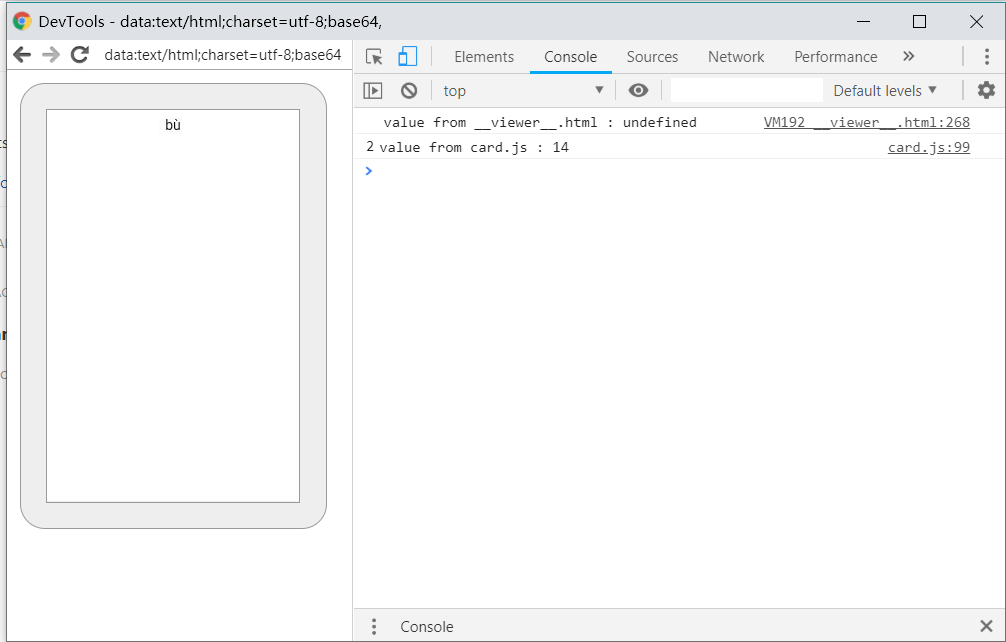
- I am getting value in console calling from card.js but when I am not getting value in __viewer__.html
<script>
console.log("value from __viewer__.html : "+window.newVar);
</script>
It giving undefined.
Expected Result
It should give the value of newCount.
Actual Result
It is giving undefined.
Debug info
2020-05-18 11:34:28.217 28315-28315/com.ichi2.anki D/AbstractFlashcardViewer: fillFlashcard()
2020-05-18 11:34:28.217 28315-28315/com.ichi2.anki D/AbstractFlashcardViewer: base url = file:///storage/emulated/0/AnkiDroid/collection.media/
2020-05-18 11:34:28.222 28315-28315/com.ichi2.anki I/AbstractFlashcardViewer: AbstractFlashcardViewer:: Question successfully shown for card id 1584530770902
2020-05-18 11:34:28.226 28315-28315/com.ichi2.anki D/Collection: undoAvailable() undo size: 7
2020-05-18 11:34:28.243 28315-28315/com.ichi2.anki D/CollectionTask: enabling garbage collection of mPreviousTask...
2020-05-18 11:34:28.248 28315-28315/com.ichi2.anki D/Collection: undoAvailable() undo size: 7
2020-05-18 11:34:28.320 28315-28315/com.ichi2.anki I/chromium: [INFO:CONSOLE(268)] "value from __viewer__.html : undefined", source: file:///storage/emulated/0/AnkiDroid/collection.media/__viewer__.html (268)
2020-05-18 11:34:28.330 28315-28315/com.ichi2.anki D/AbstractFlashcardViewer$CardViewerWebClient: onPageFinished triggered
2020-05-18 11:34:28.333 28315-28315/com.ichi2.anki D/AbstractFlashcardViewer$CardViewerWebClient: onPageFinished triggered
2020-05-18 11:34:28.349 28315-28315/com.ichi2.anki I/chromium: [INFO:CONSOLE(99)] "value from card.js : 14", source: file:///android_asset/scripts/card.js (99)
2020-05-18 11:34:28.353 28315-28315/com.ichi2.anki I/chromium: [INFO:CONSOLE(99)] "value from card.js : 14", source: file:///android_asset/scripts/card.js (99)
Research
Enter an [x] character to confirm the points below:
- [ x ] I have read the support page and am reporting a bug or enhancement request specific to AnkiDroid
- [ x ] I have checked the manual and the FAQ and could not find a solution to my issue
- [ x ] I have searched for similar existing issues here and on the user forum
- [ x ] (Optional) I have confirmed the issue is not resolved in the latest alpha release (instructions)
 infinyte7
All 4 comments
so you know the method is executing (you have the console.log from debugging) but window.newVar is undefined. You should check if window.newVar has a value even after you set it, right in that function. Perhaps there is some oddity with referring to the variable? I don't have a lot of experience with the javascript environment inside Chrome unfortunately so I'm not sure sorry
 mikehardy
on 18 May 2020
mikehardy
on 18 May 2020
Shot in the dark: HTML errors causing JS execution inside __viewer__.html to fail. (#5273)
 david-allison-1
on 18 May 2020
david-allison-1
on 18 May 2020
The function newCardCount(value) called before onPageFinished. So, might be it should called from other function.
infinyte7
on 18 May 2020
Thank you @mikehardy @david-allison-1
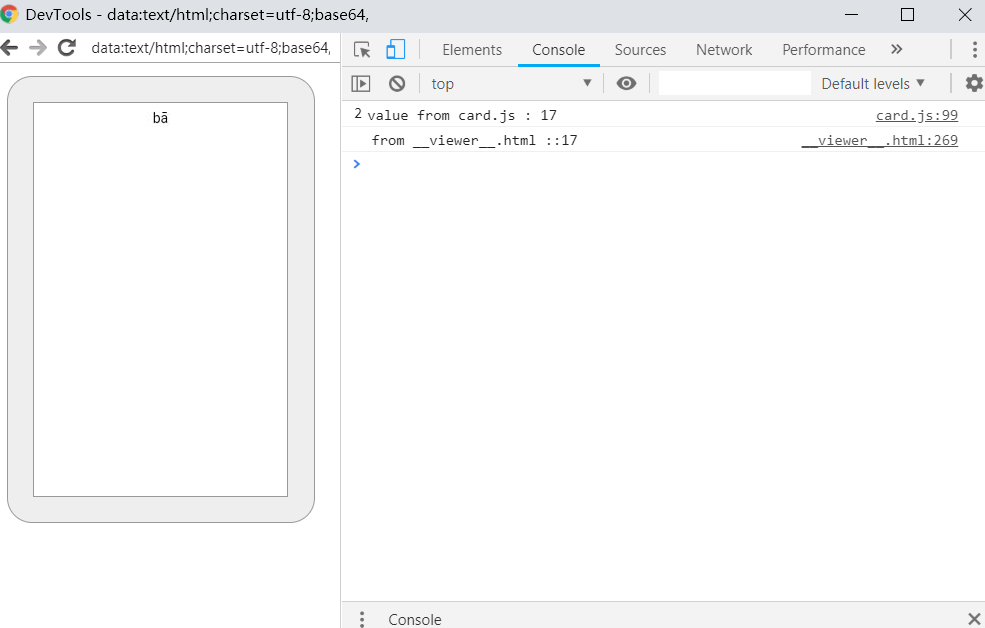
I figured out it.
Using this I get the value
<script>
setTimeout(function(){
 console.log("value from __viewer__.html : "+window.newVar);
}, 1000);
</script>
infinyte7
on 18 May 2020
Related issues
 noamraph
·
3Comments
david-allison-1
·
4Comments
noamraph
·
3Comments
david-allison-1
·
4Comments
 toninomanzi
·
6Comments
toninomanzi
·
6Comments
 Acelya-9028
·
4Comments
Acelya-9028
·
4Comments
 hanpingchinese
·
5Comments
hanpingchinese
·
5Comments
Most helpful comment
Thank you @mikehardy @david-allison-1
I figured out it.
Using this I get the value