Anki-android: automatic tts speaking problem
Research
Enter an [ x ] character to confirm the points below:
[*] I have read the support page and am reporting a bug or enhancement request specific to AnkiDroid
[*] I have checked the manual and the FAQ and could not find a solution to my issue
[*] I have searched for similar existing issues here and on the user forum
Reproduction Steps
I am studying Japanese and I need the ankidroid tts NOT to automatically read the question card, It would be a great help to add an option for how the app invokes the speaking function.
sth like the picture in the link below
http://i63.tinypic.com/zumirt.png
Expected Result
Actual Result
Debug info
Refer to the support page if you are unsure where to get the "debug info".
 mashinbaz1
All 6 comments
Hi, please attach the sketch directly to the GitHub issue. Also please do a search on here for previous issues on TTS. I'm fairly sure this is a duplicate, and that it can be resolved with the advanced TTS work in the 2.9 alphas
 timrae
on 11 Sep 2018
timrae
on 11 Sep 2018
thanks for your prompt response.
I've already set the options as the link below, additionally chose the tts speaking languages for both the question and the answer.
http://i67.tinypic.com/15s8wmg.png
But when reviewing the cards it doesn't speak up at all. Not the question nor the answer.
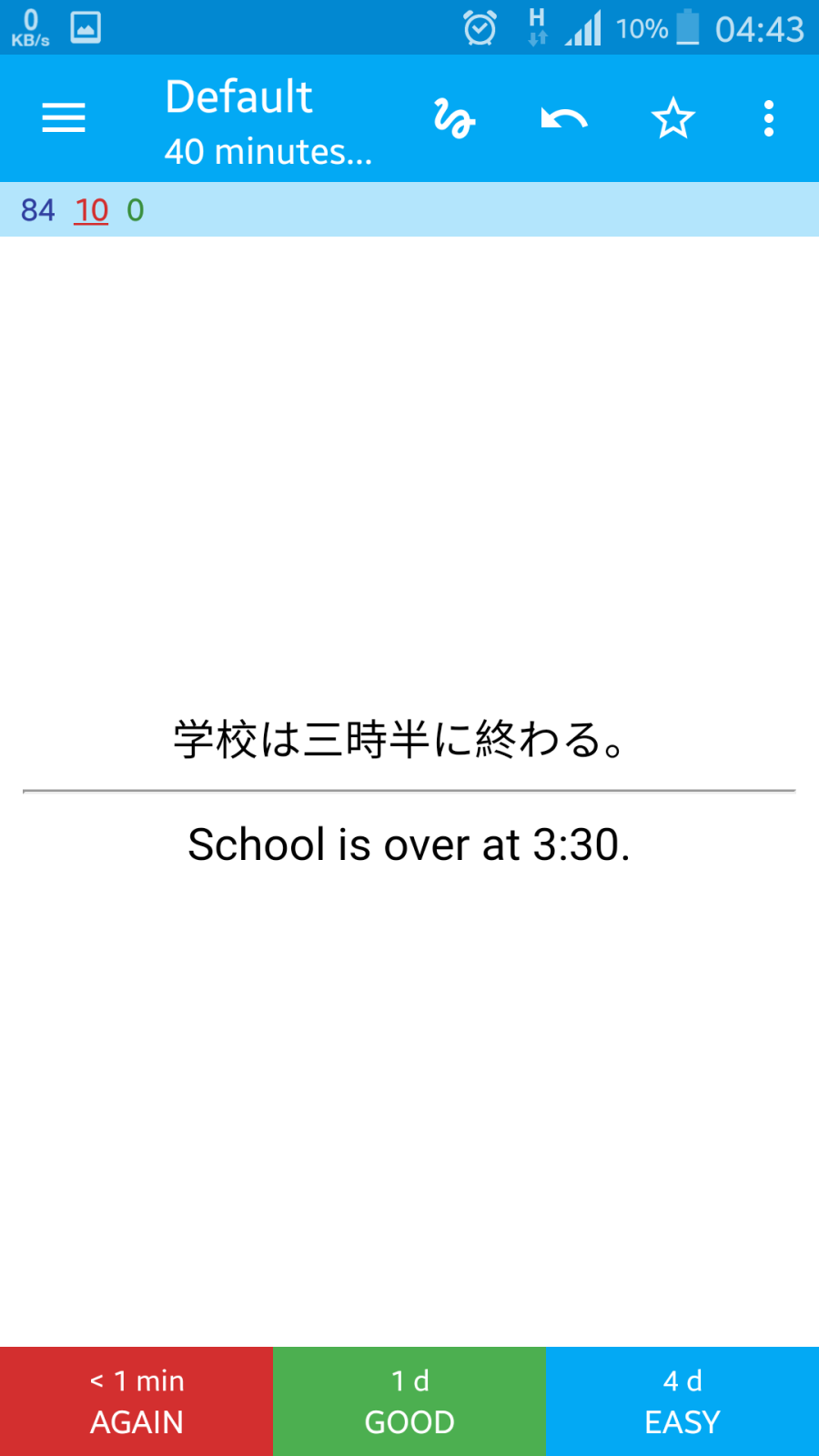
By the way the picture below is one of my cards. it might help you to fix the problem
mashinbaz1
on 12 Sep 2018
Hi, as I said, please attach images directly, your links don't work for me. What version of AnkiDroid are you using? What existing issues have you read to research your problem? Please post links and explain why they didn't work for you.
TTS is an advanced feature, so I'm afraid I won't be able to reply until you prove that you have attempted to research the issue yourself.
timrae
on 12 Sep 2018
So sorry for the links. I was posting on my smartphone and I couldn't attach the pictures properly.
This picture shows one of my card.
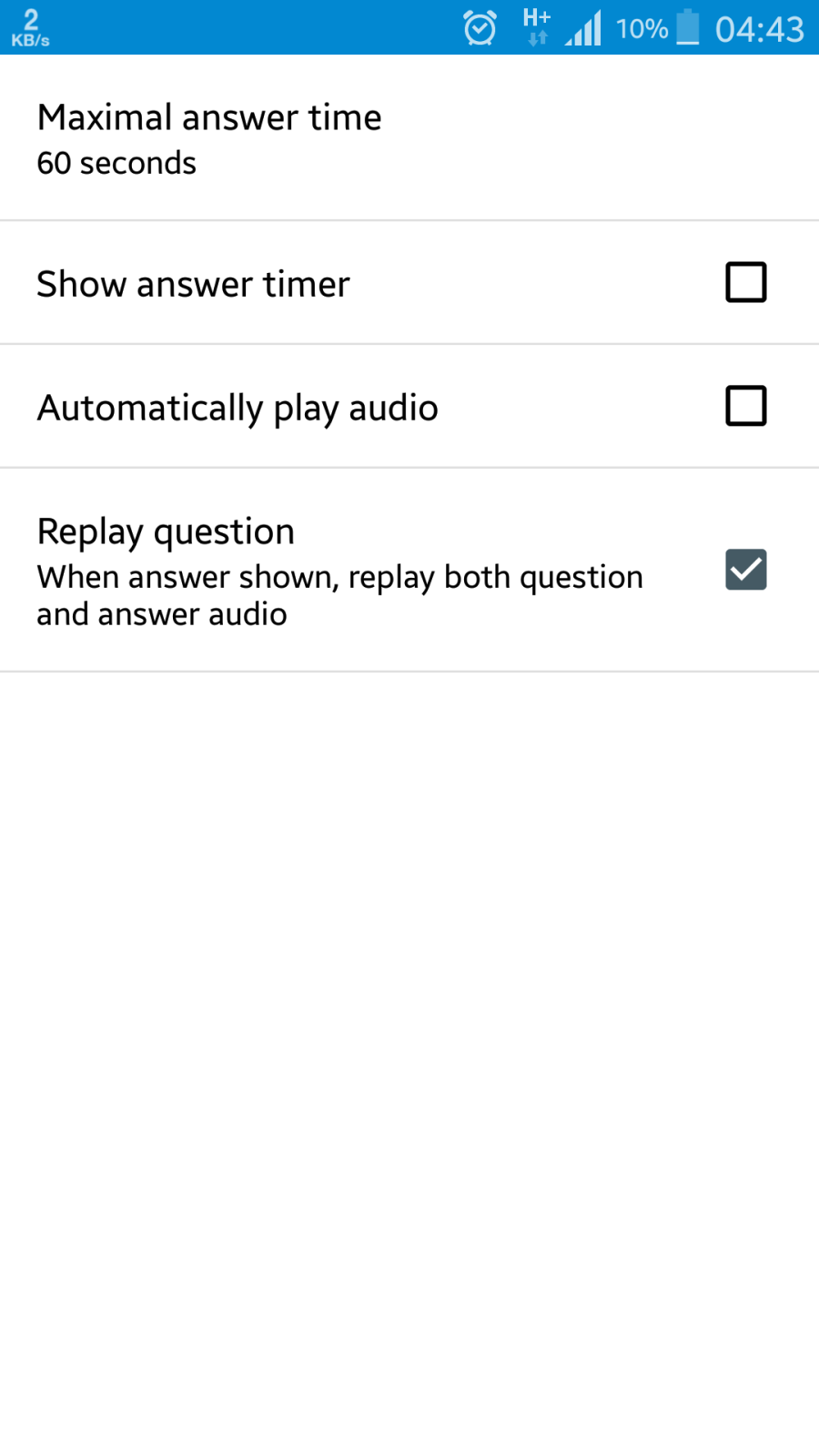
And I have set the deck options as the following pucture.
I set the tts language for both the question side (here in Japanese) and the answer side (here in English).
According to the options, I was supposed to hear the audio for question and answer after I get the answer shown! However suprisingly there were no sounds at all.
And regarding the "attempt to research the issue", I read this topic https://github.com/ankidroid/Anki-Android/issues/1723. And it seems they have decided not to solve the bug for some reasons!
I checked the problem with both the 2.9 alpha version and the latest version available on Google Play Store.
mashinbaz1
on 12 Sep 2018
1723 is a bug not related to TTS and it was fixed 6 years ago, it seems you didn't read that thread well.
Anyway... Let's say in your example, you want the TTS to only happen for Japanese and not English.
To do this, when the question shows (before pressing show answer), choose "set tts language" from the reviewer main menu and choose Japanese. Then press "show answer" button, and choose "set tts language" again, and this time choose "don't speak".
If you want the TTS to happen automatically then you need to select "Automatically play audio" in the options screenshot that you posted.
timrae
on 12 Sep 2018
I'm sorry for the misunderstanding. Honestly, I'm no good at technical issues like these.
I read them but I can't understand them as good as you.
Your solution worked for me.
Thank you very much for your time and help.
mashinbaz1
on 12 Sep 2018
Related issues
 Mornon
·
5Comments
Mornon
·
5Comments
 kanjieater
·
4Comments
kanjieater
·
4Comments
 littlefoodt
·
4Comments
littlefoodt
·
4Comments
 david-allison-1
·
5Comments
david-allison-1
·
5Comments
 mikehardy
·
5Comments
mikehardy
·
5Comments