Animation_nodes: Offset loose parts of mesh
Hello, is there in AN option to offset only loose parts of mesh? I'm looking for something that should work similar to offset polygons but on loose parts of the mesh. I made exaggerate example what make no sens but just to illustrate problem:
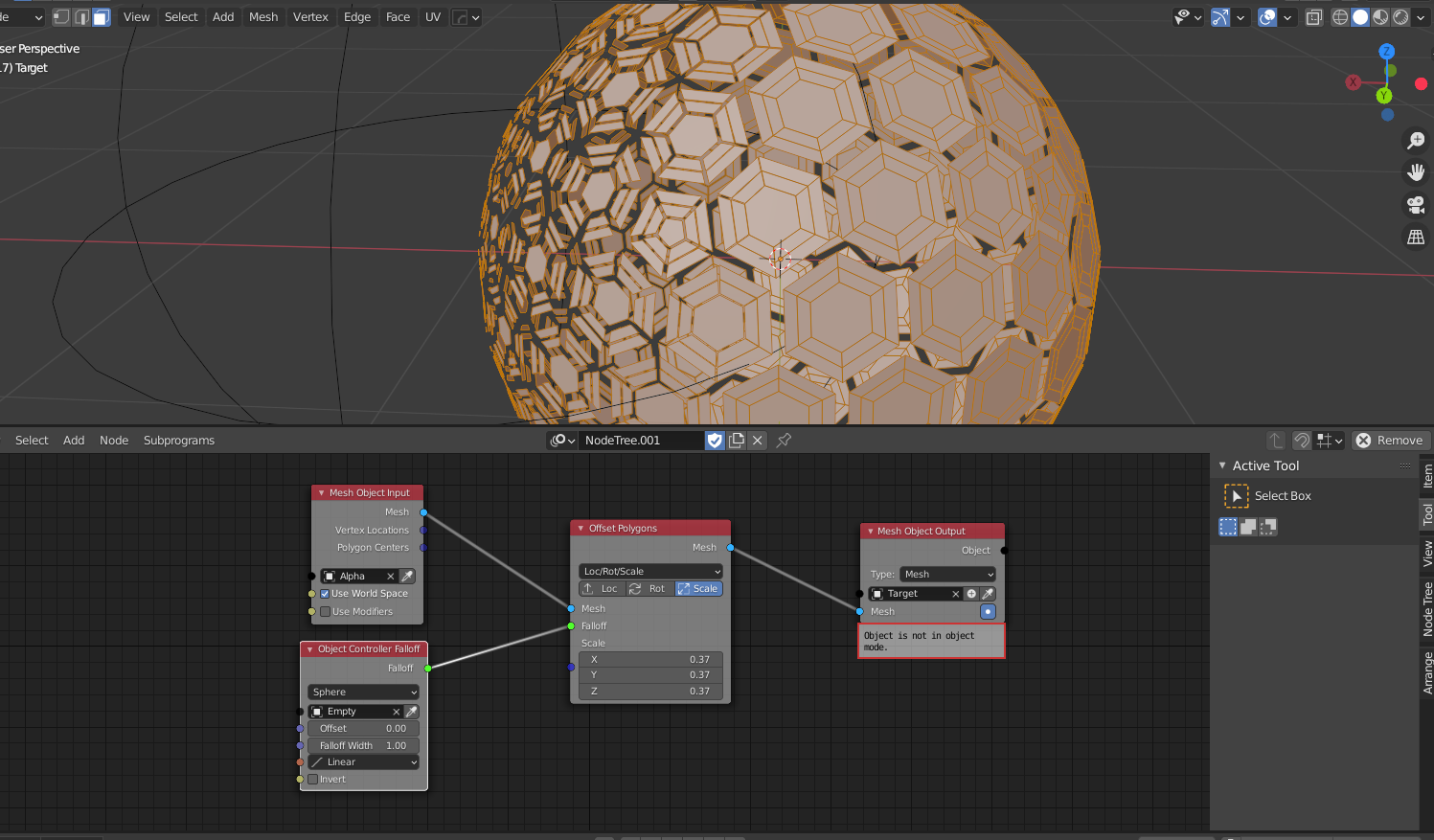
In this case i still want to control whole hexagonals not polygons from which it is made.
 dwizor
All 6 comments
Would a node that splits the mesh into loose parts be a good solution to this?
 OmarEmaraDev
on 5 Nov 2020
OmarEmaraDev
on 5 Nov 2020
Yeah, its definitely is the solution but as i noticed, blender/animation nodes are faster when stuff is just in one mesh. Controlling loose parts would work well, for example, in the case of fractured object in one mesh.
dwizor
on 5 Nov 2020
Btw is there already a node which splits the mesh into loose?
dwizor
on 5 Nov 2020
No, but it has been requested before in #1276. If it will be useful in your use case and others, I might prioritize it and implement this node soon.
I think we should be able to make it efficient, so performance shouldn't be a problem.
OmarEmaraDev
on 5 Nov 2020
Nice, that should by great! Thanks ^^
dwizor
on 5 Nov 2020
+1 for the fractured object in one mesh!
 dapa5900
on 11 Dec 2020
dapa5900
on 11 Dec 2020
Related issues
 harisreedhar
·
10Comments
harisreedhar
·
10Comments
 z0u
·
12Comments
z0u
·
12Comments
 meikasahara
·
10Comments
meikasahara
·
10Comments
 benthillerkus
·
7Comments
benthillerkus
·
7Comments
 baudouin-hub
·
9Comments
baudouin-hub
·
9Comments
Most helpful comment
No, but it has been requested before in #1276. If it will be useful in your use case and others, I might prioritize it and implement this node soon.
I think we should be able to make it efficient, so performance shouldn't be a problem.