Animation_nodes: setSplines crashes Blender during animation render
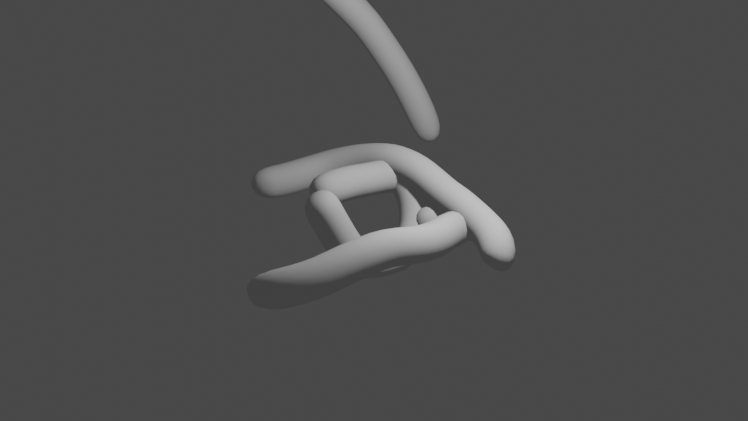
I have a tree that creates splines. It works well in the viewport, but Blender crashes during an animation render. This seems to happen in graph_id_tag_update in response to curve_object_output:setSplines (see stack trace).
To reproduce, open spline_bug1.zip and render the animation (Ctrl-F12). It seems to be more likely to crash when the depsgraph has more work to do: if you reduce the number of particles, it won't crash as much. It usually only crashes when rendering the animation, not when playing it in the viewport. I only observed one such crash (see this stack trace).
AN version: 2.8.1
Blender versions: 2.90.1, 2.83lts
Platforms: Ubuntu (nVidia/Nouveau graphics), Mac OS (Intel graphics)
 z0u
z0u
All 12 comments
I thought it might be to do with there being multiple node trees, but that doesn't seem to be the case. See
spline_bug2.zip, which only has one node tree but crashes in the same way.
It seems to be triggered by the combination of setting a spline on a curve object, and then updating any attribute on an object that references that spline (e.g. in a curve modifier). By deleting bits of the node tree, I observed crashes when changing the visibility, location or modifier target of the Bit objects. See
spline_bug3.zip, which crashes in a depsgraph update caused by:
File "group: 'Instance bits on splines'", line 27 in main
Which is this line:
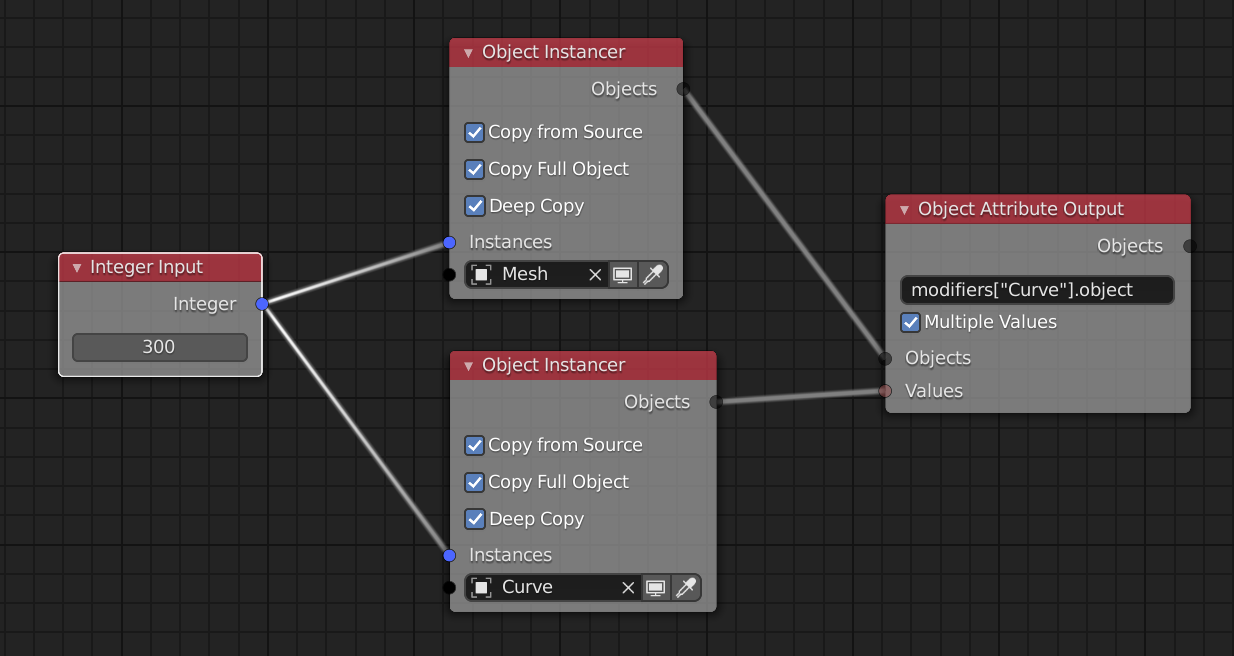
27. loop_iterator_element_0.modifiers["Curve"].object = loop_iterator_element_1
Where loop_iterator_element_0 is an AN-instanced mesh object named Bit.###, and loop_iterator_element_1 is the corresponding AN-instanced spline object named Bits tracer.###.
z0u
on 6 Oct 2020
I can replicate the issue. To make things easier, can you try to reproduce it with the most minimal node tree?
 OmarEmaraDev
on 6 Oct 2020
OmarEmaraDev
on 6 Oct 2020
This one crashes in a depsgraph update:
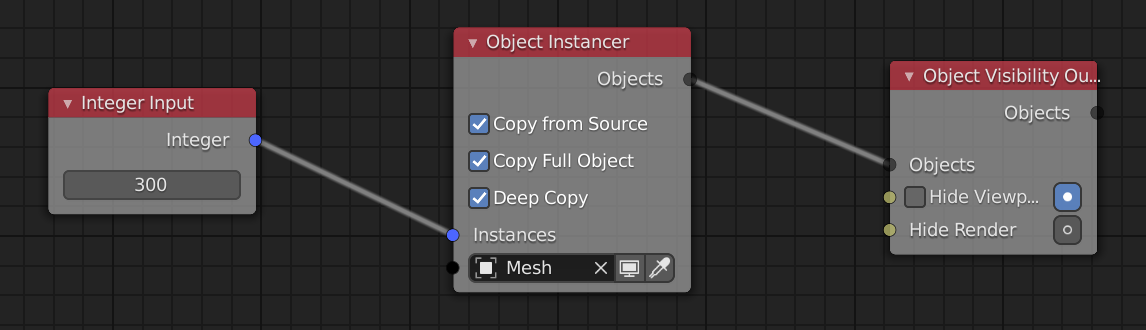
So does this:
And this:
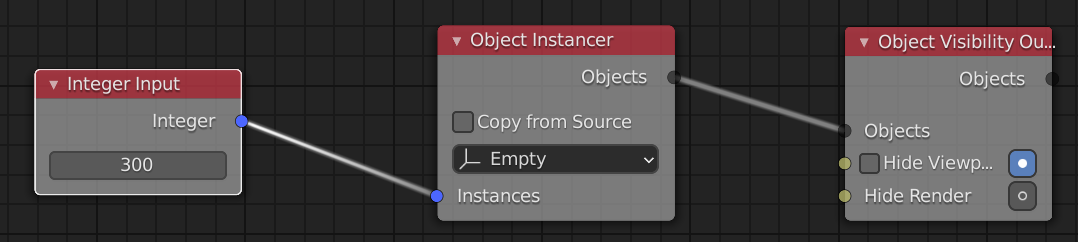
But I'm not sure if it's the same bug.
z0u
on 6 Oct 2020
I can replicate those too. This is probably an issue with Blender. I will try to report this as soon as possible.
OmarEmaraDev
on 7 Oct 2020
Thanks! I thought it might be, but I thought an AN developer would be better able to describe the issue to the Blender devs.
z0u
on 8 Oct 2020
It's interesting that it often doesn't crash on the first frame, but maybe 10 frames in. Also, without the _Object Instancer_ node, it doesn't crash even with many objects:
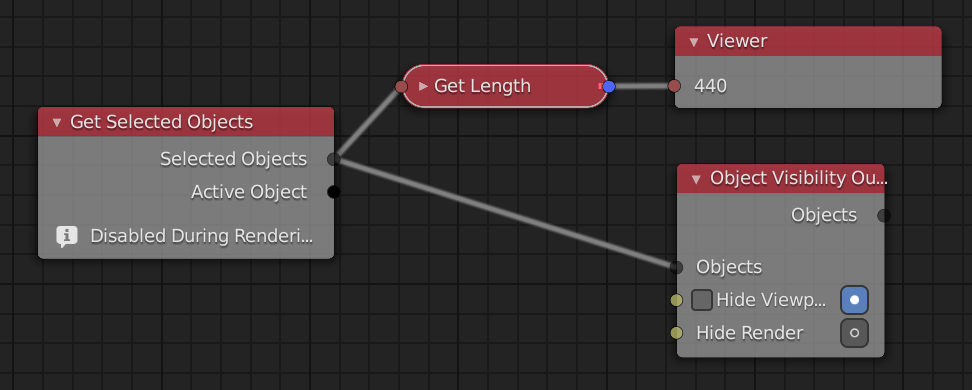
What does the _Object Instancer_ do that might cause a crash, even after all of the instances have been created?
Edit: demo file.
z0u
on 8 Oct 2020
Please tag me in the Blender bug report :-) It has been a while since I touched that codebase, but maybe I can have some input.
z0u
on 8 Oct 2020
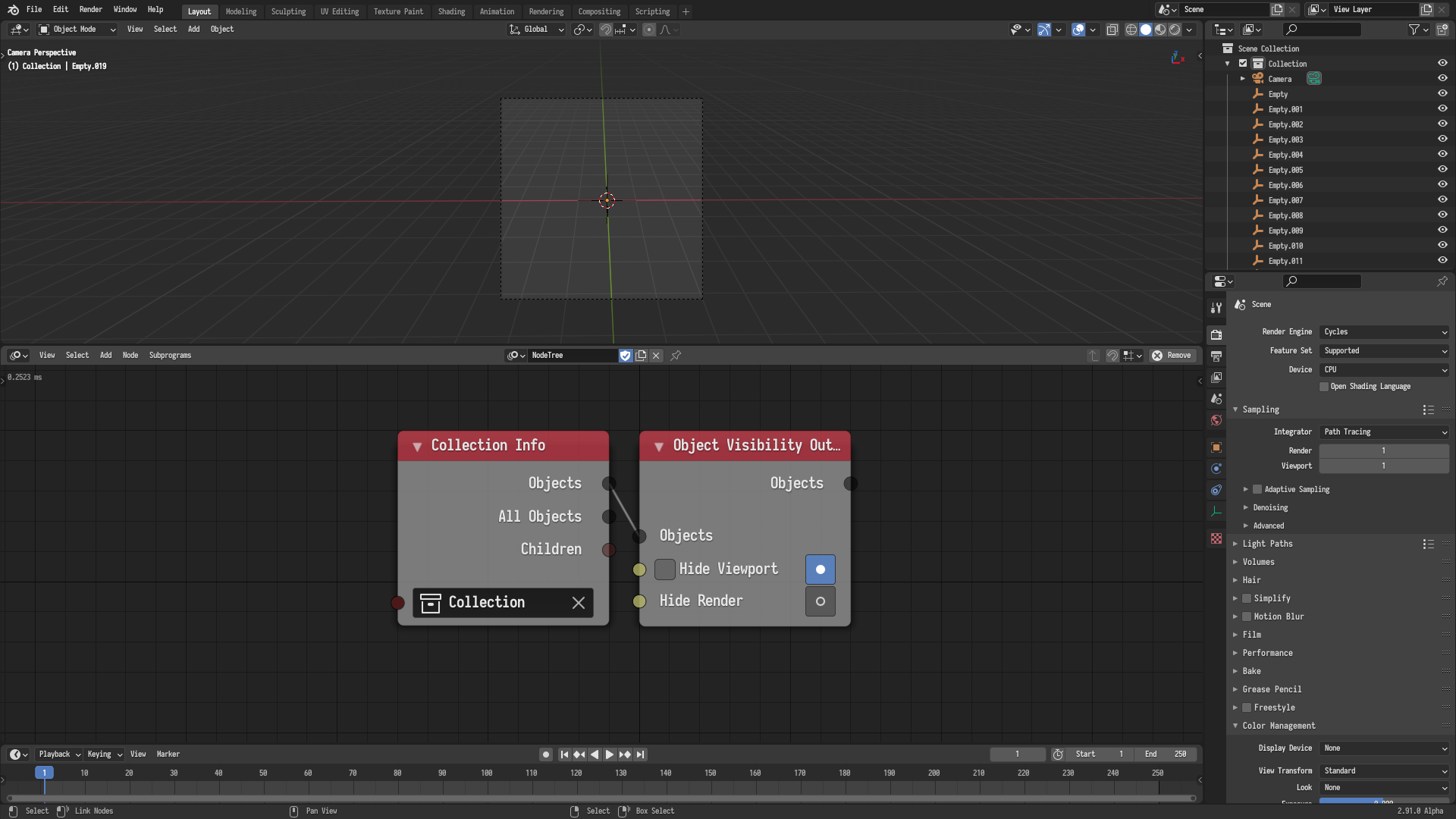
The Object Instancer isn't doing anything if nothing changed. Moreover, I can replicate the issue without the the Object Instancer using this simple node tree, where we set the visibility of 20 empties.
OmarEmaraDev
on 8 Oct 2020
It seems Locking the Interface fixes the issue for all of the test files you shared. Apparently it it is just the standard conflict between the drawing thread and the handler thread, which Blender developers do not consider a bug. So just lock the interface and everything should work.
I am seriously considering locking the interface automatically whenever Animation Nodes executes. Not sure how intrusive that would be for the user though.
OmarEmaraDev
on 8 Oct 2020
That sounds good to me. I also don't know how intrusive it would be. I imagine it would be nice to have a progress bar for complex execution. Is it possible to unlock the interface periodically during execution? Maybe on a separate Python thread - then the GIL should ensure thread safety? _edit_ As long as node execution is paused while the interface is unlocked.
z0u
on 9 Oct 2020
It is a bit problematic because the handlers seems to execute after Blender does the render initialization. So we have no way of knowing when renders are going to start. Maybe we can reorder stuff in Blender to take that into account. There is no ideal solution, so I am not sure how to take it from here.
Anyways, for the time being, users are encouraged to lock the interface during rendering if they encounter crashes.
OmarEmaraDev
on 9 Oct 2020
Just to confirm: locking the interface fixes the problem in my original scene (not just these test scenes). Thanks for the workaround :)
z0u
on 10 Oct 2020
Related issues
 ricardoroehe
·
4Comments
ricardoroehe
·
4Comments
 dwizor
·
6Comments
dwizor
·
6Comments
 baudouin-hub
·
9Comments
baudouin-hub
·
9Comments
 pasimko
·
14Comments
pasimko
·
14Comments
 benthillerkus
·
7Comments
benthillerkus
·
7Comments