Angular-gridster2: how to set size with highcharts
please help me,
how to set size highcharts with gridster

 manvfx
All 19 comments
Hey, I actually just spent all day working on this same problem and here's how I solved it. I used @ViewChild to get the row height of the grid in my parent component, then I pass that number to my child component to use in the highcharts options object before it renders. Only problem is that the charts don't resize when the window resizes. Also I'm using a fixed grid so it won't resize for you if you are using the 'fit' grid type. Both of these things can be fixed just by re-building the charts as soon as a resize event fires either on the window or on the resize of a gridster-item. Here's the bare-bones code of it, hope it helps!
Parent Component
import { ElementRef, SimpleChanges, ViewChild } from '@angular/core';
import { GridsterItemComponent } from 'angular-gridster2';

@Component({ ...
})
export class Grid {
@ViewChild('gridsterItem') gridItem: GridsterItemComponent;

public unitHeight: number;
constructor(...){...}
public ngOnChanges(changes: SimpleChanges): void {
    if (this.gridItem && this.gridItem.gridster.curRowHeight > 1) {
        this.unitHeight = this.gridItem.gridster.curRowHeight;
    }
}
}
Parent Template
<gridster [options]="options">
    <gridster-item [item]="item.gridInfo" *ngFor="let item of selectedDashboard.widgets" #gridsterItem>
        <app-item-content
            *ngIf="gridItem && unitHeight > 1"
            [item]="item"
            [unitHeight]="unitHeight">
        </app-item-content>
    </gridster-item>
</gridster>
Child Component
import { AfterViewInit, Component, Input, OnInit } from '@angular/core';

import { Chart, Highcharts } from 'angular-highcharts';

@Component({ ...
})
export class ItemContentComponent implements OnInit {
  @Input() public item: ...
  @Input() public unitHeight: number;

  public chart: Chart;
  public options: any;

  constructor() {...
  }

  public ngAfterViewInit(): void {
      this.chart = new Chart(this.options);
  }
  public onResize(event) {
      console.log(event);
      //// Still working on getting it to resize on window-resize
  }

  public ngOnInit(): void {
     const optionsHeight: number = this.item.gridInfo.rows * (this.unitHeight - 10) + ((this.item.gridInfo.rows - 4) * 10);
     const optionsWidth: number = this.item.gridInfo.cols * (this.unitHeight - 10) + ((this.item.gridInfo.cols - 4) * 10);
     this.options = {
         chart: {
             type: 'bar',
             height: optionsHeight,
             width:  optionsWidth
         },
         ...
     };
  }

  public updateChart(): void {
    this.chart = new Chart(this.options);
  }
}
Child Template
<div class='chart-wrapper' (window:resize)="onResize($event)">
    <div class="chart" [chart]="chart"></div>
<div>

 CollinGraf314
on 19 Apr 2018
CollinGraf314
on 19 Apr 2018
thank you very very mush
manvfx
on 20 Apr 2018
@CollinGraf314 how to full screen gridItem by click button?
manvfx
on 22 Apr 2018
Have a look here: https://github.com/tiberiuzuld/angular-gridster2/issues/264
 tiberiuzuld
on 22 Apr 2018
tiberiuzuld
on 22 Apr 2018
problem your code not working.
please help me
*ngIf="gridItem && unitHeight > 1"
So I fixed the resize issues using the following in my parent controller:
this.options = {
    itemResizeCallback: this.itemResize.bind(this),
    ...
};

public itemResize(item: GridsterItem, itemComponent: GridsterItemComponentInterface): void {
       if (itemComponent.gridster.curRowHeight > 1) {
           this.unitHeight = itemComponent.gridster.curRowHeight;
       }
}
I also changed the
*ngIf="gridItem && unitHeight > 1"
to just
*ngIf="unitHeight > 1"
I also got an 'enlarge widget' function going that enlarges an Item to the specified number of rows and columns and another function to return the grid to it's previous state.
   public focus(item): void {
      if (this.focusedItem) {
          this.selectedDashboard.widgets.splice(0, 1);
          this.shiftGrid(-4);
      }
      this.focusedItem = item;
      this.shiftGrid(4);
      this.selectedDashboard.widgets.splice(0, 0, {name: item.name, gridInfo: {x: 0, y: 0, rows: 4, cols: 12}, settings: item.settings});
      this.options.api.optionsChanged();
   }

   public unfocus(): void {
      if (this.focusedItem) {
          this.focusedItem = undefined;
          this.selectedDashboard.widgets.splice(0, 1);
          this.shiftGrid(-4);
          this.options.api.optionsChanged();
      }
   }
   public shiftGrid(shiftY: number) {
       for (const widget of this.selectedDashboard.widgets) {
           widget.gridInfo.y += shiftY;
       }
   }
The trick being to call this.options.api.optionsChanged(); after manipulating any item's rows/cols values.
Hope this helps
CollinGraf314
on 25 Apr 2018
@CollinGraf314
Hi
Do you have any working example, first time its working fine, When i resize the gridster item, then chart not fit within gridster item.
 kkbalu
on 29 May 2018
kkbalu
on 29 May 2018
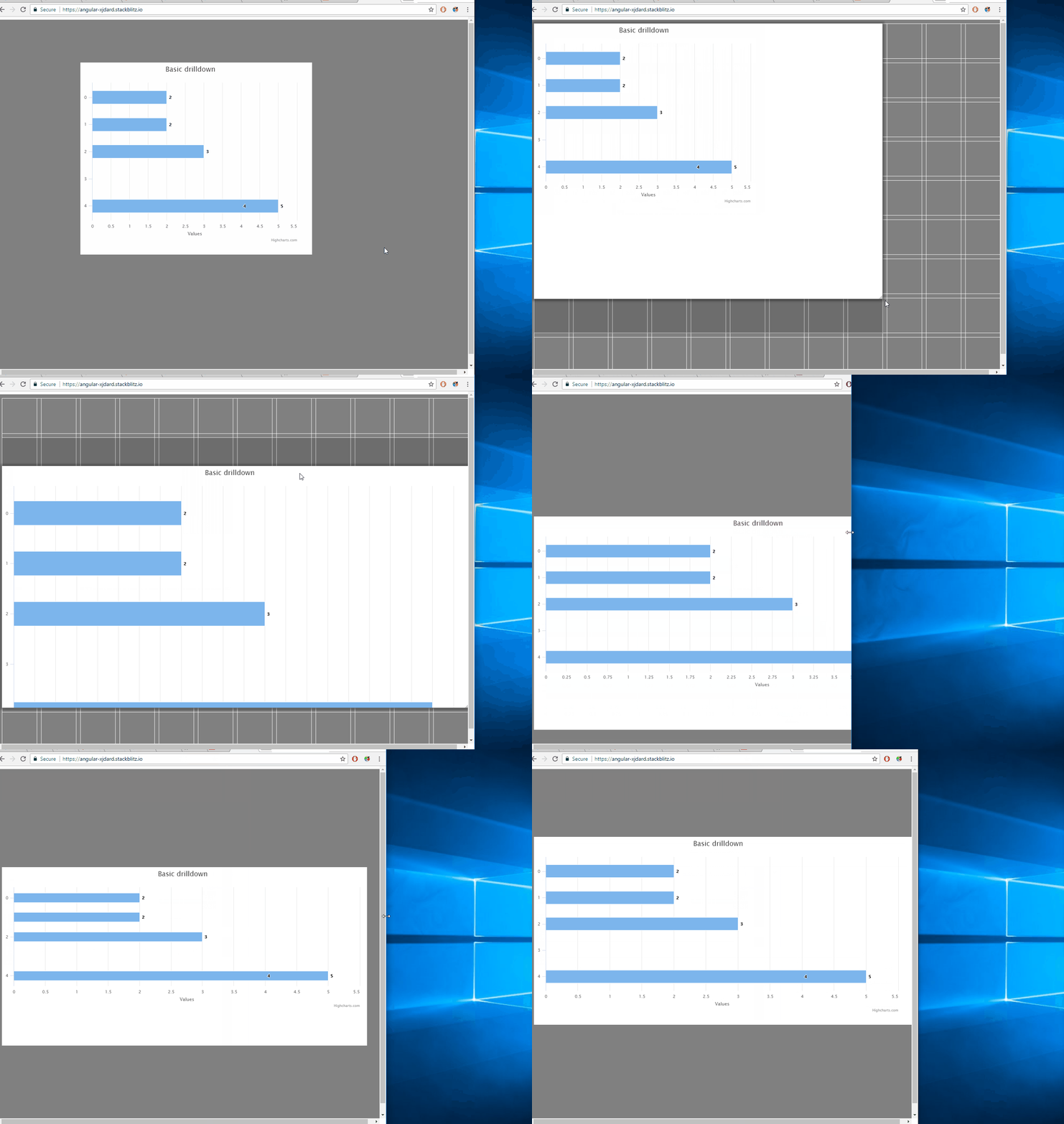
Hey, so I did my best to make a minimal reproduction. Code is here:
https://stackblitz.com/edit/angular-xjdard
example of this code working is here: https://angular-xjdard.stackblitz.io/
note that if you are looking at the app in the editor window rather than in a new window via the example link, the app will look horrible, as that window in the editor view is small enough that gridster takes on it's mobile format which breaks this.
CollinGraf314
on 29 May 2018
@CollinGraf314
Thank you so much.
kkbalu
on 30 May 2018

I am trying to load dynamic chart in gridster item, if i resize the grister item current chart goes responsive, correspondingly remain one also get change, how we overcome this.
kkbalu
on 30 May 2018
Could you post your code or a minimal reproduction in stackblitz or plunker? My guess is that it might have something to do with this:
this.options = {
        itemResizeCallback: this.itemResize.bind(this)
};
A good way to debug this would be to place console.log statements in both the itemResize() function and the resizeChart() function. Each time itemResize() runs, resizeChart() should run right after.
CollinGraf314
on 30 May 2018
@CollinGraf314
My question is I am loading two charts In same component. If I change size of one chart through gristeritem automatically another gristeritem chart get changed. Is meaning full?
kkbalu
on 30 May 2018
That means that the two charts you are displaying are instances of the same object. Simply make separate objects for your two charts.
https://stackblitz.com/edit/angular-veijbs
https://angular-veijbs.stackblitz.io/
If you are trying to display two different charts in the same gridsterItem, then you can display them side by putting them inside a container element, styling that container with display: flex, and changing the width of your charts by changing
this.highChartsOptions.chart.width = this.item.cols * (this.unitHeight - 10) + ((this.item.cols - 4) * 10);
to
this.highChartsOptions.chart.width = (this.item.cols * (this.unitHeight - 10) + ((this.item.cols - 4) * 10)) / 2;
CollinGraf314
on 30 May 2018
Great, looks cool.
kkbalu
on 31 May 2018
@CollinGraf314
@tiberiuzuld
@kkbalu
how to fullscreen gridster item?
please help me with sample code
manvfx
on 12 Aug 2018
Do you want browser fullscreen? Do you want an item to take up the full grid? Do you want a modal pop-up that uses a screen overlay? I need some more specifications on what exactly you are asking for before I can help you.
CollinGraf314
on 13 Aug 2018
Hey, so I did my best to make a minimal reproduction. Code is here:
https://stackblitz.com/edit/angular-xjdard
example of this code working is here: https://angular-xjdard.stackblitz.io/
note that if you are looking at the app in the editor window rather than in a new window via the example link, the app will look horrible, as that window in the editor view is small enough that gridster takes on it's mobile format which breaks this.
Can you please help me in achieving the same with Kendo-Charts ?
 gethari
on 30 Oct 2018
gethari
on 30 Oct 2018
Can you please help me in achieving the same with Kendo-Charts ?
Can you make your demo in stackbliz with Kendo-Charts?
 viethien
on 15 Apr 2019
viethien
on 15 Apr 2019
Can u please a solution with Kendo-Charts please?
 Chasty
on 20 May 2019
Chasty
on 20 May 2019
Related issues
tiberiuzuld
·
3Comments
CollinGraf314
·
3Comments
 aren5a
·
5Comments
aren5a
·
5Comments
 jayoma
·
3Comments
jayoma
·
3Comments
 dnbo
·
4Comments
dnbo
·
4Comments
Most helpful comment
Hey, I actually just spent all day working on this same problem and here's how I solved it. I used @ViewChild to get the row height of the grid in my parent component, then I pass that number to my child component to use in the highcharts options object before it renders. Only problem is that the charts don't resize when the window resizes. Also I'm using a fixed grid so it won't resize for you if you are using the 'fit' grid type. Both of these things can be fixed just by re-building the charts as soon as a resize event fires either on the window or on the resize of a gridster-item. Here's the bare-bones code of it, hope it helps!
Parent Component
Parent Template
Child Component
Child Template