Angular-gridster2: "Fit to screen" option doesn't fill the entire screen
On the right side is still some empty space:
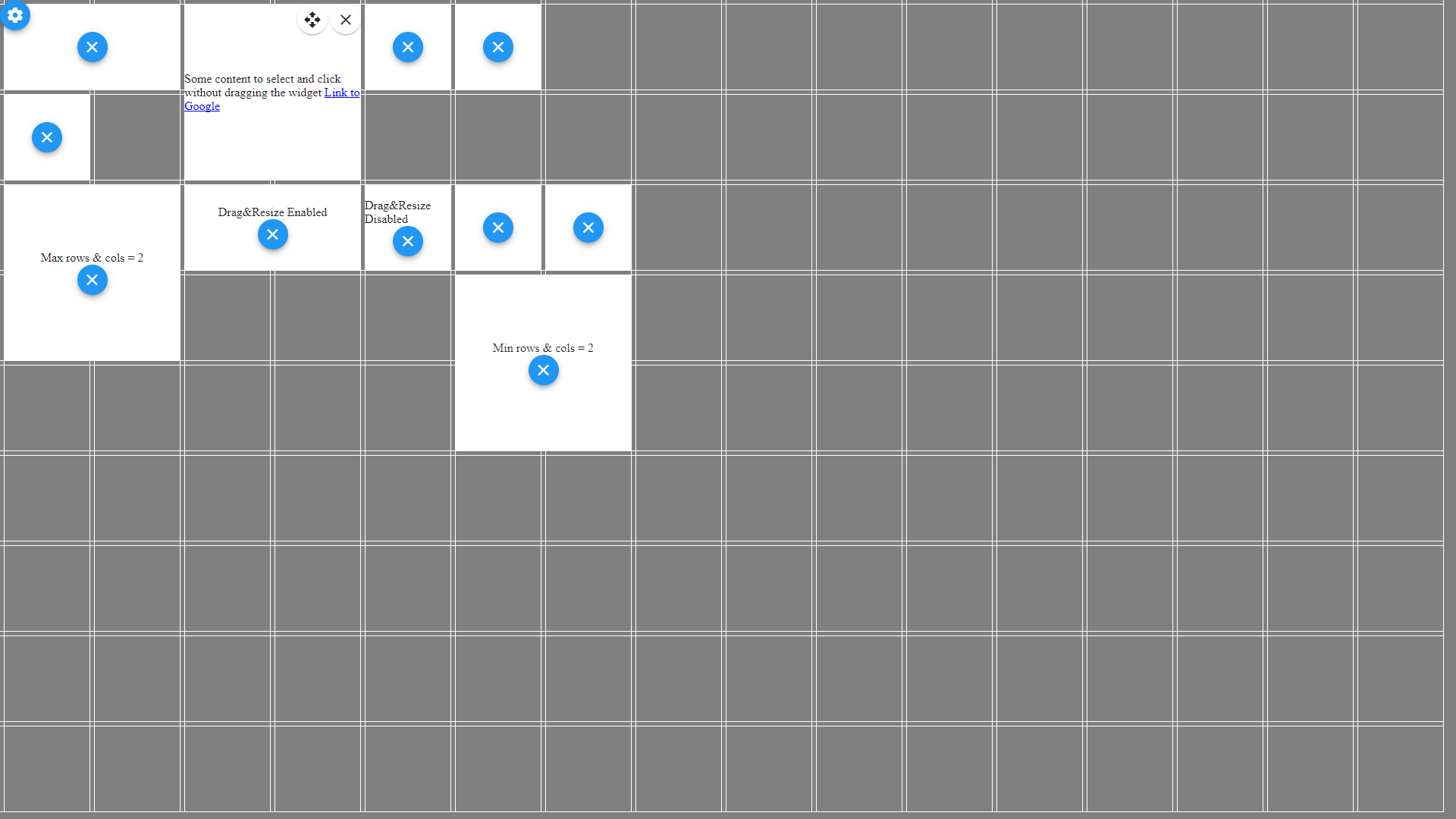
I changed 4 lines of code in the gridster.component.ts file.
if (this.$options.outerMargin) {
      this.curColWidth = (this.curWidth - this.$options.margin) / this.columns;
      this.curRowHeight = (this.curHeight - this.$options.margin) / this.rows;
} else {
      this.curColWidth = (this.curWidth + this.$options.margin) / this.columns;
      this.curRowHeight = (this.curHeight + this.$options.margin) / this.rows;
}
Now it works and looks like this:
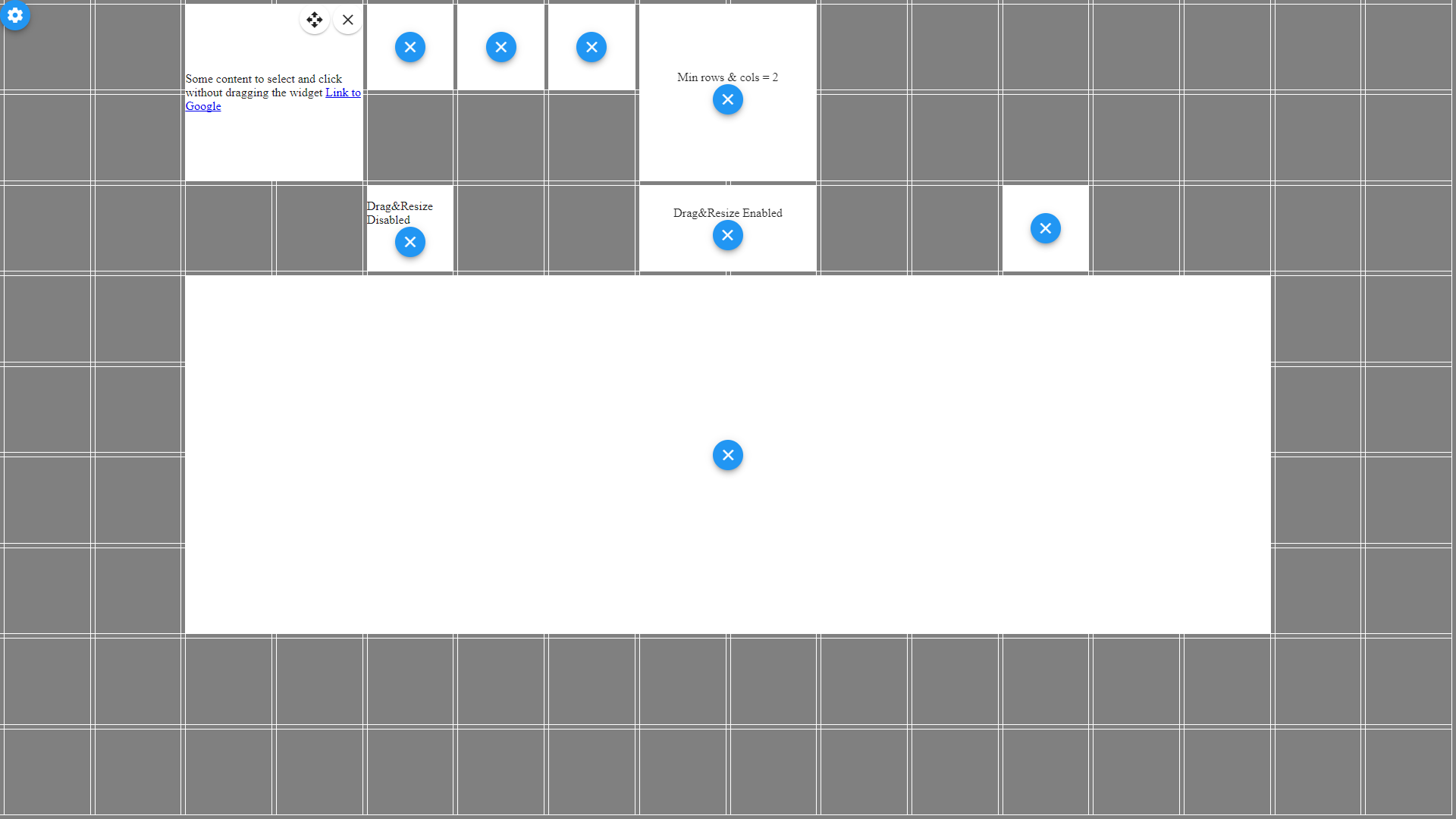
I dont know if this affects any other feature in the gridster module.
 marcingold
All 10 comments
Hi @marcingold ,
I think you chosen fixed option not fit.
At least seems that way from the screenshot.
I am not able to reproduce what you are showing in the screenshot only on fixed grid type.
Thanks,
 tiberiuzuld
on 14 Oct 2017
tiberiuzuld
on 14 Oct 2017
Close for inactivity.
tiberiuzuld
on 4 Nov 2017
I'm back ;-)
These are the options I used, so hopefully u can reproduce the bug.

The important part is that u set the min / max grid rows / cols to the aspect ration of ur screen (browser is in fullscreen mode).
Example: 1920x1080p like my screen -> Max/Min cols = 16 and Max/Min rows = 9
So the result is:
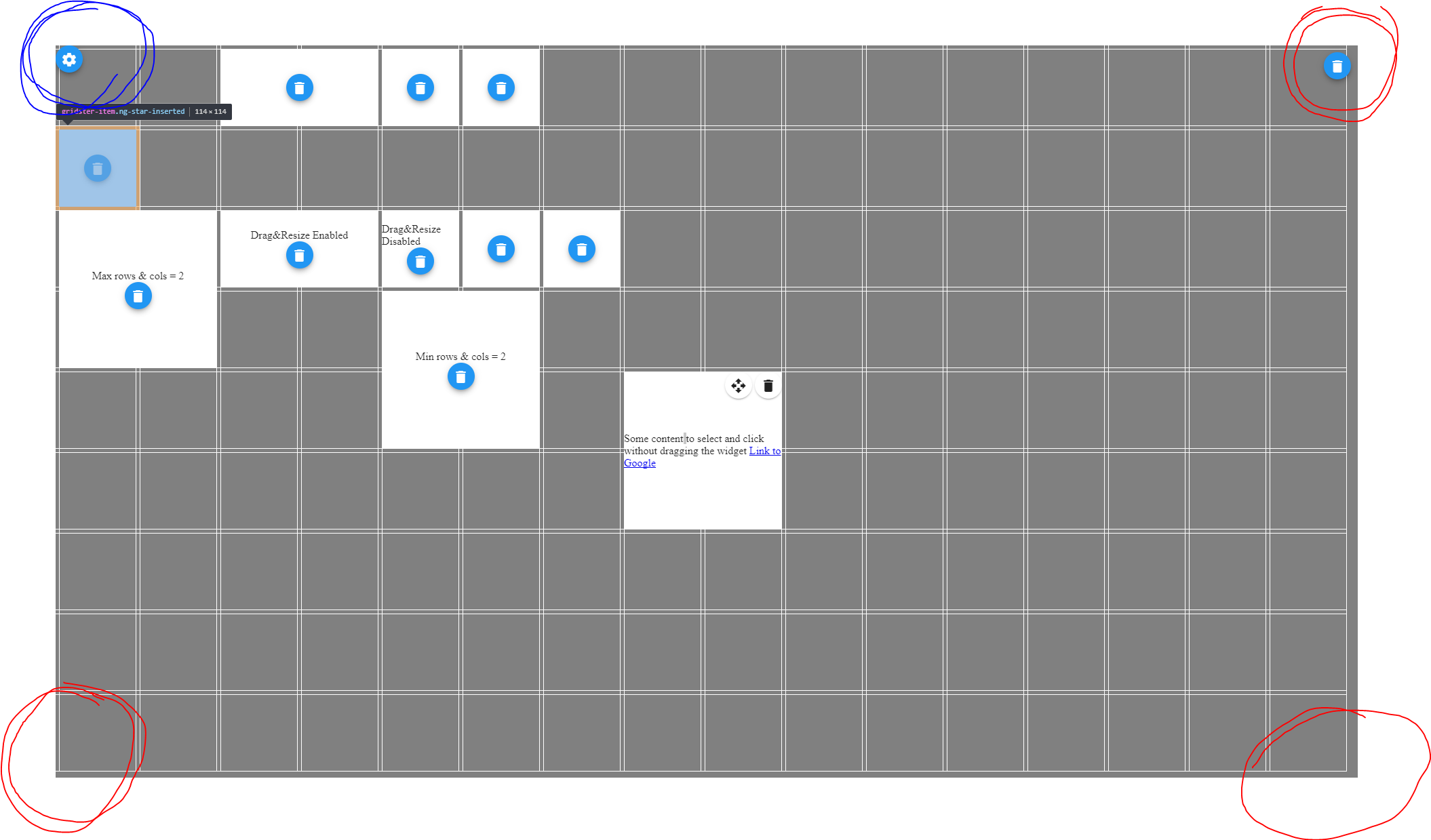
If u multipli these 4 options by 2, 3, 4 etc. it's even more visible.

If u can reproduce this bug, the fix in my first comment should still work
PS: Sorry for open this thread again ;)
marcingold
on 15 Dec 2017
Hi @marcingold,
Ok now I understand what you mean.
Will look into it this weekend.
Thanks
tiberiuzuld
on 15 Dec 2017
Hi @marcingold ,
Fixed the issue in v4.3.0
Let me know if works ok now.
Thanks
tiberiuzuld
on 17 Dec 2017
Would you mind by any chance to release this for angular 4 lts too?
 tauchmi
on 19 Dec 2017
tauchmi
on 19 Dec 2017
Hi @tauchmi ,
It is released for angular4 https://github.com/tiberiuzuld/angular-gridster2/blob/4.x/src/lib/gridster.component.ts#L203
In version 3.18.0
Does the package released on npm does not contain it ?
Thanks
tiberiuzuld
on 19 Dec 2017
D'oh, yes you are right. Thank you for this great Module!
tauchmi
on 19 Dec 2017
It's working 👍 thx :)
marcingold
on 19 Dec 2017
Great!
Thanks for feedback and solution for fix.
tiberiuzuld
on 19 Dec 2017
Related issues
 samarsiraj
·
3Comments
samarsiraj
·
3Comments
 marco-martins
·
4Comments
marco-martins
·
4Comments
 JohnxAss
·
5Comments
JohnxAss
·
5Comments
 HighSoftWare96
·
4Comments
HighSoftWare96
·
4Comments
 petarGitNik
·
3Comments
petarGitNik
·
3Comments