Android: Unable to connect on old Android phone (Motorola XT1032)
Home Assistant Android version:
1.7.2-128
Android version:
5.1
Phone model:
Motorola XT1032
Home Assistant version:
0.105.4
Last working Home Assistant release (if known):
Description of problem:
Once I open the App and I add the HA URL I got requested to add username and password, once done I got a message saying:
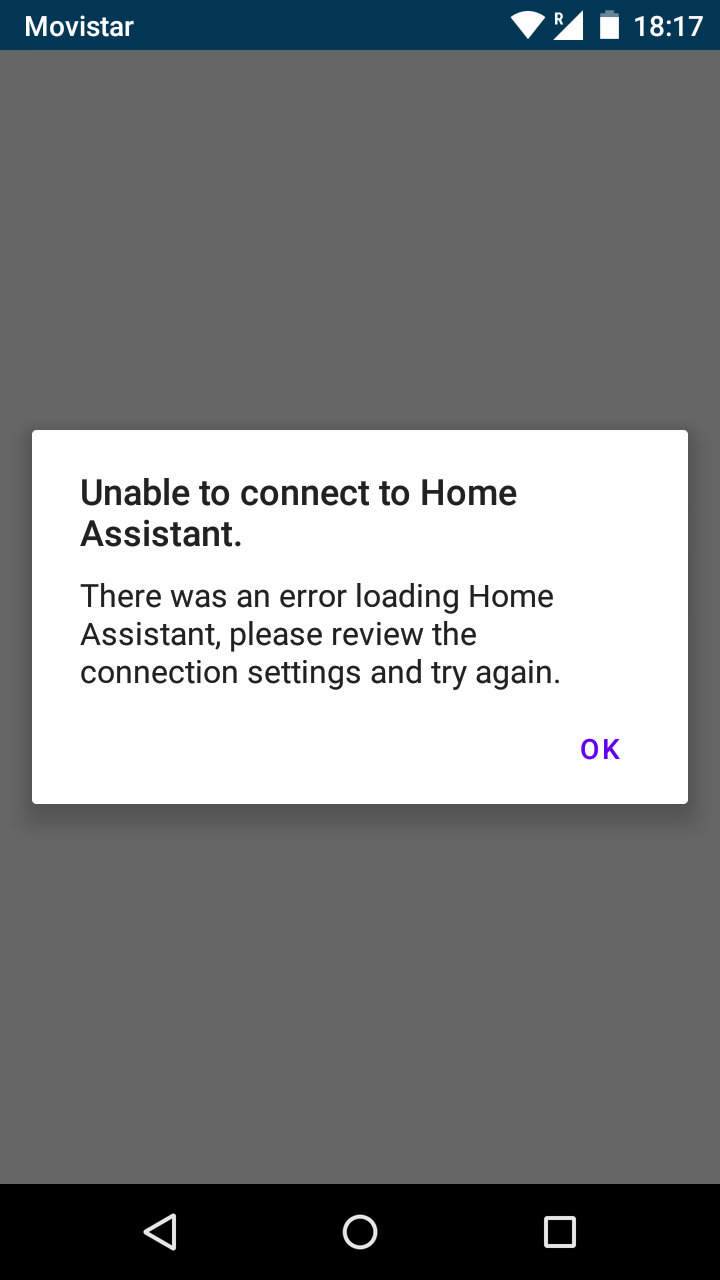
"Unable to connect to Home Assistant"
"There was an error loading Home Assistant, please review the connection settings and try again."
Traceback (if applicable):
Screenshot of problem:
Additional information:
I can connect correctly with 3 other phones (same App version).
The HA instance it's available remotely and locally on the same URL (Custom DNS Entry on pi-hole for local resolution since the ISP Router doesn't have Hairpin NAT)
It got a Let's Encrypt Certificate and it has been working fine locally and remotely both via App and Chrome.
Also note, the phone having the issue it's perfectly capable of connecting via Chrome
 SeLLeRoNe
All 15 comments
Could you let us know what connection settings you used for the app? Like are you using nabu casa remote URL or are you using external URL with a valid SSL cert etc...
 dshokouhi
on 18 Feb 2020
dshokouhi
on 18 Feb 2020
Yep sorry, I was editing my first message to add some more details, please check :)
SeLLeRoNe
on 18 Feb 2020
Is there any kind of logging I can add HA side to help debug the issue?
I am perfectly confortable on making changes to test and help you digging a little in the issue if I know what to look at :)
SeLLeRoNe
on 18 Feb 2020
Do you get any errors on the HA side the moment you login? Try to login again and check the HA log file to see if anything shows up
dshokouhi
on 18 Feb 2020
Unfortunately none, I have the logger to "error" level, if there is any specific "path" that needs to be set to debug that might help let me know.
SeLLeRoNe
on 18 Feb 2020
@SeLLeRoNe can you confirm if this happens both locally and remotely? As in if you try to login to the app when wifi is off does it work?
dshokouhi
on 20 Feb 2020
Yes @dshokouhi , same issue both with and without Wifi, that shouldn't make much of a difference anyway in my opinion :)
SeLLeRoNe
on 21 Feb 2020
We had a user on Discord who had a similar issue except this error only showed up when they were on their own WiFi network regardless of the connection settings so wanted to see if it was the same issue :)
dshokouhi
on 21 Feb 2020
I have the same problem on a Motorola G5+, it used to work with http but today i installed a self signed certificate on my Home Assistant 0.105.5 HassOS 3.11 following this guide:
https://gist.github.com/tiagofreire-pt/4920be8d03a3dfa8201c6afedd00305e
to get rid of the chrome insecure site warnings on my laptop, after installing and activating the rootCA.pem certificate this works on my MacBook Pro Catalina and on my iPad air 2 with iOS 13.3 , but i get the same connection error on my Android 8.1.0 phone App version 1.7.2-128. The rootCA.pem certificate was converted to a der cert file and installed following this guide: https://www.lastbreach.com/blog/importing-private-ca-certificates-in-android , but I read somewhere starting with Android Nougat you can't use self signed certificates anymore, so i guess that's the problem in my case?
using http in the app instead of https does not work for me because Hass now only accepts https connections now. When I disable https in the configuration.yaml and restart Hass and change the connection string in the phone back to http, the phone app has no problem connecting.
For now i keep te https setup and use a chrome webapp (add to homescreen) with another insecure site warning on my phone.
Is it possible to allow http and https connections at the same time in Hass?
 stmarco
on 26 Feb 2020
stmarco
on 26 Feb 2020
@stmarco try these steps: https://companion.home-assistant.io/docs/troubleshooting/faqs/#using-a-self-signed-certificate-leads-to-a-blank-page-in-android
Also this issue is for a user with a valid cert and not a self-signed cert so different issue actually.
dshokouhi
on 26 Feb 2020
Thanx, i tried these steps yesterday but my certificate ends up under 'user credentials' instead of 'trusted credentials', i must be doing something wrong there.
stmarco
on 26 Feb 2020
@stmarco @SeLLeRoNe
Have you followed this guide (https://www.home-assistant.io/docs/ecosystem/certificates/tls_self_signed_certificate/) to generate your openssl certificate?
If so, try to replace your fullchain.pem and privkey.pem in your Home Assistant directory with the ones generated by this line (remember to replace the X.X.X.X with the local IP of your Home Assistant machine):
openssl req -sha256 -addext "subjectAltName = IP:X.X.X.X" -newkey rsa:4096 -nodes -keyout privkey.pem -x509 -days 730 -out fullchain.pem
Then import fullchain.pem into your Android trusted certificates.
Let me know if this works!
 vabbb
on 2 Mar 2020
vabbb
on 2 Mar 2020
I do have an SSL Certificate provided by Let's Encrypt which is valid for the host I reach both using LAN and WAN access, so unfortunately your suggestion doesn't apply :)
Also to note, I think I did say that before, using the phone browser works perfectly ;)
SeLLeRoNe
on 2 Mar 2020
In my case the error was because of a wrong/bad certificate, now it works for me with a self signed certificate on the iOS app, a Mac OS browser and the Android app. I took a course on Udemy to better understand the problem :-) and followed this guide:
https://gist.github.com/tiagofreire-pt/4920be8d03a3dfa8201c6afedd00305e
These are the steps I took:
generate private key for root CA:
openssl genrsa -des3 -out rootCA.key 4096
create CA certificate:
openssl req -x509 -new -nodes -key rootCA.key -sha256 -days 825 -out rootCA.pem
Create 2 files:
rootCA.csr.cnf:
[req]
default_bits = 2048
prompt = no
default_md = sha256
distinguished_name = dn
[dn]
C=BE
ST=My state
L=My City
O=Organisation
OU=Office
[email protected]
CN = hass-home.local
—————-
And v3.ext:
authorityKeyIdentifier=keyid,issuer
basicConstraints=CA:FALSE
keyUsage = digitalSignature, nonRepudiation, keyEncipherment, dataEncipherment
subjectAltName = @alt_names
extendedKeyUsage=serverAuth
[alt_names]
DNS.1 = hass-home.local
IP.1 = 192.168.33.33 // IP hass-home.local
—————
Create the certificate key:
openssl req -new -sha256 -nodes -out hassio.csr -newkey rsa:2048 -keyout hassio.key -config <( cat rootCA.csr.cnf )
Create the certificate itself:
openssl x509 -req -in hassio.csr -CA rootCA.pem -CAkey rootCA.key -CAcreateserial -out hassio.crt -days 825 -sha256 -extfile v3.ext
copy hassio.crt and hassio.key to the ssl folder on hass and rename the keys:
mv hassio.crt fullchain.pem
mv hassio.key privkey.pem
Update file permissions:
chmod 600 fullchain.pem privkey.pem
Create a crt file for Android:
openssl x509 -inform PEM -outform DER -in rootCA.pem -out rootCA.der.crt
And copy it to the SD card and install it using:
Settings > Security & location > Encryption & credentials > Install from SD card
On iOS and Mac OS you can use the rootCA.pem file, on both you have to enable the cert to be used
stmarco
on 3 Mar 2020
There hasn't been any activity on this issue recently. Due to the high number of incoming GitHub notifications, we have to clean some of the old issues, as many of them have already been resolved with the latest updates.
Please make sure to update to the latest Home Assistant version and check if that solves the issue. Let us know if that works for you by adding a comment 👍
This issue now has been marked as stale and will be closed if no further activity occurs. Thank you for your contributions.
![stale[bot] picture](https://avatars3.githubusercontent.com/in/1724?v=4&s=40) stale[bot]
on 12 Oct 2020
stale[bot]
on 12 Oct 2020
Related issues
 rradar
·
4Comments
rradar
·
4Comments
 tiagofreire-pt
·
3Comments
tiagofreire-pt
·
3Comments
 acme-szala
·
3Comments
acme-szala
·
3Comments
 simbesh
·
3Comments
simbesh
·
3Comments
 Bruceforce
·
3Comments
Bruceforce
·
3Comments