Anatole: Profile picture gets blocked by ad-blocks
Describe the bug
Profile Picture is getting blocked by ad trackers
To Reproduce
Steps to reproduce the behavior:
- My website - https://corfucinas.github.io/
- Profile picture will not be displayed and only show the accessibility tag "profile picture"
- Allow ad trackers
- Profile picture can be displayed
Expected behavior
The picture can be load with no problem
I tried using a local picture inside the project folder images/profilePicture.png, but that did not work, so I'm pulling the image directly from my https://linkedin.com/ account so I don't have to update it twice.
I'm Using the Brave Browser with default shields
 Corfucinas
All 5 comments
@Corfucinas Which Adblocker are you using? uBlock Origin, displays the picture just fine for me.
I could imagine it might get blocked because it's loaded from a different origin. Personally, I would advise against loading from the LinkedIn CDN. Would you mind sharing where you'd tried to place the image locally (\staticimages\profile.png)?
 lxndrblz
on 7 Mar 2021
lxndrblz
on 7 Mar 2021
Hi @lxndrblz
The repo that generates the website is here
https://github.com/Corfucinas/blog
Please refer to the config.toml file, thanks for your time
(Ps. This error happends locally as well, I'm seeing now that I can't either load the favicon...on the console it tries to load it from
Localhost/static/favicon.ico and gets a 404)
Corfucinas
on 7 Mar 2021
There are two things you should change.
First of all in the config.toml set the the path of the profilePicture to profilePicture = "/images/profile_picture.jpg".
And move the images folder inside of the static folder like this:
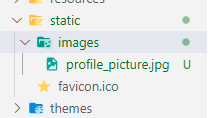
For the favicon, leave the config blank, and it should pick it up automatically.
lxndrblz
on 7 Mar 2021
That actually solves it!
Was I wrong in assuming that the image folder could just be any relative path inside the Hugo project?
Another question that comes now that I have pushed the new repo with the structure changes (once again, thanks).
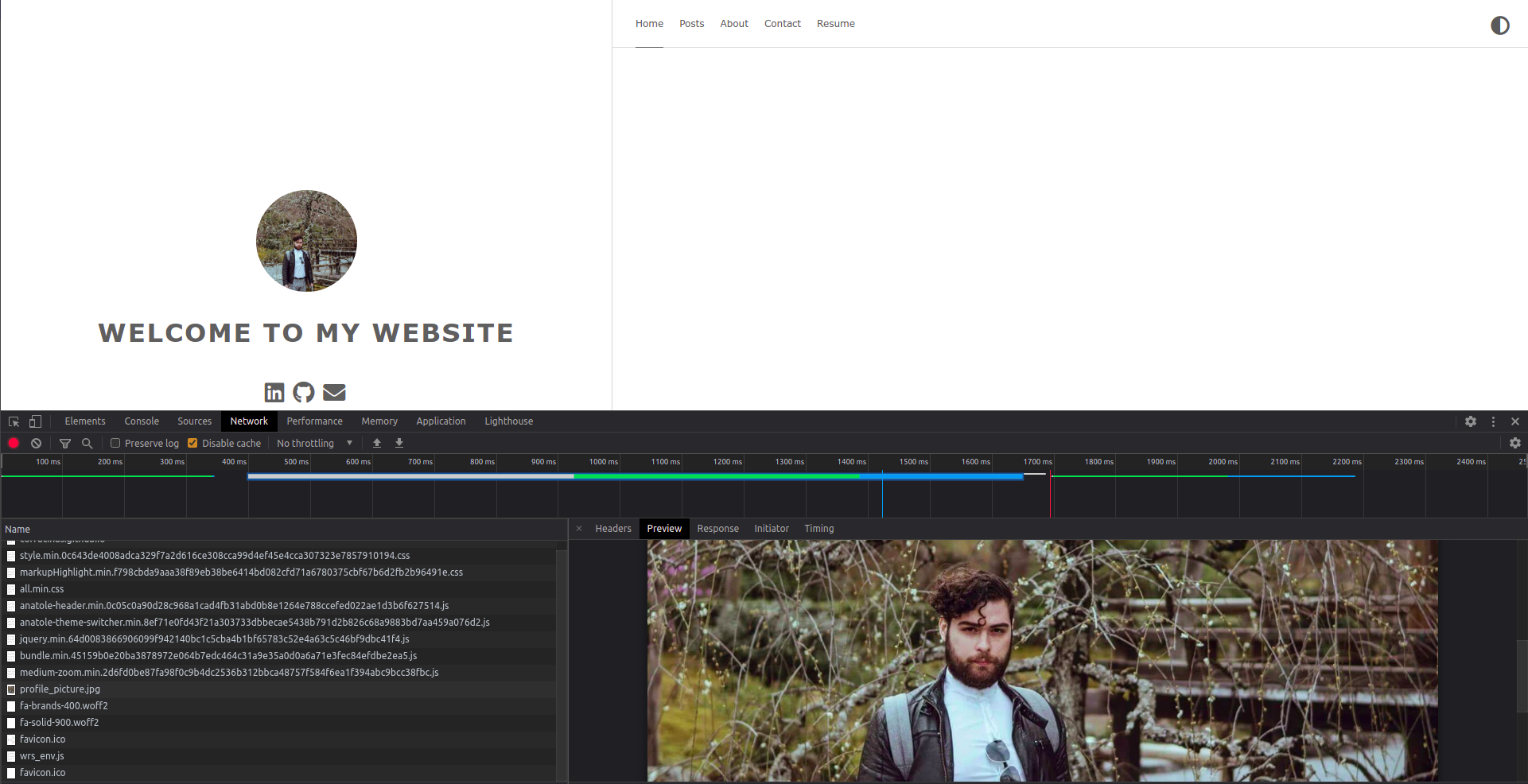
The image I have selected now is 1364 x 1371
On the website, it renders quite small compared to the welcome to my website subtitle....I guess I can just write my own CSS? I was wondering if you could clarify to me how I can override the code that is automatically generated by Hugo from your theme without breaking it
Corfucinas
on 7 Mar 2021
What you would need to do is to add a custom css, as explained in the readme. That way no changes would get overwritten and you can make changes as needed. The current width is 127px, which might look small depending on the screen resolution. Feel free to adjust that as needed in your own custom css extension-file.
lxndrblz
on 7 Mar 2021
Related issues
 jwalsh2me
·
6Comments
jwalsh2me
·
6Comments
 Sptandi
·
4Comments
Sptandi
·
4Comments
 codyleyhan
·
4Comments
codyleyhan
·
4Comments
 SamEdwardes
·
6Comments
SamEdwardes
·
6Comments
 tangxuemei1995
·
4Comments
tangxuemei1995
·
4Comments