Amplify-console: Amplify Console failed to detect Framework after production branch change
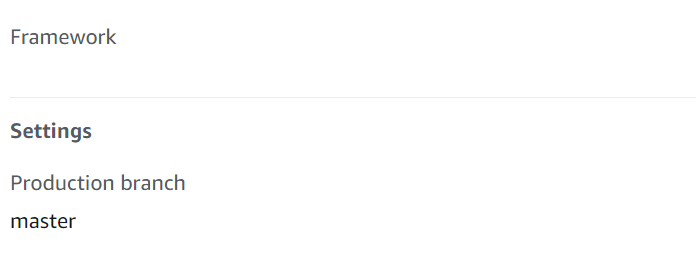
Hi! I am deploying a React SPA on Amplify. We connected the develop branch at first for testing. However, when I switched the production branch to master, the Framework description disappeared. Will it effect future integration with Amplify? I think even after changing the production branch, Amplify console should be able to redetect the Framework.
 AustinZhu
All 4 comments
Hi @AustinZhu,
Thanks for reaching out. I will investigate and get back to you.
 abhi7cr
on 14 Oct 2020
abhi7cr
on 14 Oct 2020
when i clicked on my Production branch URL i got blank page .fist i got my page but after some deploymen i got blank page.what should i do to get my web page back ?
production url:https://master.d3eby3l0g0a216.amplifyapp.com/
when you click on that url you will get blank page with url:https://master.d3eby3l0g0a216.amplifyapp.com/src/
(page target address is index.js )
 kunalkhadke01
on 16 Oct 2020
kunalkhadke01
on 16 Oct 2020
@kunalkhadke01 are you still experiencing this?
 litwicki
on 11 Nov 2020
litwicki
on 11 Nov 2020
No , I am not facing any issue now.
thank you
On Wed, 11 Nov 2020, 10:52 pm Jake Litwicki, notifications@github.com
wrote:
@kunalkhadke01 https://github.com/kunalkhadke01 are you still
experiencing this?—
You are receiving this because you were mentioned.
Reply to this email directly, view it on GitHub
https://github.com/aws-amplify/amplify-console/issues/1138#issuecomment-725552426,
or unsubscribe
https://github.com/notifications/unsubscribe-auth/AQMRKOGY3WFPNAGG5BVFYGDSPLB6RANCNFSM4SP7ZRZQ
.
kunalkhadke01
on 11 Nov 2020
Related issues
 nomiddlename
·
4Comments
nomiddlename
·
4Comments
 hassankhan
·
4Comments
hassankhan
·
4Comments
 ckamps
·
3Comments
ckamps
·
3Comments
 thedgbrt
·
5Comments
thedgbrt
·
5Comments
 ayotise
·
4Comments
ayotise
·
4Comments