Amplify-console: Issue in connecting feature branch to Amplify
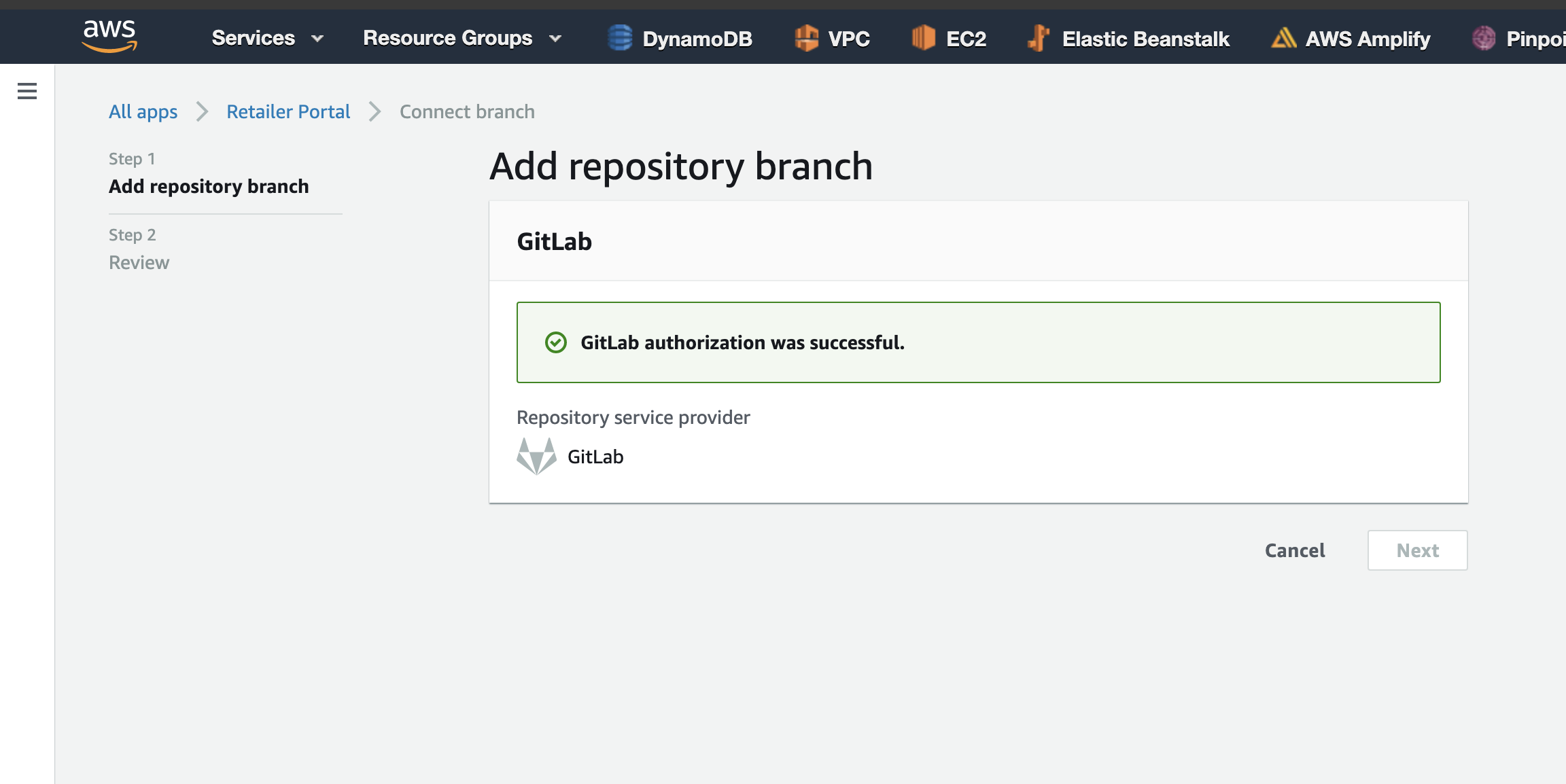
I'm trying to add a new feature branch to our amplify project, but when I'm trying to "Add repository branch" it failed and return a Failed to load resource: the server responded with a status of 404 () and doesn't allow us to add any branches, but our limit for adding branches is the default 50.
Please advise what to do.

 SFaraji
All 13 comments
Hi @SFaraji can you please share your appId and also if possible the number of branches in your repo. Thanks!
 Athena96
on 16 Sep 2020
Athena96
on 16 Sep 2020
Hi Athena96, here is the Amplify App ID: d4i8d52zi6kcj and we got 3 branches for this repo.
SFaraji
on 16 Sep 2020
@Athena96 and @abhi7cr, any solution?
SFaraji
on 7 Oct 2020
This bug is very annoying and causes integration manually.
SFaraji
on 7 Oct 2020
Hi, @SFaraji are you still facing this issue? If so can you provide any additional repro steps, I have not been able to repro on my end. Thanks!
Athena96
on 5 Nov 2020
Hi @Athena96, yes I'm still facing this issue.
Here the repro steps:
- Click connect branch
- Select the Repository service provider, in my case is "Gitlab" and click Next button
- The screen will be locked and if you open from inspect element you can see
Failed to load resource: the server responded with a status of 404 ()
Please advise what to do, because this bug is very annoying and require manually integrate the branch.
SFaraji
on 5 Nov 2020
What is going on? Why no one responsible to solve this issue. This is causing a huge issue for us for not allowing us to create any branch from the console.
cc: @abhi7cr @Athena96 @ericclemmons @hyandell
SFaraji
on 1 Dec 2020
Same issue here. Actually in my case I could manage to connect branches from the console until I had to migrate my repo and update the link of my Amplify App (which btw, can only be done from the command line). It seems from the Console Amplify tries to read Github's branches by using the old OAuth token.
Amplify has great things but also horrible ones that make you easily feel like loosing control of your project.
 arturocanalda
on 1 Dec 2020
arturocanalda
on 1 Dec 2020
Exactly right @arturocanalda, Amplify is so great for managing web apps but this bug regarding managing multiple branches for prod, sandbox, and pre-release make it annoying to use the command line in order to connect a new branch.
I'm looking forward they will fix this issue ASAP 🤞
SFaraji
on 1 Dec 2020
Please look over the issue with the wrong GitLab id which is used in amplify and that stops us from connecting our branches. So annoying.
SFaraji
on 10 Dec 2020
Same issue here. As I found by adding fetch breakpoint(url contains gitlab), the url sent to gitlab is using number 1 as projectid in the url and that's the reason why it is returning 404
 UniLu419
on 11 Dec 2020
UniLu419
on 11 Dec 2020
@abhi7cr @Athena96 @arturocanalda @abhi7cr @UniLu419, I have contacted AWS tech support and they finally found the issue which is causing if there is a number at the start of the group/username URL (e.g. 1abc should be abc) otherwise Amplify will take the number as the projectId.
SFaraji
on 16 Dec 2020
Yup @SFaraji that’s correct. We had an issue with the way we parsed the repository namespace(_username/reponame_ _groupname/reponame_) when it starts with a number. We have a fix ready, and will update this thread once it’s deployed 🙂
 abhi7cr
on 16 Dec 2020
abhi7cr
on 16 Dec 2020
Related issues
 thedgbrt
·
5Comments
thedgbrt
·
5Comments
 gherrera-gesintel
·
4Comments
gherrera-gesintel
·
4Comments
 OzzieOrca
·
3Comments
OzzieOrca
·
3Comments
 lucaluke88
·
4Comments
lucaluke88
·
4Comments
 nballenger
·
5Comments
nballenger
·
5Comments
Most helpful comment
Same issue here. Actually in my case I could manage to connect branches from the console until I had to migrate my repo and update the link of my Amplify App (which btw, can only be done from the command line). It seems from the Console Amplify tries to read Github's branches by using the old OAuth token.
Amplify has great things but also horrible ones that make you easily feel like loosing control of your project.