Amplify-console: Cache invalidation not working for Jekyll blog page
Describe the bug
I host my jekyll blog on Amplify and some of my pages don't have the cache invalidated like they should.
To Reproduce
Steps to reproduce the behavior:
Reproduction might be difficult since you need your browser to cache the files. This is how I'm reproducing it. I'll show you an example using my blog home page, which lists all of my posts (an important page to update correctly).
- Go to https://www.zackthoutt.com/blog
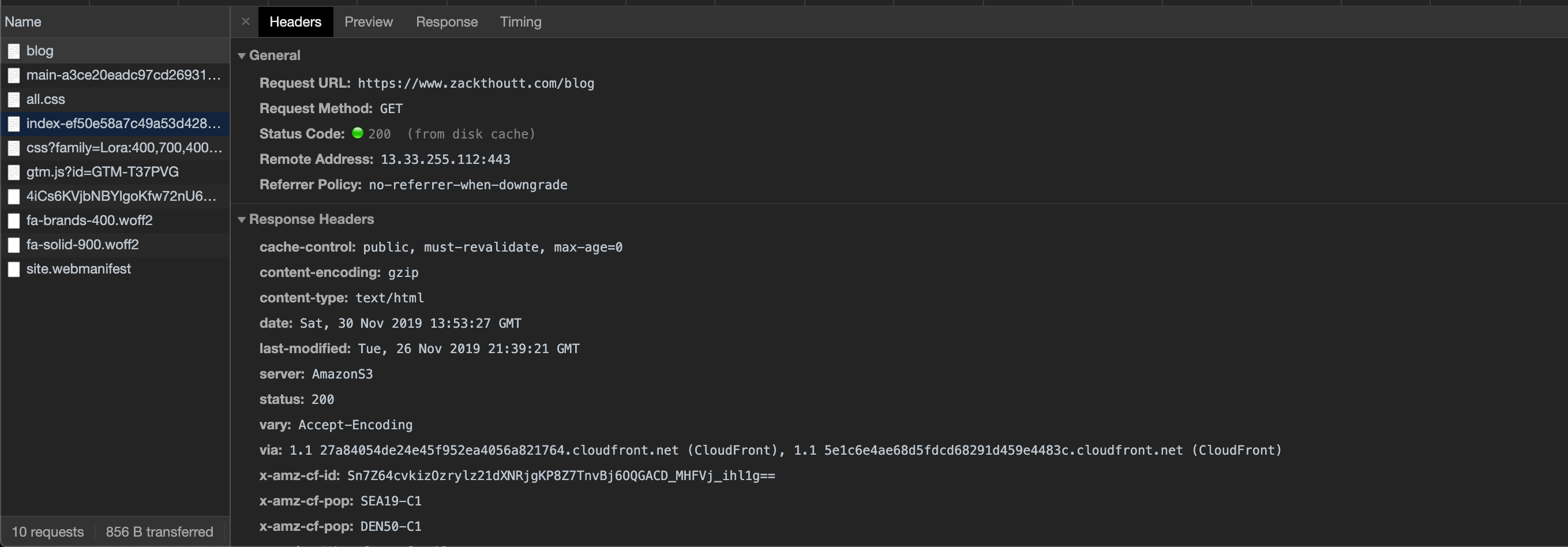
- Open up the network tab and look at the response headers. The last_modified date for me is Tuesday Nov 26. However, I've deployed at least once per day the entire week, the last deployment being last night (which I can see in the Amplify console).
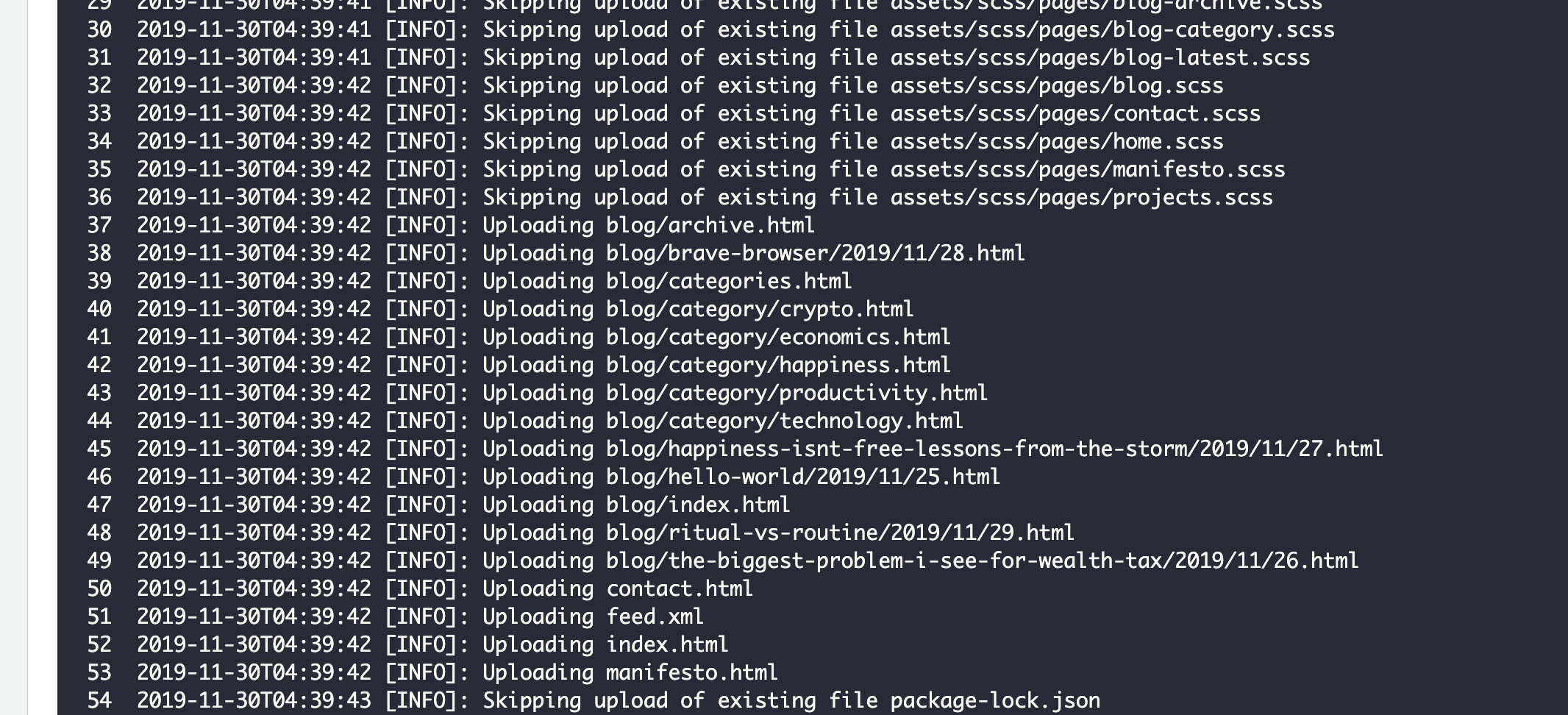
- If I go into the Amplify console, I can see in the last deployment that Amplify recognized this page as having updated on line 47 (
2019-11-30T04:39:42 [INFO]: Uploading blog/index.html).
Even when I clear the browser cache locally, the file doesn't update correctly. The cache misses, but the last-modified date is still Nov 26.
Opening different browsers returns the same results--files that are several days and several deployments old.
I just redeployed again. Now the last-modified date is Nov 27, which is better, but still not accurate. It is still missing several live blog posts which I can see if I navigate directly to those pages.
Interestingly, if I go into the Amplify console and manually redeploy the latest version, the file continues to update incrementally one version. So I hit the redeploy button about five times and each time the cached files caught up by about one deployment. I've deployed enough times that the file in the cache now matches what it should be. So if anyone else has this problem, you can likely fix it by manually redeploying a bunch of times, but I hope this bug can get fixed. It's like only this one page fell out of sync with the Amplify caching.
Expected behavior
According to this page, the cache should be updated when a file is updated during deployment. Since the file I'm trying to view was updated, the cache should have been bust and the must-revalidate cache control should force the new page to be loaded for all users after a deployment.
 zackthoutt
All 3 comments
I'm seeing the same behavior with my amplify page. What I see in the deployment is 'N' (4 or 5) commits behind what I'm publishing to github. Also, like you mention, if I 'force' it to redeploy, it moves up one commit (but still not in-sync with the latest commit). Very strange.
Is there any way to force invalidation of all published files, through the console?
 ajohnson1968
on 29 Dec 2019
ajohnson1968
on 29 Dec 2019
Same problem here, Any solutions?
 bekatom
on 10 Sep 2020
bekatom
on 10 Sep 2020
@bekatom @ajohnson1968 @zackthoutt this should be resolved now. If you notice any recurrence please reopen this issue.
 litwicki
on 8 Dec 2020
litwicki
on 8 Dec 2020
Related issues
 ayotise
·
4Comments
ayotise
·
4Comments
 nballenger
·
5Comments
nballenger
·
5Comments
 thedgbrt
·
5Comments
thedgbrt
·
5Comments
 lucaluke88
·
4Comments
lucaluke88
·
4Comments
 nhhaidee
·
3Comments
nhhaidee
·
3Comments
Most helpful comment
I'm seeing the same behavior with my amplify page. What I see in the deployment is 'N' (4 or 5) commits behind what I'm publishing to github. Also, like you mention, if I 'force' it to redeploy, it moves up one commit (but still not in-sync with the latest commit). Very strange.
Is there any way to force invalidation of all published files, through the console?