Amplify-console: Problems setting up 404 page on Gatsby site in AWS Amplify
I have a simple Gatsby site that I've deployed through AWS Amplify based on this guide. However, I'm struggling to set up a proper 404 page through the AWS Amplify Console (or via a config file).
I want it to behave like a standard 404 page such as that on Google.com – i.e.
Incorrect URLs show the content of my 404 page (ember.to/404)
The incorrect URL is kept the same in the URL bar – i.e. the user does not see a redirect
A 404 status code is returned in the header so the browser/GoogleBot knows it's a 404
What's happening currently:
- I've set up a rule in "Rewrites and redirects" of type "404" with source address "/<*>" and destination address "/404"
- This means that if someone goes to (e.g.) ember.to/blah which doesn't exist, they see the 404 page as desired. However, the URL in their browser bar changes to ember.to/404 (not desired) and the HTTP header does not give a 404 status
- I've also tried changing the redirect type to "200". This almost gives the right behaviour on incorrect URLs (URL stays same, 404 message is shown and 403 error returned to browser) but unfortunately that means all valid pages on my site show the 404 message
- I can't see any way of configuring it so that a 200 redirect is performed only when a 404 message is returned when accessing a URL
- Can anyone help with this? I'm not really clear if there are more advanced configuration options I'm missing outside the console? Can I do something with the build settings using the amplify.yml file?
 swaminator
All 29 comments
For anyone else who lands here, we will add support for this feature in the coming weeks.
swaminator
on 23 Aug 2019
The fix has been deployed - please select a 404 rewrite to test. @jamieweavis @valtermartin1301 @sirichards can you please verify it works for you?
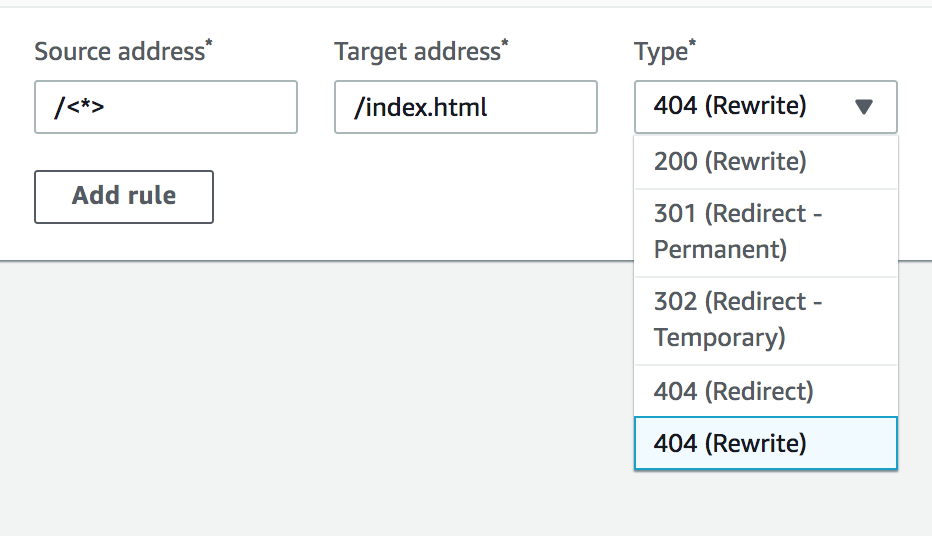
swaminator
on 10 Sep 2019
I'm not seeing my 404 page at all with that rewrite @swaminator, see: https://www.jamieweavis.dev/test
Rewrites and redirects:
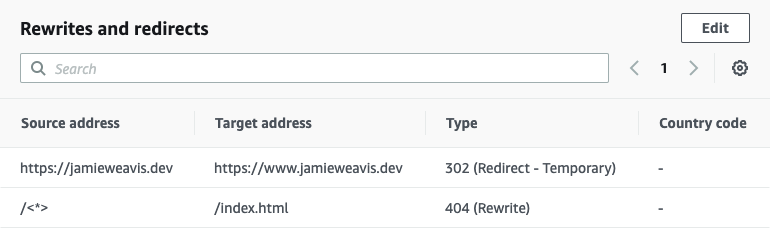
Also tried with the following target addresses:
/404https://www.jamieweavis.dev/404
But that gives me:
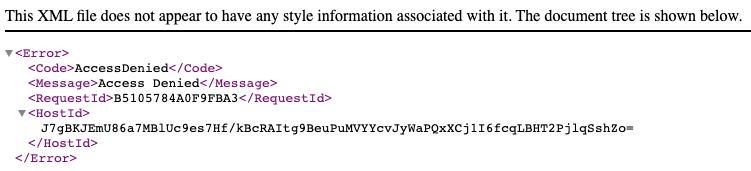
 jamieweavis
on 11 Sep 2019
jamieweavis
on 11 Sep 2019
@jamieweavis appears to be working for me?
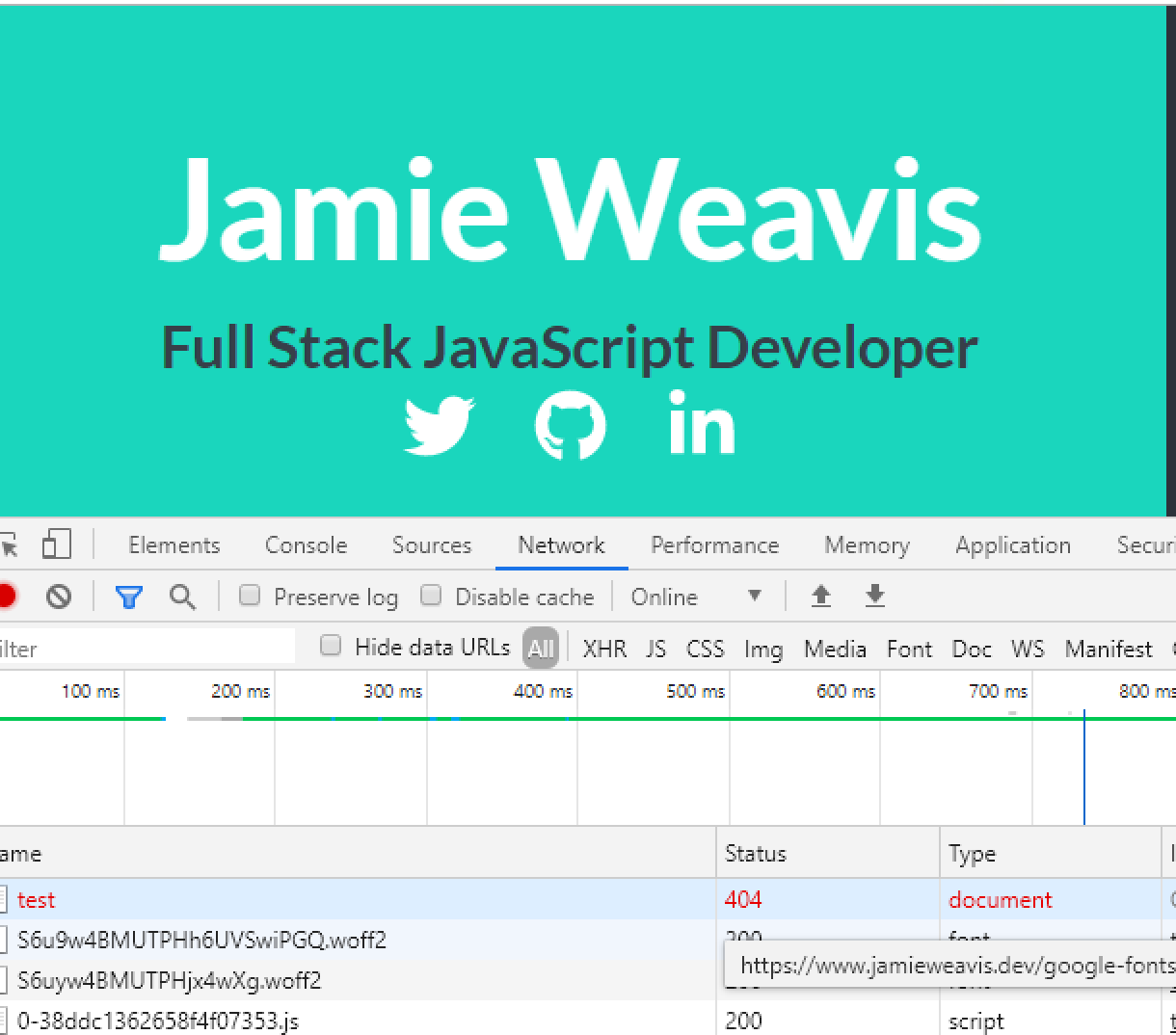
swaminator
on 11 Sep 2019
The status code is correct but I have a dedicated page at https://jamieweavis.dev/404 which I'd like to be shown instead of redirecting to the index page, for example https://jamieweavis.dev/test would show the 404 page but keep the /test URL, if that makes sense?
jamieweavis
on 11 Sep 2019
Hi @jamieweavis if you have a dedicated 404 page at https://jamieweavis.dev/404 please update the target address for your 404 (Rewrite) rule to be /test instead of /index.html
 anatonie
on 11 Sep 2019
anatonie
on 11 Sep 2019
Hi @anatonie - doing so gives the AccessDenied error mentioned above. The /test route was just an example of a route that doesn't exist and should display the 404 page
jamieweavis
on 11 Sep 2019
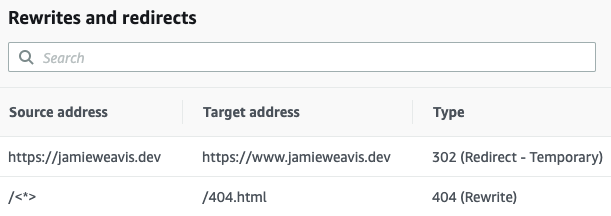
I've been able to get the desired behaviour by setting the target address to /404.html 🎉
For example https://jamieweavis.dev/page-that-does-not-exist shows the 404 page without altering the URL in the address bar
These are my rewrites and redirects for reference:
jamieweavis
on 12 Sep 2019
I've also noticed a bug with missing trailing slashes, i'm not sure if this is a Gatsby or AWS issue.
For example if you visit https://www.solheimcup2019.com/tickets/ the page renders fine, if you visit https://www.solheimcup2019.com/tickets (without the trailing slash) there is a flash of the 404 page, which seems to redirect to the page with missing content/styles.
 sirichards
on 12 Sep 2019
sirichards
on 12 Sep 2019
@sirichards both seem to work for me (with styles). Are you seeing an issue?
swaminator
on 13 Sep 2019
@swaminator sorry I had to revert back to a redirect as that website went live and it was causing the issue, I've created a new test here:
https://master.d1qbgpt3cc978c.amplifyapp.com/page-2/ (with trailing slash)
https://master.d1qbgpt3cc978c.amplifyapp.com/page-2 (without trailing slash)
Without the trailing slash you get the flash of the 404, also the http status is recorded as a 404.
sirichards
on 16 Sep 2019
@sirichards that is caused by the suggested 404 rule (<*> => /404.html), which conflicts with the default amplify behaviour. We solved by using </index\.html/> => /404.html instead.
 ariadne-github
on 16 Sep 2019
ariadne-github
on 16 Sep 2019
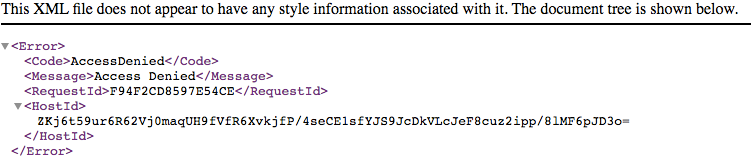
@ariadne-github that seemed to fix the slash issue, however I am now getting 403 access denied when visiting a page that doesn't exist.
https://master.d1qbgpt3cc978c.amplifyapp.com/uyhyjuth/

sirichards
on 16 Sep 2019
Hmmm, maybe try removing the starting "/"? So </index\.html/> instead of /</index\.html/>
ariadne-github
on 16 Sep 2019
@ariadne-github that fixed it, thanks! :)
sirichards
on 16 Sep 2019
You are welcome. This seems to work for now, but please comment here if you notice any other side effect.
ariadne-github
on 16 Sep 2019
Closing this issue for now. Please reopen if you have any issues.
swaminator
on 18 Sep 2019
@ariadne-github @swaminator there is a side effect with the above configuration.
When you load a non html file that does not exist, it shows AccessDenied page instead of 404.
 steverandy
on 7 Jan 2020
steverandy
on 7 Jan 2020
@swaminator we might need to reopen this. The 404 rewrites on our site are no longer working. I have the following rewrite in place:
</index\.html/> => /404.html
but I'm getting a 403 response when I go to https://www.example.com/foo/
 ryanbagwell
on 23 Sep 2020
ryanbagwell
on 23 Sep 2020
@ryanbagwell
We also just started seeing this issue today. It worked in the past, but suddenly stopped working today.
 kylegwalsh
on 23 Sep 2020
kylegwalsh
on 23 Sep 2020
I am seeing the same thing.
 shankinson
on 23 Sep 2020
shankinson
on 23 Sep 2020
@shankinson @kylegwalsh @ryanbagwell reopening this issue. We will investigate this. Can you share your appids along with regions please?
swaminator
on 25 Sep 2020
appid: d13epz5f3n6l5q, us-east-1
shankinson
on 26 Sep 2020
@shankinson @kylegwalsh @ryanbagwell The issue has been identified and a resolution will be out shortly.
 hsspain
on 26 Sep 2020
hsspain
on 26 Sep 2020
The issue with 404 rewrite rule has been resolved. Please redeploy your app to continue to use the custom rewrite rule.
hsspain
on 26 Sep 2020
@shankinson @kylegwalsh @ryanbagwell can you please confirm?
swaminator
on 6 Oct 2020
@swaminator looks good on my end. Many thanks.
ryanbagwell
on 6 Oct 2020
Appears to be fixed.
shankinson
on 7 Oct 2020
@swaminator The issues was fixed on our end as well.
kylegwalsh
on 7 Oct 2020
Related issues
 nhhaidee
·
3Comments
nhhaidee
·
3Comments
 helloPiers
·
3Comments
helloPiers
·
3Comments
 ayotise
·
4Comments
ayotise
·
4Comments
 thedgbrt
·
5Comments
thedgbrt
·
5Comments
 lucaluke88
·
4Comments
lucaluke88
·
4Comments
Most helpful comment
@swaminator we might need to reopen this. The 404 rewrites on our site are no longer working. I have the following rewrite in place:
</index\.html/> => /404.htmlbut I'm getting a 403 response when I go to https://www.example.com/foo/