Amphtml: amp-ad causing pages to hang for multiple seconds
What's the issue?
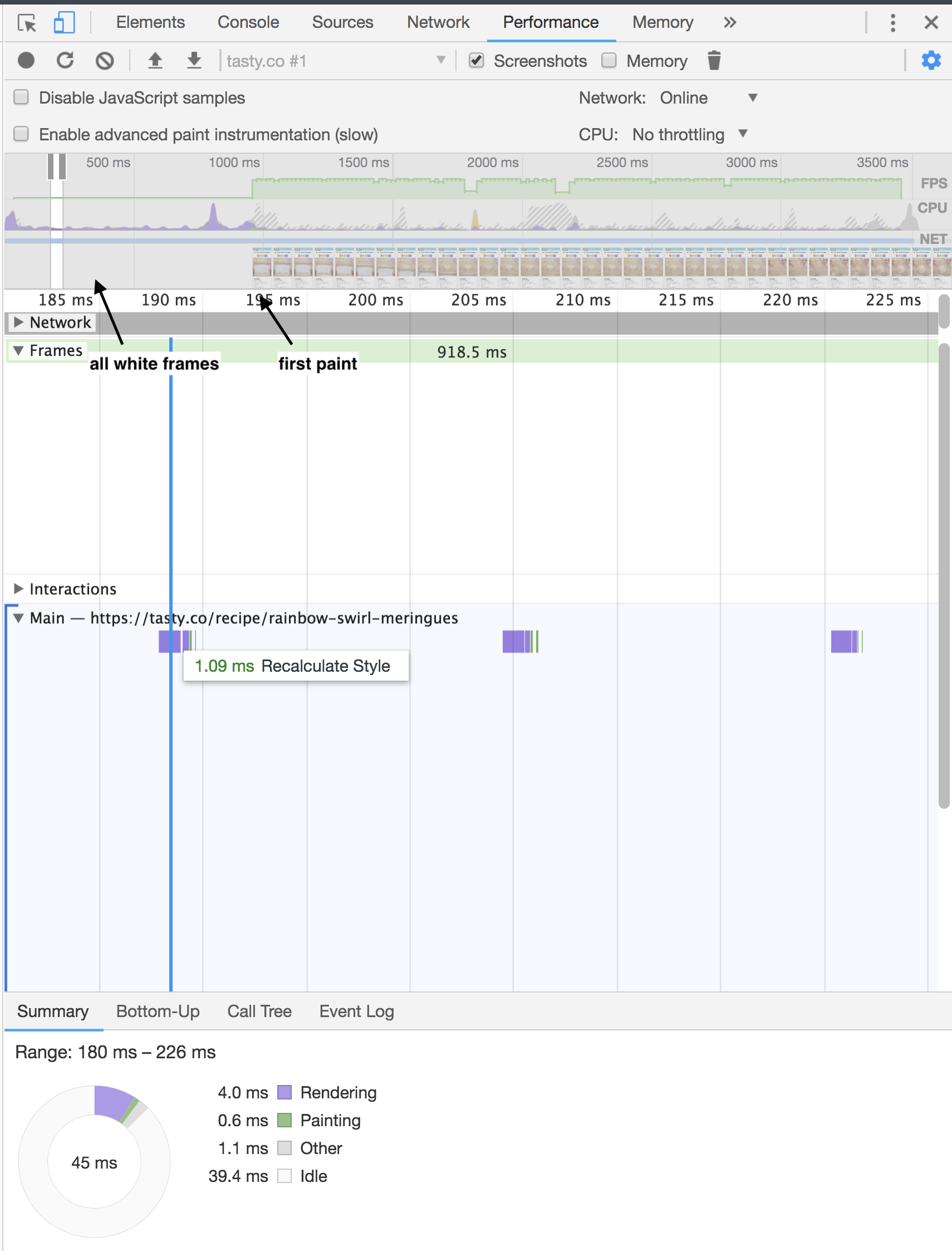
I use amp-ad on my page and have been seeing some strange behavior. On Chrome desktop specifically I very often see my page be fully white before content loads in for seconds and while the page is white ad network requests are being sent out. In the performance tab of Chrome shows it recalculating styles and updating the layer tree over and over again - I have no clue why this might be happening or how to debug/avoid it.
How do we reproduce the issue?
If you go to tasty.co on Chrome desktop and click around to different recipes (it isn't super predictable) but within a few clicks you will see the page completely hang for seconds
I also saved the profile from the performance tab that saves into .json to see the exact strange behavior (which I'm unable to attach here)
What browsers are affected?
Have only reproduced on desktop Chrome
Which AMP version is affected?
amp-version="1529449959701"
 jessanastasio
All 8 comments
@lannka anything we can do for bad ads?
 aghassemi
on 26 Jun 2018
aghassemi
on 26 Jun 2018
I wonder if using a placeholder for amp-ad would be helpful in this situation 🤔 https://github.com/ampproject/amphtml/blob/master/extensions/amp-ad/amp-ad.md#placeholder
jessanastasio
on 26 Jun 2018
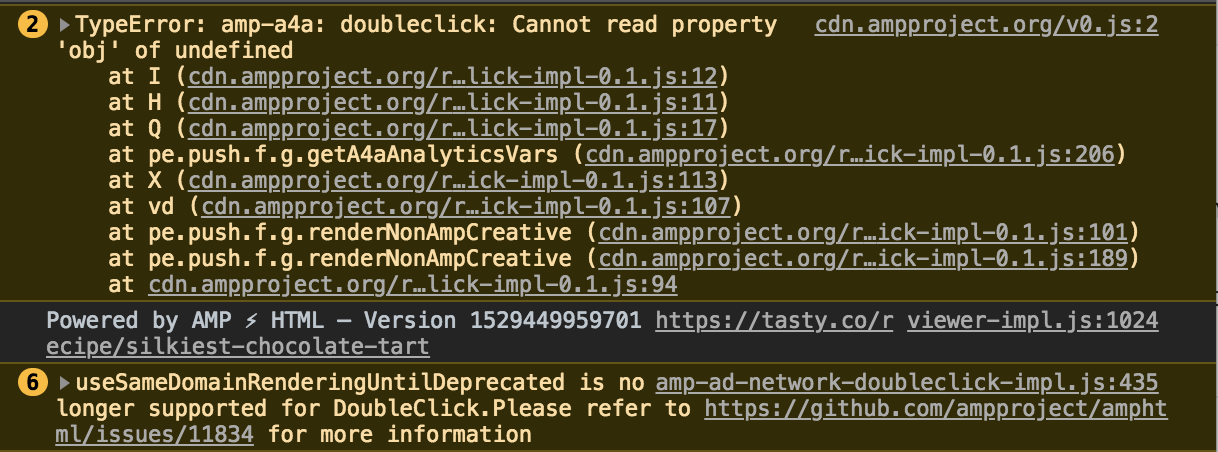
I took a quick look and I was able to repro fairly easily. I haven't tried to debug but leaving stack trace here for future reference. It appears to only be happening on certain creatives.
 calebcordry
on 26 Jun 2018
calebcordry
on 26 Jun 2018
I know this is pending triage and there are a bunch of other priorities/bugs but I wonder if anyone has tips for me to debug this more on my own 🤔this makes my site look/feel super broken and I'm not sure the best way to debug or get around it right now since I need to use amp-ad
jessanastasio
on 27 Jun 2018
@jessanastasio Could you please share the profile you saved? I am not able to repro with the performance tab open 😕
calebcordry
on 18 Jul 2018
calebcordry
on 18 Jul 2018
Hi @calebcordry, here are the steps I've taken to reproduce the issue:
- Clear your browser's cache of images and files
- Continuously visit different recipe pages on tasty.co on chrome desktop. Eventually you'll encounter a page that takes a very long time to load. Here is a little video to demonstrate: https://monosnap.com/file/CXKKYapljhUXWRqqfybvApaYbpHXHs
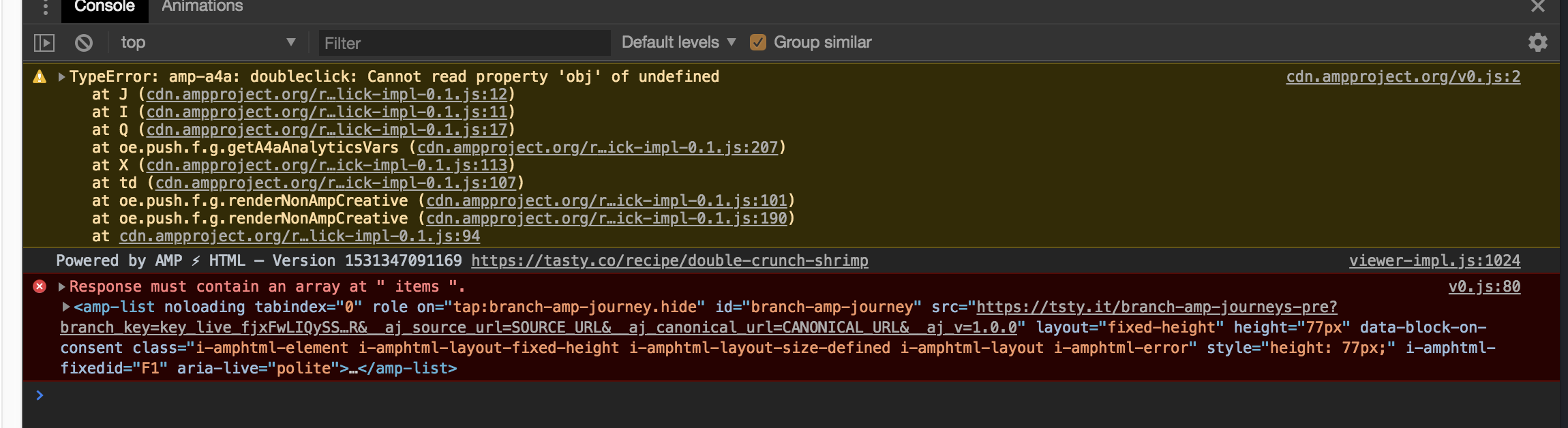
The error that I'm seeing each time we experience the lag is this:
TypeError: amp-a4a: doubleclick: Cannot read property 'obj' of undefined
    at J (service.js:400)
    at I (service.js:270)
    at Q (service.js:267)
    at oe.push.f.g.getA4aAnalyticsVars (utils.js:552)
    at X (amp-a4a.js:1800)
    at td (amp-a4a.js:1578)
    at oe.push.f.g.renderNonAmpCreative (amp-a4a.js:1413)
    at oe.push.f.g.renderNonAmpCreative (amp-ad-network-doubleclick-impl.js:937)
    at amp-a4a.js:1101
Here are each of the ad request URLs from that video:
Please let us know if we can provide any additional information!
 curseagain
on 18 Jul 2018
curseagain
on 18 Jul 2018
We investigated this issue. You can reproduce using the example page located here https://gist.github.com/calebcordry/9ab3e27fcfddd9e34fb5419a86d18558
That gist has a bit of code at the very beginning that logs window['__AMP_BODY_VISIBLE'] as the very first line of code that runs. AMP uses this property in the runtime to determine if the body is showing. On the good page loads this logs undefined but on the bad page loads it evaluates to true.
This appears to be caused by some sort of state leakage from one page to another. This property should never be true when visiting a new page (until after the runtime has set it). We think that this leak is probably cause by some bad code in an ad, but regardless chrome should protect against this happening.
This happens in both chrome 67 and 70 canary versions.
We will be following up with the chrome team to report this issue.
cc/ @lannka @zhouyx
calebcordry
on 25 Jul 2018
Related issues
 choumx
·
3Comments
choumx
·
3Comments
 sryze
·
3Comments
sryze
·
3Comments
sryze
·
3Comments
sryze
·
3Comments
 devanes
·
3Comments
devanes
·
3Comments
 radiovisual
·
3Comments
radiovisual
·
3Comments
Most helpful comment
We investigated this issue. You can reproduce using the example page located here https://gist.github.com/calebcordry/9ab3e27fcfddd9e34fb5419a86d18558
That gist has a bit of code at the very beginning that logs
window['__AMP_BODY_VISIBLE']as the very first line of code that runs. AMP uses this property in the runtime to determine if the body is showing. On the good page loads this logsundefinedbut on the bad page loads it evaluates totrue.This appears to be caused by some sort of state leakage from one page to another. This property should never be
truewhen visiting a new page (until after the runtime has set it). We think that this leak is probably cause by some bad code in an ad, but regardless chrome should protect against this happening.This happens in both chrome 67 and 70 canary versions.
We will be following up with the chrome team to report this issue.
cc/ @lannka @zhouyx