Amiberry: Pause emulation hot key not working
Hello, I have assigned the pause emulation function to one of the game pad buttons in the custom controls section, but that doesn't seem to be doing anything when I am playing a game. I have tried binding other functions and they seem to work fine though. Are some of these functions not supported in amiberry?
I am running 2.24 on retropie on a rpi3
 RetroD
All 15 comments
The pause emulation button seems to work for me, and I didn't even have to assign any special button for that.
The default one ("Start") from RetroPie's controller mapping worked right away.
Did you try using that?
 midwan
on 5 Feb 2019
midwan
on 5 Feb 2019
Strange, yeah start doesn't do anything for me, and assigning it doesn't work either. Is that meant to work on any whdload game this way? Just tried it with IK+ and battle chess
RetroD
on 6 Feb 2019
I've tested it with multiple WHDLoad games, and it seems to work for me for all of them.
I'll test it again on a different machine with a different controller also, just to be sure.
midwan
on 6 Feb 2019
@midwan thanks for checking,
I have tried both with a XBOX 360 and XBOX One controller. Mapped the pause emulation function to other buttons too, just to see if it was a problem with the start button. Even tried disconnecting my keyboard, which makes no sense I know, but I have experienced more bizarre things with computers in the past :)
I have also tried one of the quick start configs (A1200 stock) rather than going via the whdload route
RetroD
on 6 Feb 2019
@RetroD
I can recreate the problem, this is a bug. :)
In several games, pressing the "Start" button will trigger a pause but it's not the same as "Pause Emulation" of course.
midwan
on 7 Feb 2019
@midwan
ahhh, that's where the confusion was :)
That's right, it's the 'pause emulation' that is the problem. I think the games you could pause that way with the start button would be the CD32 ones (or ones that support the CD32 pad)
Glad the mystery is solved!
RetroD
on 8 Feb 2019
@RetroD
Yeap, you weren't going insane. :)
I'm in the process of implementing this now, we'll see how it goes soon.
midwan
on 8 Feb 2019
@RetroD
It should work now, please test and let me know if you run into anything weird :)
midwan
on 9 Feb 2019
Awesome! Do I just need to go and install from source to get it?
RetroD
on 9 Feb 2019
Yep!
midwan
on 9 Feb 2019
I can not compile the SDL1 Version. Getting this Error.
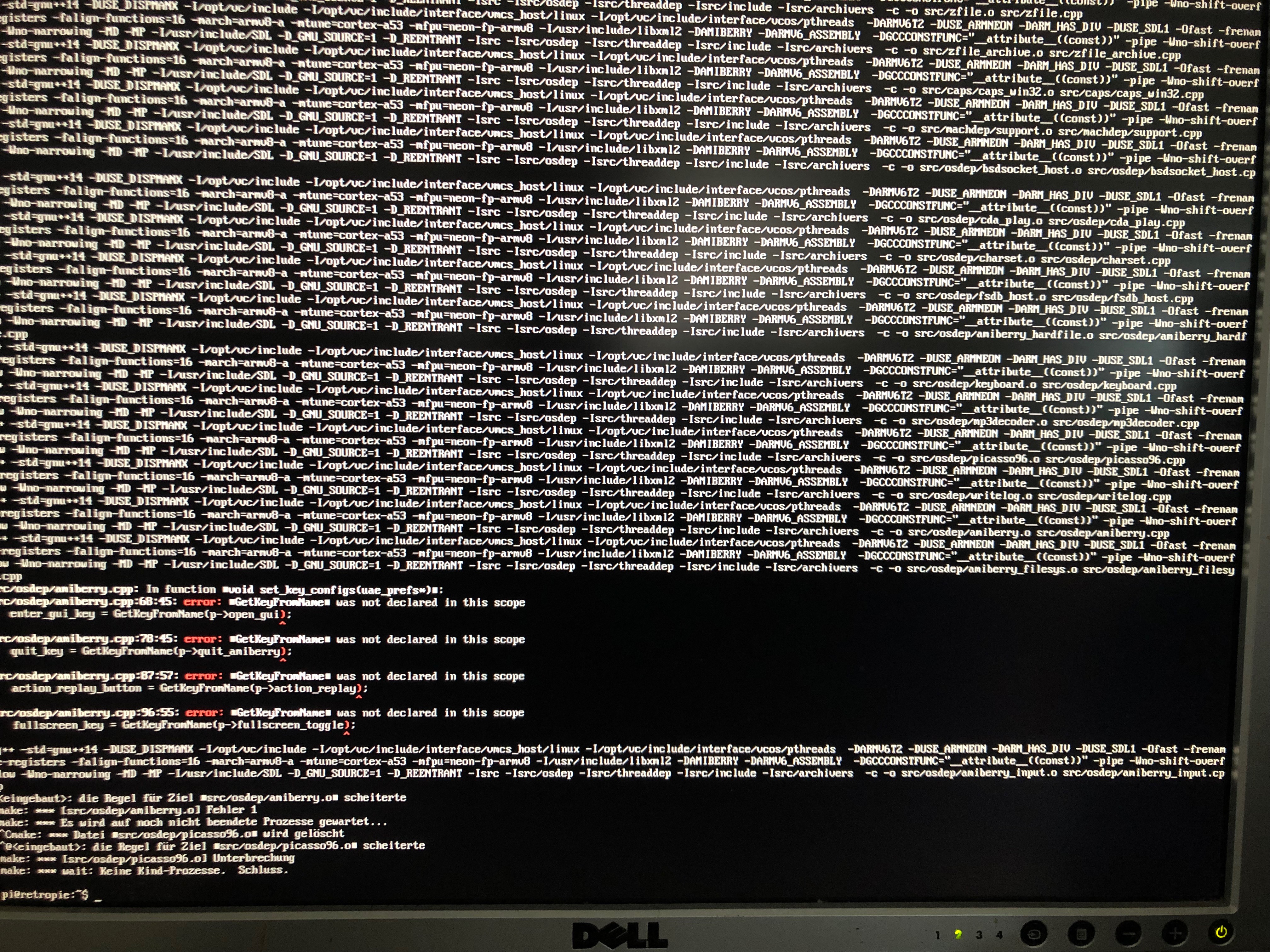
 CypherXG
on 9 Feb 2019
CypherXG
on 9 Feb 2019
Hey guys, I am also having trouble installing from source via retropie setup. Says it could not successfully build amiberry because amiberry-rpi3-sdl1 was not found
RetroD
on 9 Feb 2019
Seems like I missed something, let me get that fixed...
midwan
on 9 Feb 2019
@RetroD
That should have fixed it, it seems to build fine here. Please test and let me know when you get a chance.
midwan
on 9 Feb 2019
Yep, tested and all working fine now! Fix verified :)
Thanks for the quick turnaround!
RetroD
on 9 Feb 2019
Related issues
 Babbonz
·
3Comments
Babbonz
·
3Comments
 AnalogHero
·
5Comments
AnalogHero
·
5Comments
 andreavitali
·
6Comments
andreavitali
·
6Comments
 henrikstengaard
·
7Comments
henrikstengaard
·
7Comments
 Fourdee
·
4Comments
Fourdee
·
4Comments