Amiberry: Updating from v2.18.1 to 2.19
Hi,
I am updating from *amiberry-rpi3-sdl1-dispmanx-Jessie-v2.18.1*
I have downloaded amiberry-rpi-Stretch-v2.19_2.zip & amiberry-rpi3-sdl1 I assume I use amiberry-rpi-Stretch-v2.19_2.zip and rename amiberry-rpi3-sdl1 to amiberry?
And also copy all the data over to my pi, is this the manual way to update?
Can we update to 2.19 within RetroPie yet?
 ransom1122
All 17 comments
@ransom1122
The Jessie binaries will come online today! :)
You should be able to update from source in RetroPie, in the meantime
 midwan
on 15 Apr 2018
midwan
on 15 Apr 2018
Ah that explains why none of my games booted after a manual update with amiberry-rpi3-sdl1.
I've never updated from retropie.. what are the steps to make this happen?
ransom1122
on 15 Apr 2018
@ransom1122
Make sure you have the latest version of RetroPie-Setup, then running that allows you to select the emulator and install the latest from source...
Meanwhile, RetroPie released a new update and with v4.4 they also moved to Stretch... ;-)
midwan
on 15 Apr 2018
Ok great. I updated to 4.4 then did a manual update of amiberry which failed to boot any games. I'll retry it tomorrow. Thx
ransom1122
on 15 Apr 2018
I'll test RetroPie v4.4 tonight as well, haven't had a chance to try it yet.
midwan
on 15 Apr 2018
@ransom1122
The Jessie binaries are online as well now
midwan
on 15 Apr 2018
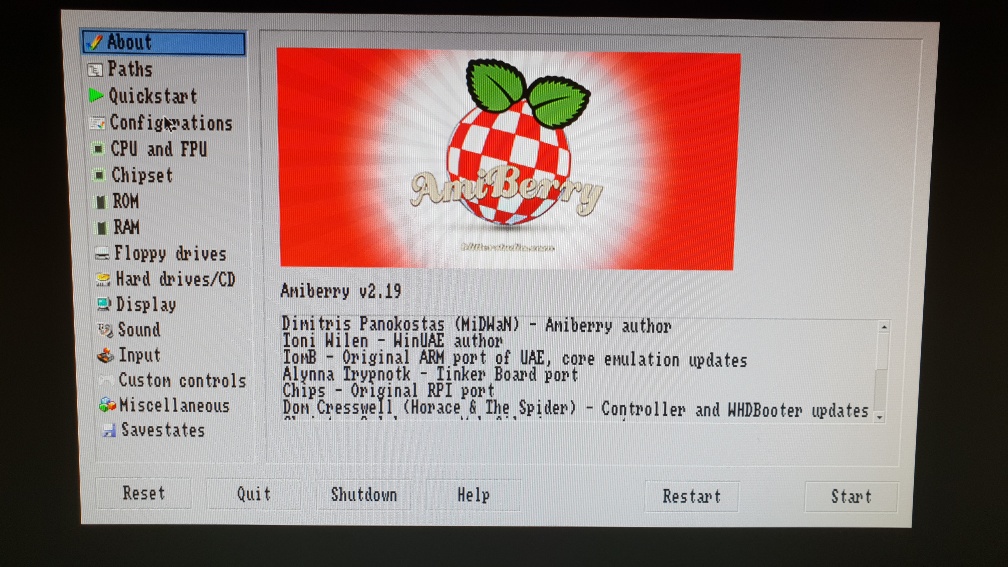
Manual updated via FTP Completed and working. Now its time to update RetroPie to 4.4.
@Midwan Did you get your REtroPie to 4.4 with Amiberry 2.19 yet?
ransom1122
on 16 Apr 2018
I am currently testing Amiberry's dev branch with RetroPie 4.4 anyway... just ironing out a few discrepencies
 HoraceAndTheSpider
on 16 Apr 2018
HoraceAndTheSpider
on 16 Apr 2018
Does this mean it's not safe to go to RP4.4 yet with Amiberry v2.19?
ransom1122
on 16 Apr 2018
it wont cause a crash or anything, so it's "safe" if you are compiling from source, but i suspect it will be changed tonight after some tests/changes/fixes , so you might want to wait till then.
HoraceAndTheSpider
on 16 Apr 2018
OK I've made a backup already began the RP4.4 update. I'll see how I go and what comes new from you guys in the meantime. Thx
ransom1122
on 16 Apr 2018
Pleased to report the fixes are working on both Jessie and Stretch versions of RetroPie.
HoraceAndTheSpider
on 16 Apr 2018
I can confirm Amiberry v2.19 works fine on RPI 4.4.
1st Step - Updated RetroPie to 4.4
2nd Step - Manual FTP update of Amiberry to v.2.19
I Quickly Test Quick 'N Silva game in HDF Autofire works perfectly without having to select Keyboard then Joystick.
A lot of other games seem to work like normal on 2.19
So far all I can say (again) is GREAT JOB!! :) 👍
By the way what exactly is Stretch?
ransom1122
on 17 Apr 2018
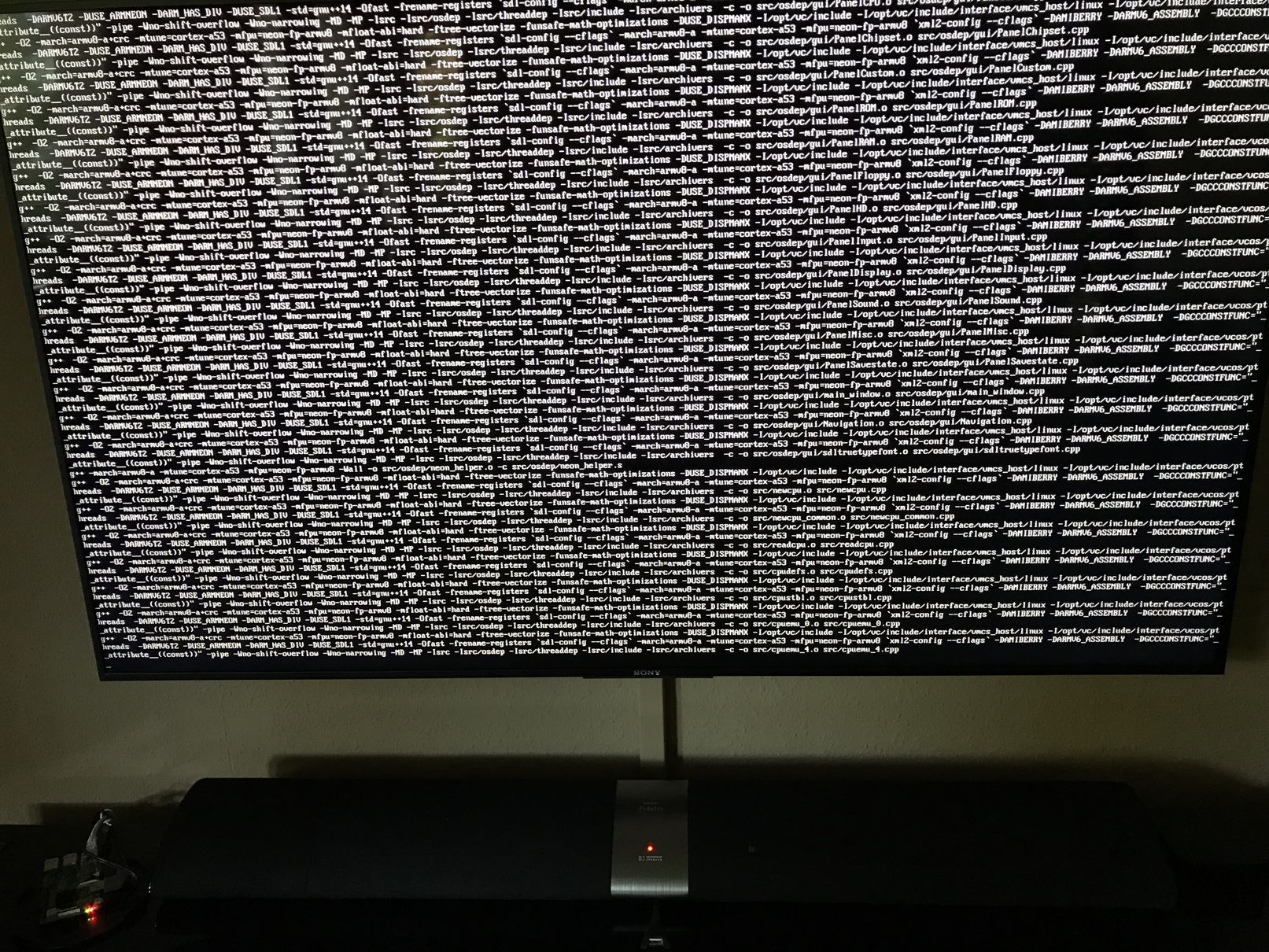
Am trying to update from 2.18.x to 2.19 on Pi 3b+ via Retropie (scripts are updated to 4.4)
- Binary update keeps 2.18.x
- Source update starts, runs, halts after 10 mins and does not move for hours. Then quits without updating..
- tried several images.. always crashes at same position .. any ideas? Thanks
 QUIZASERAQ
on 19 Apr 2018
QUIZASERAQ
on 19 Apr 2018
It worked for me. I did not choose to update the additional core
ransom1122
on 20 Apr 2018
@QUIZASERAQ
The update from the binary is probably something that RetroPie needs to look into, as they use scripts to fetch and decompress the archives. I'm guessing those need an update.
Updating from source however should (and does in all my tests) work.
The RetroPie scripts only use 1 CPU core while compiling, so it will take some time to finish. The parts about compiling the cpu emulation files (e.g. compemu_XX) will take the longest. Could it be that you think it's stuck, because it's slow? How long have you left it going?
@ransom1122 Stretch is the distro version "nickname" that Raspbian gave on release. "Jessie" was the previous version for example, "Whizzy" the one before that, etc.
midwan
on 20 Apr 2018
@QUIZASERAQ
This is not the place to talk about it
@midwan
Thanks
ransom1122
on 21 Apr 2018
Related issues
 henrikstengaard
·
7Comments
midwan
·
10Comments
henrikstengaard
·
7Comments
midwan
·
10Comments
 ariath
·
8Comments
ariath
·
8Comments
 LimeyGeeza
·
5Comments
LimeyGeeza
·
5Comments
 vretro
·
5Comments
vretro
·
5Comments