I've tried using web sockets by following the example of the documentation and I get nothing back returned. I've tried using vanilla javascript to connect to the server too but only get "WebSocket is already in CLOSING or CLOSED state." on the console log.
 codingphasedotcom
All 15 comments
I think we need to do some changes on documentation, we have done so many changes to amber core on last month.
Let me try to reproduce this issue 👍
 faustinoaq
on 27 Nov 2017
faustinoaq
on 27 Nov 2017
Any updates on this?
 elorest
on 29 Nov 2017
elorest
on 29 Nov 2017
Yeah, I'm trying an new amber app using websockets to be able to reproduce it 😅
Currently I'm using
➜  ~ amber --version
Amber CLI (amberframework.org) - v0.3.6
➜  ~ shards --version
Shards 0.7.2 (2017-11-23)
➜  ~ crystal --version
Crystal 0.23.1 (2017-09-10) LLVM 5.0.0
@codingphasedotcom What versions are you using?
BTW, @elorest local shards cache is working excellent! 🎉
faustinoaq
on 29 Nov 2017
amber --version
Amber CLI (amberframework.org) - v0.3.6
➜ ~ shards --version
Shards 0.7.1 (2017-10-12)
➜ ~ crystal --version
Crystal 0.23.1 (2017-10-12) LLVM 4.0.1
codingphasedotcom
on 30 Nov 2017
can someone upload a working version to github?
as an example app using websockets. It seems we have the same versions don't know why mines just don't work. I tried using kemal and my javascript works so I know its not the frontend. Would really appreciate it
codingphasedotcom
on 30 Nov 2017
@fridgerator - Could you weigh in on this?
 marksiemers
on 30 Nov 2017
marksiemers
on 30 Nov 2017
@codingphasedotcom does your socket on_connect return true ?
 fridgerator
on 30 Nov 2017
fridgerator
on 30 Nov 2017
I'm working in something, give me a minute 🚀
faustinoaq
on 30 Nov 2017
Using amber-cli 0.3.6 these steps work for me:
amber new MyApp && cd MyApp && shards installamber g socket Useramber g channel Chat- added
channel "chat:*", ChatChannelto the socket - added a route:
websocket "/chat", UserSocket - connect in a browser
ws = new WebSocket('ws://localhost:3000/chat') ws.readyStateis 1
fridgerator
on 30 Nov 2017
Yeah, I'm working in a live example, and your steps work fine.
however I think we need to update guides, I have found some mistakes.
faustinoaq
on 30 Nov 2017
Hi community, say hi to Ambrockets 🎉
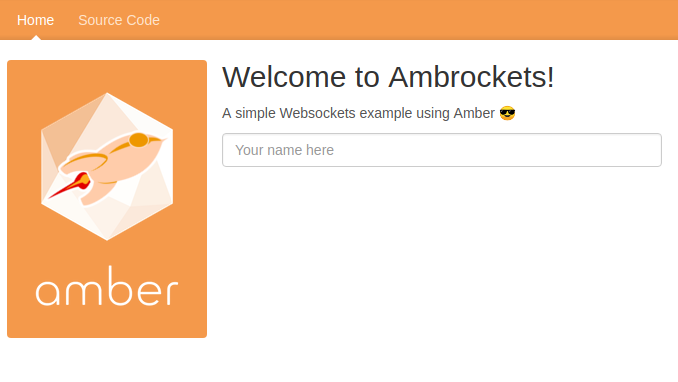
https://ambrockets.herokuapp.com/
Feel free to do PR, I tried to do a minimal WebSocket app, no database nor user management.
faustinoaq
on 30 Nov 2017
@faustinoaq - Thank you for creating the demo app. We still need to update the guides and/or documentation?
@codingphasedotcom - Is this enough for you to get a working app or is anything still holding you up?
marksiemers
on 1 Dec 2017
Hi,
after downloading @faustinoaq project and running it in my computer his project worked. I'm still lost on whats different from his to mines. @marksiemers I definitely would say you guys need an updated version and more detailed example in the documentation. I've done this in Nodejs, laravel, rails 5, just by following the instructions and everything works. I'm going to upload my project and see if maybe one of you guys can take a look on why I keep getting "amber.js:76 WebSocket is already in CLOSING or CLOSED state."
codingphasedotcom
on 1 Dec 2017
@fridgerator I started a new project followed everything you wrote and I'm still getting "0" when i console.log(ws.readyState)
codingphasedotcom
on 1 Dec 2017
Ok I figured it out.
when you create a user socket it tells you on_connect you must return "true"
but when following the documentation I just copied what was there on the documentation and it was return false so it was closing the socket.
all I did was change it back to how it was and it works now
ruby
  def on_connect
    # self.session and self.cookies available here
    # do authentication here
    # !self.session[:user_id].nil?
    # !user.blank?
    true
  end
codingphasedotcom
on 1 Dec 2017
Related issues
 ZeroPointEnergy
·
4Comments
ZeroPointEnergy
·
4Comments
 blankoworld
·
7Comments
faustinoaq
·
6Comments
blankoworld
·
7Comments
faustinoaq
·
6Comments
 conradwt
·
3Comments
conradwt
·
3Comments
 netwarp
·
6Comments
netwarp
·
6Comments
Most helpful comment
I think we need to do some changes on documentation, we have done so many changes to amber core on last month.
Let me try to reproduce this issue 👍