Amazefilemanager: The decision / condition of showing sidebar permanently on tablet?
I have two Android tablets (Both installed Amaze file manager 3.3.4, via Google Play):
- [left] ASUS ZenPad 3s 10 (P027), resolution = (1536, 2048), width / height ratio = 0.75
- [right] Sansumg Galaxy Tab S6 (SM-T860), resolution = (1600, 2560), width / height ratio = 0.625
The previous one (ZenPad) has smaller resolution, but can always show the sidebar permantely; while the later one has larger resolution, but can't show like that, very inconvenient for a tablet:
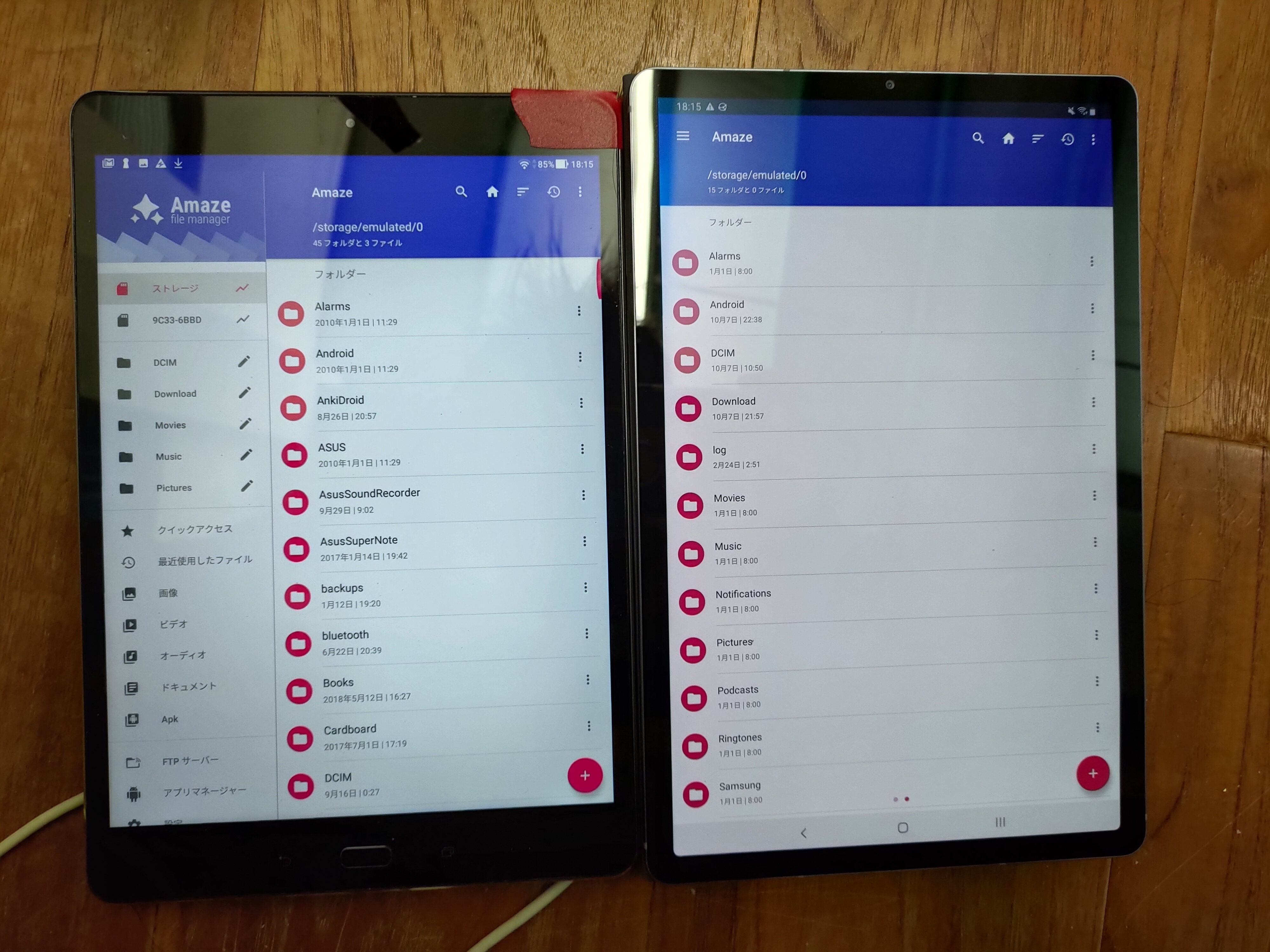
BTW, the behavior of mouse right clicking on file should be showing the menu of it instead of back to last page, I think.
 kuanyui
All 6 comments
@VishalNehra i invoke you
 EmmanuelMess
on 8 Oct 2019
EmmanuelMess
on 8 Oct 2019
Moved to 3.6 as we don't have bandwidth for this ATM
 VishalNehra
on 2 Oct 2020
VishalNehra
on 2 Oct 2020
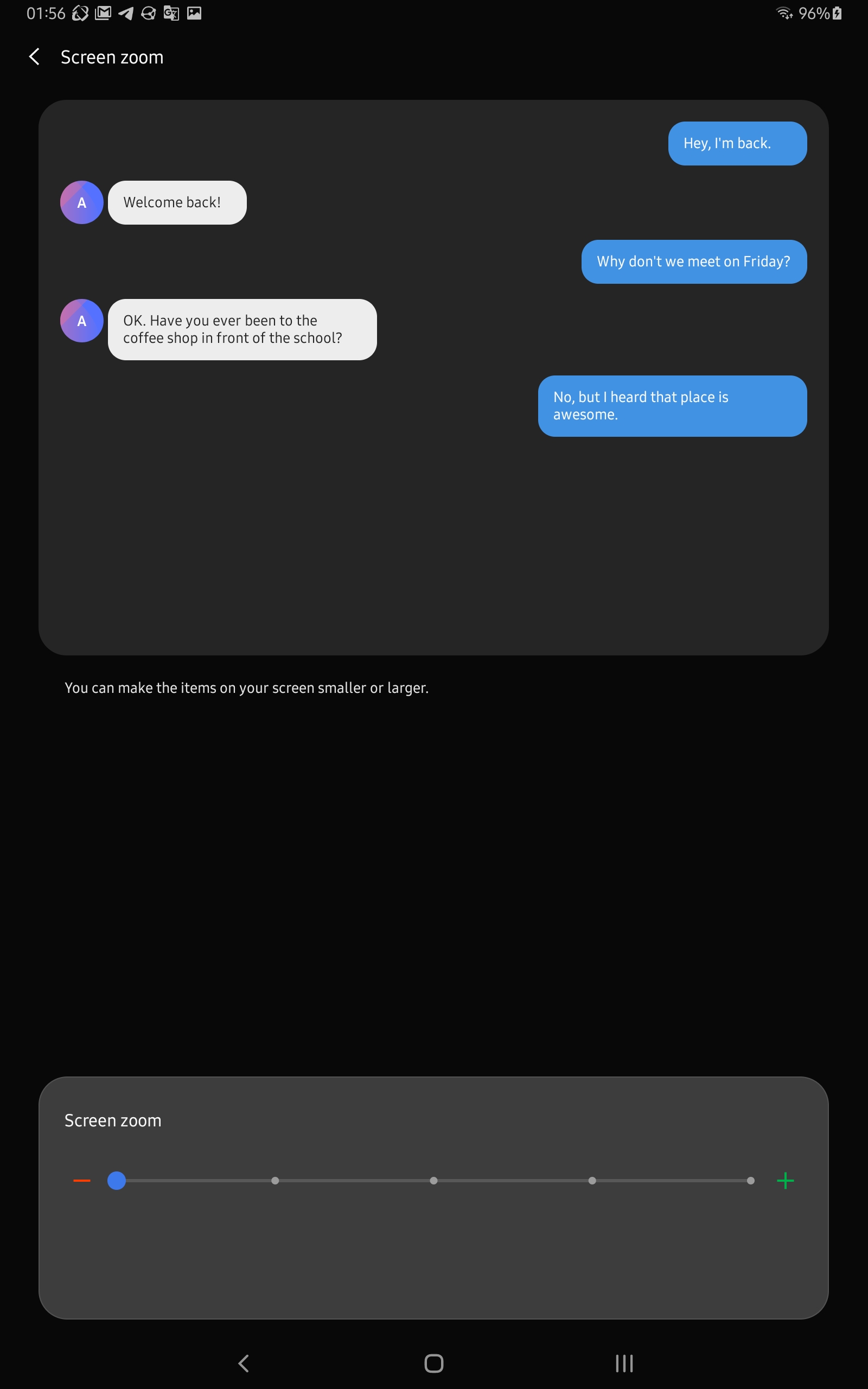
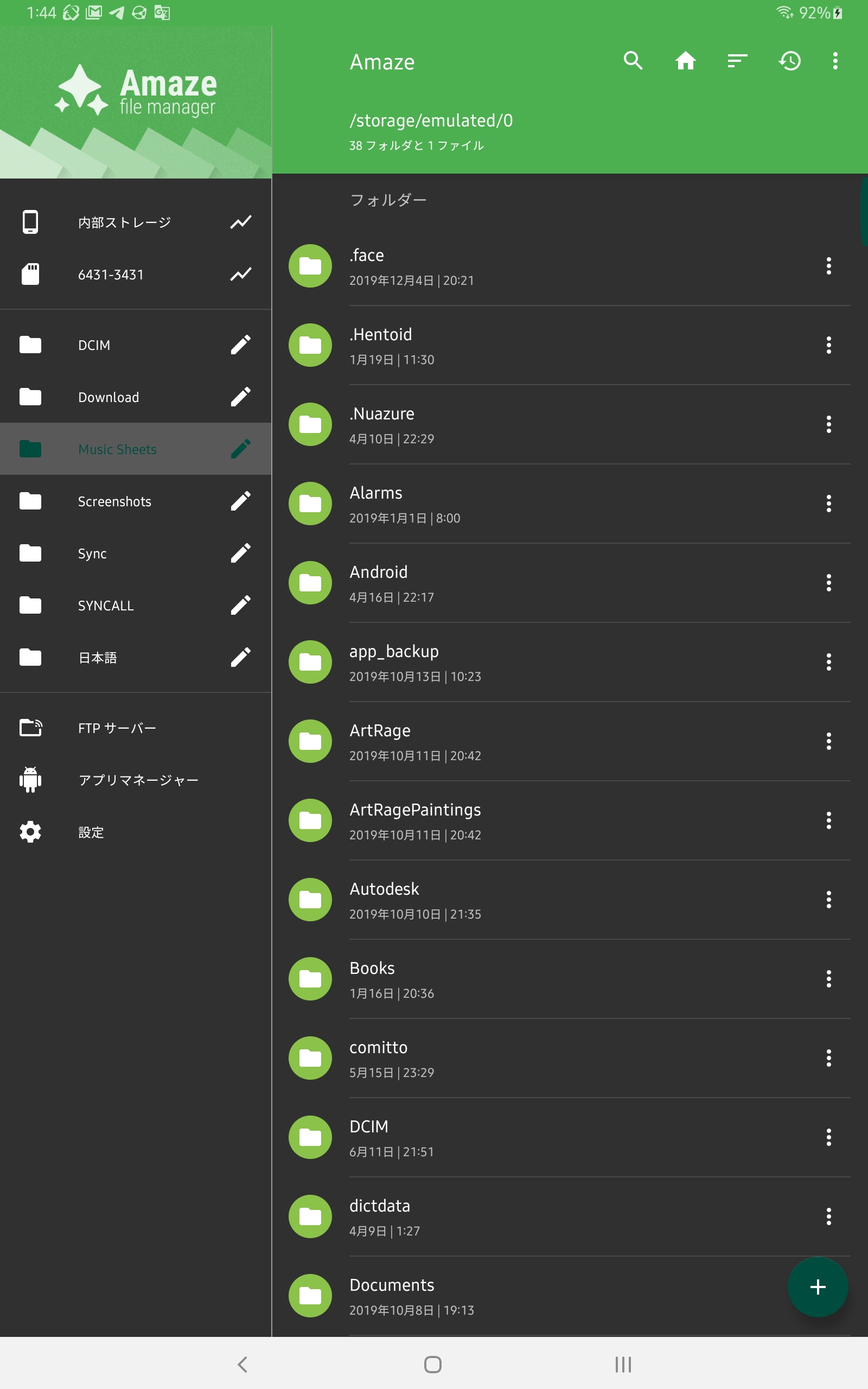
Sansumg Galaxy Tab S6 (SM-T860), issue seems disappeared at AmazeFileManager v3.4.3 , as long as adjusting system display zooming to minimum value?
kuanyui
on 7 Oct 2020
Yes, it's basically dpi dependent. Display zooming changes the dpi.. let me see if I can define one for your device default value, shouldn't be difficult.
VishalNehra
on 7 Oct 2020
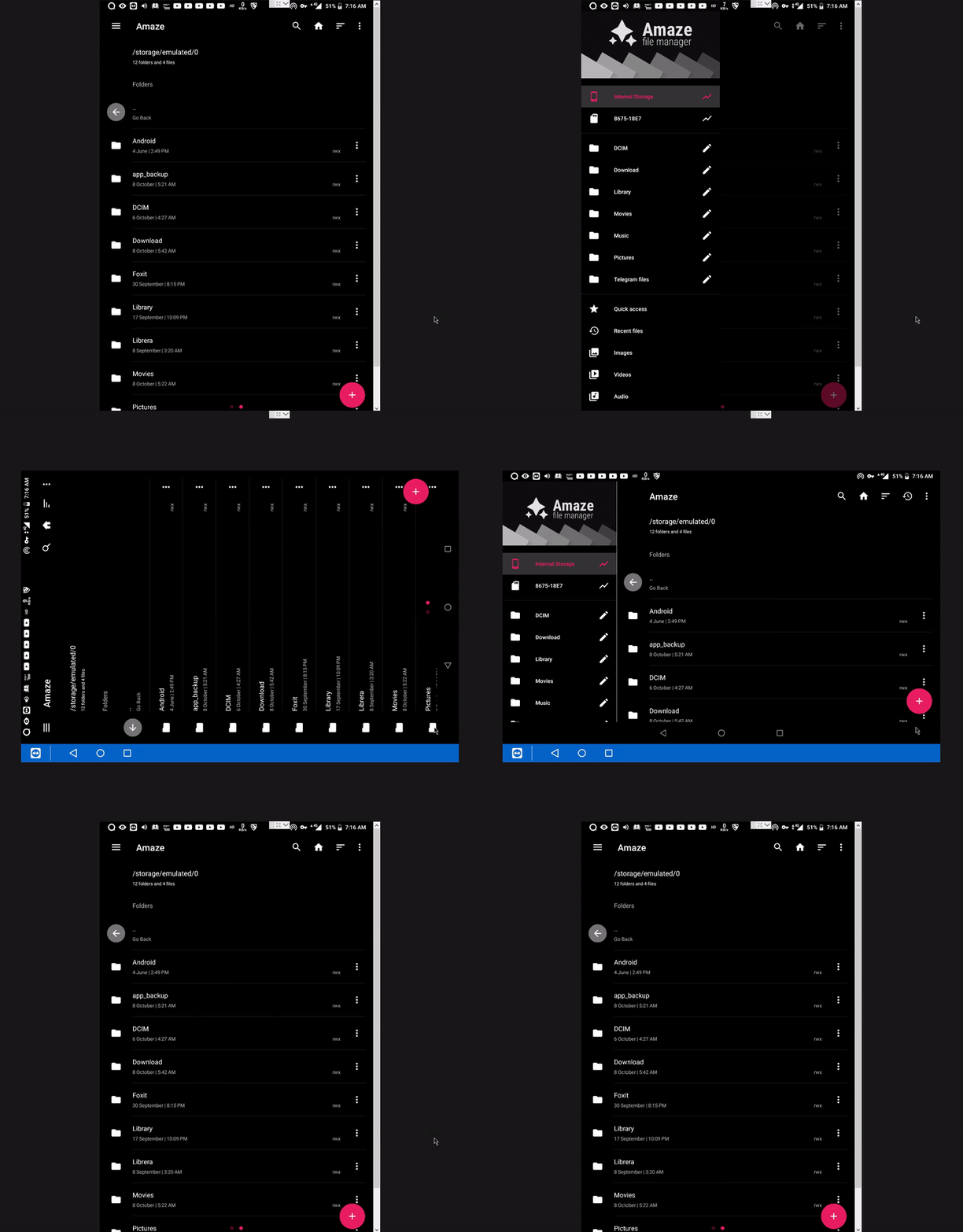
Device details:
model = Lenovo Tab 4 8 Plus (TB-8704X) android version = 8.1.0 (stock os)
resolution = (1200, 1920) ratio =0.625
system Font size set to Small(minimum value)
Portrait mode doesn't show sidebar permanently but in Landscape mode it does.
 shuvashish76
on 8 Oct 2020
shuvashish76
on 8 Oct 2020
Tried but couldn't find the solution. @kuanyui Please use lowest display size for now.
@shuvashish76 I tried on 7" opened navigation drawer didn't really look good. Not much space was left usable.
VishalNehra
on 12 Oct 2020
Related issues
 mueller-ma
·
5Comments
mueller-ma
·
5Comments
 marmistrz
·
3Comments
marmistrz
·
3Comments
 bluefiberbread
·
3Comments
bluefiberbread
·
3Comments
 Wilker-a
·
5Comments
Wilker-a
·
5Comments
 germanfr
·
5Comments
germanfr
·
5Comments