Amazefilemanager: 'Cut' needs more visual cues
hello \^-\^
in the current version (3.3.4), down to some older ones (current available stable release in F-Droid as of today), the 'cut' button for files has no effect at all upon clicking, it just deselect current selected items.
thank you for reading \^-\^
 Wilker-a
All 5 comments
That's how it's supposed to happen. You have to go to a destination directory and press on paste button.
I confirm working as intended on 3.3.4
 VishalNehra
on 4 Sep 2019
VishalNehra
on 4 Sep 2019
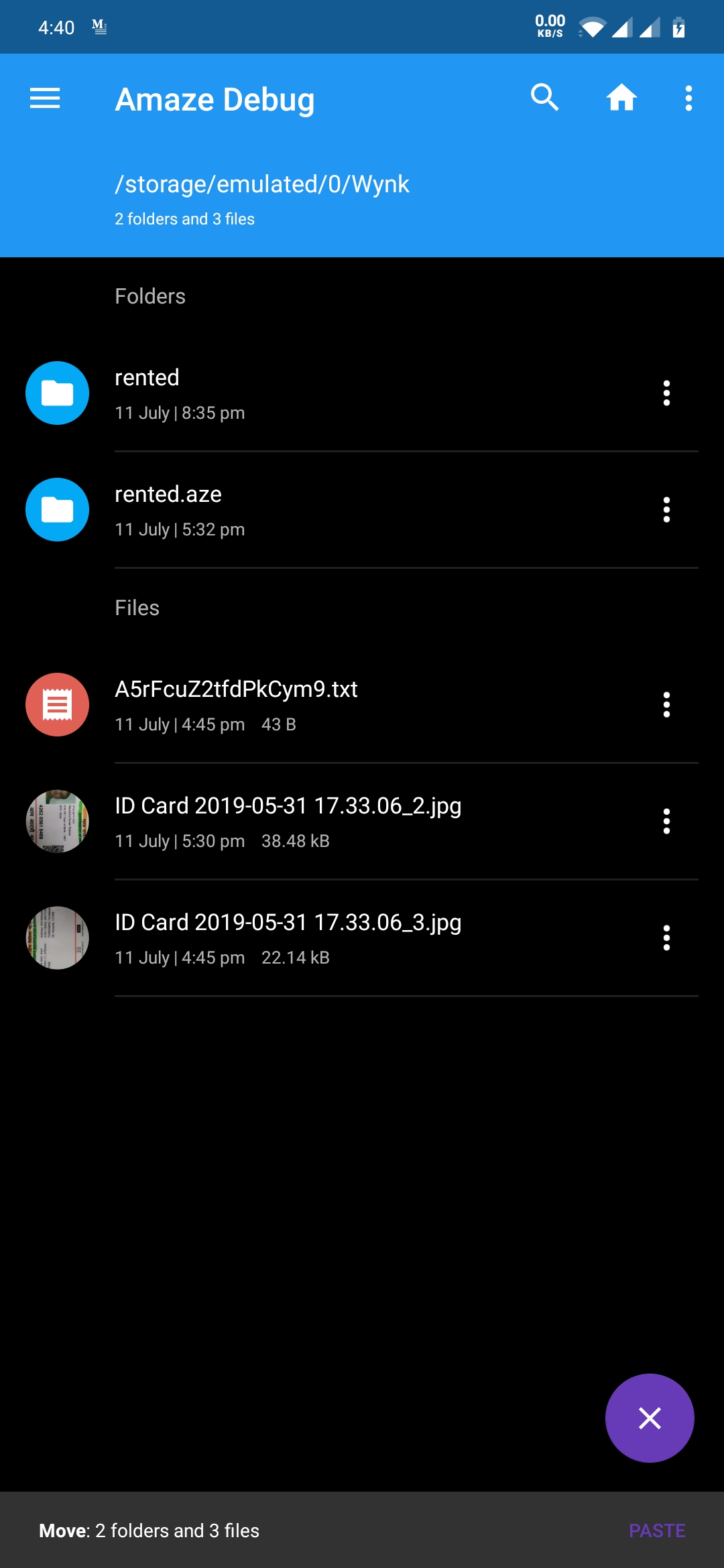
i was about to say that no Paste button or similar is shown upon cutting, but it took me some time to find the button...

perhaps creating visual alerts (such as making the origin file have less opacity or keeping the toolbar grey whenever a file is in the clipboard) may solve further confusion? the paste button looks too subtle when put together with unrelated options, specially with no icon
in any case, thank you for the help \^\^
Wilker-a
on 5 Sep 2019
Finally gonna get a fix here 😋
VishalNehra
on 12 Jul 2020
seems good \^\^ minor improvement would be to make the purple "paste" text brighter or white and bold or something else to improve visibility in a dark environment such as this :3
Wilker-a
on 15 Jul 2020
It's your lucky day, you wishes shall be granted @Wilker-a :P
VishalNehra
on 15 Jul 2020
Related issues
 EmmanuelMess
·
3Comments
EmmanuelMess
·
3Comments
 mirh
·
4Comments
mirh
·
4Comments
 sjl872964789
·
5Comments
sjl872964789
·
5Comments
 MagTun
·
4Comments
EmmanuelMess
·
5Comments
MagTun
·
4Comments
EmmanuelMess
·
5Comments