Altair: Support markdown in descriptions
Is your feature request related to a problem? Please describe.
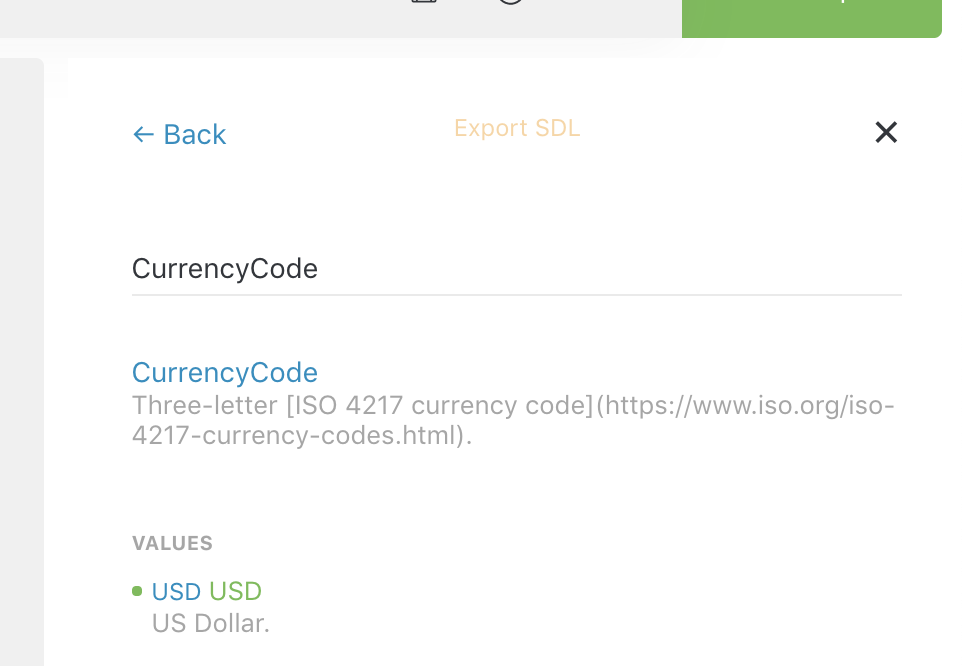
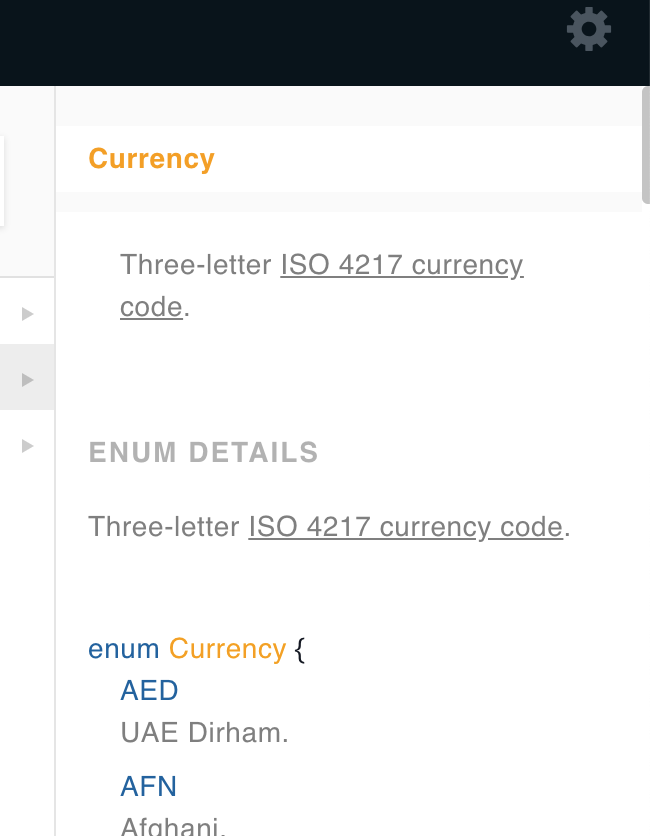
Other clients such as GraphiQL and GraphQL Playground render description markdown, which is incredibly useful for documenting code (using backticks) or linking to further documentation.
Describe the solution you'd like
Markdown content in field and value descriptions should render as HTML in the documentation explorer.
Describe alternatives you've considered
N/A.
Additional context
Altair:
GraphQL Playground:
 jaydenseric
All 14 comments
How do I enable this? I'm using 2.3.3 and I still get plain text, not Markdown. See below (compared to GraphiQL):
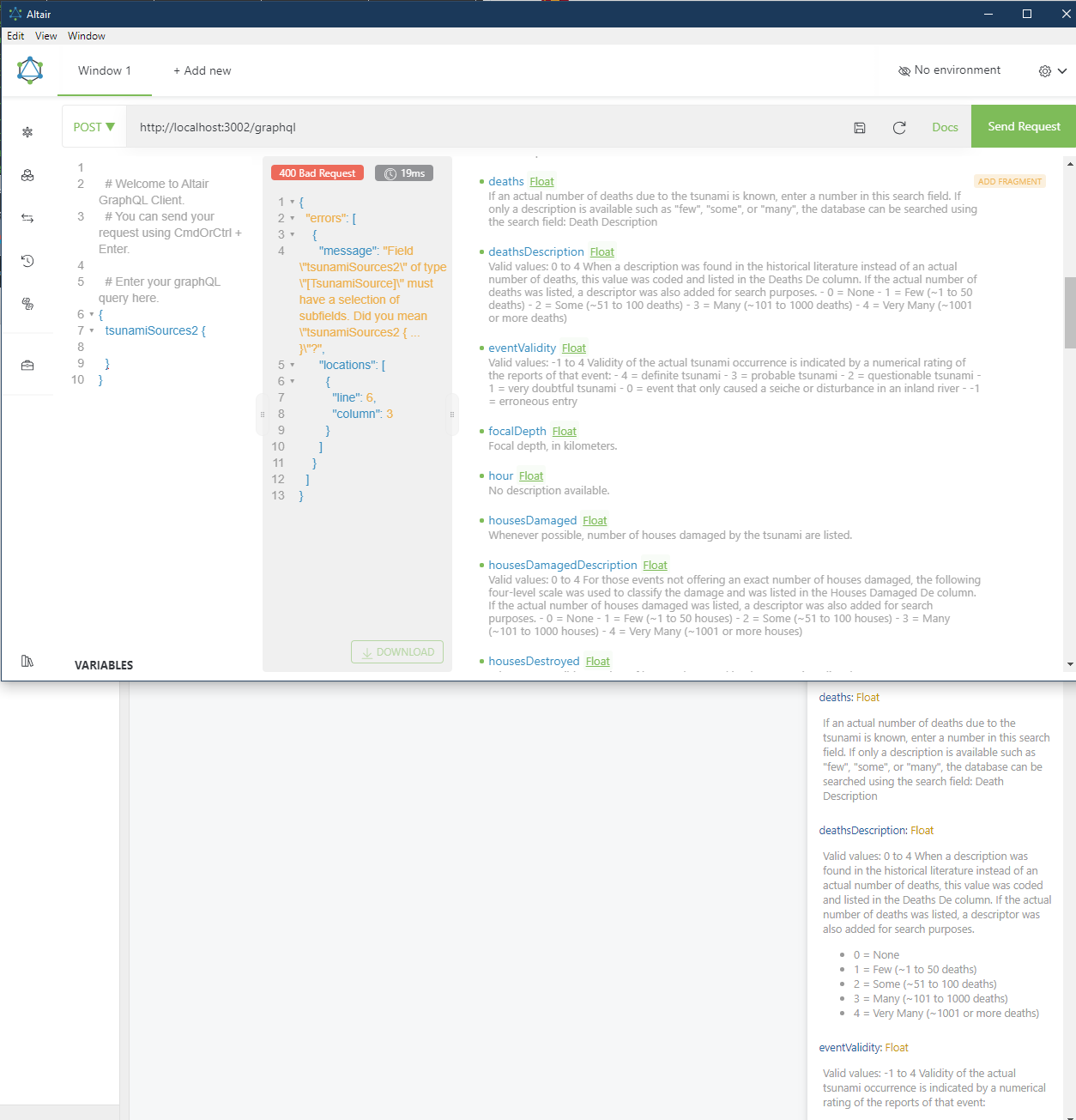
I do something wrong, or is it regression?
 ceefour
on 20 Sep 2019
ceefour
on 20 Sep 2019
I don't think it is a regression. Most likely the markdown parser used in Altair doesn't parse the lists as expected. Other markdown syntaxes (like tilde for code) works. You can create an issue for the list syntax and I'll look into it further.
 imolorhe
on 20 Sep 2019
imolorhe
on 20 Sep 2019
Not just the list syntax. Even newlines don't work. i.e. this:
B
becomes A B in Altair, instead of the proper "A" and "B" as two paragraphs.
ceefour
on 20 Sep 2019
Can you verify that other things like code highlight, headings, links work? It might be an issue with the newline (cr lf)
Are you on Windows?
imolorhe
on 20 Sep 2019
@imolorhe Yes I am on Windows 10 1903.
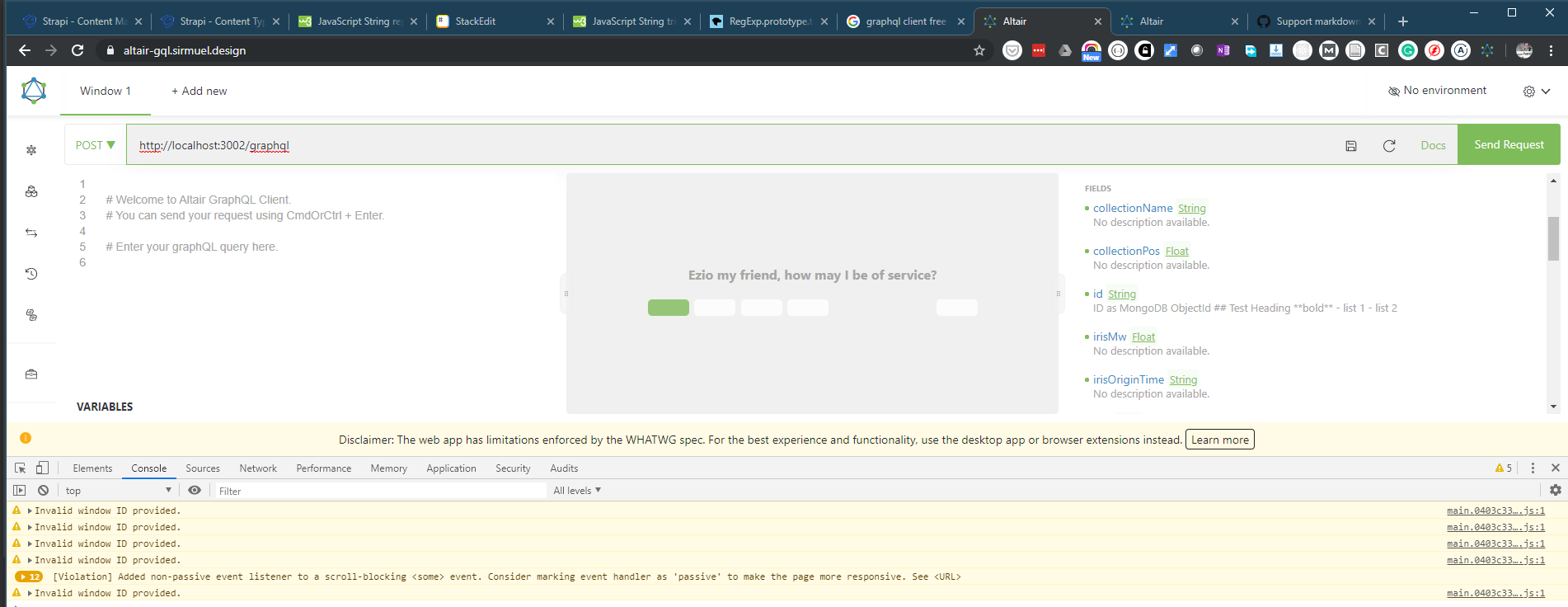
No Markdown works, not even bold. See comparison of test description GraphiQL (top) vs Altair (bottom):
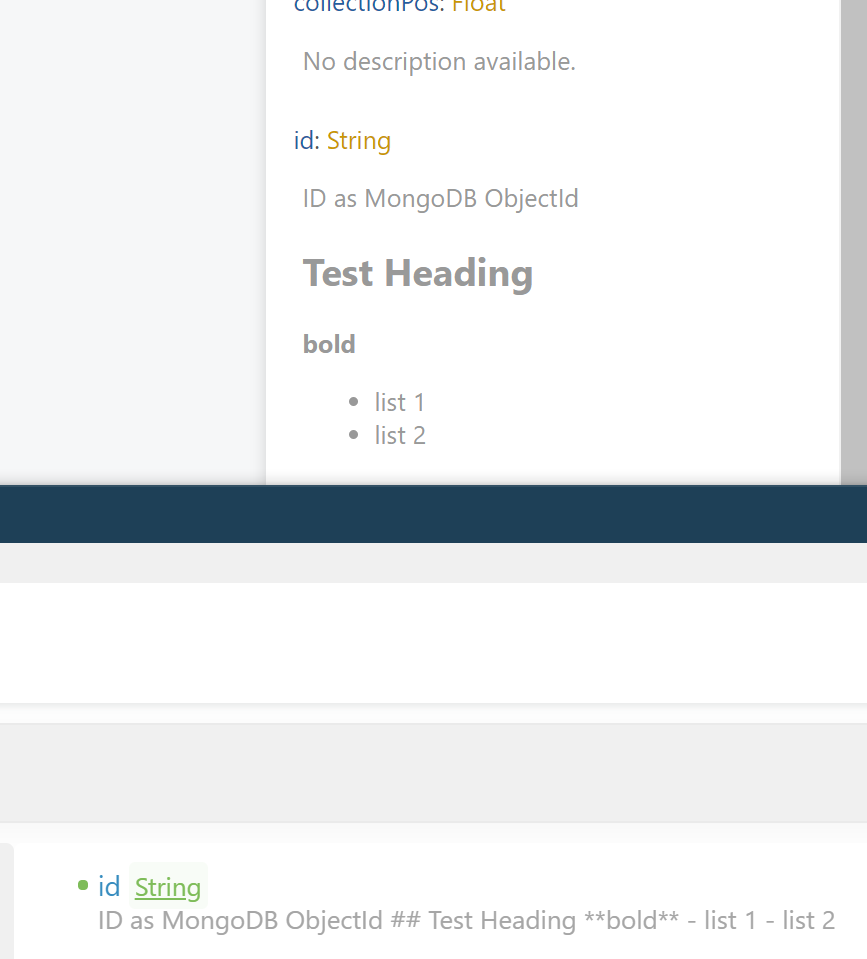
As you can see Altair simply renders the description as plain text, markdown markup untouched.
ceefour
on 20 Sep 2019
Thanks for that. I'll look into it thoroughly now.
imolorhe
on 20 Sep 2019
@ceefour I'm struggling to figure out what the issue is here. I was able to verify that the descriptions are parsed as markdown (see screenshot below). The only assumption I can make now is that there is something specifically wrong with the implementation for windows machines. Could you also try to use the browser extensions, and see if the problem persists there? Also try navigating back and forth in the docs to see if it is a problem of getting the updated description from the new schema.

imolorhe
on 21 Sep 2019
Test results:
- Chrome extension on Windows 10 1903
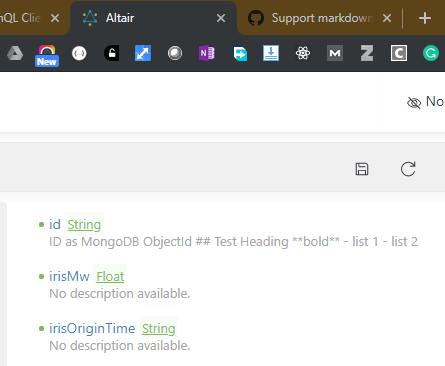
- Web page on Chrome on Windows 10 1903
- Firefox extension on Windows 10 1903
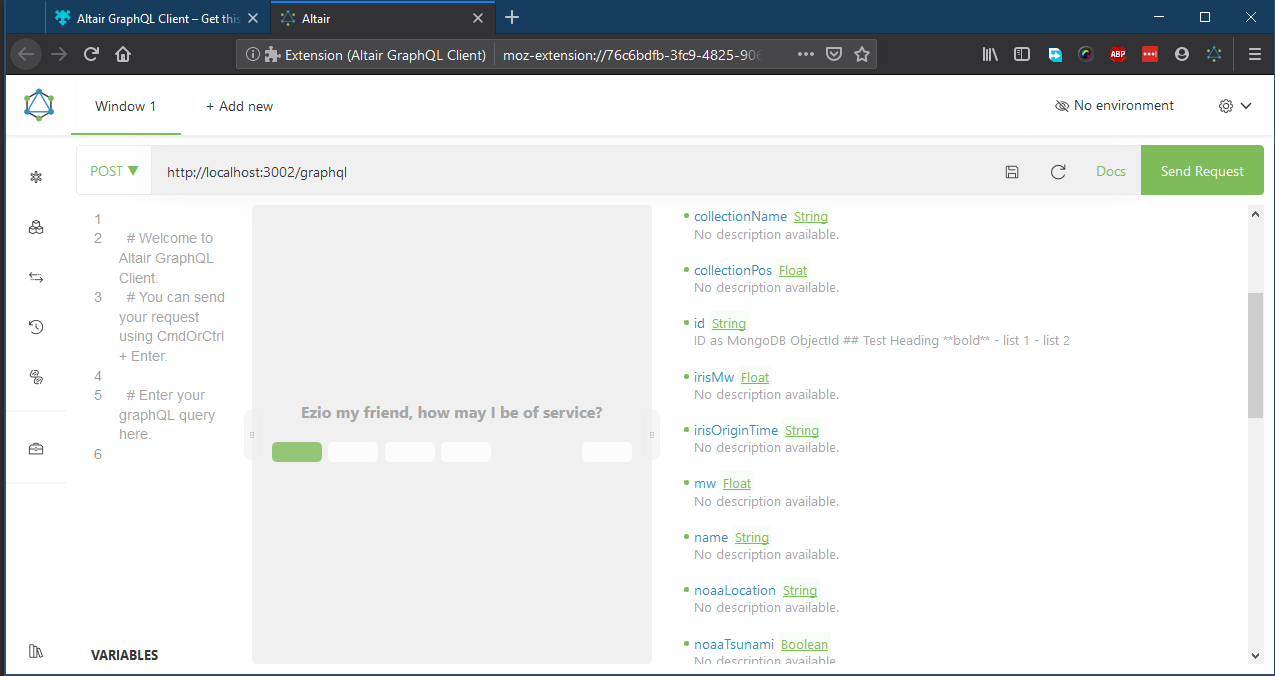
I'm willing to help by, e.g. turn on debugging flags, etc. if you let me know to do so.
ceefour
on 22 Sep 2019
@ceefour If you are still willing to help debug this, you can clone the repo locally and try running the app locally. We use https://www.npmjs.com/package/ngx-markdown to convert to markdown.
You can see the usage of the markdown library here:
npm
Angular library that uses marked to parse markdown to html combined with Prism.js for synthax highlights
 imolorhe
on 13 Oct 2019
imolorhe
on 13 Oct 2019
it is not working on my mac either
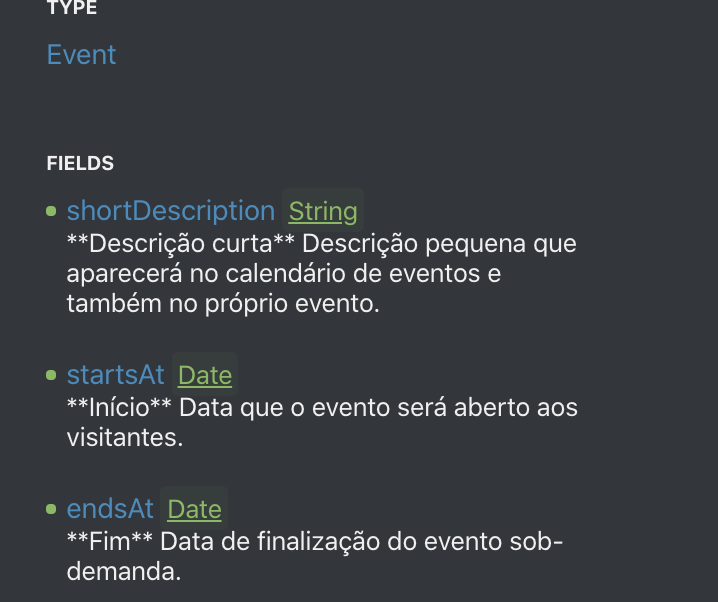
 jodinathan
on 21 Oct 2019
jodinathan
on 21 Oct 2019
thanks @jodinathan. Nice to know this isn't isolated
ceefour
on 22 Oct 2019
@jodinathan @ceefour Is it possible to host the GraphQL server with the description issue somewhere I can access it? Or perhaps a link to a repo where I can try to reproduce this issue. Unless I can reproduce it, there's no way I would know what I need to do to fix it for you guys.
imolorhe
on 22 Oct 2019
@jodinathan @ceefour Is it possible to host the GraphQL server with the description issue somewhere I can access it? Or perhaps a link to a repo where I can try to reproduce this issue. Unless I can reproduce it, there's no way I would know what I need to do to fix it for you guys.
this is the result of clicking the "reload docs" button. I guess you can force altair to load this instead of a server call
jodinathan
on 22 Oct 2019
Thanks @jodinathan. That was helpful. I figured out the issue. The markdown rendering isn't being applied to all the description spots (not being applied to type fields and implementations). The reason I couldn't reproduce it is I was testing with a custom type which would have its description displayed when viewing it, but that wouldn't be the case for primitive types.
I've now fixed this and it should be available in the next version 🙂
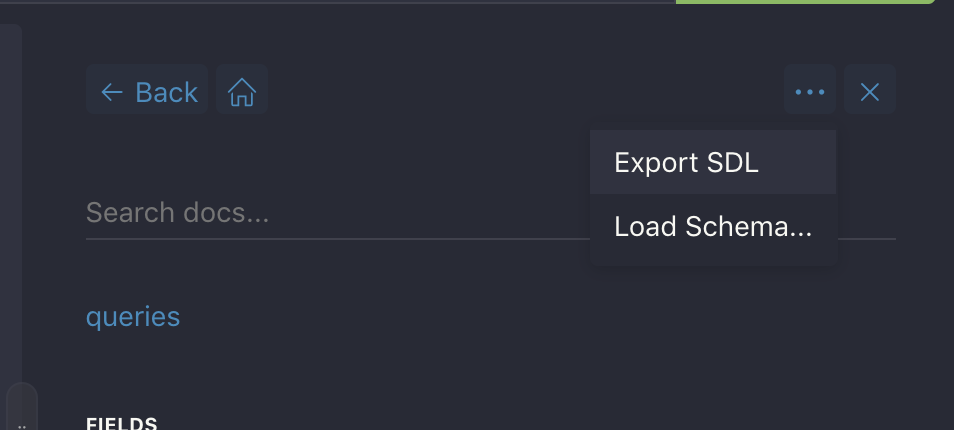
Ps: You can export the SDL for the schema from the dropdown menu in the docs. It's easier to use than the data dump of the introspection 😉Also that's what it is there for 😄
imolorhe
on 27 Oct 2019
Related issues
 someden
·
9Comments
someden
·
9Comments
 simPod
·
5Comments
simPod
·
5Comments
 HitkoDev
·
6Comments
HitkoDev
·
6Comments
 razvan-jiganie-bizcuit
·
4Comments
razvan-jiganie-bizcuit
·
4Comments
 jedwards1211
·
9Comments
jedwards1211
·
9Comments