Altair: Make loading decent and do not block the whole window
When I press Send Request button the overlay is displayed over the whole window:
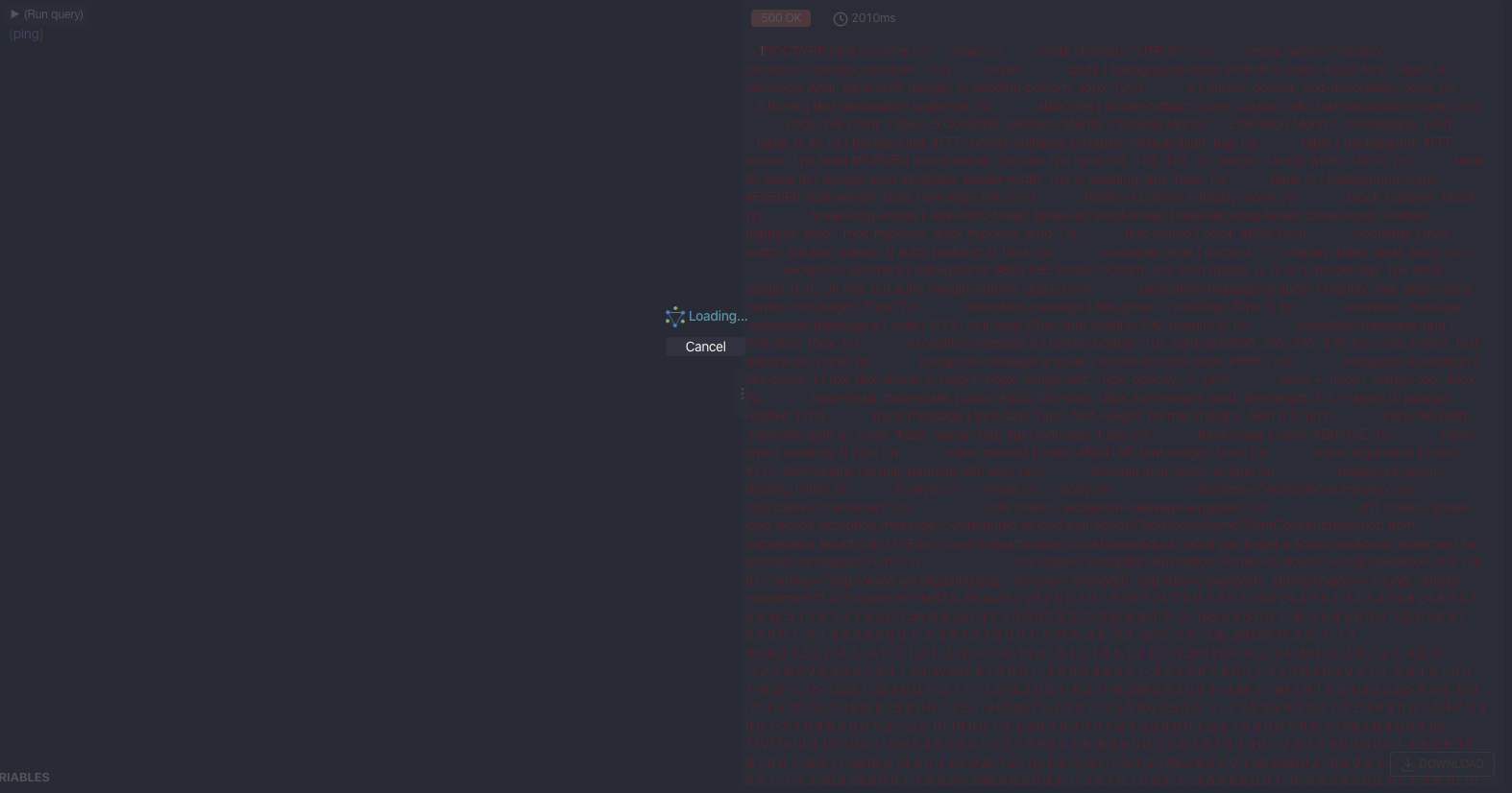
There could be eg. a spinner in the button instead so I can edit query / read previous result / do something else in the window while waiting for query response. Currently it's not possible to do any of that.
 simPod
All 5 comments
Hey @simPod, choosing to block the entire window was an intentional decision. I feel It is easier to block user interaction from the window than to explain to the user that changes made while loading wouldn't have an effect on the running query. Also a spinner in the button isn't a sufficient visual indicator of loading activity.
However I'll check for other UX patterns for this. Do you know of any other alternative UX patterns that would fit this use case? 🙂
 imolorhe
on 29 Jan 2020
imolorhe
on 29 Jan 2020
This issue has been automatically marked as stale because it has not had recent activity. It will be closed if no further activity occurs. Thank you for your contributions.
![stale[bot] picture](https://avatars3.githubusercontent.com/in/1724?v=4&s=40) stale[bot]
on 29 Mar 2020
stale[bot]
on 29 Mar 2020
IMO this behaviour is more user friendly https://www.graphqlbin.com/v2/6RQ6TM
When you click the request button, the spinner blocks response window. Also the running request can be cancelled by clicking the request button again. I can still edit my query while request is running there.
simPod
on 29 Mar 2020
Okay, I'll take a look at this.
imolorhe
on 29 Mar 2020
wow nice, thanks
simPod
on 31 Mar 2020
Related issues
 XAKEPEHOK
·
8Comments
XAKEPEHOK
·
8Comments
 someden
·
9Comments
someden
·
9Comments
 mike-sosa-sofarocean
·
8Comments
mike-sosa-sofarocean
·
8Comments
 isaachvazquez
·
8Comments
isaachvazquez
·
8Comments
 levrik
·
4Comments
levrik
·
4Comments