Hello,
I tried this example: https://altair-viz.github.io/gallery/bar_chat_with_labels.html
But I can't see plots in jupyter notebook - same for jupyterlab. "/
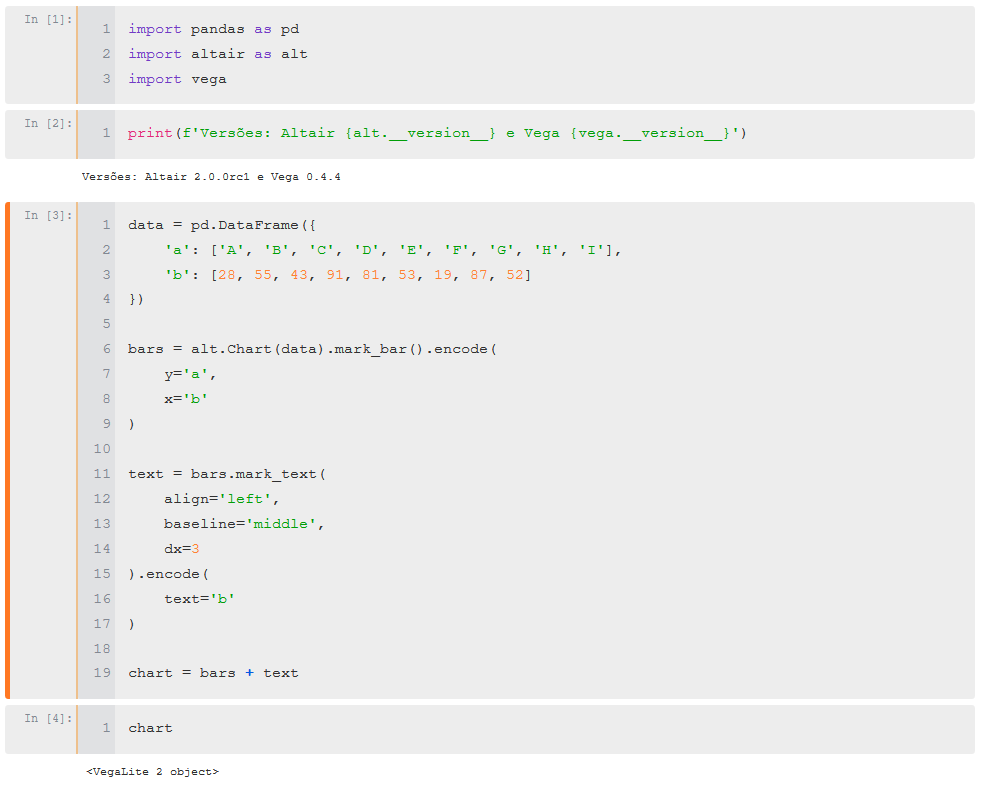
I'd like to use altair. Could you help me?
Thanks!
 Geilson-Araujo
All 17 comments
Hello,
Please follow the installation instructions at https://altair-viz.github.io/getting_started/installation.html
Notice that for both JupyterLab and Jupyter Notebook, there is an additional extension installation/configuration required in order for charts to be rendered.
Please let me know if you still have problems after going through that documentation!
 jakevdp
on 20 Mar 2018
jakevdp
on 20 Mar 2018
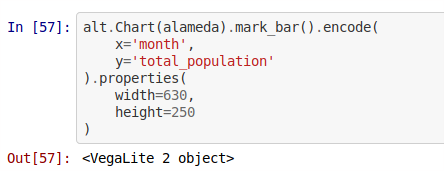
The charts are rendering fine for me on my localhost, but I am getting this bug when I push my notebook to GitHub and view it here on the site. Is there something I need to do to get GitHub up to speed?
 palewire
on 20 Mar 2018
palewire
on 20 Mar 2018
Here's what I see on GitHub.com. The same code is showing a chart on my localhost in JupyterLab with Altair 2's rc.
palewire
on 20 Mar 2018
@Geilson76
I'm running conda 4.5.0 (python 3.6), jupyter lab 31.12
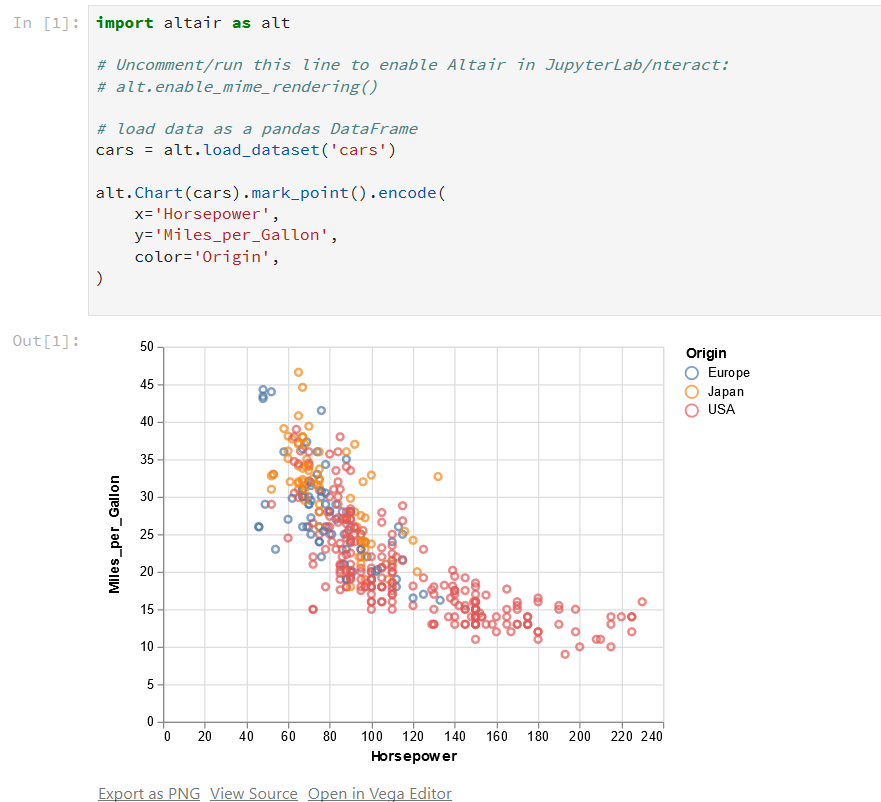
Here's what I did to get the viz working in Jupyterlab
At the anaconda command prompt I typed the following:
pip install altair=2.0.0rc1
conda install nodejs
jupyter labextension install @jupyterlab/vega3-extension
Then I rebooted anaconda, opened jupyter lab, ran the code and was able to display the charts correctly.
 OneGneissGuy
on 20 Mar 2018
OneGneissGuy
on 20 Mar 2018
@OneGneissGuy ,
Thanks! I received a warning to install nodejs.
I'll try this! ")
Geilson-Araujo
on 20 Mar 2018
@palewire
Github scrubs all javascript from their notebook views, so you won't be able to see Altair charts there unfortunately (same goes for Bokeh, plotly, widgets, or anything that depends on javascript).
jakevdp
on 20 Mar 2018
In previous Altair versions, we embedded a PNG fallback that would display on github in place of the interactive chart. @ellisonbg, should that be working in Altair 2 as well?
jakevdp
on 20 Mar 2018
@OneGneissGuy
Now Altair is working fine in Jupyterlab.
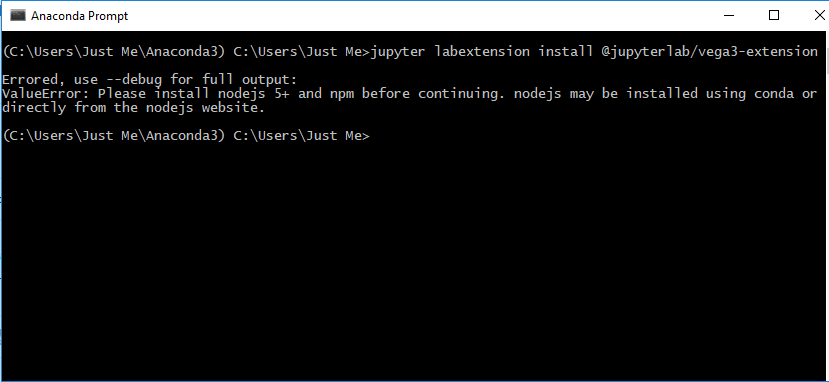
I didn't be able install jupyter labextension install @jupyterlab/vega3-extension before conda install nodejs - warning below.
Thank you!
However, for Jupyter Notebook I had no sucess, yet.
Using Conda, I can't install additional extensions:
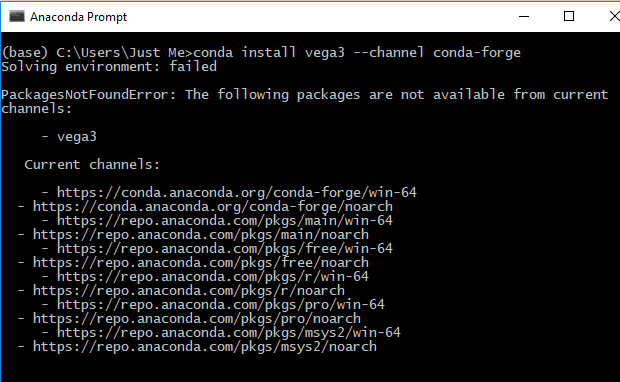
I tried pip, but nothing changed.
Thanks!!
Geilson-Araujo
on 21 Mar 2018
vega3 is not available on conda yet. Use pip install vega3.
jakevdp
on 21 Mar 2018
I've added an explicit section on Jupyter Notebook to the installation section: https://altair-viz.github.io/getting_started/installation.html#installing-altair-with-jupyter-notebook
Hope that helps.
jakevdp
on 21 Mar 2018
Thanks!! ")
Geilson-Araujo
on 21 Mar 2018
I agree with closing this ticket, but I hope the GitHub issue can be addressed somehow. Would it be helpful for me to file a new ticket with that problem unpacked in greater detail?
palewire
on 21 Mar 2018
No, I don't think there's anything we can hope to do to change github's policy of not rendering Javascript in their notebook views.
jakevdp
on 21 Mar 2018
Ah, I had some hope in your comment here:
In previous Altair versions, we embedded a PNG fallback that would display on github in place of the interactive chart. @ellisonbg, should that be working in Altair 2 as well?
Is there no chance for that now?
palewire
on 21 Mar 2018
Oh, yes I think that's possible, though I'm not certain how the mechanism we used previously interacts with the new mime-based rendering. @ellisonbg would know.
jakevdp
on 21 Mar 2018
I opened #624 to track this
jakevdp
on 21 Mar 2018
We should be saving the PNGs of the visualizations in both notebook/lab.
That part of the code is super brittle in ipyvega and it may be possible we
have broken it somehow for the classic notebook.
On Wed, Mar 21, 2018 at 8:42 AM, Jake Vanderplas notifications@github.com
wrote:
I opened #624 https://github.com/altair-viz/altair/issues/624 to track
this—
You are receiving this because you were mentioned.
Reply to this email directly, view it on GitHub
https://github.com/altair-viz/altair/issues/617#issuecomment-374984359,
or mute the thread
https://github.com/notifications/unsubscribe-auth/AABr0LmBiiaZhpv7q9rBIxAd6kZrVjbfks5tgnTRgaJpZM4SyKxc
.
--
Brian E. Granger
Associate Professor of Physics and Data Science
Cal Poly State University, San Luis Obispo
@ellisonbg on Twitter and GitHub
[email protected] and [email protected]
 ellisonbg
on 21 Mar 2018
ellisonbg
on 21 Mar 2018
Related issues
 wmayner
·
22Comments
wmayner
·
22Comments
 mroswell
·
54Comments
mroswell
·
21Comments
mroswell
·
54Comments
mroswell
·
21Comments
 mattijn
·
23Comments
jakevdp
·
23Comments
mattijn
·
23Comments
jakevdp
·
23Comments