Akira: Bug when resizing rotated items in Artboards
Expected Behavior
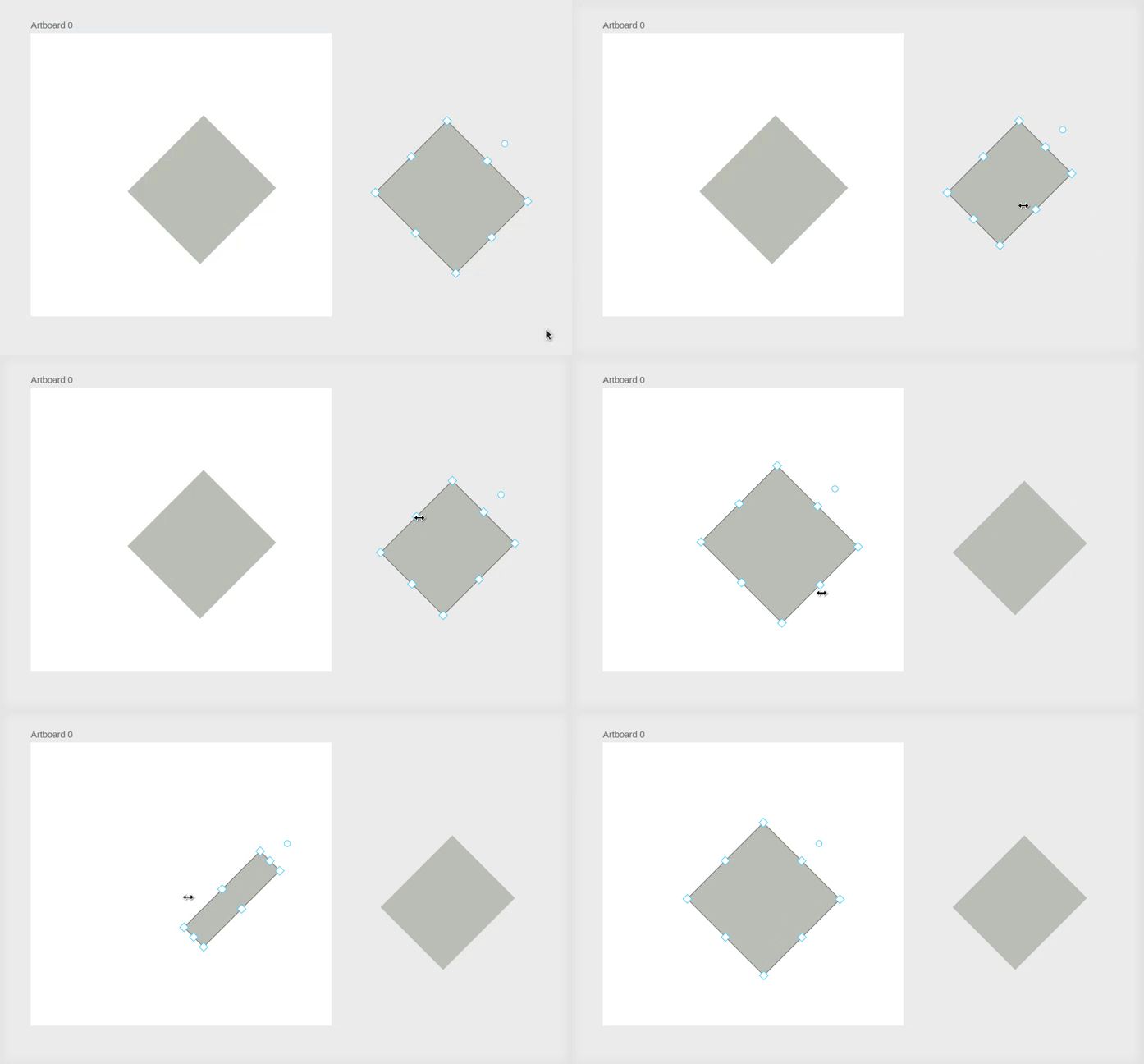
Resizing rotated items inside artbaords should behave exactly as it does for free items.
Current Behavior
When resizing rotated items inside artboards the X and Y coordinates change unexpectedly.
Possible Solution
This might be an issue due to our compute_transform method and how we handle painting of items inside artboards.
Screenshots of the Problem
Your Environment (for bugs)
- Akira Version: build from master
- OS Info: elementary OS 5.1.7
 Alecaddd
All 6 comments
Has anyone found out anything about this bug? I mean even removing the move method call from the scale method in AffineTransformations doesnt do anything. it still will move.
 tenzens
on 31 Aug 2020
tenzens
on 31 Aug 2020
I tried to work on this but didn't have much time, unfortunately.
Hopefully next week I'll be able to fix it.
Alecaddd
on 31 Aug 2020
A similar issue happens as well on the corner nobs, when the item is rotated, the corner nobs are crazy to use.
The one you are demostrating also does not work correctly when rotated, basically it moves just when the mouse goes left or right, if you move the mouse top/bottom nothing happens, but in reality it is going towards that direction. it seems like it does not take into account that the item is rotated.
 DevAlien
on 2 Sep 2020
DevAlien
on 2 Sep 2020
I know what's the problem with rotated objects in artboards.
Basically our artboard implementation resets the matrix transform of every child element and redraws it whenever something changes.
And we implemented a relative X and Y attribute to keep track of the coordinates since our approach clears the item's bounds.
When we resize, we interact with those relative coordinates instead of the correct matrix coordinates.
My objective is to rewrite the artboard to follow strictly the GooCanvas approach of parent > child relationship.
Alecaddd
on 6 Feb 2021
@albfan Really great improvements on #483, good job.
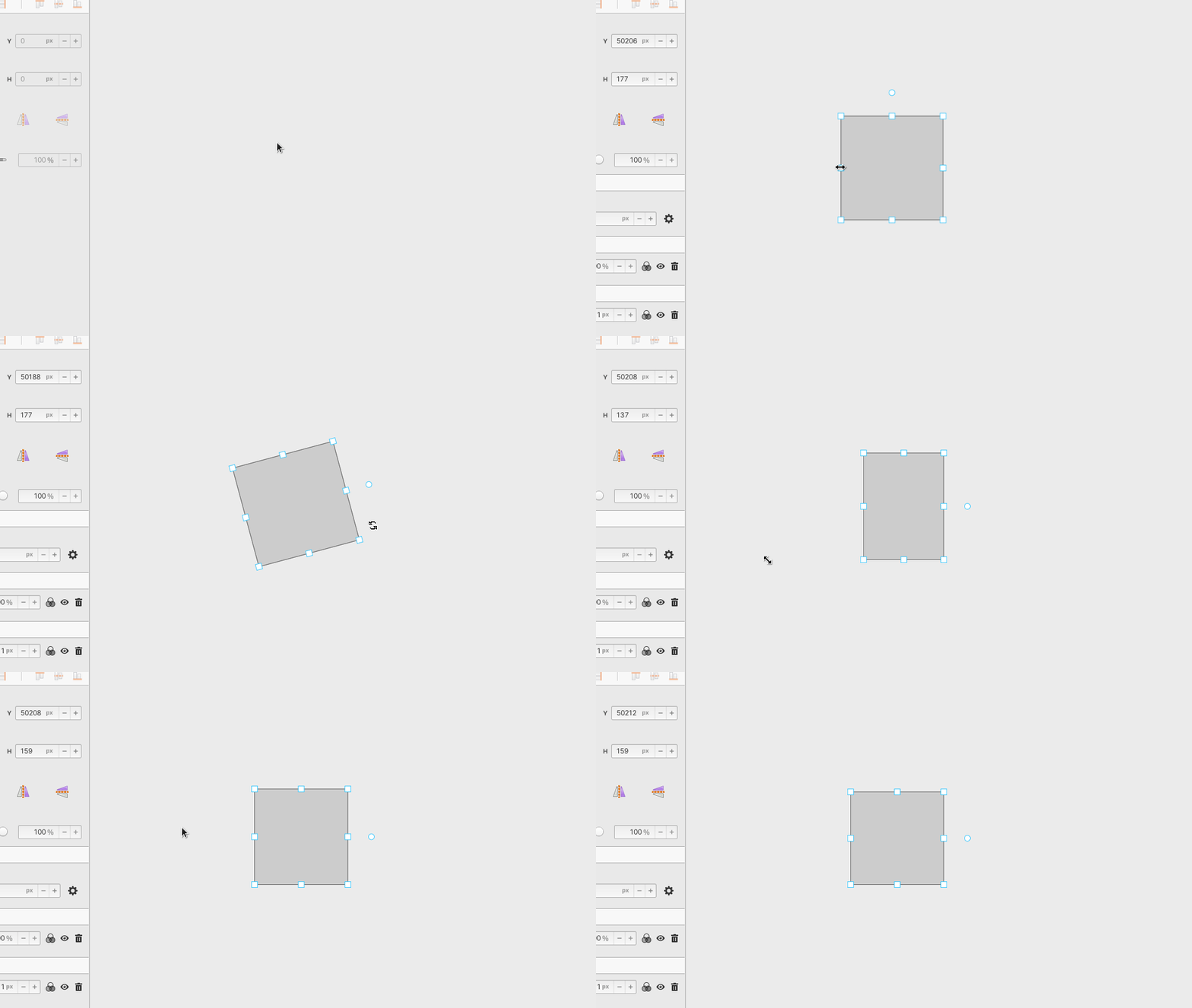
Just a little thing, when resizing from the bottom right corner after rotating the item by 90deg, the item collapses on the first click on the nob.
Alecaddd
on 6 Feb 2021
I check and is something related with all those fix_width, fix_height, etc.... Have to check with old implementation how we solve that.
 albfan
on 7 Feb 2021
albfan
on 7 Feb 2021
Related issues
Alecaddd
·
3Comments
 e200
·
4Comments
Alecaddd
·
4Comments
e200
·
4Comments
Alecaddd
·
4Comments
 piiskop
·
6Comments
piiskop
·
6Comments
 AUNaseef
·
4Comments
AUNaseef
·
4Comments
Most helpful comment
I tried to work on this but didn't have much time, unfortunately.
Hopefully next week I'll be able to fix it.