Airsim: where to find recorded images and pose?
I follow the first way to gather the data for training some algorithm by simply pressing the record button on the lower right corner. But I can not find the recored images and poses for training some machine learning algorithms. Where are the data stored and how we get the images and read poses?
 gwnudt
All 9 comments
They should be stored in C:/Users/username/Documents/AirSim.
 saihv
on 27 Apr 2017
saihv
on 27 Apr 2017
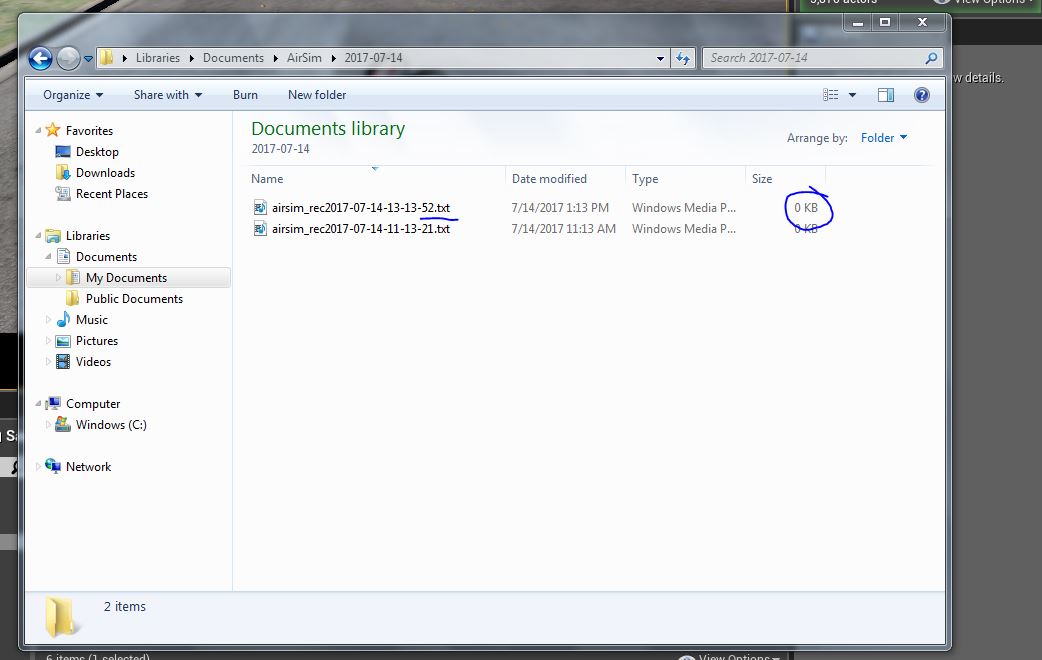
The recorded images in my case are being stored as a txt file and it's and empty txt(0 bytes) file.
Can someone please suggest a solution?
Thanks a lot
 nirmita123
on 14 Jul 2017
nirmita123
on 14 Jul 2017
Those are not the images, that's the ground truth that's recorded by default along with the images: so the images are not being recorded at all. Did you press 3 in the game window so all the camera views are displayed?
saihv
on 14 Jul 2017
Thank you so much @saihv . Now , I'm able to get the images in the same folder .
nirmita123
on 17 Jul 2017
Also can you please tell me what do these values in the txt file mean?

nirmita123
on 17 Jul 2017
That corresponds to lines 34 to 38 in RecordingFile.cpp. Timestamp, position and orientation of the drone.
saihv
on 17 Jul 2017
Thanks @saihv .It was very helpful.
nirmita123
on 18 Jul 2017
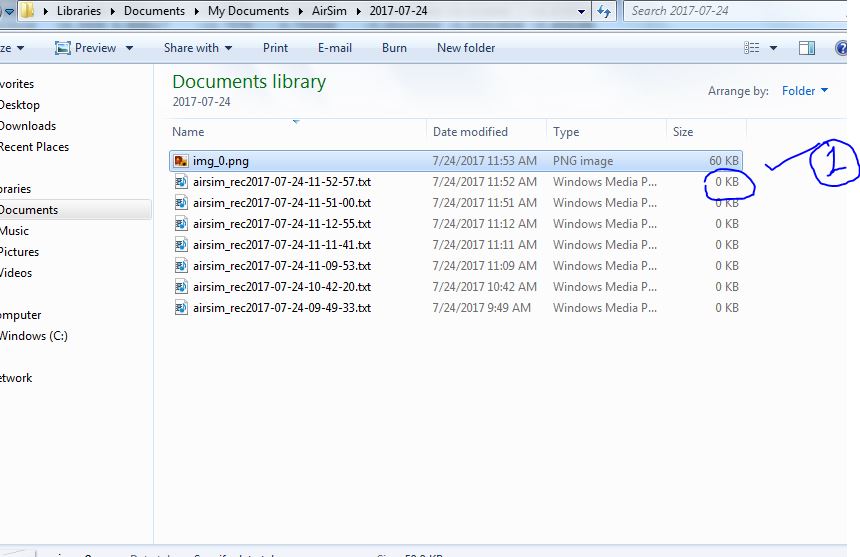
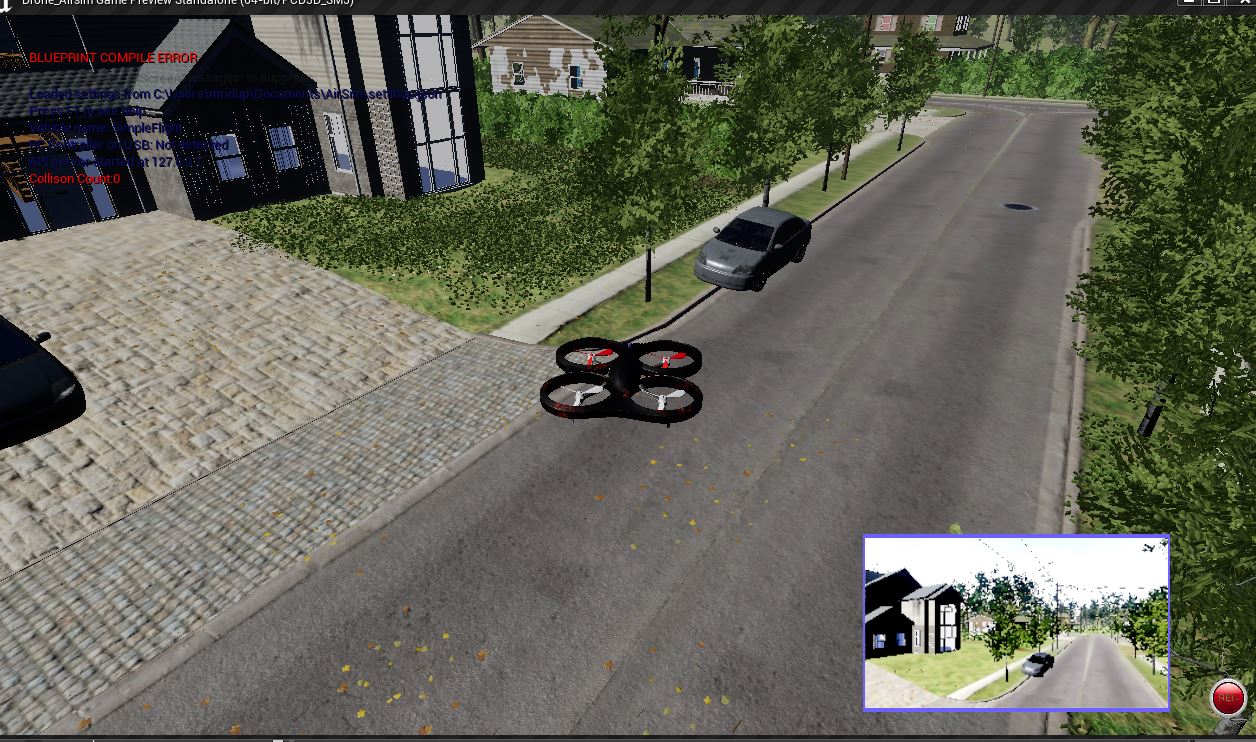
Hi @saihv After pressing 3 and recording button in the game window the camera view is obtained but I could not get the large no of images recorded only one single image get recorded and the txt file is still of zero(0 bytes) size and that single image is not as clear as that in the game window camera view.
Please help.
the game window view after pressing 3 is like this:
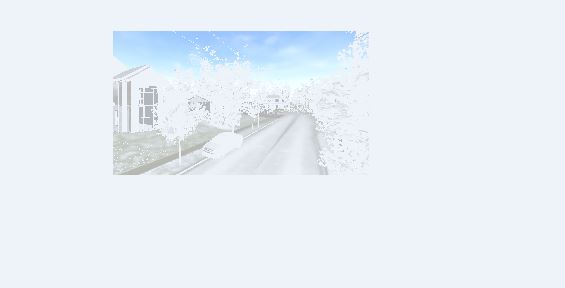
but the saved image I opened from here ....\Documents\AirSim\ is like this:
 shristi945
on 24 Jul 2017
shristi945
on 24 Jul 2017
The issue for not getting the number of images and just getting one image instead is resolved. The images got overwritten again and again and only the final image left as output of recording.This is done By changing the code of RecordingFile.cpp
(AirSim/Unreal/Plugins/AirSim/Source/Recording/RecordingFile.cpp) .
By changing the local declaration of imageSavedOk to global only which maintains its value true if the image is saved and hence returning true in if condition so as to get the screenshot saved to . . . log message. Also the txt file of ground truth values do not have 0 byte size.
But the image quality that is being saved is still the same. This problem is not resolved, Please Help.
Thanks in Advance.
shristi945
on 31 Jul 2017
Related issues
 sinanonur
·
3Comments
sinanonur
·
3Comments
 Mayankm96
·
4Comments
Mayankm96
·
4Comments
 Kim-BongSu
·
4Comments
Kim-BongSu
·
4Comments
 MattChanTK
·
3Comments
MattChanTK
·
3Comments
 LSBOSS
·
3Comments
LSBOSS
·
3Comments
Most helpful comment
They should be stored in C:/Users/username/Documents/AirSim.