Aerial: feature request: the old (pre-1.7.0) random positioning behaviour
Required information
In order to help us sort your issue, we ask that you provide the following information:
- [ ] Mac model: iMac Pro 10-core, 64GB, Vega 64
- [ ] macOS version: Catalina 10.15.3
- [ ] Monitor setup: Built-in 27" retina + Apple Thunderbolt display
Description of issue / Feature request
My request is to have pre-1.7.0 positioning behaviour (or something very like it) available for Location and Clock, so that:
- Location's random position can exclude the center positions (i.e. random, but corners ONLY), and
- Clock position adjusts itself relative to Location e.g. vertically opposite.
Prior to 1.7.0's revised positioning controls, I had Location appearing in a random corner, and then the clock appearing opposite. This was aesthetically perfect to me.
I find the center positions hideous. An element of randomness is pleasing, but the center positions seem very ugly to me. No doubt this is a personal aesthetic preference, and perhaps some folks do like the central positions, so I'm not suggesting they be removed - but I loathe them.
I would also love it if Clock had an option to fade out & disappear when Location does.
I don't think I can configure all this in the current version. Apologies if it is possible and I just missed it in the interface.
Thanks for making Aerial! It rocks.
 inopinatus
All 8 comments
Hi @inopinatus
Yep, that ability is indeed gone. I'll mark bringing this back as a enhancement for a future version, I had to make a few concessions for the new system (it's not just about the centers) and moving multiple things at the same time wasn't ready yet.
I'll keep you updated.
 glouel
on 20 Feb 2020
glouel
on 20 Feb 2020
Hi @inopinatus
I've made a small change in the meantime that, I think, makes it a little bit better. I changed how Random works, to a Random corner only, so now location info won't be randomized top/bottom center. It's just better this way, I agree.
Will still look at resurecting the opposite stuff soonish, I'll probably do that after I fix some text overlap situations on smaller screens.
Beta here : https://github.com/JohnCoates/Aerial/releases/download/v1.8.1beta1/Aerial.saver.zip
glouel
on 24 Feb 2020
Thank you! This takes away 90% of my pain
inopinatus
on 25 Feb 2020
Hi! LOVE your Aerial screensaver so much! Now running soothly on my brand new MBP16!
I also would love to see the random position to apply to all the other information available to display over the beautiful videos, not just the location as of right now.
Thanks a whole bunch for the creation!
And look forward to the improvements to come!
 DrMORO617
on 22 Apr 2020
DrMORO617
on 22 Apr 2020
Hi @DrMORO617
Right now it's a bit complicated to add random for all, mostly because there are no "events" for a random location except when Aerial or a new video start. So if you mean, get a random corner for an info when a new video starts, that's probably easy.
But the reason random corner is there for location is that one video may have multiple location info for one video that shows as the video is playing, and the goal was to show them in random location during that video.
There's not really a way to do that in that case, as the clock is just doing its thing. Does that make sense ?
glouel
on 22 Apr 2020
Right now it's a bit complicated to add random for all, mostly because there are no "events" for a random location except when Aerial or a new video start. So if you mean, get a random corner for an info when a new video starts, that's probably easy.
Yes, as the new video starts, moving the information around randomly, would be nice, as right now only the locations display area is randomly moving. An additional radio button option like in Location to choose "Random corner". I am just thinking if one information is kept displaying at the same corner, would there be a possibility of a 'burn in'. Just a thought. No big deal, though.
I am already VERY happy with what you've created. BIG Thanks!
DrMORO617
on 2 May 2020
@DrMORO617 one thing I've been thinking about, following your earlier message, is having a timer for like 30 secs for those other Info types, so that the clock would move every 30s. Either that, or resetting positions at video start. I think the videos are short enough that it's a good enough solution.
As for burn-in, it's not an issue with LCD in terms of permanent damage. You can experience temporary marking though. I happen to have one of those early 5K iMac with a LG LCD that has horrible marking, I see it all the time on desktop when moving a window, here's a quick example :
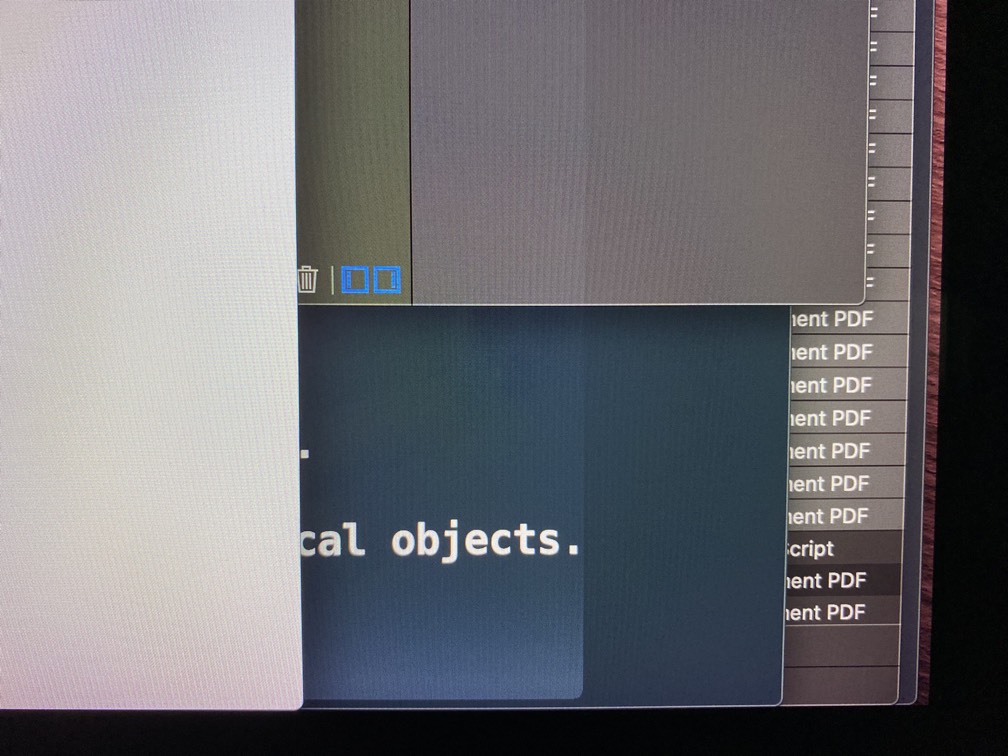
Here, I just moved the Safari windows with github to the left, and you can see the whitish shadow on the dark background. It's kinda horrible and make dark mode very hard to use but it's pretty rare, I happen to have one of the worst mac for this. But even here it goes away pretty quickly (1/2mins).
I'll try to see if I can quickly add the shuffle on video reset and we'll see from here.
glouel
on 2 May 2020
@glouel Thanks for the prompt reply!
one thing I've been thinking about, following your earlier message, is having a timer for like 30 secs for those other Info types, so that the clock would move every 30s. Either that, or resetting positions at video start. I think the videos are short enough that it's a good enough solution.
I'll try to see if I can quickly add the shuffle on video reset and we'll see from here.
Randomization/shuffle at new video start would be great enough for my interest.
That would be really awesome!
As for burn-in, it's not an issue with LCD in terms of permanent damage. You can experience temporary marking though.
Okay, not too worried, but less to think about. ;)
DrMORO617
on 3 May 2020
Related issues
 mzdhr
·
3Comments
mzdhr
·
3Comments
 ryan-madrona
·
8Comments
ryan-madrona
·
8Comments
 tempusthales
·
4Comments
tempusthales
·
4Comments
 vom513
·
6Comments
vom513
·
6Comments
 WebVeteran
·
6Comments
WebVeteran
·
6Comments
Most helpful comment
Hi @inopinatus
Yep, that ability is indeed gone. I'll mark bringing this back as a enhancement for a future version, I had to make a few concessions for the new system (it's not just about the centers) and moving multiple things at the same time wasn't ready yet.
I'll keep you updated.