Aerial: Feature request: Being able to put the text anywhere
can we please be able to move the text around instead of only being able to put it in a corner.
 StrangePC
All 18 comments
@glouel Might be able to help you.
 NightRaider73
on 26 Oct 2018
NightRaider73
on 26 Oct 2018
@StrangePC Define anywhere ? As of right now you can use random corner if you don't want it to stick always at the same place.
 glouel
on 26 Oct 2018
glouel
on 26 Oct 2018
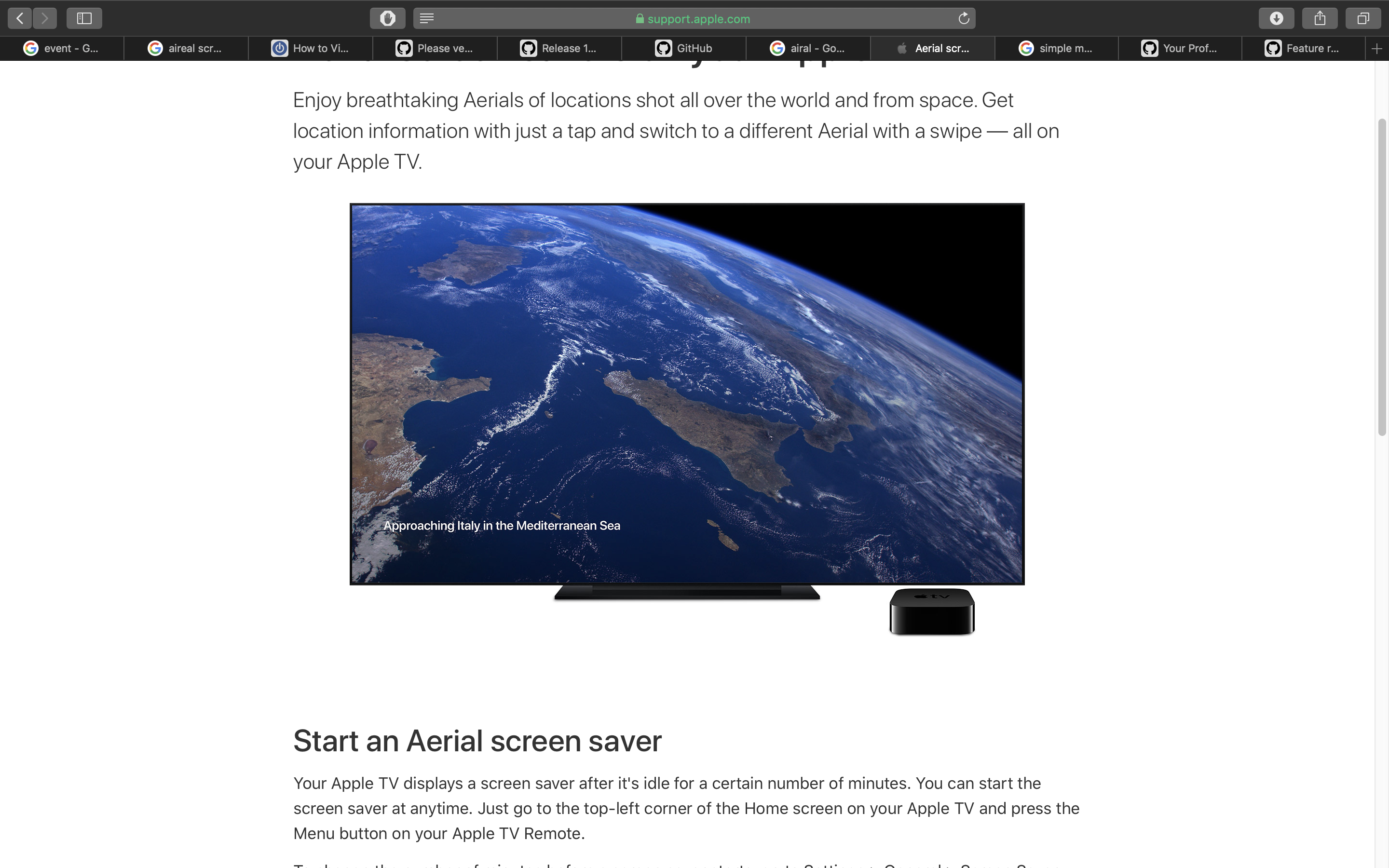
I mean like say in the middle or anywhere. I want to make it look as much as the Apple TV as possible and currently the text is too far in the corner @glouel
StrangePC
on 26 Oct 2018
Maybe an option where it lets you drag "text" any where on a little box. Maybe?
NightRaider73
on 26 Oct 2018
@StrangePC As far as I know it's in the left bottom corner on Apple TV ?
Random position is not easy.
glouel
on 26 Oct 2018
yes, but not that far down @glouel
StrangePC
on 26 Oct 2018
And the text is a tad bit smaller. I think
NightRaider73
on 26 Oct 2018
StrangePC
on 26 Oct 2018

StrangePC
on 26 Oct 2018
see the difference @glouel
StrangePC
on 26 Oct 2018
I do, but we don't aim to copy exactly everything Apple does. They may, and rightly so, take offense to it. We're quite happy that they haven't so far.
Adding a custom fixed position could be done, I'll put it in the list of future features to be looked at.
glouel
on 26 Oct 2018
ok thanks
StrangePC
on 26 Oct 2018
@StrangePC Apple could easily just block all the links to devices not running a piece of hardware that is only found in Apple TVs
NightRaider73
on 26 Oct 2018
We have fewer risks of Apple blocking Aerial if it is beautifully executed, respecting Apple look and feel, contributing to "create value", which is what Aerial does.
 LvanProosdij
on 26 Oct 2018
LvanProosdij
on 26 Oct 2018
Trying not to break everything, one "easy" option would be to allow to change the margin relative to the corner, this way it doesn't break the rest of the features. I'll keep thinking about it.
glouel
on 26 Oct 2018
@StrangePC
Added the option to change the margin in beta2. Also change the default to 50/50px instead of 10/10.
https://github.com/JohnCoates/Aerial/releases/download/v1.4.4beta2/Aerial.saver.zip
glouel
on 26 Oct 2018
Lets give a cheer for @glouel
NightRaider73
on 26 Oct 2018
Closing as fixed.
glouel
on 27 Oct 2018
Related issues
 adri430
·
7Comments
adri430
·
7Comments
 mzdhr
·
3Comments
mzdhr
·
3Comments
 ghost
·
5Comments
ghost
·
5Comments
 SeanMSmith
·
6Comments
SeanMSmith
·
6Comments
 inopinatus
·
8Comments
inopinatus
·
8Comments
Most helpful comment
@StrangePC
Added the option to change the margin in beta2. Also change the default to 50/50px instead of 10/10.
https://github.com/JohnCoates/Aerial/releases/download/v1.4.4beta2/Aerial.saver.zip