Adguardfilters: next-episode.net
Issue URL (Anti Adblock Script)
Comment
Username: @ViVi93
The anti adblock message only comes up if we have logged into the website for sometime
The information below is automatically generated. Do not delete it.
Custom userscripts:
https://userscripts.adtidy.org/release/popup-blocker/2.5/popupblocker.user.js
https://userscripts.adtidy.org/release/adguard-extra/1.0/adguard-extra.user.js
Screenshots
Screenshot 1

System configuration
Information | value
--- | ---
AdGuard product: | AdGuard for Windows v7.5.2
Browser: | Vivaldi
AdGuard driver: | WFP
Stealth mode options: | Hide your search queries,
Send Do-Not-Track header,
Remove X-Client-Data header from HTTP requests,
Strip URLs from tracking parameters,
Self-destructing third-party cookies (180),
Block WebRTC,
Hide your Referrer from third-parties (next-episode.net)
Filters: | Ad Blocking:
AdGuard Base
Privacy:
AdGuard Tracking Protection
Social Widgets:
AdGuard Social Media
Annoyances:
Adblock Warning Removal List,
I don't care about cookies,
AdGuard Annoyances
Security:
Online Malicious URL Blocklist,
Spam404,
NoCoin Filter List
Other:
AdGuard DNS
 adguard-bot
All 12 comments
@ViVi93 Hi.
Cannot reproduce. Could you please check without filters and stealth mode, but with enabled protection?
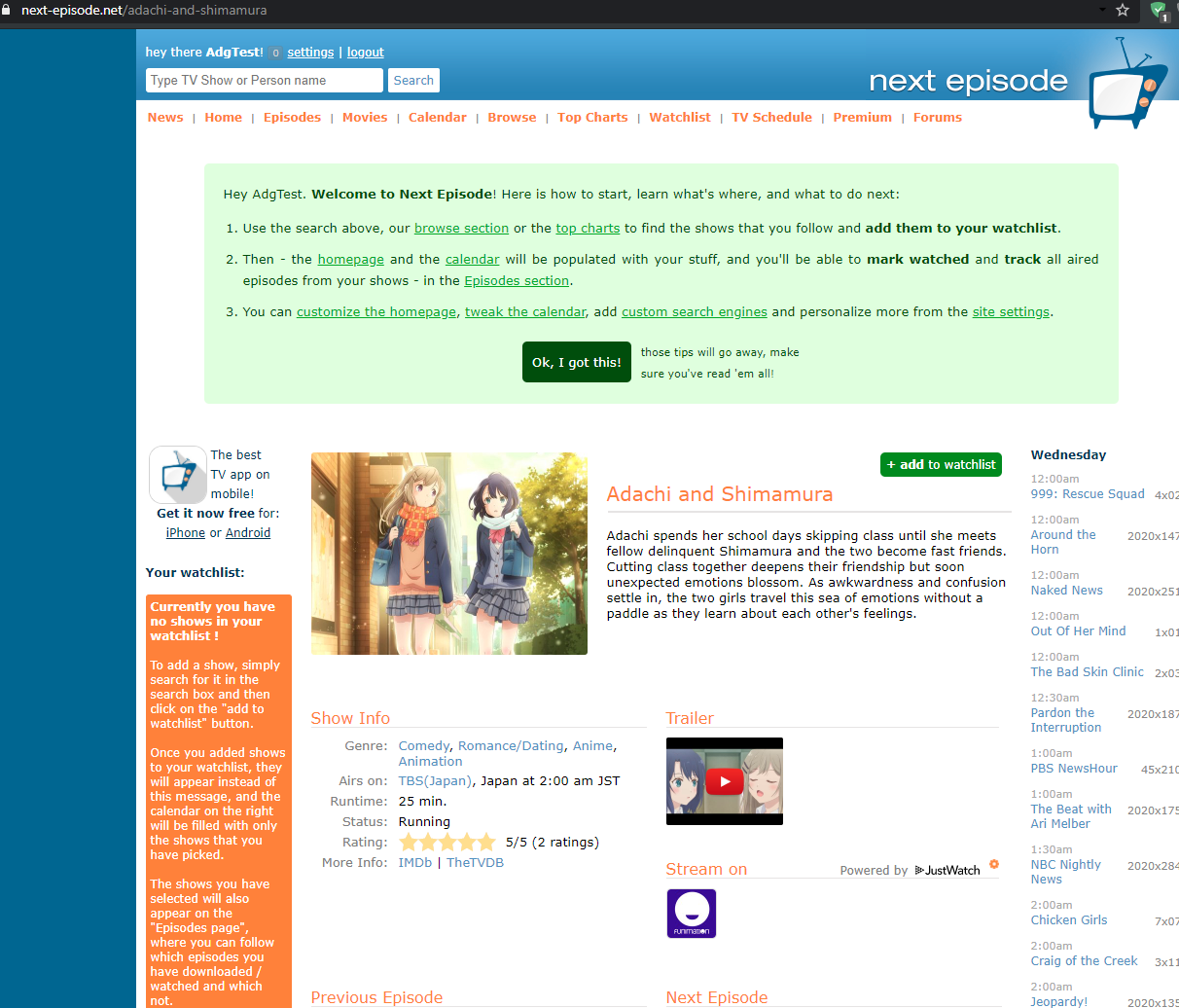
 Alex-302
on 21 Oct 2020
Alex-302
on 21 Oct 2020
Hi,
Just tried again without any filters or stealth mode activated but still
the anti adblock message pops up. Just to confirm the message only pops up
if you have been using the website for some time (you can see in the
initial screenshot i sent it mentions me using the website for more than 2
years).
Thanks and Regards,
Vivek Nair
On Wed, Oct 21, 2020 at 4:38 PM Alex notifications@github.com wrote:
@ViVi93 https://github.com/ViVi93 Hi.
Cannot reproduce. Could you please check without filters and stealth mode,
but with enabled protection?
[image: image]
https://user-images.githubusercontent.com/8361299/96711730-b2c9ca80-13a6-11eb-9d8b-7e7907cac891.png—
You are receiving this because you were mentioned.
Reply to this email directly, view it on GitHub
https://github.com/AdguardTeam/AdguardFilters/issues/66007#issuecomment-713491949,
or unsubscribe
https://github.com/notifications/unsubscribe-auth/AF5FVETVJEFWMRM3DGS62RDSL26JFANCNFSM4SY3QT2A
.
 ViVi93
on 23 Oct 2020
ViVi93
on 23 Oct 2020
@ViVi93 Weird. Cannot reproduce even with enabled Vivaldi built-it adblocker.
Do you see that message when AdGuard paused?
@AdguardTeam/filters-maintainers please take a look.
Alex-302
on 24 Oct 2020
Hi,
Sorry, with adblocker & stealth mode disabled the anti adblock message does
not come up (earlier I hadn't disabled adblocker & stealth mode correctly).
Fyi even with vivaldi adblocker i'm seeing the anti adblock message.
Also I could see on the ublock origin reddit page that this website issue
had come up & they were able to resolve the issue, so if you could please
take a look at that as well.
Thanks and Regards,
Vivek Nair
On Sat, Oct 24, 2020 at 5:47 PM Alex notifications@github.com wrote:
@ViVi93 https://github.com/ViVi93 Weird. Cannot reproduce even with
enabled Vivaldi built-it adblocker.
Do you see that message when AdGuard paused?@AdguardTeam/filters-maintainers
https://github.com/orgs/AdguardTeam/teams/filters-maintainers please
take a look.—
You are receiving this because you were mentioned.
Reply to this email directly, view it on GitHub
https://github.com/AdguardTeam/AdguardFilters/issues/66007#issuecomment-715906631,
or unsubscribe
https://github.com/notifications/unsubscribe-auth/AF5FVETA5PXZ4UTK45AVMQDSMLAU3ANCNFSM4SY3QT2A
.
ViVi93
on 26 Oct 2020
Also not reproduced on my end with your config and US IP. Please clear browsing data (cache / cookies) and User rules, disable Vivaldi built-it adblocker, check the filters update and then the site without steath mode.
 zloyden
on 26 Oct 2020
zloyden
on 26 Oct 2020
Please try these two rules:
@@||googleads.g.doubleclick.net/pagead/ads$domain=next-episode.net
@@||adservice.google.com/adsid/integrator.js$domain=next-episode.net
 BlazDT
on 26 Oct 2020
BlazDT
on 26 Oct 2020
I tried the above steps (clearing cache & the user rules) but still the message was popping up. Anyways i was able to setup a user rule which seems to be hiding the adblock message for now - next-episode.net###index_table > tbody > tr > td > table > tbody > tr:first-child
ViVi93
on 26 Oct 2020
@ViVi93 you can leave this rule, if it works on your end. Did you try those rules?
Does it depend on filters? If so, please disable one by one to find a problematic one.
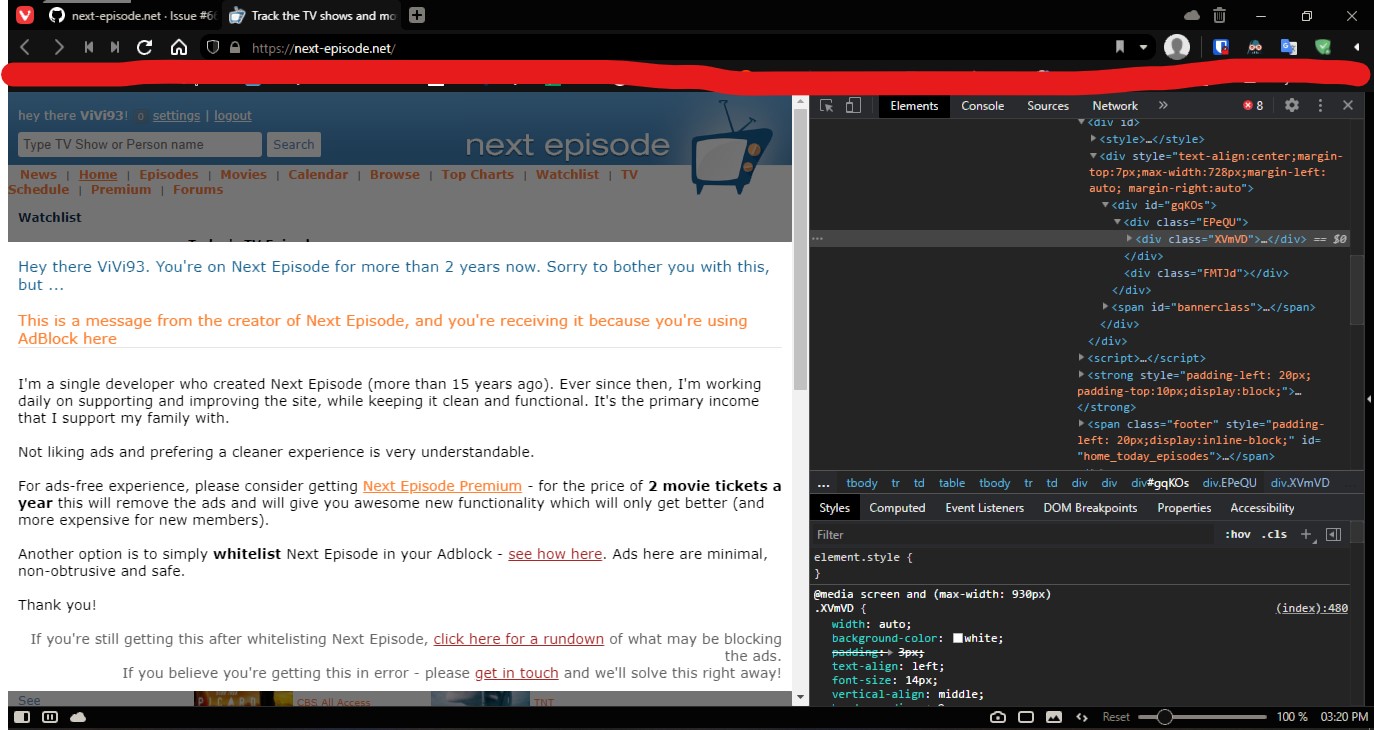
Also please make a screenshot with this anti-adblock message via Devtools.
Press F12 -> Ctrl + C -> select an element -> make a screenshot and send to us here.
zloyden
on 26 Oct 2020
Yes, i tried the above two user rules, it didn't work. Its due to Adguard Base filter because if i keep the other filters enabled & even the stealth mode enabled the anti-adblock message does not pop up.
Screenshot:
ViVi93
on 26 Oct 2020
When I disable one of the rules I posted I get the message on my Chrome.
They check if 3 urls are blocked according to code and it seems not everytime the same. Please also add this rule to user filter;
@@||googleads.g.doubleclick.net/pagead/ff.js$domain=next-episode.net
Edit: If still not working, please add these two rules:
next-episode.net#%#//scriptlet("set-constant", "onScriptError2", "noopFunc")
next-episode.net#%#//scriptlet("set-constant", "onScriptError", "noopFunc")
EDIT2: Another rule which should work:
next-episode.net#%#//scriptlet("set-constant", "doElement", "noopFunc")
BlazDT
on 26 Oct 2020
I can reproduce it with another account. @BlazDT your rules work fine on my end.
zloyden
on 26 Oct 2020
@ViVi93 please check the filters update manually in 1-2 hours. It should work.
zloyden
on 26 Oct 2020
Related issues
 Eugene-Savenko
·
4Comments
adguard-bot
·
3Comments
adguard-bot
·
3Comments
adguard-bot
·
3Comments
adguard-bot
·
3Comments
Eugene-Savenko
·
4Comments
adguard-bot
·
3Comments
adguard-bot
·
3Comments
adguard-bot
·
3Comments
adguard-bot
·
3Comments
Most helpful comment
When I disable one of the rules I posted I get the message on my Chrome.
They check if 3 urls are blocked according to code and it seems not everytime the same. Please also add this rule to user filter;
@@||googleads.g.doubleclick.net/pagead/ff.js$domain=next-episode.netEdit: If still not working, please add these two rules:
EDIT2: Another rule which should work:
next-episode.net#%#//scriptlet("set-constant", "doElement", "noopFunc")