Adguardfilters: youtube.com - ads
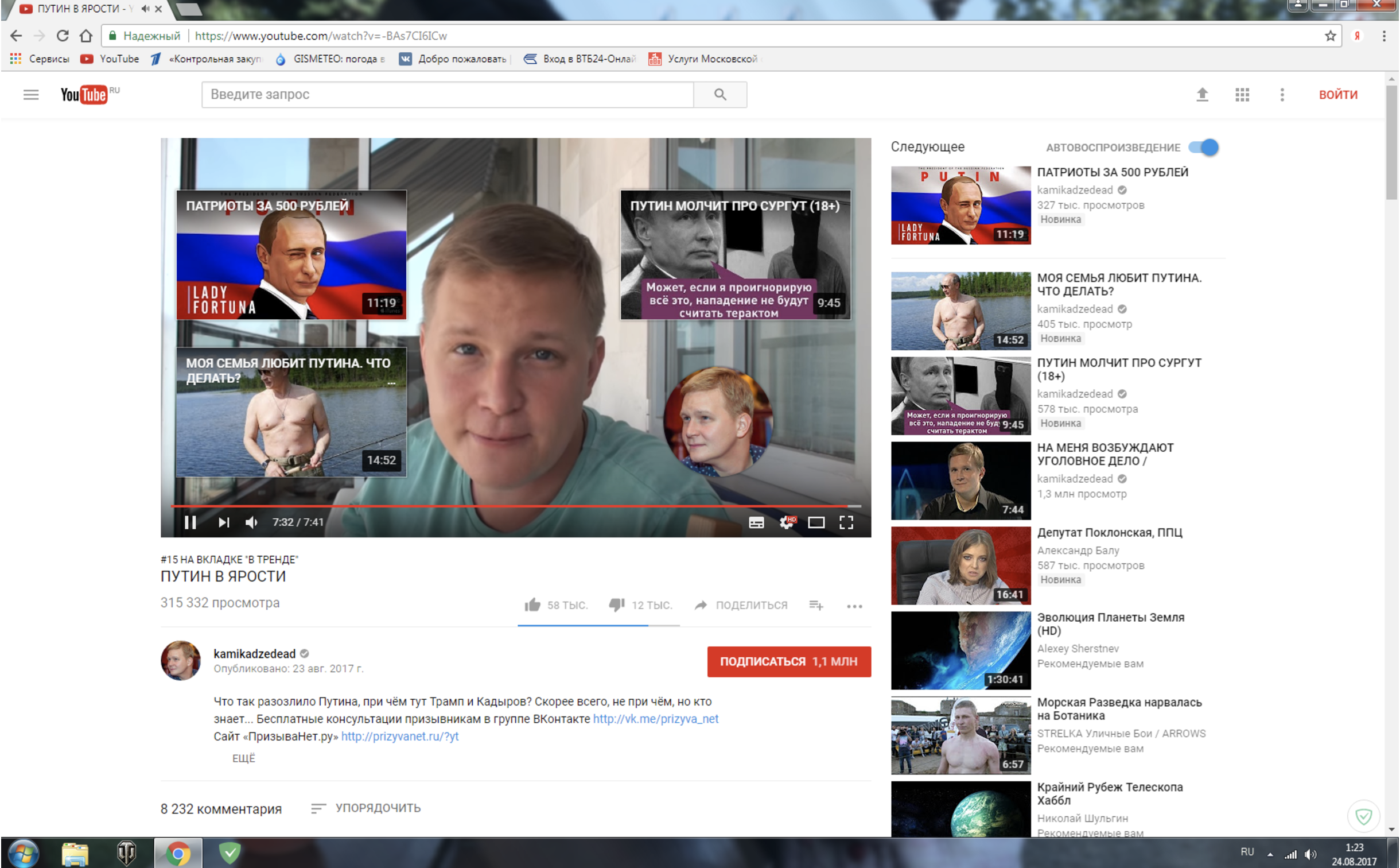
Description:
- Current behaviour:
1:

2:
System configuration
Information | value
--- | ---
Operating system: | Windows NT 6.1.7601 Service Pack 1
Browser: | Chrome
Adguard version: | 6.1.331.1732
Adguard driver (Windows): | TDI
Adguard DNS: | None
Stealth mode options(Windows) | below the table
Adguard filters: | 1, 2, 3, 14
Ticket ID (if exists): | 1611437
Stealth Mode :
Stealth Mode enabled: StealthModeSettings: {
"BlockThirdPartyCookies": true,
"BlockThirdPartyCookiesPeriodMin": 0,
"BlockFirstPartyCookies": false,
"BlockFirstPartyCookiesMin": 2880,
"DisableThirdPartyCache": false,
"BlockWebRtc": false,
"BlockBrowserPushApi": false,
"BlockBrowserLocationApi": true,
"RemoveXClientDataHeader": true,
"HideSearchQueries": true,
"SendDoNotTrackHeader": true,
"RemoveRefererFromThirdPartyRequests": false,
"HideUserAgent": false,
"CustomUserAgent": null,
"CustomReferer": null,
"HideIp": true,
"CustomIp": "209.141.53.254"
 Eugene-Savenko
All 4 comments
I have no idea what to do with this, it works with no ads on my Mac and on a Windows machine.
Eugene-Savenko
on 24 Aug 2017
I don't see ads on these screenshots.
Annotations are not reproduced,
 Alex-302
on 24 Aug 2017
Alex-302
on 24 Aug 2017
So what do we do? ) The customer is interested in blocking those annotations.
Eugene-Savenko
on 26 Aug 2017
I don't know. Ask for annoying element's code.
Alex-302
on 27 Aug 2017
Related issues
 adguard-bot
·
3Comments
adguard-bot
·
3Comments
adguard-bot
·
3Comments
adguard-bot
·
3Comments
adguard-bot
·
3Comments
adguard-bot
·
3Comments
adguard-bot
·
3Comments
adguard-bot
·
3Comments
adguard-bot
·
3Comments
adguard-bot
·
3Comments
Most helpful comment
I don't see ads on these screenshots.
Annotations are not reproduced,