Addons-frontend: Expose more properties for theme install
For themes, we only expose a fraction of properties compared to what we used to in the old frontend.
Example: https://addons.mozilla.org/en-US/firefox/addon/pixel-bears/ , see property data-browsertheme of the install button.
For QA: please test for regressions related to all theme functionality. This includes theme detail pages, previewing, and installation in both AMO and the Discovery Pane.
Old frontend:
"accentcolor": "#"
"author": "Star_Shine"
"category": "Other"
"description": ""
"detailURL": "https://addons.mozilla.org/en-US/firefox/addon/pixel-bears/"
"footer": "https://addons.cdn.mozilla.net/user-media/addons/357219/2.jpg?1326075809"
"footerURL": "https://addons.cdn.mozilla.net/user-media/addons/357219/2.jpg?1326075809"
"header": "https://addons.cdn.mozilla.net/user-media/addons/357219/Myhellokitty.jpg?1326075809"
"headerURL": "https://addons.cdn.mozilla.net/user-media/addons/357219/Myhellokitty.jpg?1326075809"
"iconURL": "https://addons.cdn.mozilla.net/user-media/addons/357219/preview_small.jpg?1326075809"
"id": "357219"
"name": "Pixel bears"
"previewURL": "https://addons.cdn.mozilla.net/user-media/addons/357219/preview_large.jpg?1326075809"
"textcolor": "#ffffff"
"updateURL": "https://versioncheck.addons.mozilla.org/en-US/themes/update-check/357219"
"version": "1.0"
New frontend:
"accentcolor": "#"
"author": "Star_Shine"
"description": null
"footerURL": "https://addons.cdn.mozilla.net/user-media/addons/357219/2.jpg?1326075809"
"headerURL": "https://addons.cdn.mozilla.net/user-media/addons/357219/Myhellokitty.jpg?1326075809"
"id": "357219"
"name": "Pixel bears"
"textcolor": "#ffffff"
As far as I can see, this data is used by Firefox, for example to set the favicon in the Add-ons Manager and to set the updateURL, which is important for static themes.
Optimally, we would expose the same properties as in the old frontend.
Marking P2 on @jvillalobos' request.
 wagnerand
All 11 comments
Ah, yes, this slipped through the cracks somehow. I thought we had a bug on file for the disappearing icon behavior but I can't find it.
 kumar303
on 7 Nov 2017
kumar303
on 7 Nov 2017
the disappearing icon behavior
This might have been fixed. I could not reproduce any scenario where installing a theme does not add an icon to the add-on manager.
kumar303
on 7 Nov 2017
For QA: please test for regressions related to all theme functionality. This includes theme detail pages, previewing, and installation in both AMO and the Discovery Pane.
- we are talking about static themes, yes?
This might have been fixed. I could not reproduce any scenario where installing a theme does not add an icon to the add-on manager.
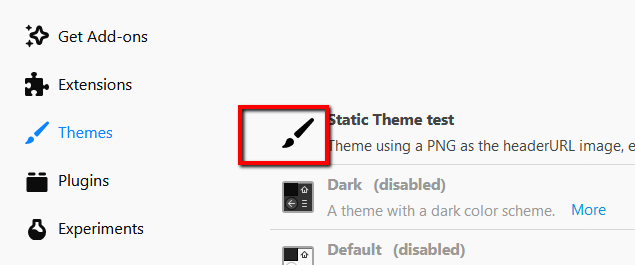
- what icon do you talk about? this one:
 ValentinaPC
on 8 Nov 2017
ValentinaPC
on 8 Nov 2017
This might have been fixed. I could not reproduce any scenario where installing a theme does not add an icon to the add-on manager.
@kumar303 I can still reproduce.
STR using example: https://addons.mozilla.org/en-US/firefox/addon/xmas-02-paillette/
- Install using the old frontend:
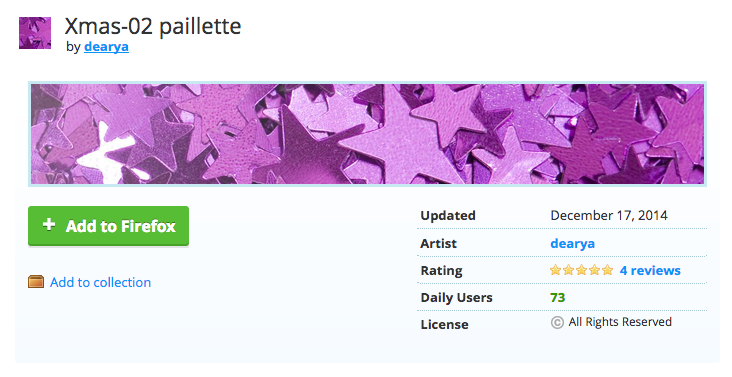
- Go to the Add-ons Manager
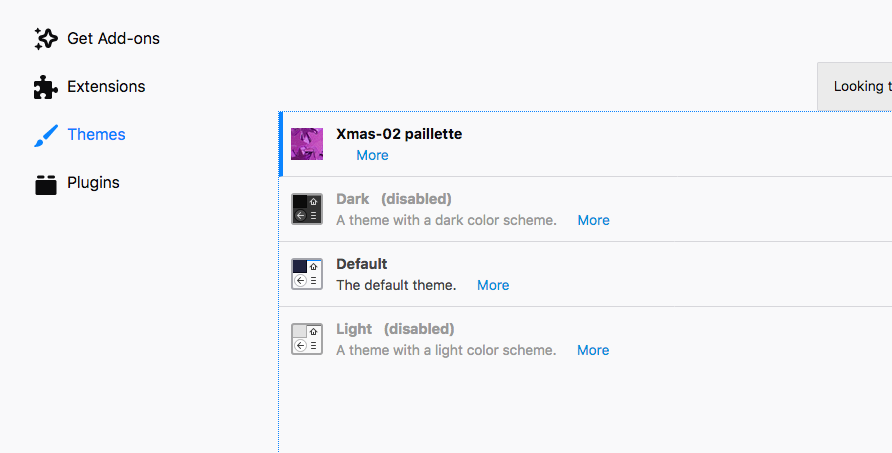
vs.
- Install using the new frontend:
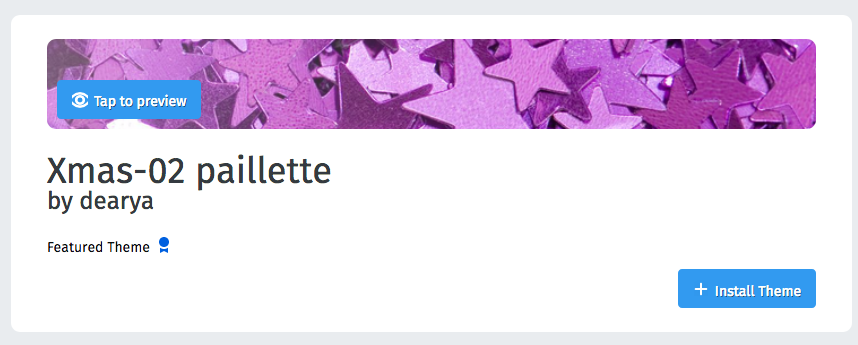
- Go to the Add-ons Manager
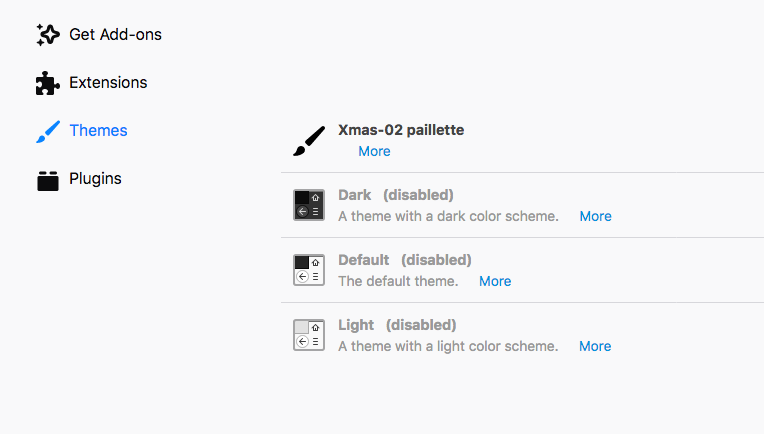
@ValentinaPC
we are talking about static themes, yes?
For now, we don't. Eventually, it should be supported when static themes are ready too.
what icon do you talk about? this one:
Yes, the icon in the Add-ons Manager; also see above screenshots.
wagnerand
on 8 Nov 2017
I was also able to reproduce the "icon" issue from Disco Pane also.
Used theme: https://addons-dev.allizom.org/en-US/firefox/addon/all-fall/
Also there was a Bugzilla issue initially logged for this icon thing:
Then Andrew logged a github one
And I transfered to the right repository at the end:
ValentinaPC
on 8 Nov 2017
@ValentinaPC Ah, thank you. I didn't see that other bug, sorry. Maybe let's close that one since this one already got a PR attached?
wagnerand
on 8 Nov 2017
I thought we had a bug on file for the disappearing icon behavior but I can't find it.
found it https://github.com/mozilla/addons-frontend/issues/3014 :)
kumar303
on 8 Nov 2017
found it #3014 :)
Me2 :)
ValentinaPC
on 9 Nov 2017
For QA: please test for regressions related to all theme functionality. This includes theme detail pages, previewing, and installation in both AMO and the Discovery Pane.
Verified this on AMO-dev FF58(Win 7).
- Postfix video related to theme icon after install - works as expected
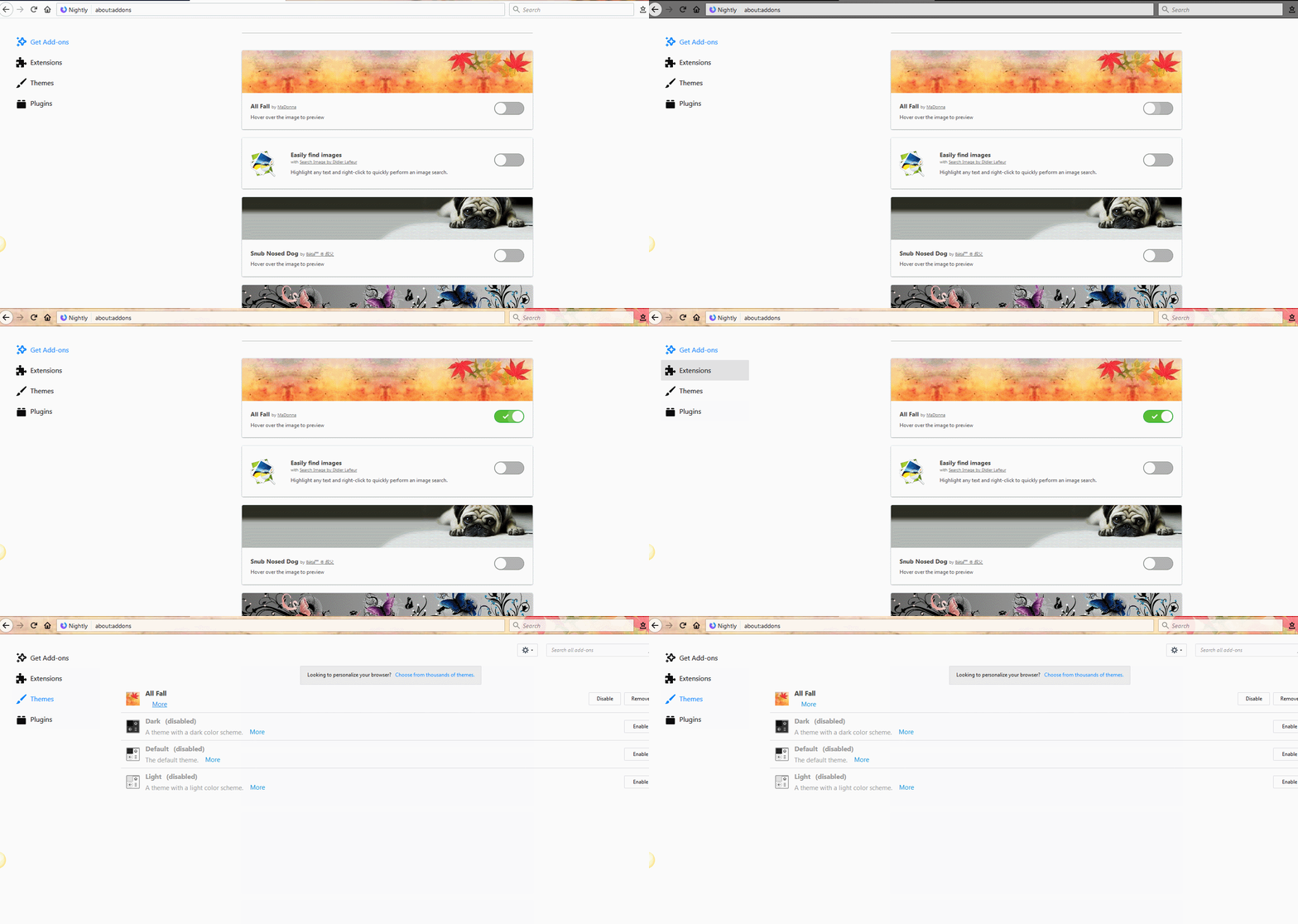
- Description is not displayed if the theme is installed from Disco Pane, and is displayed if installed from AMO-new frontend
What do you think about 2?
ValentinaPC
on 13 Nov 2017
Description is not displayed if the theme is installed from Disco Pane, and is displayed if installed from AMO-new frontend
Good catch, please file a new bug. I think this bug always existed -- I have a suspicion of what the cause is.
kumar303
on 13 Nov 2017
@kumar303 : I only found this issue - https://bugzilla.mozilla.org/show_bug.cgi?id=1263610 - with dupe in GitHub - https://github.com/mozilla/addons-server/issues/3055 .
Will log a separate issue for description part.
ValentinaPC
on 13 Nov 2017
Related issues
 AlexandraMoga
·
5Comments
AlexandraMoga
·
5Comments
 bobsilverberg
·
4Comments
bobsilverberg
·
4Comments
 vcarciu
·
3Comments
vcarciu
·
3Comments
 ioanarusiczki
·
4Comments
ioanarusiczki
·
3Comments
ioanarusiczki
·
4Comments
ioanarusiczki
·
3Comments
Most helpful comment
@kumar303 I can still reproduce.
STR using example: https://addons.mozilla.org/en-US/firefox/addon/xmas-02-paillette/
vs.
@ValentinaPC
For now, we don't. Eventually, it should be supported when static themes are ready too.
Yes, the icon in the Add-ons Manager; also see above screenshots.