Addons-frontend: Search box should work the same from all sections of the site
Instead of having "Find add-ons", "Find extensions", and "Find themes", there should only be "Find add-ons". If users need to filter down results, there are controls in the search results page. I think it's better to provide a consistent experience so users can find any add-on from anywhere on the site.
 jvillalobos
All 20 comments
@jvillalobos I'm not so sure about this, it seems counter-intuitive that if I make a search from the themes page I get add-ons and vice versa.
Do you know if @pwalm got any feedback on this aspect of the site from user-testing?
 muffinresearch
on 6 Nov 2017
muffinresearch
on 6 Nov 2017
Don't know about user testing. My take is that users shouldn't know the difference between a theme, an extension, or something else. Search should work consistently across the site because users shouldn't have to figure out where in the site they are in order to know which results they will get.
jvillalobos
on 6 Nov 2017
@jvillalobos ok, do you want us to land the patch to implement as specced in this issue? Or, can it wait a bit to see if Phil had any insights into what users made of the changing search context?
I had a chat with @tofumatt to get his input on it, and he provided a useful example that was convincing. E.g. if someone was on the themes page and they search for any popular extension, they won't see it there which might make them think we don't have what they were looking for.
Based on that, I'm happy to see this landed and we can look at whether we should have specific additional search cards on the extensions and themes pages to provide a specific filtered search.
muffinresearch
on 7 Nov 2017
Verified on AMO-dev with FF56 (Win10 and Android 7.0)

Mixed search suggestions:
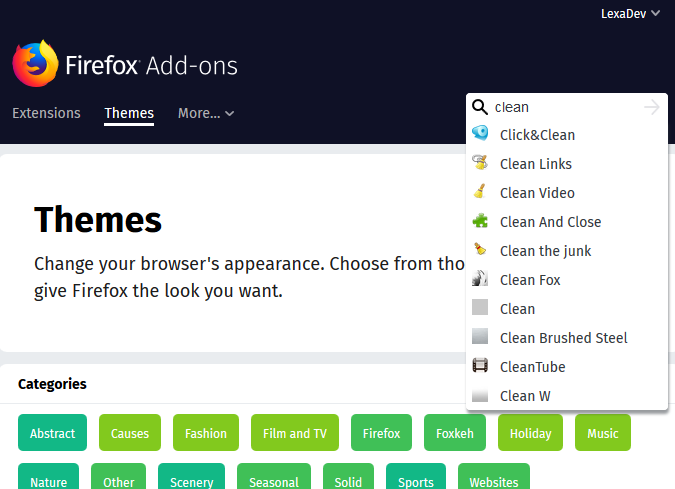
Note:There is one scenario in which, I believe, the new search type doesn't work as expected:
STR:
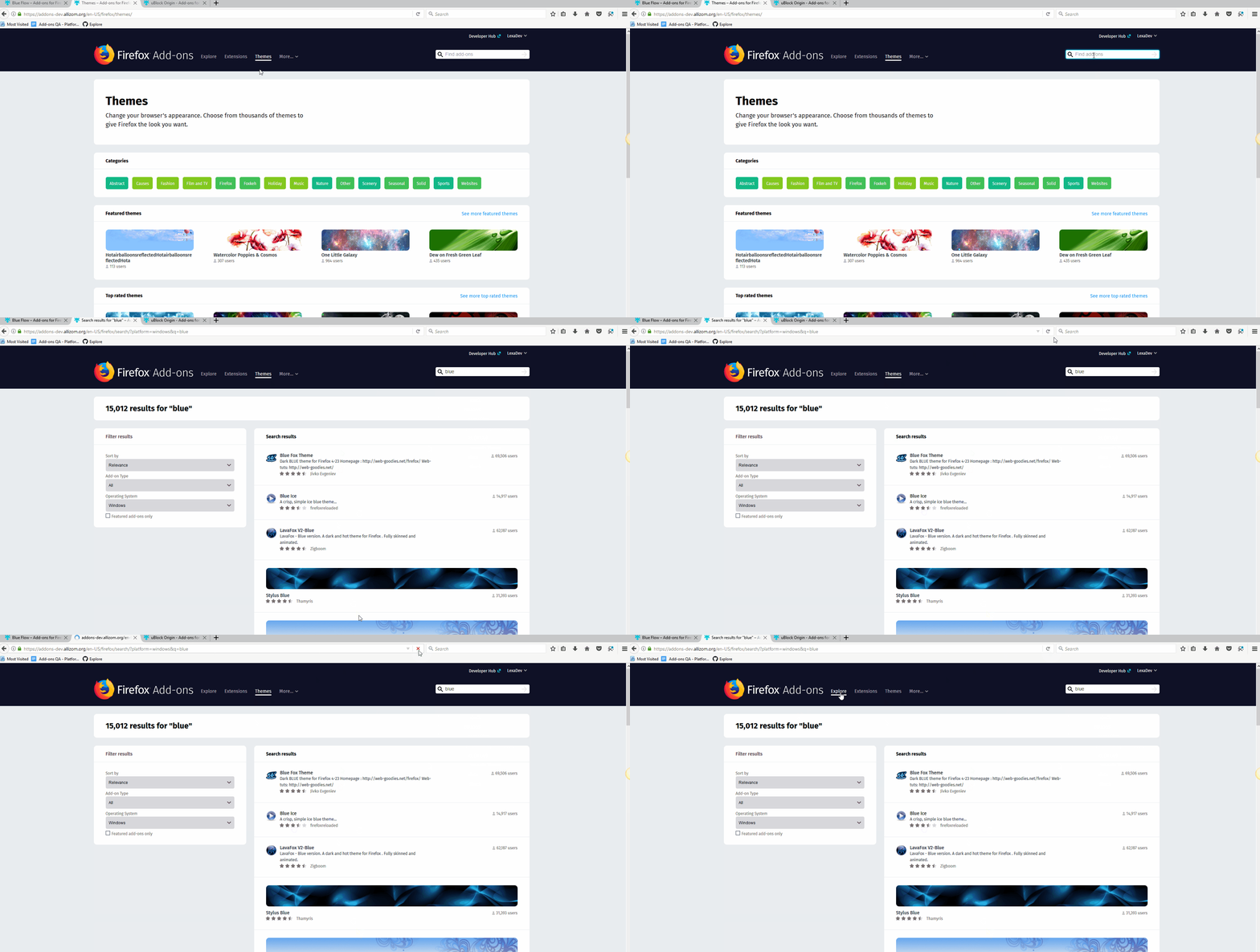
- select the Themes tab from AMO homepage
- perform a random search which will expose mixed results (i.e. blue)
- observe what happens in the header menu
Expected:
Given the fact that the search results are showing now a mixture of themes and extensions, the Explore tab should be the one highlighted
Actual result;
The Themes tab remains highlighted, which might be misleading considering that our search results are not only themes
Note: Explore tab is highlighted after a page refresh. Same applies for a search made from Explore tab.
 AlexandraMoga
on 8 Nov 2017
AlexandraMoga
on 8 Nov 2017
Indeed. That's a bug I cannot trigger with Firefox Nightly, but I can reproduce it with Chrome for instance.
 willdurand
on 8 Nov 2017
willdurand
on 8 Nov 2017
Ah no actually, it is slightly different.
willdurand
on 8 Nov 2017
@AlexandraMoga could you make sure these STR can trigger the bug you're mentioning if you start from the homepage, without having performed any action before? Like no previous search with "blue"?
- Go to https://addons-dev.allizom.org/en-US/firefox/ (page refresh needed)
- select the Themes tab from AMO homepage
- perform a random search which will expose mixed results (i.e. blue)
- observe what happens in the header menu
willdurand
on 8 Nov 2017
@willdurand you are right, there was a step missing. The issue will appear at the second search with the same search term. I can reproduce this constantly now.
AlexandraMoga
on 8 Nov 2017
@AlexandraMoga since the regression you discovered in https://github.com/mozilla/addons-frontend/issues/3689#issuecomment-342791142 was minor (it was only a display issue) then it would have been more helpful to file as a follow-up issue. It creates confusion for us when an issue is re-opened because it's hard to keep of track of how the original patch is moving through the release process. It was a good catch though, thank you.
 kumar303
on 8 Nov 2017
kumar303
on 8 Nov 2017
@kumar303 Thanks for your suggestion. I will keep that in mind. If you think it is still helpful, I could file a new issue now and mark this one as closed.
AlexandraMoga
on 8 Nov 2017
I don't think we need a new issue for the latest patch.
kumar303
on 8 Nov 2017
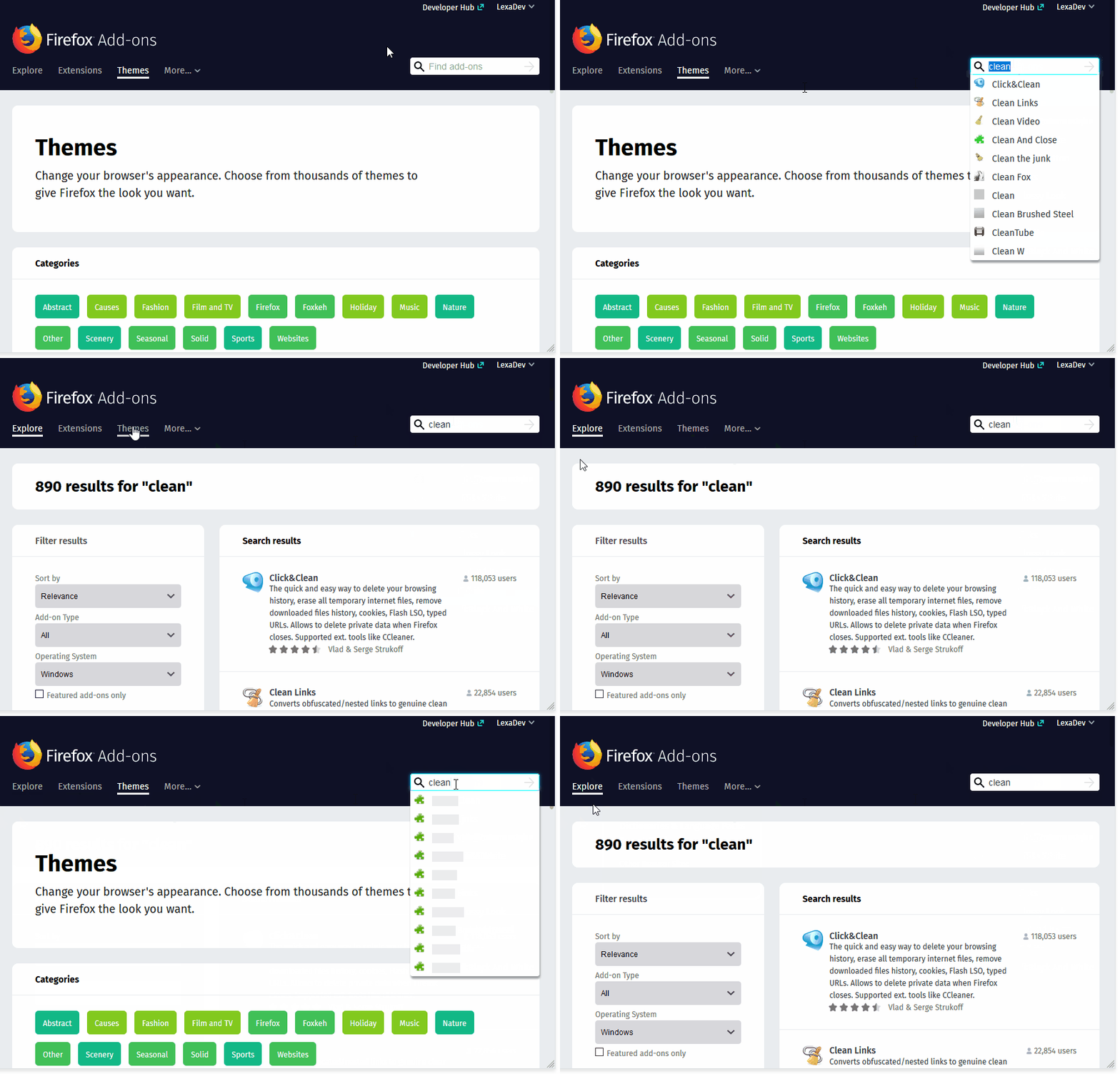
Verified as fixed on AMO dev with FF56 (Win10 and Andorid 7.0)
AlexandraMoga
on 9 Nov 2017
Can we give users the option to reset the search from the header? this way, we can provide context-specific search and a way to easily reset it without having to fiddle with the filter options.
 krupa
on 10 Nov 2017
krupa
on 10 Nov 2017
I don't understand the question. What do you mean by reset the search?
jvillalobos
on 10 Nov 2017
I got feedback about this issue today. For some users, filters are not visible enough on the search results page. Thinking about it, I tend to agree.
So, some users tend to navigate to a section (extensions or themes) to hopefully get refined results based on their initial search. This does not work and they navigate to a landing page instead. From here, they search again but get the same results as before, hence entering an infinite loop until they find the filter they need.. (or they give up).
willdurand
on 15 Nov 2017
Maybe the add-on type drop-down should be replaced with something like a radio-button, so users can see the words "Extension" and "Theme" rather than just the less-clear "Add-on type".
jvillalobos
on 16 Nov 2017
- @jvillalobos Could do the radio button solution as opposed to the drop down.
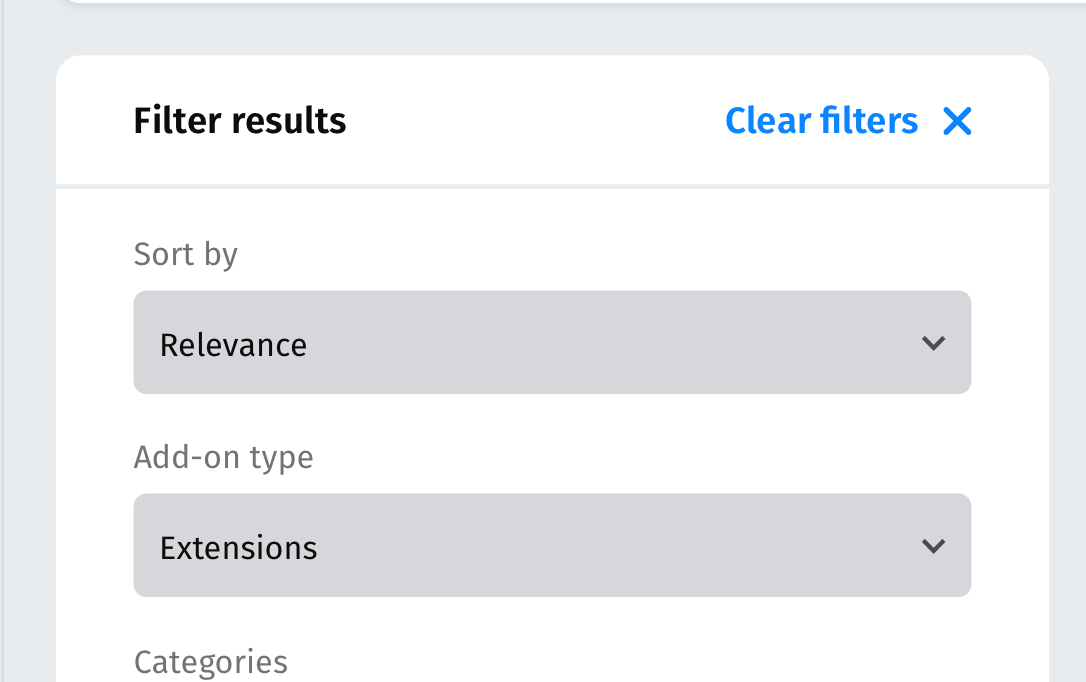
- @krupa I've spec'd out a reset search function ("[x] Clear Filters"), would that solve the issue?
 pwalm
on 17 Nov 2017
pwalm
on 17 Nov 2017
@pwalm - your "Clear filters" solution makes sense only if the search is depended of each page - in Extensions page we return only extensions, in Themes page only themes, which is not the case right now due to this exact issue.
While present case - mixed search results - not sure how "Clear filters" will help, because Add-on type is "All" from the start.
 ValentinaPC
on 17 Nov 2017
ValentinaPC
on 17 Nov 2017
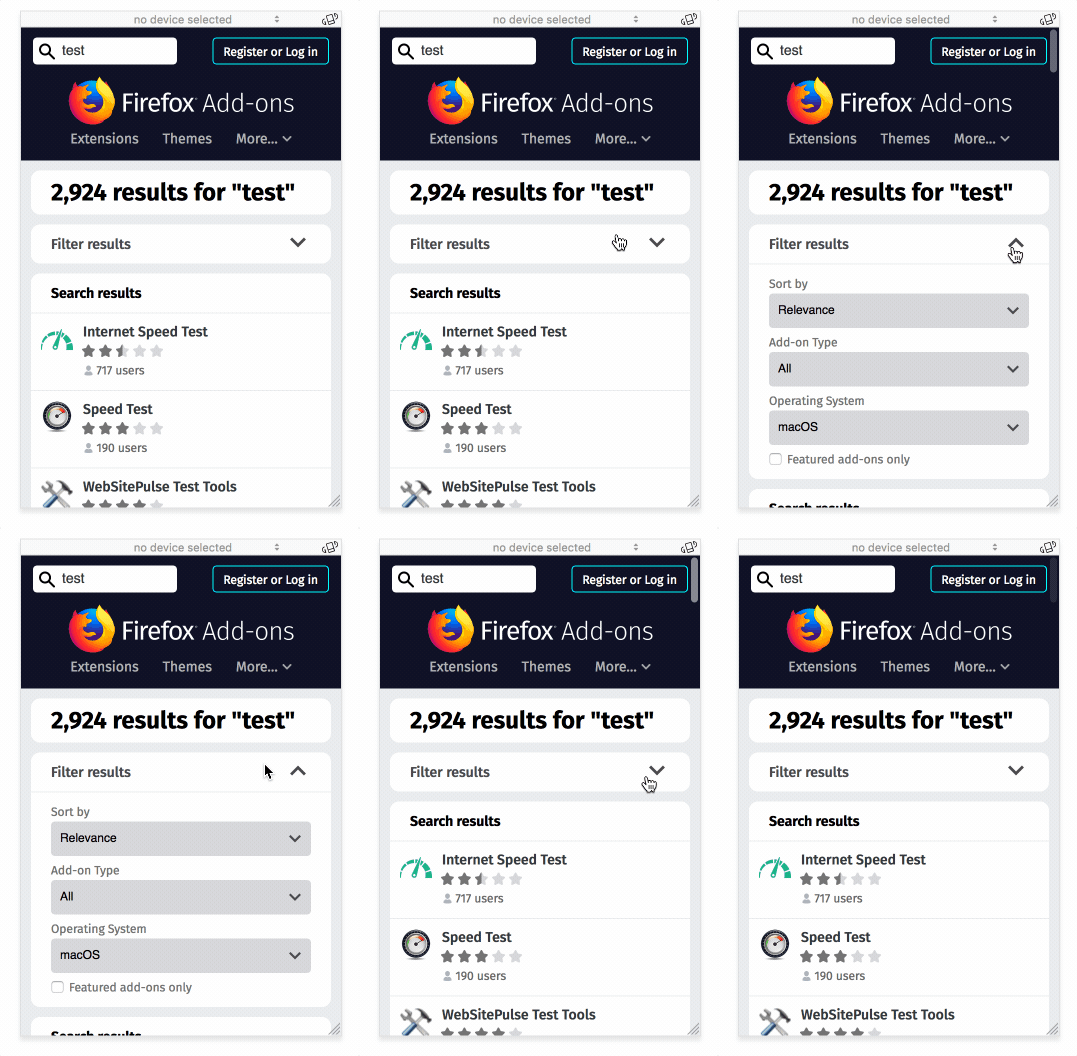
That space is used on mobile to show/hide (expand/contract), so that's also an issue:
 tofumatt
on 17 Nov 2017
tofumatt
on 17 Nov 2017
Please see #3942 instead. This issue is closed.
willdurand
on 17 Nov 2017
Related issues
 bobsilverberg
·
4Comments
bobsilverberg
·
4Comments
bobsilverberg
·
4Comments
bobsilverberg
·
4Comments
 ioanarusiczki
·
3Comments
ioanarusiczki
·
5Comments
AlexandraMoga
·
5Comments
ioanarusiczki
·
3Comments
ioanarusiczki
·
5Comments
AlexandraMoga
·
5Comments
Most helpful comment
Please see #3942 instead. This issue is closed.